1. Uvod
This manual provides essential information for the safe and effective operation of your EXO Cinemaster 2-4K UHD Camera Drone. Please read this manual thoroughly before operating the drone to ensure proper usage and to maximize your flying experience. The EXO Cinemaster 2 is designed for capturing stunning aerial photography and videography with its advanced camera system and intelligent flight features.

The EXO Cinemaster 2-4K UHD Camera Drone, its remote controller, and included accessories.
2. Šta se nalazi u kutiji
Provjerite da li se sve stavke nalaze u vašem paketu:
- EXO Cinemaster 2 Drone
- Daljinski upravljač
- 3 Lithium Polymer Batteries
- Punjač baterija
- Propeller Set (spare propellers may be included)
- USB kabl za punjenje
- Korisnički priručnik (ovaj dokument)
3. Components Overview
Familiarize yourself with the main components of your EXO Cinemaster 2 drone.

The drone features an 11MP photo resolution camera capable of 4K UHD video, mounted on a 3-axis gimbal for stable footage.
Drone
- kamera: 11MP photo, 4K UHD video, 1080p 60FPS slow-motion, 1/2.3in Sony Sensor, 50mbps bitrate.
- Gimbal: 3-axis stabilization for smooth video.
- Motors & Propellers: High-efficiency motors for stable flight.
- Pretinac za baterije: Houses the flight battery.
- Senzori: GPS for precise positioning, obstacle avoidance sensors.
Daljinski upravljač
- Kontrolne palice: For flight direction and altitude.
- Držač pametnog telefona: To mount your smartphone for live video feed and app control.
- Funkcijska dugmad: Za različite načine leta i kontrole kamere.
- Antene: For signal transmission to the drone.
4. Podešavanje
Follow these steps to prepare your EXO Cinemaster 2 for its first flight.
4.1 Punjenje baterija
- Povežite punjač baterije na izvor napajanja.
- Insert the drone batteries into the charger.
- Allow batteries to fully charge. Indicator lights on the charger will show charging status.
4.2 Pričvršćivanje propelera
- Uvjerite se da je dron isključen.
- Match propellers with their corresponding motor arms (usually marked A and B).
- Securely attach each propeller by twisting or pressing down until locked. Refer to the drone's markings for correct orientation.
4.3 Priprema daljinskog upravljača
- Charge the remote controller.
- Extend the smartphone holder and securely place your smartphone.
- Download and install the official EXO drone application from your device's app store.
4.4 Početno povezivanje
- Power on the drone, then the remote controller.
- Open the EXO drone app on your smartphone.
- Follow the in-app instructions to connect your smartphone to the drone via Wi-Fi.
- Wait for GPS signal acquisition (indicated by solid green lights on the drone and/or app).
5. Upravljanje dronom
Learn how to fly your Cinemaster 2 and utilize its advanced features.
5.1 Osnovne kontrole leta
The remote controller provides intuitive control over the drone's movement:
- Lijevi štap: Kontrolira visinu (gore/dolje) i skretanje (rotiranje lijevo/desno).
- Desni štap: Kontroliše kretanje naprijed/nazad i lijevo/desno.
- Takeoff/Landing Button: One-tap automatic takeoff and landing.

The remote controller provides precise and intuitive flight control.
5.2 Rad kamere
The Cinemaster 2's camera system allows for high-quality media capture:
- Rezolucija fotografije: Capture still images at 11 megapixels.
- Video rezolucija: Record videos in stunning 4K UHD.
- Usporeni snimak: Achieve cinematic effects with 1080p 60FPS slow-motion recording.
- 3-osni gimbal: Ensures stable and smooth footage by compensating for drone movements.
- Sony Sensor: The 1/2.3in Sony Sensor delivers rich, true-to-life colors with a 50mbps bitrate for detailed recordings.
5.3 Flight Performance and Features
Experience robust flight performance and intelligent modes:
- Vrijeme leta: Enjoy up to 28 minutes of flight per battery.
- Raspon: Control the drone up to half a mile away.
- Otpornost na vjetar: Designed with Level 5 wind resistance for stable flight in various conditions.
- Sportski način rada: Reach speeds of up to 27 MPH for dynamic aerial maneuvers.
- One-Tap Return to Home: The drone automatically returns to its takeoff point.
- Follow-Me Mode: The drone tracks your movements, capturing hands-free footage.
- Circle-Me Feature: The drone orbits around a designated subject for captivating shots.
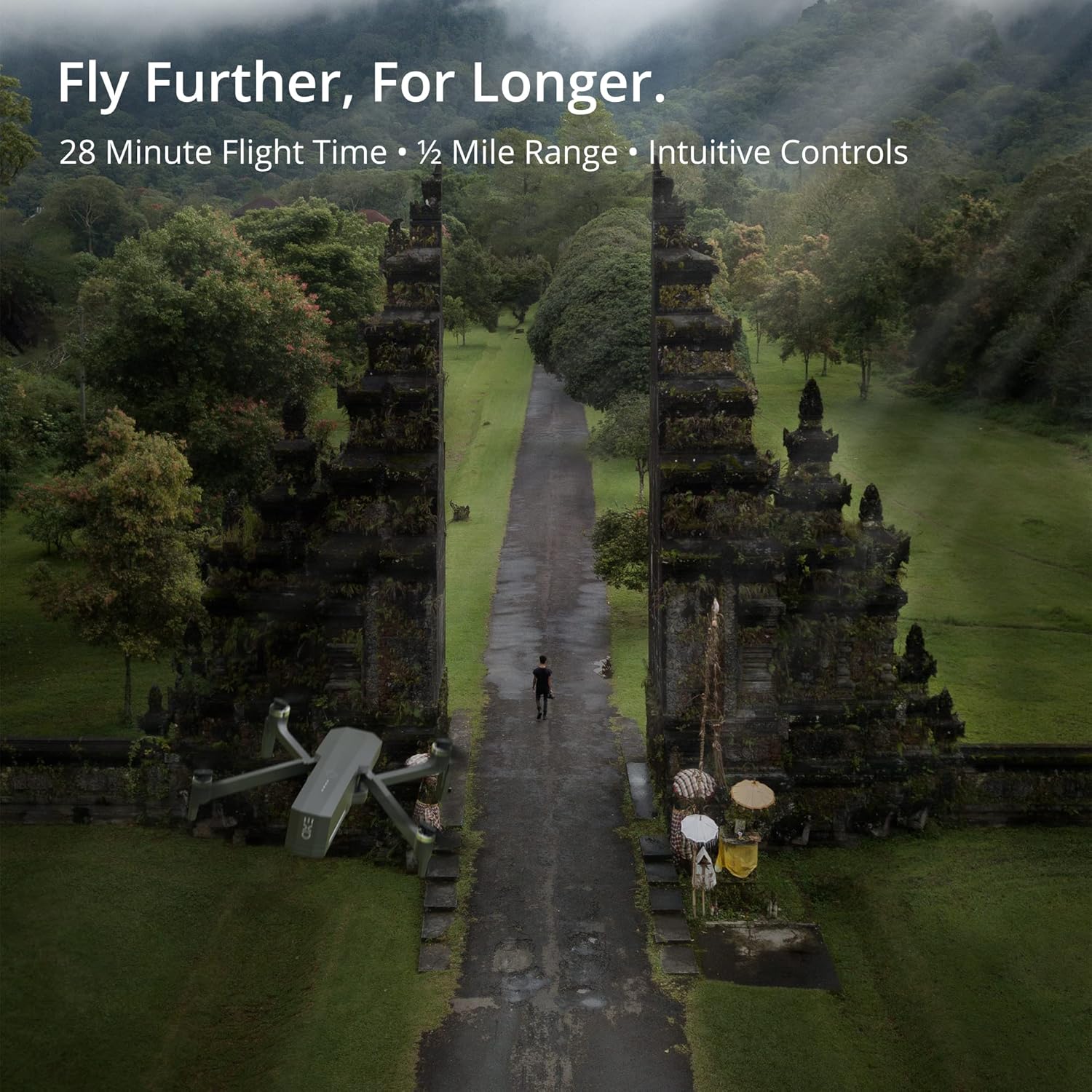
The Cinemaster 2 offers extended flight time and range for comprehensive aerial exploration.

Smart features like Auto Return Home simplify operation and enhance safety.

The drone's robust design provides stability even in windy conditions.
5.4 Zvanični videozapisi proizvoda
Introducing Cinemaster 2: Ovaj video daje krajview of the EXO Cinemaster 2 drone's features and capabilities, showcasing its camera quality and flight performance.
Drone Features Demonstration: This video demonstrates general drone features, including obstacle avoidance and high-resolution remote control, applicable to advanced drone models like the Cinemaster 2.
6. Održavanje
Redovno održavanje osigurava dugotrajnost i optimalne performanse vašeg drona.
- Održavanje baterije: Store batteries at approximately 50% charge if not used for extended periods. Avoid overcharging or fully discharging.
- Pregled propelera: Regularly check propellers for cracks, bends, or damage. Replace damaged propellers immediately.
- čišćenje: Koristite meku, suhu krpu za čišćenje tijela drona i objektiva kamere. Izbjegavajte upotrebu jakih hemikalija.
- Ažuriranja firmvera: Check the EXO drone app periodically for firmware updates to ensure your drone has the latest features and performance enhancements.
7. Otkrivanje problema
Evo rješenja za uobičajene probleme s kojima se možete susresti:
- Drone Not Connecting to Remote/App: Ensure both drone and remote are powered on and fully charged. Restart both devices and the app. Verify Wi-Fi connection.
- Poor GPS Signal: Fly in an open area away from tall buildings or strong magnetic interference. Wait for the GPS indicator to show a strong signal.
- Nestabilan let: Check propellers for damage and ensure they are correctly installed. Calibrate the drone's compass and IMU as per app instructions.
- Camera Issues (No Image/Poor Quality): Ensure the camera lens is clean. Check app settings for resolution and frame rate. Verify sufficient storage on the SD card.
- Drone Does Not Respond: Ensure batteries are charged and properly inserted. Check for any physical obstructions to propellers.
8. Specifikacije
| Feature | Specifikacija |
|---|---|
| Brand | EXO |
| Naziv modela | EXO Cinemaster 2 |
| Težina artikla | 1.43 funte |
| Dimenzije proizvoda | 12.6 x 4.72 x 9.45 inča |
| Baterije | 3 litijum-polimerska baterija (uključena) |
| Posebne karakteristike | GPS |
| Rezolucija video snimanja | 4K UHD (1080p for slow motion) |
| Vrsta Flash memorije | SD |
| Podržani audio format | AAC |
| Tehnologija povezivanja | Wi-Fi |
| Camcorder Type | Video Camera |
| Datum prve dostupnosti | 30. marta 2022 |
9. Garancija i podrška
For any questions, technical assistance, or warranty claims, please contact EXO's dedicated customer service team. Our Utah-based support is available to ensure a smooth and enjoyable experience with your Cinemaster 2 drone.
Refer to the official EXO webweb-mjesto ili dokumentaciju o kupovini za specifične uvjete garancije i kontakt informacije.


