1. Uvod
Cisco Webex Desk Pro is an all-in-one collaboration device designed for video conferencing, content creation, and productivity. It features a 27-inch 4K multitouch display, an integrated HD camera, and an advanced microphone array for clear audio. This manual provides instructions for setting up, operating, and maintaining your Webex Desk Pro system.
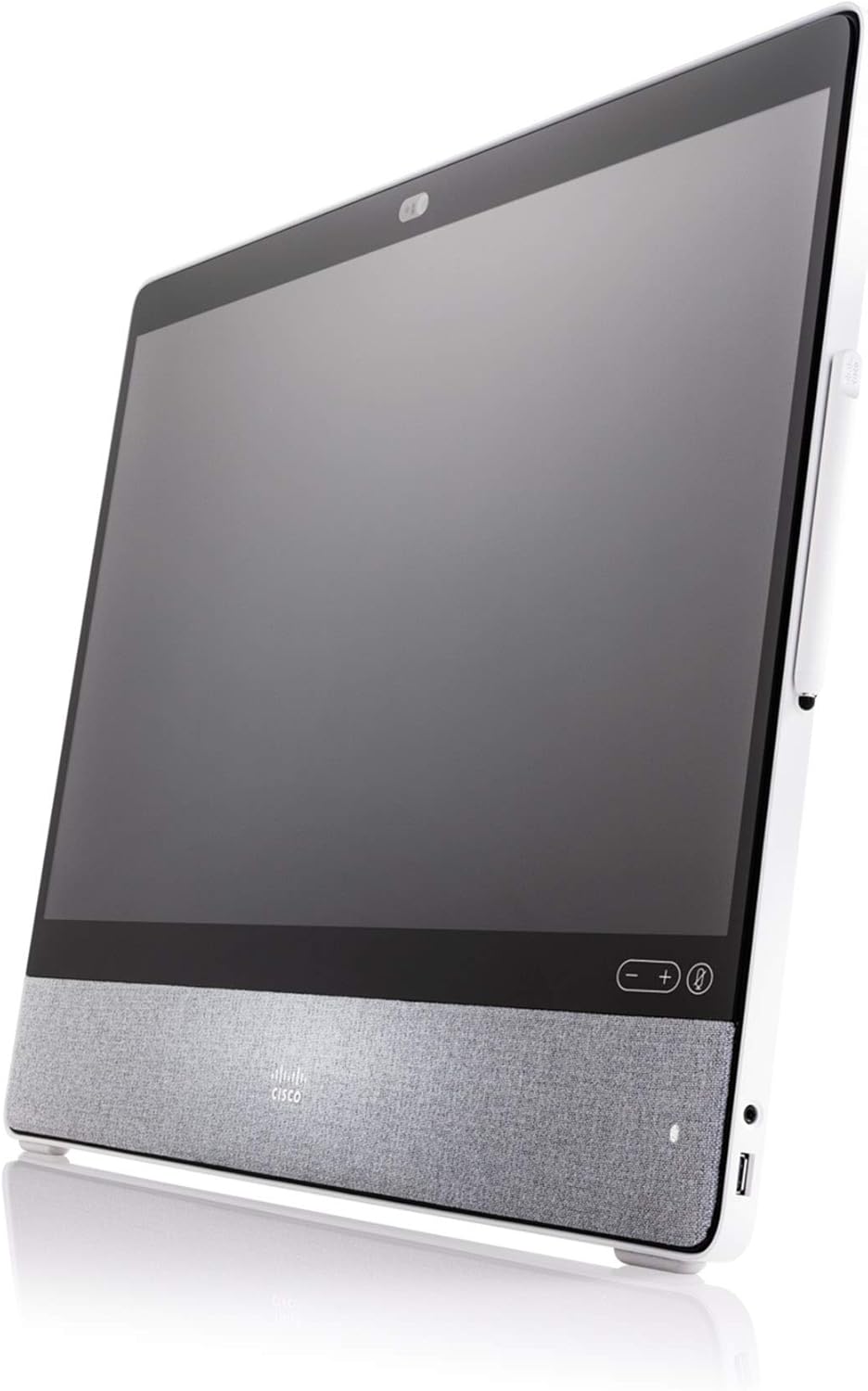
Slika 1.1: Ugao view Cisco Webex Desk Pro, showcasing its sleek design and integrated speaker fabric.
Ključne karakteristike:
- 27-inch 4K Multitouch Display: Provides a high-resolution interactive surface for video calls and content.
- Integrated HD Camera: Captures clear video for conferencing.
- Superior Sound System: Delivers high-quality audio output.
- Advanced Noise-Cancelling Microphone Array: Ensures clear voice pickup by minimizing background noise.
- Kognitivna saradnja: AI-powered features enhance the meeting experience.
- Digitalna bijela ploča: Allows for co-creation using a dedicated stylus or finger.
- USB-C povezivanje: Functions as a docking station and external display for laptops.
2. Podešavanje
Slijedite ove korake za postavljanje Cisco uređaja Webex Desk Pro system.
2.1 Raspakivanje
- Pažljivo uklonite Webbivši Desk Pro iz svog pakovanja.
- Uvjerite se da su sve komponente prisutne: Webex Desk Pro unit, power adapter, power cable, and any included accessories (e.g., stylus).
2.2 Povezivanje napajanja
- Connect the power adapter to the power input port on the back of the Webbivši Desk Pro.
- Uključite kabel za napajanje u adapter za napajanje, a zatim u odgovarajuću električnu utičnicu.
2.3 Mrežna veza
The Webex Desk Pro requires an internet connection for full functionality.
- Žična veza: Connect an Ethernet cable from your network router or switch to the Ethernet port on the Webbivši Desk Pro.
- Bežična veza: Upon initial power-on, you will be prompted to configure Wi-Fi settings through the on-screen interface.
2.4 Connecting Peripherals (Optional)
You can connect a laptop to the Webex Desk Pro using a USB-C cable to use it as an external display and docking station.
- Connect a USB-C cable from your laptop to the USB-C port on the Webex Desk Pro. This connection can provide video, audio, and data transfer.
2.5 Početno uključivanje
Once power and network are connected, the device should power on automatically or can be powered on using the power button (if available).
- Follow the on-screen prompts to complete the initial setup, which may include language selection, network configuration, and Webprijava na bivši račun.

Slika 2.1: Front view Cisco Webex Desk Pro, showing the 27-inch display, camera, and speaker grille.
3. Uputstvo za upotrebu
The Webex Desk Pro is optimized for Webbivši sastanci. A Webex device subscription is required for full functionality and must be purchased separately.
3.1 Videoconferencing
The device seamlessly integrates with Webex for video calls. It can also be used with other video-conferencing solutions by connecting to your laptop via USB-C.
- Initiate or join Webex meetings directly from the device's interface.
- Utilize the integrated camera and microphone for clear communication.
3.2 Digital Whiteboarding
The multitouch screen supports interactive whiteboarding, allowing for collaborative content creation.
- Use the dedicated stylus or your finger to draw, write, and annotate on the screen.
- Content created on the whiteboard is automatically saved to a Webex Teams virtual space for easy access and sharing.

Slika 3.1: A user interacting with the Webex Desk Pro screen using a stylus, demonstrating the digital whiteboarding feature during a collaborative session.
3.3 Using as a Laptop Display and Docking Station
Connect your laptop via USB-C to extend your workspace and utilize the Desk Pro's display and peripherals.
- The Webex Desk Pro acts as a primary monitor with touch-redirect capabilities.
- It can also function as a docking station, providing power and connectivity for your laptop through the single USB-C cable.
3.4 Cognitive Collaboration Features
AI-powered features are integrated to provide a streamlined meeting experience and contextual insights.
- Features like Webex Assistant and facial recognition contribute to a frictionless collaboration environment.

Slika 3.2: Gotovoview Cisco Webex Desk Pro's core functionalities, including videoconferencing, productivity features, digital whiteboarding, and cognitive collaboration capabilities.
4. Održavanje
Pravilno održavanje osigurava dugotrajnost i optimalne performanse vašeg Webbivši Desk Pro.
4.1 Čišćenje uređaja
- ekran: Koristite meku krpu koja ne ostavlja dlačiceampOperite vodom ili sredstvom za čišćenje ekrana. Izbjegavajte jake hemikalije ili abrazivne materijale.
- tijelo: Wipe the exterior surfaces with a soft, dry cloth. Do not allow liquids to enter openings.
- Prije čišćenja provjerite je li uređaj isključen i isključen iz utičnice.
4.2 Ažuriranja softvera
Regular software updates are crucial for security, performance, and new features.
- The Webex Desk Pro typically receives automatic software updates when connected to the internet.
- Check the device settings for manual update options or to verify update status.
4.3 Razmatranja životne sredine
- Koristite uređaj unutar preporučenih raspona temperature i vlažnosti.
- Avoid exposing the device to direct sunlight, excessive heat, or moisture.
- Osigurajte odgovarajuću ventilaciju oko uređaja.
5. Otkrivanje problema
Ovaj odjeljak se bavi uobičajenim problemima s kojima se možete susresti prilikom Webbivši Desk Pro.
5.1 Nema napajanja
- Verify that the power cable is securely connected to the device and the electrical outlet.
- Check if the electrical outlet is functional by plugging in another device.
- Ensure the power adapter is correctly connected.
5.2 Nema displeja
- Potvrdite da je uređaj uključen.
- If using as a laptop display, ensure the USB-C cable is properly connected and the laptop's display settings are configured to extend or duplicate the display.
- Pokušajte ponovo pokrenuti uređaj.
5.3 Problemi sa zvukom
- Check the volume settings on the device and within any active applications (e.g., Webex Meetings).
- Uvjerite se da mikrofon nije isključen.
- Verify that the correct audio input/output devices are selected in the system settings.
5.4 Problemi s mrežnom vezom
- For wired connections, ensure the Ethernet cable is securely connected to both the device and the router/switch. Check router status.
- For wireless connections, verify the Wi-Fi network is available and you have entered the correct password. Try reconnecting to the network.
- Restart your router/modem if other devices are also experiencing network issues.
6. Specifikacije
Detailed technical specifications for the Cisco Webex Desk Pro (CS-DESKPRO-K9).
| Feature | Specifikacija |
|---|---|
| Brand Name | Cisco |
| Broj modela stavke | CS-DESKPRO-K9 |
| Težina artikla | 42.8 funte |
| Dimenzije proizvoda | 30.7 x 30.7 x 8.6 inča |
| Naziv boje | Crna |
| Posebne karakteristike | Low Light Camera Performance |
| Veličina ekrana | 27 inča |
| Rezolucija | 4K UHD 2160p |
| Aspect Ratio | 16:9 |
| Opis površine ekrana | Sjajni |
7. Garancija i podrška
7.1 Obnovljena garancija Amazona
This product is part of the Amazon Renewed program. Renewed products are eligible for replacement or refund under the Amazon Renewed Guarantee if you are not satisfied with your purchase. Please refer to the Amazon Renewed Guarantee terms and conditions for full details regarding return policy and coverage.
7.2 Tehnička podrška
For technical assistance, software-related inquiries, or advanced troubleshooting beyond this manual, please refer to the official Cisco support resources or contact your Webex service provider. Ensure you have your device's model number (CS-DESKPRO-K9) and serial number available when seeking support.


