1. Uvod
This manual provides essential instructions for the proper setup, operation, and maintenance of your TODO Under Desk Treadmill Remote Control. This remote is designed as a replacement for the original remote control of the TODO Under Desk Treadmill, specifically compatible with Model AD-4000.
Please read this manual thoroughly before using the remote control to ensure safe and efficient operation.
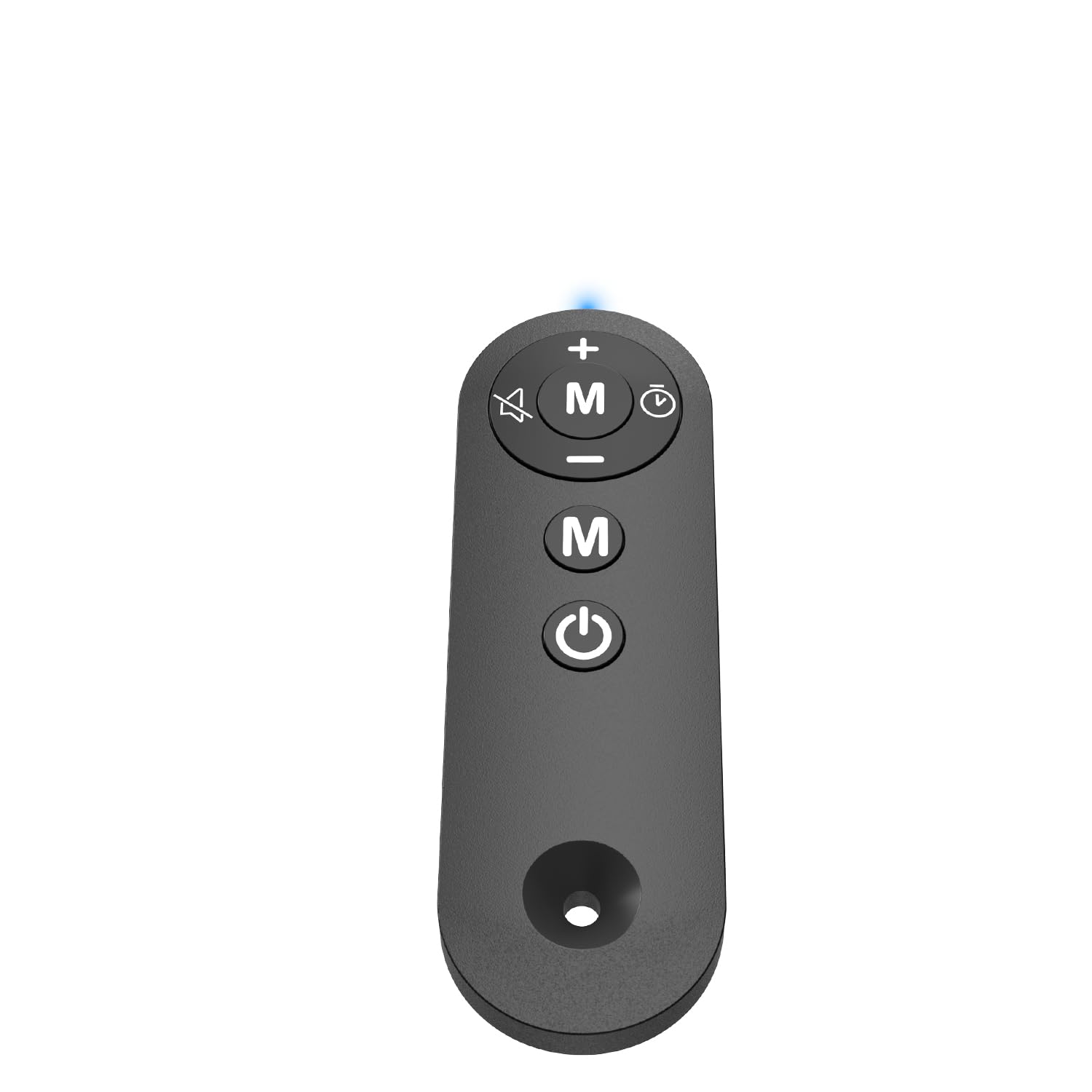
Figure 1: TODO Under Desk Treadmill Remote Control
2. Proizvod je gotovview
The TODO Remote Control is a compact and portable device designed for convenient operation of your compatible under-desk treadmill. It features intuitive buttons for speed adjustment, mode selection, and power control.
2.1. Funkcije daljinskog upravljanja
- Materijal: Acrylonitrile Butadiene Styrene (ABS) for durability.
- Povezivanje: Infrared (IR) technology for reliable communication with the treadmill.
- Sensitive Buttons: Responsive controls for precise adjustments.
- Prijenosni dizajn: Lagan i lak za rukovanje.
Video 1: Krajview of the Treadmill Remote Control. This video demonstrates the physical features and button layout of the remote control.
3. Podešavanje
3.1. Instalacija baterije
Daljinski upravljač zahtijeva dvije AAA baterije (nisu uključene). Za umetanje baterija:
- Pronađite poklopac odeljka za baterije na poleđini daljinskog upravljača.
- Otvorite poklopac.
- Umetnite dvije AAA baterije, pazeći na ispravan polaritet (+ i -).
- Čvrsto zatvorite poklopac odeljka za baterije.
Video 2: Treadmill Remote Control Replacement. This video illustrates the process of opening the battery compartment and inserting batteries.
3.2. Početna upotreba
Before first use, remove the insulating plastic sheet located on the side of the remote control. Once removed, the indicator light in front of the remote should illuminate with a blue light, confirming the remote is ready for use.
Video 3: Treadmill Remote Control Replacement. This video demonstrates the removal of the insulating plastic sheet and the remote's activation.
4. Uputstvo za upotrebu
Point the remote control directly at the treadmill's receiver for optimal performance. The remote allows you to control various functions of your TODO Under Desk Treadmill.
4.1. Funkcije gumba
- Dugme za napajanje (Uključeno/Isključeno): Press to turn the treadmill on or off.
- Dugme '+': Increases the treadmill speed.
- Dugme '-': Decreases the treadmill speed.
- 'M' Button (Mode): Cycles through different operating modes or programs on the treadmill.
Video 4: Walking Pad Remote Replacement. This video demonstrates the functionality of the remote control buttons with a compatible treadmill.
5. Specifikacije
| Brand | TODO |
| Naziv modela | REMOTE |
| Dimenzije proizvoda | 1.97"D x 0.79"Š x 0.28"H |
| Težina artikla | 0.07 funti |
| Materijal | akrilonitril butadien stiren (ABS) |
| Tehnologija povezivanja | Infracrveni |
| Izvor napajanja | Napajanje baterijama (2x AAA, nisu uključene) |
| Uključene komponente | Daljinski upravljač |
6. Otkrivanje problema
6.1. Daljinski upravljač ne odgovara
- Provjerite bateriju: Provjerite da li su baterije pravilno instalirane i da li su dovoljno napunjene. Zamijenite ih ako je potrebno.
- Remove Insulating Strip: Verify that the plastic insulating strip has been completely removed from the battery compartment.
- Linija vida: Ensure there is a clear line of sight between the remote control and the treadmill's receiver. Obstructions can block the infrared signal.
- Kompatibilnost: Confirm that your treadmill is a TODO brand, specifically Model AD-4000. This remote is designed for this specific model.
6.2. Indicator Light Not On
- Provjerite instalaciju i punjenje baterije.
- Ensure the insulating plastic sheet is removed.
7. Održavanje
Da biste osigurali dugotrajnost i pravilno funkcionisanje vašeg daljinskog upravljača:
- Keep the remote clean and dry. Wipe with a soft, damp krpom ako je potrebno.
- Izbjegavajte ispuštanje daljinskog upravljača ili njegovo izlaganje jakim udarcima.
- Čuvati na hladnom i suvom mestu dalje od direktne sunčeve svetlosti i ekstremnih temperatura.
- Ako daljinski upravljač nećete koristiti duži period, izvadite baterije kako biste spriječili curenje.
8. Garancija i podrška
For warranty information or technical support, please refer to the documentation provided with your TODO Under Desk Treadmill or contact TODO customer service directly. Contact information can typically be found on the manufacturer's webweb-mjestu ili na originalnom pakovanju proizvoda.

Figure 2: TODO Brand Logo


