1. Uvod
This manual provides essential instructions for the installation, operation, and maintenance of your Qubo Car DashCam Pro 2K QHD. Please read this manual thoroughly before using the device to ensure proper functionality and safety.

Image 1.1: Qubo Car DashCam Pro 2K QHD. This image shows the compact design of the dashcam, highlighting its lens and mounting bracket.
2. Šta se nalazi u kutiji
Provjerite da li su sve stavke prisutne u paketu:
- Qubo Car DashCam Pro 2K QHD (1 unit)
- Adapter with cable (5V 2AMP) (1 unit)
- Double Sided Adhesive Tape (1 unit)
- Pry Tool (1 unit)
- QR card (Digital Warranty & User Manual) (1 unit)
3. Postavljanje i instalacija
Follow these steps for proper installation of your dashcam:
- Pripremite montažnu površinu: Clean the area on your windshield where you intend to mount the dashcam. Ensure it is free from dust and grease for optimal adhesive tape performance.
- Pričvrstite kameru za automobil: Remove the protective film from the double-sided adhesive tape on the dashcam mount. Firmly press the dashcam onto the cleaned windshield surface. Ensure the camera lens has an unobstructed view na putu.
- Priključite napajanje: Connect the provided power cable to the dashcam and route it discreetly along the windshield edge and pillar using the pry tool. Plug the other end into your car's 12V power outlet using the included adapter.
- Power On and Initial Configuration: Once connected, the dashcam will power on automatically when the car starts. Download the QuboPro App on your smartphone (available for Android and iOS).
- Pair with QuboPro App: Open the QuboPro App, select 'Add Device', and follow the on-screen instructions to connect to your dashcam's Wi-Fi network. Create a new password for your dashcam's Wi-Fi for security.

Image 3.1: Dashcam mounted on windshield. This image illustrates the dashcam's position on the car's windshield, capturing a wide-angle view puta ispred nas.
4. Uputstvo za upotrebu
4.1 Načini snimanja
- Kontinuirano snimanje: The dashcam automatically starts recording when the vehicle's ignition is turned on. Footage is saved in short segments.
- Snimanje u petlji: When the SD card is full, the oldest unlocked footage is overwritten by new recordings. Ensure important footage is saved or locked.
- Snimanje u hitnim slučajevima (G-senzor): The built-in G-Sensor detects sudden impacts or collisions. In such events, the current recording segment is automatically locked and saved to a protected folder, preventing it from being overwritten by loop recording.
- Journey Time-Lapse: Create condensed videos of your entire journey directly from the QuboPro App.

Image 4.1: Multiple Recording Modes. This image illustrates the different recording functionalities of the dashcam, including continuous, emergency, loop, and clip & snap modes.
4.2 360° Rotatable Design
The dashcam features a 360° rotatable design, allowing you to adjust the camera angle to record either the road ahead or the interior of your vehicle. This flexibility is useful for capturing in-cabin events or for personal vlogging.
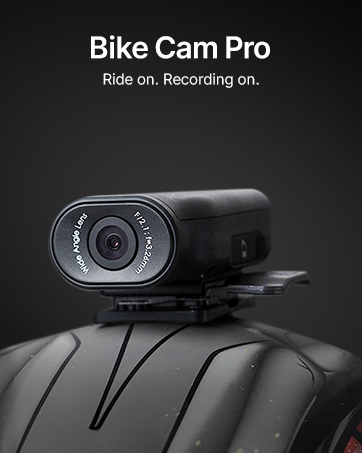
Image 4.2: 360° Rotatable Design. This image shows the dashcam's ability to rotate, allowing for both forward-facing and in-cabin recording.
5. QuboPro App Features
The QuboPro App provides comprehensive control and access to your dashcam's features:
- Prijenos uživo: View u realnom vremenu footage from your dashcam on your smartphone.
- Upravljanje snimanjem: Access, download, and manage recorded videos and images.
- Postavke: Adjust dashcam settings such as recording resolution, G-Sensor sensitivity, and parking mode.
- Dnevnici putovanja: Review trip details and time-lapse videos.

Image 5.1: QuboPro App Interface. This image displays the user-friendly interface of the QuboPro App on a smartphone, showing live feed and various control options.
6. Održavanje
- Očistite sočivo: Regularly clean the camera lens with a soft, lint-free cloth to ensure clear recording quality.
- Upravljanje SD karticama: Format the SD card periodically (e.g., once a month) through the QuboPro App to maintain optimal performance and prevent data corruption. Use only compatible V30 high-speed SD cards.
- Ažuriranja firmvera: Check for and install firmware updates via the QuboPro App to ensure your dashcam has the latest features and bug fixes.
- temperatura: The dashcam is designed to operate in temperatures from -20°C to 85°C. Avoid exposing it to extreme temperatures outside this range for prolonged periods.

Image 6.1: Compatible SD Cards. This image displays the types of SD cards compatible with the Qubo Dashcam, emphasizing the requirement for V30 high-speed cards and warning against non-compatible types.
7. Otkrivanje problema
| Problem | Mogući uzrok | Rješenje |
|---|---|---|
| Dashcam not powering on | Loose power connection, faulty adapter, car power outlet issue. | Check power cable connection. Ensure the car's 12V outlet is functional. Try a different adapter if available. |
| Kvalitet snimka je loš | Prljav objektiv, pogrešne postavke rezolucije, slabi uslovi osvjetljenja. | Clean the camera lens. Check recording resolution in the QuboPro App. Ensure windshield is clean. |
| Problemi sa Wi-Fi vezom | Incorrect password, too far from dashcam, app issues. | Verify Wi-Fi password. Ensure your phone is close to the dashcam. Restart the app and dashcam. |
| Greška na SD kartici | Incompatible SD card, corrupted card, full card. | Use a compatible V30 high-speed SD card. Format the SD card via the app. Replace the SD card if issues persist. |
8. Specifikacije
| Feature | Detalj |
|---|---|
| Model | NG-HCAGR001 |
| Dimenzije proizvoda | 9.5 x 4 x 3.5 cm |
| Težina artikla | 80 g |
| Rezolucija video snimanja | 2K QHD (1296p) |
| Field Of View | 120 stepeni |
| Tehnologija povezivanja | Wi-Fi |
| Posebne karakteristike | Time Lapse, G-Sensor, Supercapacitor Powered, 360° Rotatable Design |
| Podrška za skladištenje | Up to 1 TB SD Card (SD card not included) |
| Radna temperatura | -20°C do 85°C |
| Izvor napajanja | Car Charger (USB Input) |
9. Garancija i podrška
Your Qubo Car DashCam Pro 2K QHD comes with a standard brand warranty. For detailed warranty terms and conditions, please refer to the QR card included in your package or visit the official Qubo website.
Korisnička podrška:
For any technical assistance, installation support, or service-related queries, please contact Qubo customer support. Qubo offers dedicated On-Call & Field support across India, with installation and service support available in over 70 cities.
- Online resursi: Refer to the digital user manual via the provided QR card.
- Kontakt informacije: Please refer to the product packaging or the official Qubo website for the latest contact details for customer support.
10. Sigurnosne informacije
- Do not operate the dashcam while driving if it distracts you.
- Provjerite je li kamera za automobil sigurno montirana i ne ometa vašu view na putu.
- Use only the provided power adapter and cable to prevent damage to the device.
- Avoid exposing the device to direct sunlight for extended periods when not in use, especially in hot climates.
- Držite uređaj dalje od vode i vlage.
- Do not attempt to disassemble or repair the dashcam yourself. Contact customer support for assistance.


