1. Važna sigurnosna uputstva
Please read all instructions carefully before using the Baseus A7 Handheld Vacuum. Keep this manual for future reference.
- Ne koristite usisivač u blizini vode ili u vlažnim uslovima.
- Ne usisavajte zapaljive ili eksplozivne materijale, vrući pepeo ili oštre predmete.
- Držite kosu, široku odjeću, prste i sve dijelove tijela dalje od otvora i pokretnih dijelova.
- Koristite samo kabel za punjenje koji je isporučio proizvođač.
- Ne koristite usisivač s oštećenim kablom ili utikačem.
- Prije upotrebe provjerite je li filter pravilno instaliran.
- Ovaj uređaj nije namijenjen za upotrebu od strane osoba (uključujući djecu) sa smanjenim fizičkim, senzornim ili mentalnim sposobnostima, ili nedostatkom iskustva i znanja, osim ako im je dat nadzor ili upute o korištenju uređaja od strane osobe odgovorne za njihovu sigurnost.
- Djeca trebaju biti pod nadzorom kako bi se osiguralo da se ne igraju s uređajem.
2. Sadržaj paketa
Provjerite da li su sve stavke prisutne u paketu:

Slika 2.1: Uključene komponente
- Baseus A7 Handheld Vacuum Cleaner
- Flagship Flexible Extender Tube
- Silicone Brush / Precision Extensions (2-in-1 Crevice Tool)
- USB-C kabl za punjenje
- Storage Cloth Bag
- HEPA filter (unaprijed instaliran ili rezervni)
- Uputstvo za upotrebu
- Garantni list
3. Proizvod je gotovview
The Baseus A7 is a portable, cordless handheld vacuum designed for efficient cleaning in various environments, including cars, carpets, and other small areas. It features two suction levels and a USB-C rechargeable battery.

Figure 3.1: Suction Power and Runtime
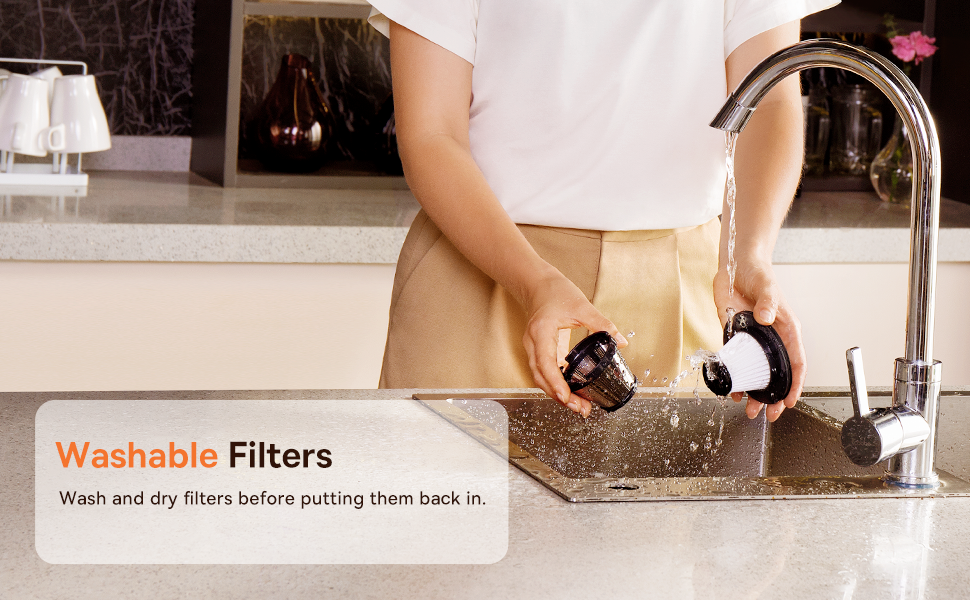
Figure 3.2: Powerful and Portable Design
Ključne karakteristike:
- Bežični i prenosivi: Designed for easy handling and use in various locations.
- Dva nivoa usisavanja: Standard (4500PA) for general cleaning and High (8000PA) for tougher debris.
- USB-C punjivi: Convenient charging with a modern USB-C port.
- HEPA filtracija: Hvata finu prašinu i alergene.
- 500ml Dust Box: Large capacity for extended cleaning sessions.
4. Podešavanje i punjenje
4.1 Početno punjenje
Before first use, fully charge the vacuum cleaner. The charging time is approximately 3 to 3.5 hours.
Slika 4.1: Punjenje putem USB-C kabla
- Connect the provided USB-C charging cable to the charging port on the vacuum cleaner.
- Drugi kraj kabla priključite na kompatibilni USB adapter za napajanje (nije uključen) ili USB port.
- The indicator light will show charging status (refer to the device for specific light patterns).
- Once fully charged, disconnect the vacuum from the power source.
4.2 Pričvršćivanje dodatne opreme
Select the appropriate attachment for your cleaning task and firmly attach it to the vacuum's suction inlet.
- Flexible Extender Tube: For reaching deep or awkward spaces.
- 2-in-1 Crevice Tool (Silicone Brush/Precision Extensions): Use the narrow end for tight corners and crevices, or slide the brush attachment forward for delicate surfaces.
5. Uputstvo za upotrebu
5.1 Power On/Off and Suction Levels
- To turn on the vacuum, press the power button. It will start in Standard suction mode (4500PA).
- Press the power button again to switch to High suction mode (8000PA).
- Pritisnite dugme za napajanje treći put da isključite usisivač.
5.2 Primjene čišćenja
The Baseus A7 is versatile for various cleaning tasks:

Figure 5.1: Versatile Cleanups

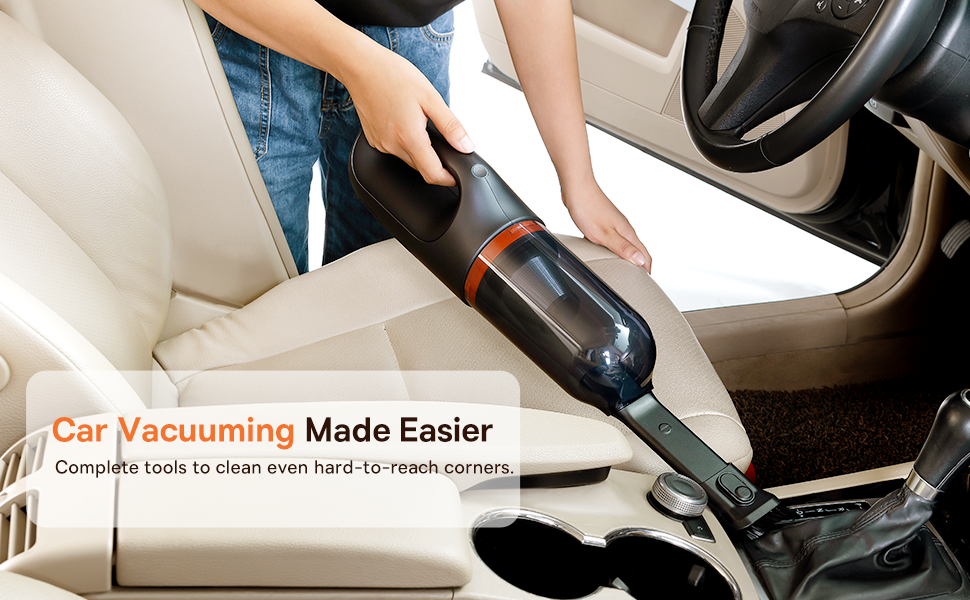
Figure 5.2: Car Vacuuming Made Easier
- Unutrašnjost automobila: Use the crevice tool for tight spots between seats and the flexible tube for under seats.
- Household Surfaces: Effective for quick cleanups on tables, countertops, and furniture.
- Dlaka kućnih ljubimaca: Can be used for light pet hair removal on upholstery.
- Keyboards and Electronics: Use the brush attachment for delicate cleaning.
For optimal performance, ensure the dust box is not overfilled and the filter is clean.
6. Održavanje
6.1 Pražnjenje kutije za prašinu
Empty the dust box regularly to maintain suction power and prevent blockages.
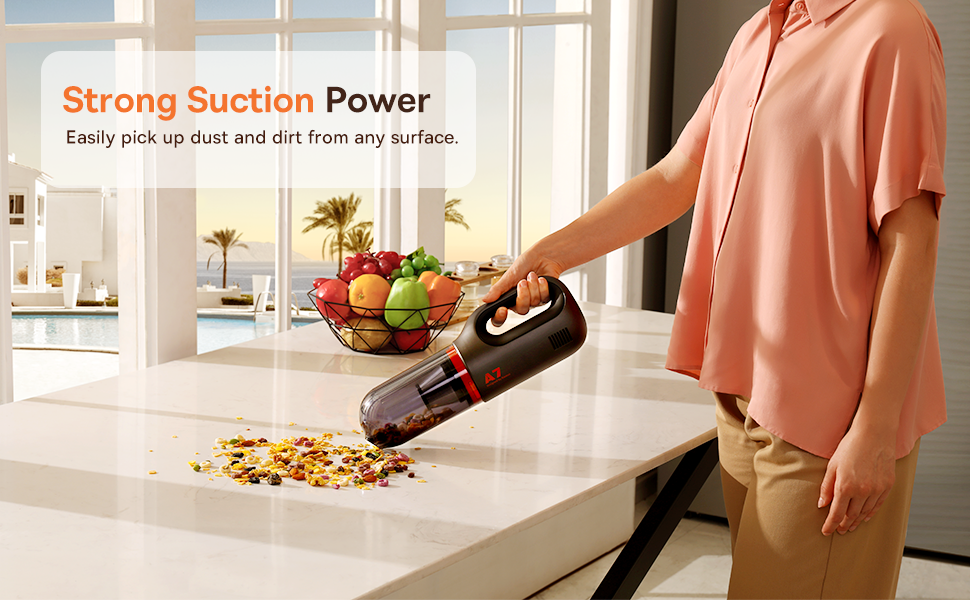
Figure 6.1: Easy to Empty Dust Box
- Provjerite je li usisivač isključen.
- Twist or unlatch the dust box from the main body of the vacuum (refer to device for specific mechanism).
- Carefully empty the collected debris into a trash receptacle.
- Čvrsto ponovo pričvrstite kutiju za prašinu.
6.2 Čišćenje filtera
The HEPA filter is washable and should be cleaned periodically to ensure efficient filtration and suction.

Figure 6.2: Washing the HEPA Filter
- Remove the dust box and then carefully remove the HEPA filter.
- Rinse the filter under cool, running water until clean. Do not use detergents.
- Ostavite filter da se potpuno osuši na zraku najmanje 24 sata prije nego što ga ponovo umetnete u usisivač. Ne koristite usisivač s mokrim filterom.
- Ensure the filter is fully dry and properly seated before reassembling the vacuum.
7. Otkrivanje problema
If you encounter issues with your Baseus A7 vacuum, refer to the following common problems and solutions:
| Problem | Mogući uzrok | Rješenje |
|---|---|---|
| Nema napajanja / Ne uključuje se | Baterija je prazna. | Charge the vacuum fully (approx. 3-3.5 hours). |
| Slaba usisna snaga | Kutija za prašinu je puna. Filter je začepljen. Attachment is not properly sealed. | Ispraznite kutiju za prašinu. Očistite i osušite HEPA filter. Ensure attachments are firmly connected. |
| Usisivač se neočekivano zaustavlja | Baterija je prazna. Aktivirana je zaštita od pregrijavanja. | Napunite bateriju. Turn off the vacuum and let it cool down for 30 minutes before resuming use. |
| Indikator punjenja ne radi | Problem s kablom za punjenje ili adapterom. Problem sa portom za punjenje. | Try a different USB-C cable and power adapter. Ensure the cable is fully inserted. If the issue persists, contact customer support. |
Ako problem i dalje postoji nakon isprobavanja ovih rješenja, obratite se korisničkoj podršci Baseusa.
8. Specifikacije
| Feature | Detalj |
|---|---|
| Brand | Baseus |
| Naziv modela | A7 |
| Posebna karakteristika | HEPA, Portable |
| Filter Type | Uložak (HEPA) |
| Bežični | Da |
| Kapacitet | 500 mililitara |
| Wattage | 120 vati |
| Vrijeme punjenja | 3 - 3.5 sata |
| Preporučena upotreba | Car, Carpet, Household |
| Form Factor | Handheld |
| Boja | Crna |
| Dimenzije proizvoda | 4 cm D x 3 cm Š x 13 cm V |
| Vrsta baterije | Lithium-Ion (2 batteries included) |
| Nivo buke | 75 decibela |
| AmpDob | 1.4 Amps |
| Broj brzina | 2 |
| Težina artikla | 3.43 funte |
| Izvor napajanja | Battery Powered |
9. Garancija i podrška
The Baseus A7 Handheld Vacuum comes with a warranty to ensure your satisfaction.
- garancija: Includes a 1-year warranty card and a 3-year guarantee. Please refer to the warranty card included in your package for specific terms and conditions.
- Korisnička podrška: For any questions, technical assistance, or warranty claims, please contact Baseus customer support through their official webweb-mjesto ili kontakt informacije navedene na vašem garantnom listu.
10. Video o proizvodu
Watch the official product video for a visual guide on the Baseus A7 Handheld Vacuum's features and usage.
Video 10.1: Baseus A7 Handheld Vacuum Overview and Demonstration. This video showcases the vacuum's design, suction capabilities, and how to use its various attachments for different cleaning scenarios.