Uvod
Thank you for choosing the MageGee GT860 96-Key Wired RGB Backlit Gaming Keyboard. This keyboard is designed for both gaming and daily use, featuring a compact layout, ergonomic design, and customizable RGB backlighting. This manual will guide you through the setup, operation, and maintenance of your new keyboard to ensure optimal performance and user experience.
Sadržaj paketa
- MageGee GT860 96-Key Wired RGB Backlit Gaming Keyboard
- Uputstvo za upotrebu
Product Overview
Raspored tipkovnice
The MageGee GT860 features a 92% compact layout, retaining essential keys while offering a space-saving design. It includes a full numeric keypad and function keys.

Image: The MageGee GT860 keyboard showcasing its 96-key layout with RGB backlighting and black and yellow keycaps.

Slika: Detaljna view of the standard 96-key layout with full RGB backlighting, highlighting the compact yet functional design.
Ključne karakteristike
- 92% Kompaktni raspored: Offers a balance between full functionality and a space-saving design.
- Membrana s mehaničkim osjećajem: Utilizes advanced imitation mechanical technology for a tactile typing experience.
- Ergonomski dizajn: Key layout is engineered for comfortable use during extended periods, reducing fatigue.
- RGB pozadinsko osvjetljenje: Features multiple lighting modes and colors, with adjustable brightness and breathing speed.
- Plug and Play: No drivers required for basic functionality.
- Široka kompatibilnost: Supports Windows 10, 8, 7, XP, VISTA, and Mac OS.
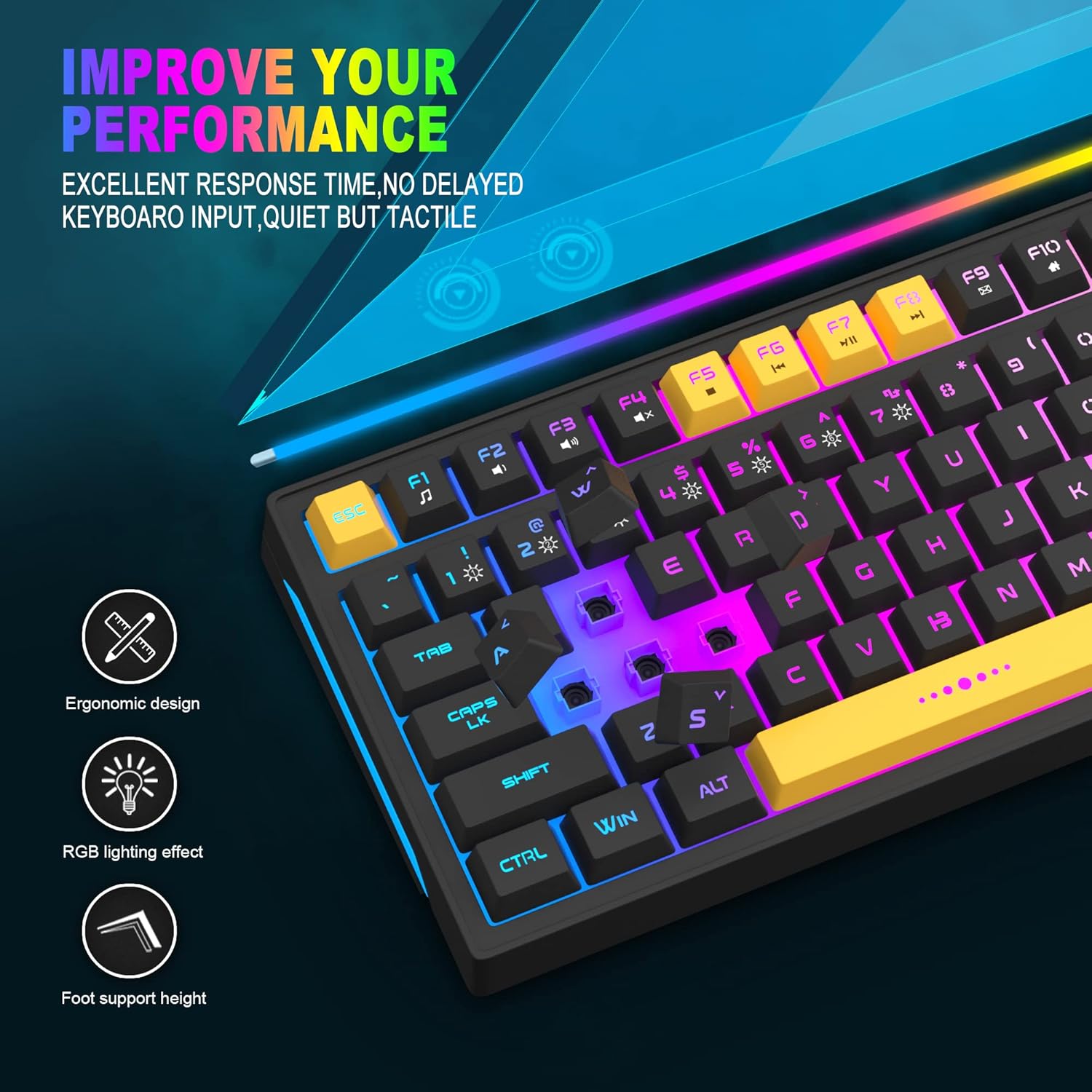
Image: Close-up showing the ergonomic design and RGB lighting effect of the keyboard, emphasizing comfort and visual appeal.

Slika: Strana view of the keyboard illustrating its thoughtful ergonomic design with a 7-degree tilt for improved typing posture.
Uputstva za postavljanje
- Unpack the keyboard and ensure all package contents are present.
- Connect the USB cable from the keyboard to an available USB port on your computer.
- The keyboard is plug-and-play and should be automatically recognized by your operating system (Windows, Mac OS). No additional drivers are typically required for basic functionality.
- Once connected, the RGB backlighting will illuminate, indicating the keyboard is powered on and ready for use.
Uputstvo za upotrebu
RGB kontrola pozadinskog osvjetljenja
The MageGee GT860 keyboard features customizable RGB backlighting with various modes and effects.
- Promjena načina osvjetljenja: Pritisnite FN key combined with keys 1 kroz 6 to cycle through different RGB lighting effects and colors.
- Podešavanje svjetline: Use specific key combinations (refer to keyboard legends or experiment with FN + Arrow keys if not explicitly labeled) to increase or decrease backlight brightness.
- Adjusting Breathing Speed: Some modes allow adjustment of the breathing or animation speed.

Image: The keyboard displaying various RGB backlit lighting modes, illustrating the range of color options available.

Slika: Dinamična view izložbe tastaturaasing its 18 RGB LED light effects, highlighting the vibrant backlighting.
Multimedijske i funkcijske tipke
The keyboard includes dedicated function keys (F1-F12) that can be accessed by pressing the FN tipku istovremeno sa željenom F-tipkom.
| Kombinacija tastera | Funkcija |
|---|---|
| FN + F1 | Media Player |
| FN + F2 | Utišavanje zvuka |
| FN + F3 | Volume Up |
| FN + F4 | Mute |
| FN + F5 | Previous Track |
| FN + F6 | Next Track |
| FN + F7 | Pusti/Pauza |
| FN + F8 | Stani |
| FN + F9 | |
| FN + F10 | Početna stranica |
| FN + F11 | Scroll Lock |
| FN + F12 | Kalkulator |

Image: Diagram illustrating the various multimedia and function key combinations using the FN key (FN + F1-F12).
Održavanje
To ensure the longevity and optimal performance of your MageGee GT860 keyboard, follow these maintenance guidelines:
- čišćenje: Regularly clean the keyboard with a soft, dry cloth. For deeper cleaning, use compressed air to remove dust and debris from between the keys. A slightly damp cloth (not wet) can be used for keycap surfaces.
- Izbjegavajte tečnosti: Do not spill liquids on the keyboard. If a spill occurs, immediately disconnect the keyboard from your computer and allow it to dry completely before reconnecting.
- Skladištenje: Tastaturu čuvajte na hladnom i suhom mjestu, dalje od direktne sunčeve svjetlosti i ekstremnih temperatura kada se ne koristi duži period.
- Održavanje kablova: Izbjegavajte pretjerano savijanje ili uvrtanje USB kabela kako biste spriječili unutarnja oštećenja.

Slika: Krupni plan view of the keyboard with some keycaps removed, showing the underlying switches. This illustrates the internal structure for cleaning purposes.
Rješavanje problema
If you encounter issues with your MageGee GT860 keyboard, please refer to the following common troubleshooting steps:
- Tastatura ne reaguje:
- Ensure the USB cable is securely connected to both the keyboard and your computer's USB port.
- Pokušajte povezati tastaturu s drugim USB priključkom na računaru.
- Testirajte tastaturu na drugom računaru kako biste utvrdili da li je problem u tastaturi ili u vašem sistemu.
- Backlighting Not Working or Incorrect:
- Provjerite da li je tastatura ispravno povezana i da li prima napajanje.
- Cycle through the RGB lighting modes using FN + 1-6 to ensure a mode is selected.
- Podesite postavke svjetline.
- Ključevi se ne registruju:
- Clean the affected keys to remove any debris that might be obstructing the switch.
- Ensure no software conflicts are present (e.g., other keyboard drivers or gaming software).
- Neočekivano ponašanje:
- Ponovo pokrenite računar.
- If the issue persists, contact MageGee customer support for further assistance.
Specifikacije
| Feature | Detalj |
|---|---|
| Brand | MageGee |
| Model | GT860 |
| Layout | 96 tipki (92% kompaktnosti) |
| Povezivanje | Žičani USB |
| Pozadinsko osvetljenje | RGB Backlit (Multiple modes) |
| Tip ključa | Membrane with Mechanical Feeling |
| Ergonomija | Ergonomski dizajn |
| Kompatibilan OS | Windows 10, 8, 7, XP, VISTA, Mac OS |
| Dimenzije proizvoda | 35.56 x 10.16 x 5.08 cm (14 x 4 x 2 inča) |
| Težina | 744 g (1.64 lbs) |
| Voltage | 5 Volts |
| Boja | Crno žuta |
Garancija i podrška
For warranty information or technical support, please refer to the documentation provided with your purchase or contact MageGee customer service directly. Contact details can typically be found on the manufacturer's official webweb-mjestu ili na ambalaži proizvoda.
Molimo sačuvajte dokaz o kupovini za bilo kakve reklamacije u vezi s garancijom.


