1. Getting Started
1.1 Unboxing Your Tablet
Carefully remove all items from the packaging. Ensure all components are present before discarding the box.
Klip 1: Ovaj video prikazuje proces raspakivanja Blacka.view Tab 6, showing the tablet and included accessories such as the charger, USB cable, and SIM eject pin.
1.2 Sadržaj paketa
- Crnaview Tab 6 Tablet
- Adapter za napajanje
- USB kabl za punjenje
- PIN za izbacivanje SIM kartice
- Korisnički priručnik (ovaj dokument)
1.3 Umetanje SIM/SD kartice
Locate the SIM/SD card tray on the side of your tablet. Use the provided SIM eject pin to open the tray. Insert your Nano-SIM card(s) and/or microSD card into the designated slots, ensuring correct orientation. Gently push the tray back into the tablet until it clicks into place.
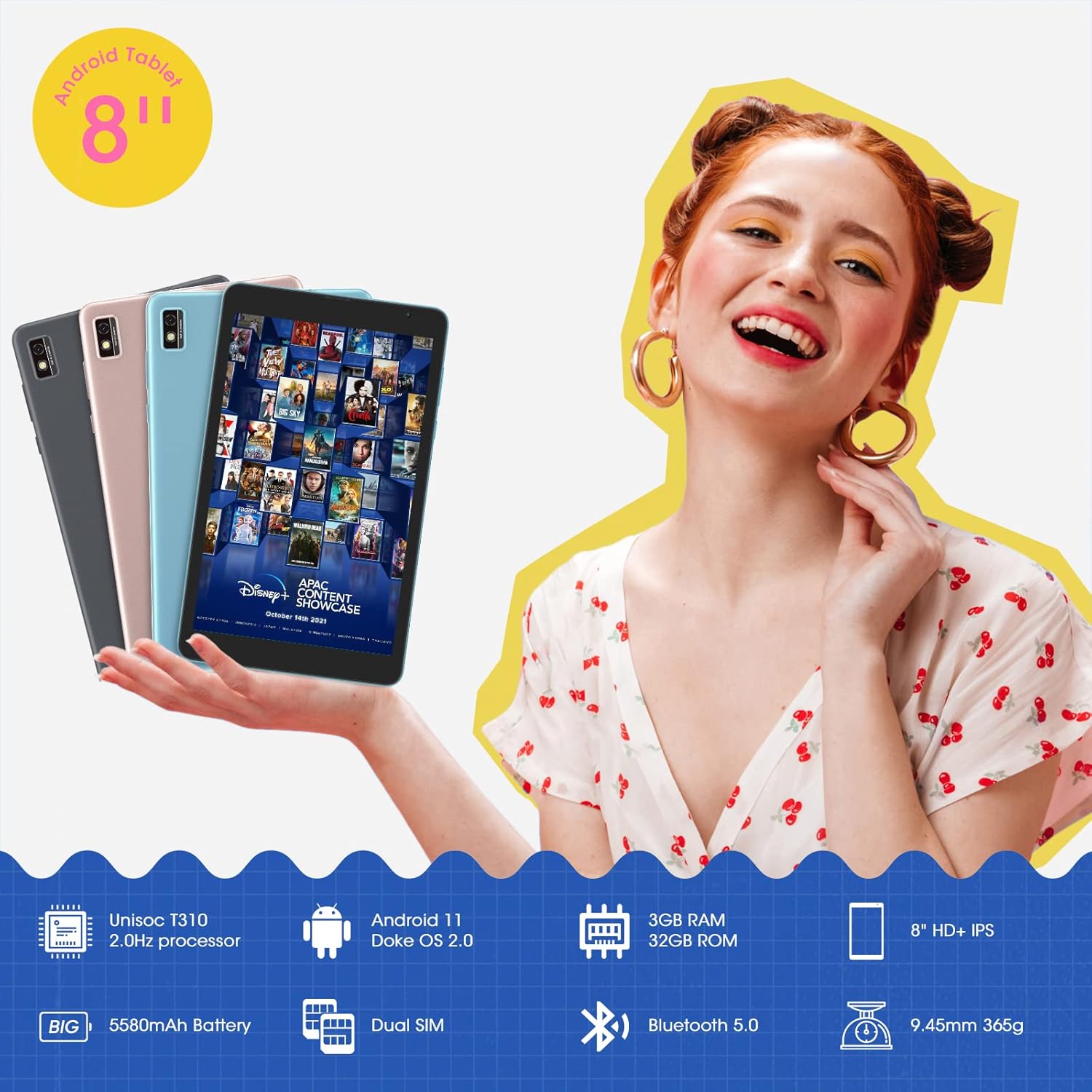
Ova slika prikazuje Crnuview Tab 6 with its dual SIM slots, highlighting its connectivity features and key specifications like the 5580mAh battery and 8-inch HD+ IPS display.
1.4 Početno punjenje i uključivanje
Before first use, fully charge your tablet using the provided power adapter and USB cable. Connect the USB cable to the tablet's charging port and the adapter to a power outlet. The battery indicator on the screen will show charging status. Once charged, press and hold the power button on the side of the tablet until the Blackview logo appears to power it on.
2. Upravljanje tabletom
2.1 Osnovna navigacija
Crniview Tab 6 runs on Android 11 with Doke OS 2.0, offering an intuitive user experience. Use touch gestures for navigation:
- Dodirnite: Odaberite stavku ili otvorite aplikaciju.
- Prevucite: Skrolajte kroz ekrane, liste ili stranice.
- Zumiranje štipanjem: Uvećavanje ili smanjivanje fotografija i web stranice.
- Dugi pritisak: Pristupite kontekstualnim menijima ili premjestite ikone aplikacija.

This image illustrates the user interface of the Blackview Tab 6, showcasing the Android 11 operating system with Doke OS 2.0 features like gesture control and dark theme.
2.2 Načini prikaza
The tablet offers various display modes to optimize your viewiskustvo:
- Ebook Mode: Adjusts the screen for comfortable reading, reducing eye strain.
- Normalni način rada: Standard display settings for general use.
- Način rada za udobnost očiju: Filters blue light to protect your eyes, especially in low-light conditions.

This image displays the various screen modes available on the Blackview Tab 6, including Ebook Mode, Normal Mode, and Eye Comfort Mode, designed for different viewing preferences.
2.3 Povezivanje
The Tab 6 supports a range of connectivity options:
- Wi-Fi: Supports 2.4G and 5G dual-band Wi-Fi for fast internet access.
- Bluetooth 5.0: Za povezivanje bežične dodatne opreme poput slušalica i zvučnika.
- 4G Global Network: Allows for mobile data and call functionality (where supported by your SIM card and carrier).

This image highlights the Blackview Tab 6's connectivity features, including 4G Global Network and 5G Wi-Fi support, emphasizing its versatility as a multi-functional device.
2.4 GPS navigacija
The Tab 6 is equipped with a high-precision quad navigation system (GPS, GLONASS, Beidou, Galileo) for accurate location tracking and route planning. The large 8-inch screen and automatic brightness adjustment ensure clear readability of navigation information in various conditions.

Ova slika prikazuje Crnuview Tab 6 displaying a navigation map, illustrating its use for route guidance and location services.
Klip 2: This video demonstrates various uses of the Blackview Tab 6, including gaming, note-taking, and GPS navigation, showcasing its performance and display quality.
3. Održavanje
3.1 Njega baterija
The tablet is equipped with a 5580mAh battery, providing up to 8 hours of average use. To prolong battery life:
- Izbjegavajte ekstremne temperature.
- Ne dozvolite da se baterija redovno potpuno isprazni.
- Za optimalno punjenje koristite originalni punjač i kabel.
- Zatvorite nekorištene aplikacije koje rade u pozadini.

This image highlights the 5580mAh battery of the Blackview Tab 6, indicating its long standby time and estimated usage durations for talking, music, and video playback.
3.2 Upravljanje skladištem
The tablet comes with 32GB of internal storage and supports expansion up to 128GB via a microSD card. Regularly manage your storage by:
- Brisanje nepotrebno files i aplikacije.
- Selidba velikih objekata files na microSD karticu.
- Utilizing cloud storage services.

This image illustrates the storage capabilities of the Blackview Tab 6, showing its 3GB RAM, 32GB ROM, and support for up to 128GB storage expansion, alongside various application icons.
3.3 Čišćenje tableta
Za čišćenje ekrana i kućišta tableta koristite meku krpu koja ne ostavlja dlačice. Izbjegavajte upotrebu jakih hemikalija ili abrazivnih materijala koji bi mogli oštetiti površinu.
4. Otkrivanje problema
4.1 Uobičajeni problemi i rješenja
- Tablet se ne uključuje: Provjerite je li baterija napunjena. Spojite je na punjač i pokušajte ponovo.
- Spore performanse: Close unused apps, clear cache, or restart the tablet.
- Problemi s Wi-Fi vezom: Restart your router and tablet. Forget and reconnect to the Wi-Fi network.
- Problemi s punjenjem: Ensure the charging cable and adapter are securely connected and undamaged. Try a different compatible charger if available.
4.2 Vraćanje na tvorničke postavke
Ako se susretnete s upornim problemima sa softverom, vraćanje na tvorničke postavke bi ih moglo riješiti. Upozorenje: Ovim će se izbrisati svi podaci na vašem tabletu. Napravite sigurnosnu kopiju važnih podataka prije nego što nastavite.
- Idi na Postavke.
- Odaberite Sistem > Reset opcije.
- Izaberi Izbriši sve podatke (vraćanje na fabričke postavke).
- Potvrdite svoj izbor i slijedite upute na ekranu.
5. Specifikacije
| Feature | Specifikacija |
|---|---|
| Veličina ekrana | 8 inča |
| Rezolucija ekrana | 1280 x 800 HD IPS |
| Procesor | 2.0GHz Quad-Core (Unisoc T310) |
| RAM | 3 GB |
| Interna pohrana | 32 GB |
| Proširiva pohrana | Do 128 GB (microSD) |
| Operativni sistem | Android 11 (Doke OS 2.0) |
| Kapacitet baterije | 5580 mAh |
| Zadnja kamera | 5 MP |
| Povezivanje | 2.4G+5G Dual WiFi, Bluetooth 5.0, 4G LTE |
| Dimenzije (DxŠxV) | 8 x 4.5 x 0.4 inča |
| Težina artikla | 1.42 funti (približno 644 g) |
6. Informacije o garanciji
Tvoja Crnaview Tab 6 tablet comes with a standard manufacturer's warranty. Please refer to the warranty card included in your product packaging for specific terms, conditions, and duration. Keep your proof of purchase for warranty claims.
7. Podrška
For technical assistance, troubleshooting, or further inquiries, please visit the official Blackview podrška website or contact their customer service. Contact details can typically be found on the Blackview webweb-mjestu ili u informacijama o garanciji koje ste dobili uz uređaj.


