1. Uvod
Hvala na kupoviniasing the Audizio Monza DAB+ FM Radio with Bluetooth. This manual provides essential information for the safe and correct operation of your device. Please read it thoroughly before use and retain it for future reference.
The Audizio Monza is a versatile portable radio offering DAB+ digital radio, FM radio, and Bluetooth connectivity for wireless audio streaming. It features a 2.4-inch full-color display, alarm functions, and a universal headphone output.
2. Sigurnosna uputstva
- Do not expose the unit to rain or moisture to avoid electric shock.
- Ne otvarajte kućište; unutra nema dijelova koje korisnik može servisirati.
- Koristite samo isporučeni adapter za napajanje.
- Držite uređaj dalje od izvora topline i direktne sunčeve svjetlosti.
- Osigurajte adekvatnu ventilaciju oko uređaja.
- Čistite samo suhom krpom.
3. Sadržaj paketa
- Audizio Monza DAB+ FM Radio
- Adapter za napajanje
- Korisnički priručnik (ovaj dokument)
4. Proizvod je gotovview
4.1 Kontrole na prednjoj ploči
The front panel features a 2.4-inch full-color display, control buttons, and a central rotary knob for navigation and volume control.

Čist front view of the Audizio Monza radio, showing the digital radio display tuned to 'NPO Radio 2' with current time and signal strength indicator. The control knobs and buttons are visible.
4.2 Priključci stražnje ploče
The rear panel includes the power input and a headphone jack.

The back panel of the Audizio Monza radio, indicating the DC 9V power input and a 3.5mm headphone jack. This illustrates the universal headphone output feature, which mutes the speakers when headphones are connected.
5. Podešavanje
5.1 Priključak za napajanje
- Connect the supplied power adapter to the DC 9V input on the rear of the radio.
- Uključite adapter za napajanje u odgovarajuću zidnu utičnicu.
5.2 Početno uključivanje i odabir jezika
- Pritisnite dugme za napajanje (U) to turn on the radio.
- The display will prompt you to select a language. Use the rotary knob to navigate and press OK da potvrdite svoj izbor.
5.3 Podešavanje antene
Potpuno izvucite teleskopsku antenu za optimalni prijem DAB+ i FM radija. Podesite njen položaj za najbolji kvalitet signala.
6. Uputstvo za upotrebu
6.1 Odabir načina rada
Pritisnite MODE button to switch between DAB+ Radio, FM Radio, and Bluetooth modes.
6.2 Rad DAB+ radija
- Select DAB+ Radio mode using the MODE dugme.
- The radio will automatically perform a full scan for available DAB+ stations upon first use or if no stations are found. To initiate a scan manually, press the SCAN dugme.
- Use the rotary knob to browse through the list of available stations. Press OK za odabir stanice.
- Da biste sačuvali stanicu kao predefinisanu, pritisnite i držite PRESET dugme. Koristite rotirajući gumb za odabir unaprijed postavljenog broja (1-10) i pritisnite OK za potvrdu.
- Da biste pozvali unaprijed postavljenu stanicu, kratko pritisnite PRESET dugme, zatim pomoću okretnog dugmeta odaberite željenu predefinisanu postavku i pritisnite OK.
6.3 Rad FM radija
- Odaberite FM radio način rada pomoću MODE dugme.
- To automatically scan for the next available station, press the SCAN dugme.
- To manually tune, rotate the rotary knob.
- Saving and recalling FM presets follows the same procedure as DAB+ presets (see 6.2).
6.4 Bluetooth rad
- Odaberite Bluetooth način rada pomoću MODE button. The display will show "Bluetooth Connected" or "Bluetooth Pairing".
- On your Bluetooth-enabled device (e.g., smartphone, MP3 player, laptop), enable Bluetooth and search for available devices.
- Select "Audizio Monza" from the list of devices.
- Nakon uparivanja, možete strimovati zvuk sa svog uređaja na radio.
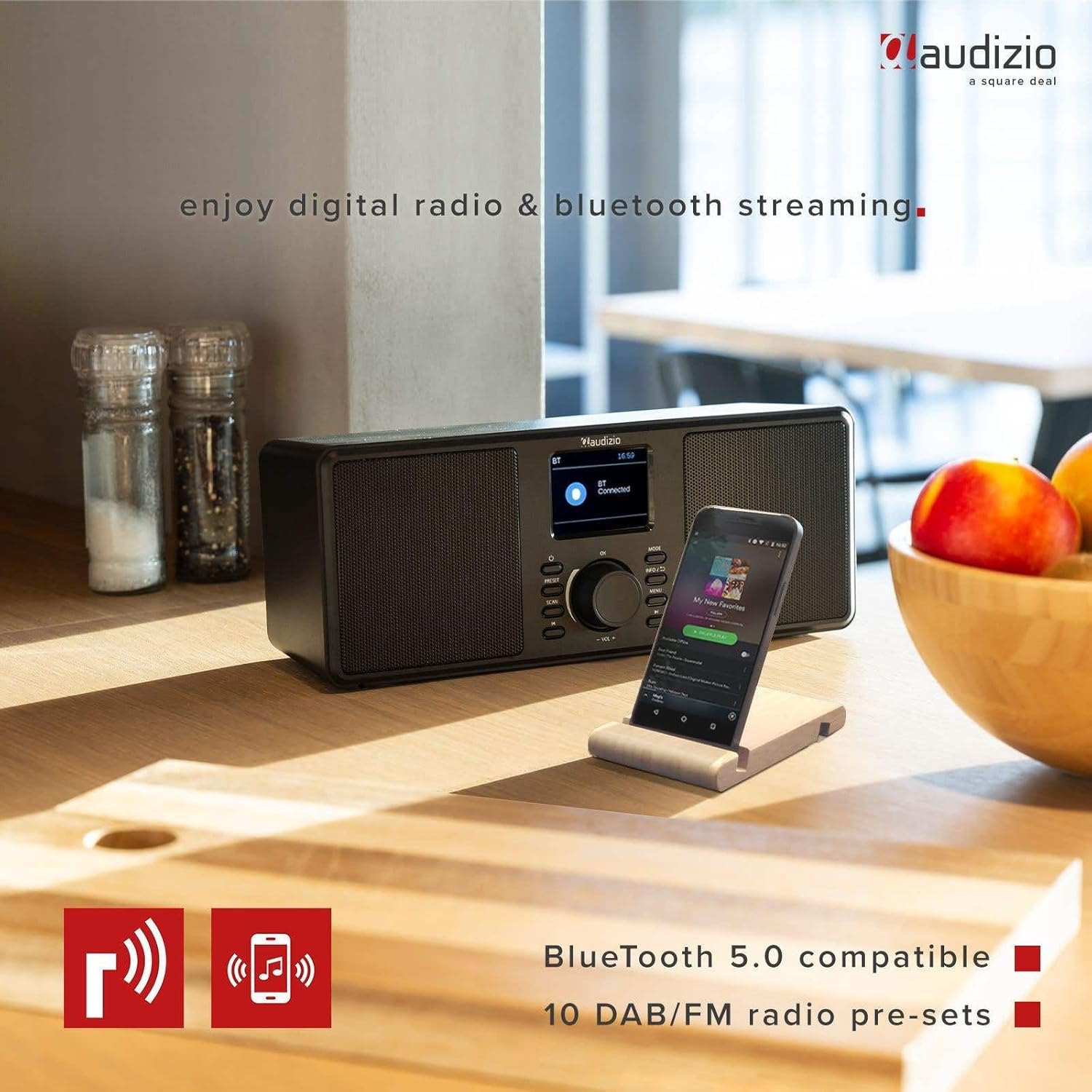
The Audizio Monza radio shown next to a smartphone, illustrating its Bluetooth streaming capability for playing music from mobile devices. The image highlights Bluetooth 5.0 compatibility and 10 DAB/FM radio pre-sets.
6.5 Funkcija alarma i odgode
The radio includes an alarm function with DAB/FM/buzzer wake-up options.

A close-up of the radio's screen displaying detailed alarm settings, including Alarm 2 status (Off), frequency (Daily), wake-up time (06:00), source (Digital Radio), preset (Last Listened), and duration (60 minutes).
- Pritisnite MENU button and navigate to the Alarm settings.
- Follow the on-screen prompts to set the alarm time, source (DAB, FM, or Buzzer), frequency (Daily, Weekdays, Weekends, Once), and duration.
- Kada se oglasi alarm, pritisnite SNOOZE button (often integrated with the OK dugme ili namensko dugme) da biste ga privremeno utišali.
- Da biste isključili alarm, pritisnite POWER dugme.
6.6 Korištenje slušalica
Connect 3.5mm headphones to the headphone jack on the rear panel. The radio's speakers will automatically mute when headphones are connected.
7. Održavanje
7.1 Čišćenje
Wipe the radio's surface with a soft, dry, lint-free cloth. Do not use abrasive cleaners, waxes, or solvents as they may damage the finish.
7.2 Skladištenje
If storing the radio for an extended period, disconnect it from the power outlet and store it in a cool, dry place away from direct sunlight and extreme temperatures.
8. Otkrivanje problema
| Problem | Mogući uzrok | Rješenje |
|---|---|---|
| Nema struje | Adapter za napajanje nije priključen ili je neispravan. | Ensure the power adapter is securely connected to the radio and a working power outlet. |
| No radio reception / Poor sound quality | Antenna not extended or poorly positioned. Weak signal. | Fully extend and adjust the telescopic antenna. Try moving the radio to a different location. Perform a new station scan. |
| Bluetooth se ne povezuje | Radio not in Bluetooth mode. Device not in pairing mode or out of range. | Ensure the radio is in Bluetooth mode. Make sure your device's Bluetooth is on and in pairing mode. Move your device closer to the radio. |
| Nema zvuka iz zvučnika | Jačina zvuka je preniska. Slušalice su priključene. | Increase the volume. Disconnect headphones if not in use. |
| Radio presets not saving | Nepravilan postupak spremanja. | Ensure you press and hold the PRESET button to save, and then press OK to confirm the preset number. |
9. Specifikacije
| Feature | Specifikacija |
|---|---|
| Brand | Audizio |
| Model | Monza (102.420) |
| Dimenzije (D x Š x V) | 36 x 14.5 x 15.5 cm |
| Težina | 1.4 kg |
| Veličina ekrana | 2.4 inča |
| Tehnologija tjunera | DAB+, FM |
| Podržani radio opsezi | VHF II (87.5-108 MHz), VHF III (174-240 MHz) |
| Tehnologija povezivanja | Bluetooth |
| Hardversko sučelje | 3.5 mm audio |
| Speaker Output Power (Max) | 50 Watts |
| Izvor napajanja | Battery (external power adapter required) |
| Frekvencija | 60 Hz |
| Posebna karakteristika | Prijenosni |
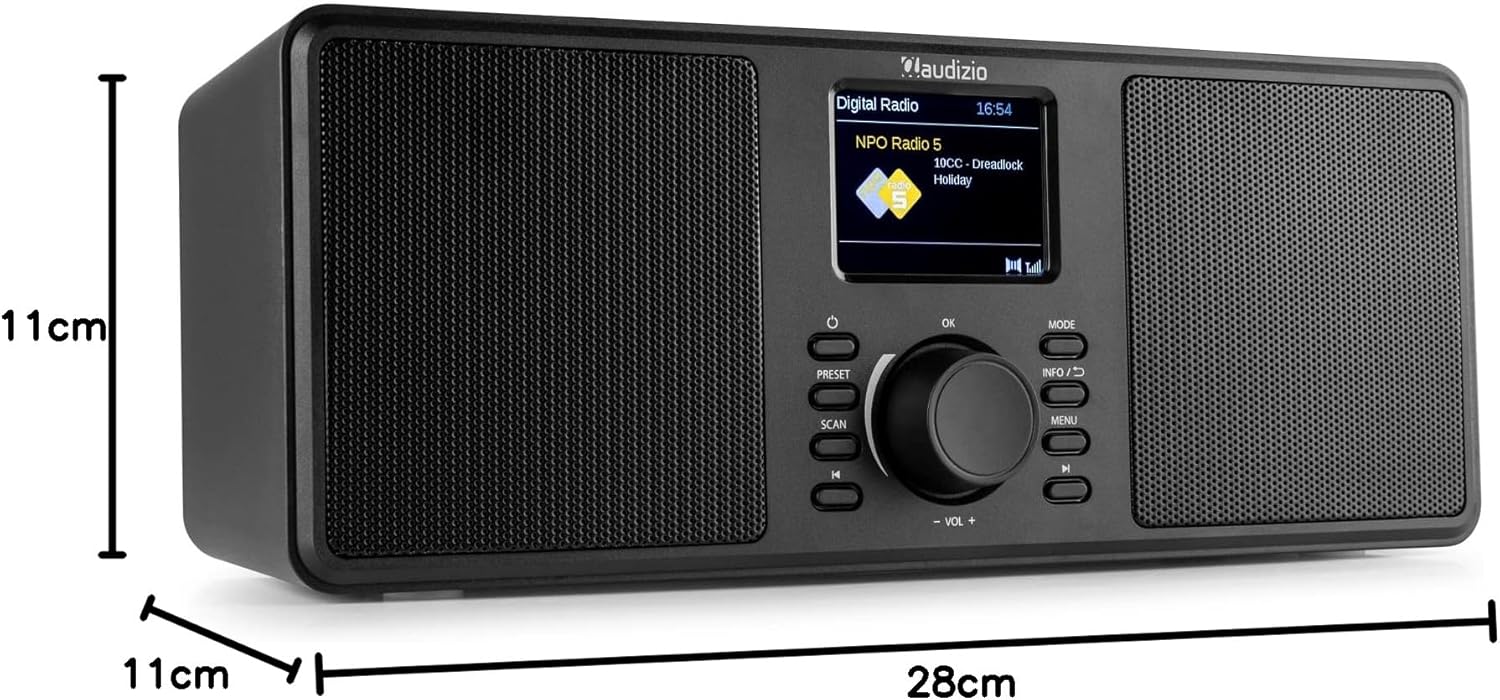
An image illustrating the physical dimensions of the Audizio Monza radio: 28cm width, 11cm height, and 11cm depth.
10. Garancija i podrška
10.1 Informacije o garanciji
Warranty terms and conditions are typically provided with your purchase documentation or can be found on the official Audizio webMolimo sačuvajte dokaz o kupovini za bilo kakve reklamacije u vezi s garancijom.
10.2 Korisnička podrška
For technical support or service inquiries, please refer to the contact information provided in your purchase documentation or visit the official Audizio website for their customer service details.