1. Uvod
The NETVIP N300 WiFi Extender is designed to expand the coverage of your existing wireless network, eliminating areas with weak signal and providing a stable 2.4GHz WiFi signal. This manual provides detailed instructions for setup, operation, and troubleshooting to ensure proper use of your device.
2. Proizvod je gotovview
Familiarize yourself with the physical components and indicators of your NETVIP N300 WiFi Extender.

Slika 2.1: Detalj view of the NETVIP N300 WiFi Extender, highlighting the LAN Port, Reset button, WPS button, Power LED, Wireless LED, WPS LED, and LAN LED. The device features a US plug for direct wall outlet connection.
- LED za napajanje: Označava status napajanja.
- Bežični LED: Označava bežičnu aktivnost.
- WPS LED: Indicates WPS function status.
- LAN LED: Označava aktivnost Ethernet porta.
- LAN port: For wired connections.
- Dugme za resetiranje: Koristi se za vraćanje fabričkih postavki.
- WPS dugme: For quick, secure connection setup.
3. Setup Instructions (Repeater Mode)
Follow these steps to configure your WiFi Extender in Repeater Mode, which extends the range of your current WiFi network.
- Uključeno: Plug the repeater into a power socket. Wait until the green WPS light begins blinking.
- Povezivanje s repetitorom: On your phone, tablet, or laptop, connect to the WiFi signal named "Wireless-N-c". This is the extender's temporary network, not your home's existing WiFi.
- Stranica za podešavanje pristupa: The device should automatically redirect you to the settings page. If not, open a web browser and manually enter 192.168.10.1 u adresnoj traci.
- Prijavite se: Enter "admin" for both the username and password.
- Odaberite način rada repetitora: Click on "Repeater" under the Wizard section.
- Choose Network: Select your existing home WiFi network from the list and click "Apply".
- Configure Repeater SSID: Set a new name (SSID) for your extended network, or keep the default name. Enter your home WiFi password as the Security Key for this new Repeater network. Click "Apply".
- Završetak: Wait for the settings to be applied. Close the page and reconnect your devices to the newly created extended network.
Važna napomena: When setting up in Repeater Mode, the password for the extended network must be exactly the same as your home WiFi password for internet access.
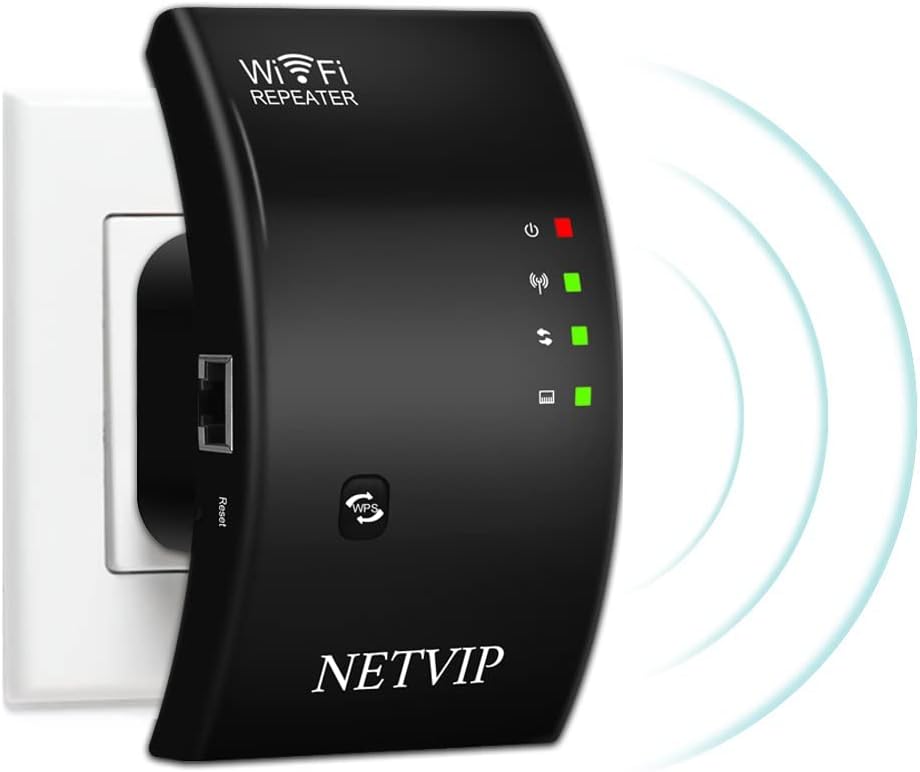
Slika 3.1: The NETVIP N300 WiFi Extender plugged into a wall socket, ready for setup.
4. Načini rada
The NETVIP N300 WiFi Extender supports two primary operating modes: Repeater Mode and Access Point (AP) Mode.

Slika 4.1: Diagram showing the two working modes: Repeater Mode (extending a router's signal) and AP Mode (creating a new WiFi hotspot from a modem).
- Način rada repetitora: This mode extends the coverage of your existing 2.4GHz Wi-Fi network, boosting the signal to areas with weak or no coverage. It connects wirelessly to your main router.
- AP način rada (režim pristupne tačke): In this mode, the extender creates a new WiFi hotspot. You connect the extender to your modem or router via an Ethernet cable, and it broadcasts a new wireless network. This is useful for converting a wired network into a wireless one.
5. Specifikacije
| Feature | Detalj |
|---|---|
| Frekvencijski opseg | 2.4 GHz |
| Podržano Voltage | 110V-240V |
| WLAN sigurnost | WPA2, WPA, WEP (128/64-bit) |
| Antene | Integrisano |
| Bežični standard | 802.11bgn |
| Brzina prijenosa podataka | Do 300 Mbps |
| Dimenzije proizvoda | 4.33 x 2.36 x 3.15 inča |
| Težina artikla | 5.6 unce |
6. Otkrivanje problema
If you encounter issues with your WiFi Extender, the following information may assist in resolving common problems.
How to Reset the Device:
If you forget your password, need to change settings, or experience setup failures, a factory reset can resolve many issues.
- Locirajte Dugme za resetovanje on the device (refer to Image 2.1).
- Koristeći spajalicu ili sličan šiljasti predmet, pritisnite i držite dugme za resetovanje duže od 20 sekundi.
- Continue holding until you observe the green light turning off and then turning on again. This indicates the device has reset to its factory default settings.
- After resetting, you will need to reconfigure the extender following the setup instructions.
7. Sadržaj paketa
The following items are included with your NETVIP N300 WiFi Extender:
Slika 7.1: The NETVIP N300 WiFi Extender package contents, showing the WiFi Repeater, User Manual, and RJ45 Ethernet Cable.
- 1x WiFi Repeater (NETVIP N300 WiFi Extender)
- 1x RJ-45 Ethernet kabel
- 1x User Manual (available in 5 languages)
8. Garancija i podrška
The NETVIP N300 WiFi Extender includes a 1-year warranty. For technical assistance or inquiries, please contact NETVIP customer support via email. They are committed to providing a satisfactory solution.


