Uvod
Thank you for choosing the HEABOLI HP88 4K Dual Dash Cam. This device is designed to provide high-quality video recording for both the front and rear of your vehicle, enhancing your driving safety and providing crucial evidence in case of incidents. Featuring advanced capabilities such as 4K front recording, 1080P rear recording, built-in Wi-Fi, GPS for live speed tracking, a 3-inch IPS touch screen, Sony Night Vision, HDR technology, and 24-hour parking mode, the HP88 offers a comprehensive solution for your vehicle surveillance needs. Please read this manual thoroughly to ensure proper installation and optimal performance.
Šta je u kutiji
- 1 x HEABOLI HP88 Dash Cam (Front and Rear units)
- 1 x auto punjač
- 1 x Uputstvo za upotrebu
- 1 x GPS Magnetic Bracket
- 1 x USB kabl
- 1 x Trim Pry Tool
- 4 x Cable Fixers
- 1 x Elektrostatički film
- 2 x Double-sided Adhesives
Setup
1. Montaža Dash Cam
The front dash cam unit attaches to your windshield via the GPS magnetic bracket. Clean the windshield area thoroughly before applying the electrostatic film and then the adhesive mount. The magnetic design allows for easy attachment and detachment of the main camera unit from the mount.

Figure 1: Front dash cam unit with magnetic bracket and Type-C port for stable transmission.
2. Connecting the Rear Camera
Connect the rear camera to the main unit using the provided cable. Route the cable discreetly along the vehicle's headliner and A-pillars, using the trim pry tool to tuck it under panels. The rear camera is typically mounted on the rear windshield.

Figure 2: Illustration of front and rear dash cam units and their connection.

Figure 3: Dash cam installation showing cable routing for the rear camera.
3. Priključak za napajanje
Plug the car charger into your vehicle's cigarette lighter socket and connect the USB cable to the dash cam's magnetic bracket. The dash cam will power on automatically when the vehicle starts.
4. SD Card Installation & Formatting
Insert a high-endurance micro SD memory card (U3 level or above, up to 256GB) into the designated slot on the dash cam. It is crucial to format the SD card within the dash cam's settings before first use and periodically thereafter to ensure stable operation and prevent recording issues.

Figure 4: Proper insertion of the micro SD card into the dash cam.
5. Video vodič za instalaciju
Video 1: Official HEABOLI Dash Cam Installation Guide. This video demonstrates the step-by-step process of installing the dash cam, including mounting the units and routing cables for a clean setup.
Uputstvo za upotrebu
1. Uključivanje/isključivanje
The dash cam automatically powers on and begins recording when your vehicle's ignition is turned on. It will power off automatically when the ignition is turned off. You can also manually power it on or off using the power button on the device.
2. Interfejs ekrana osjetljivog na dodir
The 3-inch IPS touch screen provides an intuitive interface for navigating settings, viewing live footage, and playing back recorded videos. Swipe gestures allow you to switch between front, rear, or combined camera views.

Figure 5: The dash cam's 3-inch IPS touch screen for easy control and viewing.
3. Wi-Fi Connection & App Usage
The built-in Wi-Fi allows you to connect the dash cam to your smartphone via the "Heaboli" mobile app (available on iOS and Android). Through the app, you can:
- Uživo view u realnom vremenu footage sa obje kamere.
- Change dash cam settings.
- Edit and dub videos.
- Download recorded filedirektno na vaš telefon.
- Share videos on social media.
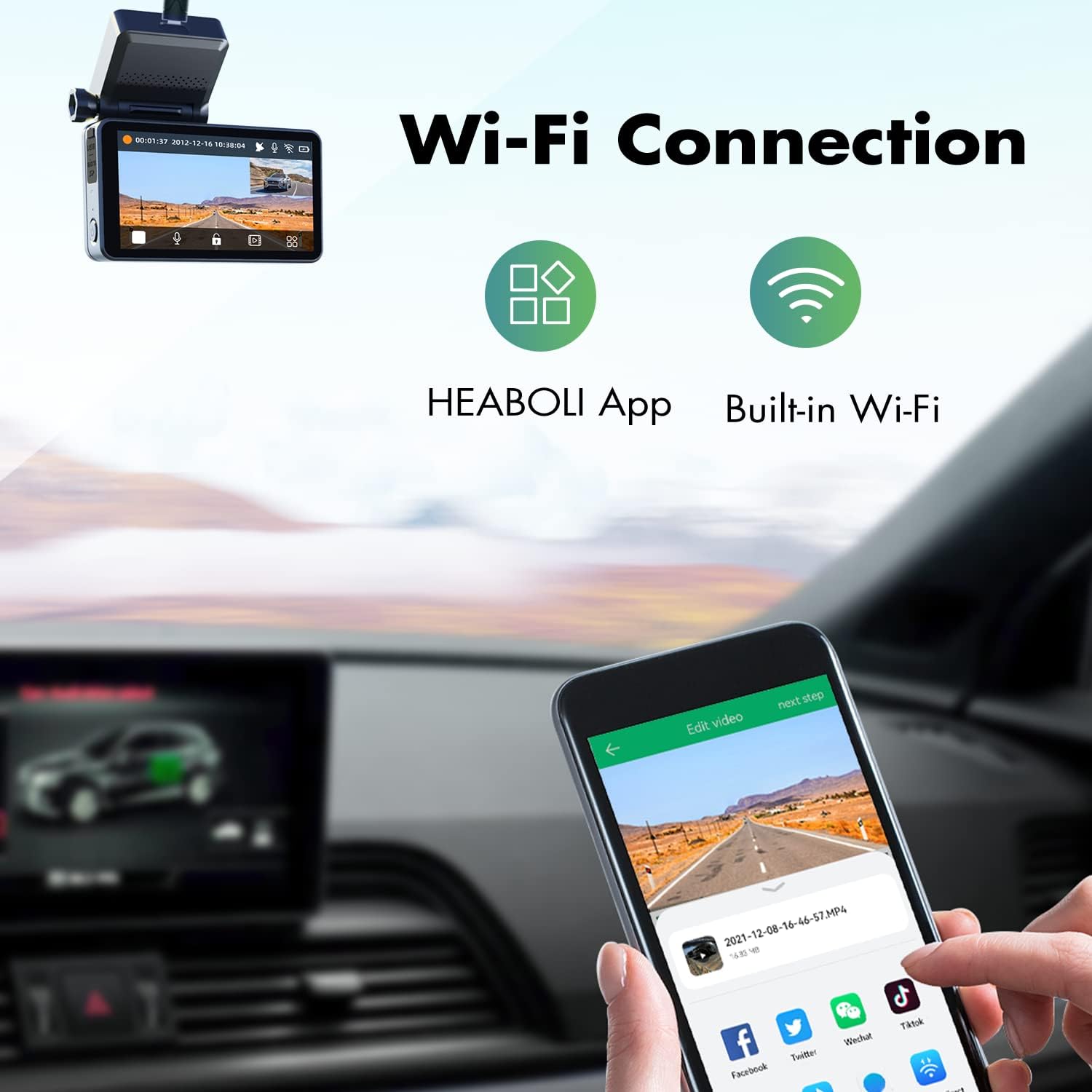
Figure 6: The Heaboli mobile app provides seamless control and access to your dash cam footage.

Slika 7: Detaljno view of the Heaboli app interface for managing recordings and settings.
4. GPS praćenje
The built-in GPS module records your driving route, speed, and vehicle location. This information can be viewed during video playback on the mobile app or a computer, providing valuable data for accident reconstruction or travel logs.

Figure 8: GPS logger functionality displaying driving route and speed on a map.
5. Night Vision & HDR Technology
Equipped with a Sony IMX335 sensor and HDR technology, the dash cam excels in low-light conditions. It captures clear details like license plates and road signs even at night, ensuring reliable recording around the clock.

Figure 9: Enhanced night vision and HDR technology for clear recordings in challenging light conditions.
6. 24-Hour Parking Mode
The built-in 300mAh battery enables the dash cam's 24-hour parking monitor. When the car engine is off, the camera will automatically turn on and record a 30-second video upon detecting any collision around the vehicle, providing surveillance even when parked.

Figure 10: The 24-hour parking mode feature, activated by collision detection.
7. Loop Recording
The dash cam supports loop recording, which means it continuously records and overwrites the oldest footage when the SD card is full. Important videos triggered by G-sensor (collision detection) or manual locking are protected from being overwritten.

Figure 11: Loop recording ensures continuous video capture without manual deletion.
Održavanje
1. Upravljanje SD karticom
To maintain optimal performance and prevent data corruption, it is recommended to format your micro SD card regularly (e.g., once a week or every other week, depending on usage and card size). This helps clear accumulated emergency files and ensures smooth recording.
2. Čišćenje
Gently wipe the camera lenses with a soft, lint-free cloth to ensure clear video quality. Avoid using abrasive cleaners or solvents. Keep the dash cam body clean and free from dust.
Rješavanje problema
- Kamera u automobilu se ne uključuje: Ensure the car charger is properly connected and the vehicle's ignition is on. Check the power button.
- SD Card Error/Recording Issues: Format the SD card within the dash cam settings. Ensure you are using a high-endurance U3 level micro SD card. Replace the SD card if the issue persists.
- Problemi sa Wi-Fi vezom: Ensure the "Heaboli" app is updated to the latest version. Restart both the dash cam and your smartphone.
- Loš kvalitet videa: Clean the camera lenses. Ensure the protective film is removed from the lenses. Check video resolution settings.
- Dash Cam Falling from Windshield: Re-apply the electrostatic film and double-sided adhesive. Ensure the windshield surface is clean and dry before application.
Specifikacije
| Feature | Opis |
|---|---|
| Rezolucija prednje kamere | 4K UHD |
| Rezolucija zadnje kamere | 1080P |
| Senzor | Sony IMX335 |
| Display | 3-inčni IPS ekran osjetljiv na dodir |
| Povezivanje | Built-in Wi-Fi, GPS Enabled |
| Široki ugao | Front 170°, Rear 150° |
| Skladištenje | Supports Micro SD Card up to 256GB (U3 or above) |
| Parking Mode | 24-Hour Parking Monitor (built-in 300mAh battery) |
| Radna temperatura | -4°F do 140°F (-20°C do 60°C) |
| Dimenzije | 3.12 x 1 x 1.6 inča |
| Težina artikla | 1.3 funte |
Garancija i podrška
For warranty information and technical support, please refer to the official HEABOLI website or contact their customer service directly. Details can typically be found on the product packaging or within the "Heaboli" mobile application.