1. Sigurnosne informacije
WARNING: Laser Class 4 Product. Always wear eye protection when operating.
Opće sigurnosne mjere:
- NEMOJTE koristiti laser bez zaštite za oči (laserske naočale).
- Set up laser engraver in a fireproofing area with good ventilation.
- Keep minors (especially kids younger than 14 years old) away from this laser engraver. Minors of any age should not use this laser without direct adult supervision and proper eye protection.
- Izbjegavajte jake udarce na mašinu.
- Do not touch the laser beam with your hands or any other objects you do not wish to engrave/burn/cut. Serious physical harm is possible if used improperly.
- Do not touch the heat sink when the laser engraver has just stopped working, as it may cause burns.
- Use the laser engraver in a room that can be closed by a door and ensure that neither laser beams nor stray light can penetrate through windows.
- Dok koristite laserski graver, koristite znakove na vratima ili svjetlo upozorenja na vratima koje ukazuje da laserski graver radi.
Integrisane sigurnosne zaštite:
- Aktivna zaštita položaja: When the engraving machine is displaced or tilted, it will automatically stop the laser to prevent damage to the target from the laser.
- Zaštita od laserskog snopa: If the USB signal transmission fails, the laser will stop working immediately.
- Detekcija i ograničenje trajanja izloženosti: If the engraving machine is turned on but there is no movement for a long time, it will be protected, and the laser will be turned off automatically.
- Sistem kontrole snage: If the engraving machine or computer crashes, the laser will stop working immediately to prevent continuous fire.
- Flame Detector + Buzzer: When the laser engraver detects flame, it will automatically stop and beep.
- Dugme za zaustavljanje u nuždi: A dedicated button for immediate shutdown in case of emergency.
- Eye-protection Cover Design: The laser filter cover filters 98% of ultraviolet light. Protective safety glasses are also included.
2. Proizvod je gotovview
The Ortur Laser Master 2 Pro S2-SF is a high-performance laser engraver and cutter designed for precision and versatility. It features a 5.5W (10000mW output) laser module with advanced compressed focal spot technology, enabling fine detail engraving and efficient cutting across a wide range of materials.

Figure 2.1: Ortur Laser Master 2 Pro S2-SF Laser Engraver with its main components.
Ključne karakteristike:
- 5.5W Laser Power & Enhanced Engraving: Equipped with an LU2-4-SF laser module utilizing FAC laser technology for a concentrated, ultra-fine 0.01mm high-precision compressed spot (0.17*0.25mm). Engraving speed up to 10000mm/min.
- 32-bit Motherboard: Features the latest OLM-MAXUP-V10 Motherboard with a 32-bit MCU, supporting 1.8 series firmware for faster execution, higher resolution, and improved system reliability.
- Čvrsta struktura: All-aluminum alloy structure design for durability and improved engraving accuracy. Includes 4 POM wheels for stable and smooth operation.
- Široka kompatibilnost materijala: Capable of working on over a hundred materials including wood, bamboo, metal, acrylic, stainless steel, leather, rubber, glass, ceramics, food, paper, and fabric.
- Dizajn prilagođen korisniku: Easy to assemble with provided instructions and videos, typically taking 10-20 minutes.

Figure 2.2: Product dimensions (400x400mm working area) and highlighted features including safety emergency stop, limit switch, and 32-bit motherboard.
3. Postavljanje i montaža
The Ortur Laser Master 2 Pro S2-SF is designed for straightforward assembly. Follow the steps below or refer to the official assembly tutorial video for visual guidance.
Video tutorijal za montažu:
Video 3.1: Official OLM2Pro-S2-LU2-4-SF Assembly Tutorial. This video provides a step-by-step guide to assembling your laser engraver.
Koraci opće skupštine:
- Raspakujte komponente: Pažljivo izvadite sve dijelove iz ambalaže i provjerite ih u odnosu na listu pakovanja.
- Sastavite okvir: Spojite aluminijski profesionalacfiles da formiraju glavni okvir gravera. Provjerite da li su svi vijci čvrsto zategnuti.
- Install X-Axis and Y-Axis: Attach the X-axis and Y-axis components, including the stepper motors and guide rails.
- Montirajte kontrolnu kutiju: Secure the control box to the frame, ensuring easy access to ports and buttons.
- Attach the Laser Module: Carefully mount the LU2-4-SF laser module to the X-axis carriage.
- Povežite ožičenje: Connect all necessary cables (power, motor, limit switches, laser module) to the control box. Ensure connections are firm and correctly oriented.
- Adjust Laser Focus: Use the provided focusing tool or method to set the correct focal distance for your laser module.

Figure 3.1: Diagram illustrating the various safety protection systems integrated into the Ortur Laser Master 2 Pro S2-SF.
4. Uputstvo za upotrebu
The Ortur Laser Master 2 Pro S2-SF is compatible with various engraving software. This section provides general operating guidelines.
Kompatibilnost softvera:
The laser engraver is compatible with popular software such as LaserGRBL (free) and LightBurn (paid). It supports Windows XP/7/8/10, macOS, and Linux systems (LightBurn required for macOS/Linux). Supported file formats include JPG, PNG, BMP, JPEG, SVG, etc.
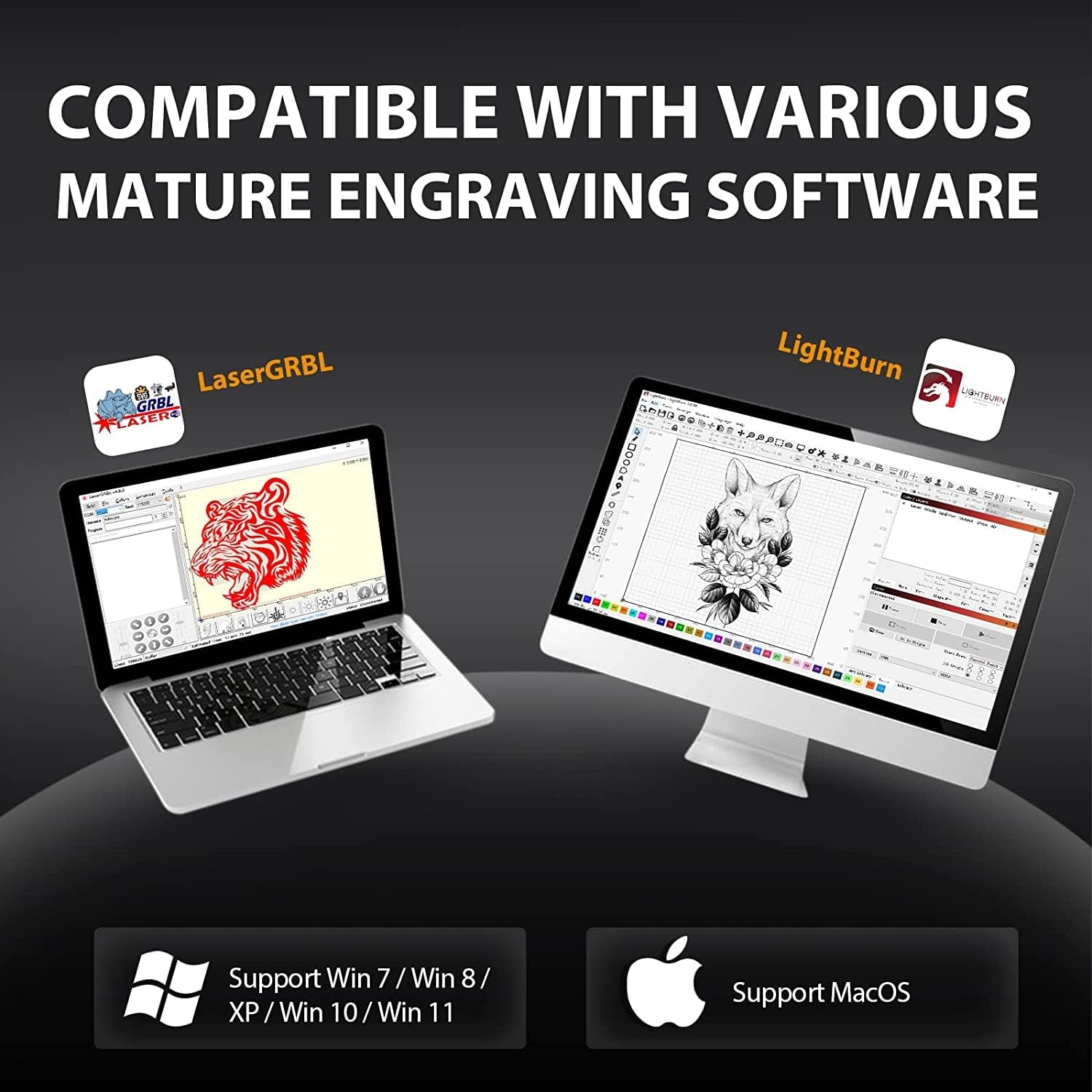
Figure 4.1: The Ortur Laser Master 2 Pro S2-SF is compatible with various engraving software like LaserGRBL and LightBurn, supporting Windows, macOS, and Linux.
Osnovni koraci rada:
- Uključeno: Connect the power adapter and turn on the machine.
- Povežite se na računar: Povežite graver sa računarom putem USB-a.
- Pokreni softver: Open your preferred engraving software (e.g., LaserGRBL or LightBurn).
- Load Image/Design: Import your desired image or design into the software.
- Prilagodite postavke: Set engraving parameters such as speed, power, and number of passes based on your material and desired effect.
- Materijal za poziciju: Place your material on the working area. Use the ruler markings on the frame for precise positioning.
- Frame Preview: Use the software's framing function to preview the engraving area on your material with the laser (low power).
- Započni graviranje: Once satisfied with the positioning and settings, initiate the engraving process from the software.
- Pratite napredak: Supervise the engraving process at all times.
Example Engraving Projects:
Video 4.2: Engraving Leather Throw Pillows with Ortur Laser Engraver. This video demonstrates the process of engraving designs onto leather material.
Video 4.3: DIY Projects with Ortur Laser Master 2 Pro S2-SF Laser Engraver. This video showcases various DIY engraving and cutting projects possible with the machine.

Slika 4.2: Pramples of various materials compatible with the Ortur Laser Master 2 Pro S2-SF, including wood, leather, acrylic, and stainless steel.
5. Održavanje
Regular maintenance ensures optimal performance and longevity of your Ortur Laser Master 2 Pro S2-SF.
- Očistite sočivo: Periodically clean the laser lens with a soft, lint-free cloth and lens cleaning solution to maintain beam quality.
- Podmažite vodilice: Nanesite malu količinu maziva na vodilice kako biste osigurali nesmetano kretanje laserskog modula.
- Provjerite pojaseve: Pregledajte zupčaste remene na zategnutost i istrošenost. Podesite ili zamijenite ako je potrebno.
- Clean Working Area: Remove debris and dust from the working area and honeycomb bed (if applicable) after each use to prevent fire hazards and ensure clear engraving.
- Pregledajte ožičenje: Regularly check all electrical connections for any signs of wear or damage.
6. Otkrivanje problema
This section addresses common issues you might encounter with your laser engraver.
Uobičajeni problemi i rješenja:
- Laser ne okida:
- Check power connection and ensure the machine is turned on.
- Verify USB connection to the computer.
- Pazite da dugme za hitno zaustavljanje nije pritisnuto.
- Check software settings for laser power (S-Max) and speed.
- Loš kvalitet graviranja:
- Adjust laser focus. An out-of-focus laser will produce blurry results.
- Očistite lasersko sočivo.
- Adjust engraving speed and power settings. Different materials require different settings.
- Osigurajte da je materijal ravan i sigurno postavljen.
- Mašina ne reaguje:
- Restart the software and the laser engraver.
- Check the COM port selection in your software.
- Verify USB cable integrity.
- Flame Detector Alarm:
- Odmah zaustavite mašinu.
- Check for actual flames or excessive smoke. Ensure proper ventilation.
- If no flame, ensure the flame detector sensor is clean and not obstructed.
7. Specifikacije
| Feature | Detalj |
|---|---|
| Model | Laser Master 2 Pro S2-SF |
| Izlazna snaga lasera | 10000mW (5.5W optical) |
| Laserski modul | LU2-4-SF (Compressed Focal Spot Technology) |
| Veličina žarišne tačke | 0.12x0.15mm (ultra-fine 0.01mm precision) |
| Brzina graviranja | Do 10000 mm/min |
| Matična ploča | OLM-MAXUP-V10 (32-bit MCU) |
| Working Area | 400x400 mm (15.75x15.75 inča) |
| Povezivanje | USB |
| Softverska kompatibilnost | LaserGRBL, LightBurn |
| Operativni sistemi | Windows XP/7/8/10, macOS, Linux |
| Podržano File Formati | JPG, PNG, BMP, JPEG, SVG, etc. |
| Sigurnosne karakteristike | Active Position Protection, Laser Beam Safety Guard, Exposure Duration Detection, Power Control System, Flame Detector+Buzzer, Emergency Stop Button, Eye-protection Cover |
| Težina artikla | 10.53 funte |
| Dimenzije paketa | 25.9 x 10.3 x 4.5 inča |
8. Jamstvo i podrška
For warranty information, technical support, or service inquiries, please refer to the official Ortur webweb-mjesto ili direktno kontaktirajte njihovu korisničku službu.
- Službeno Webstranica: Posjetite Ortur Store for the latest product information, FAQs, and support resources.
- Služba za korisnike: Contact details for customer support can typically be found on the product packaging or the official website.


