Uvod
This manual provides instructions for the proper installation, operation, and maintenance of your Rebel KOM1030 Wi-Fi Signal Amplifier. This device is designed to extend the coverage of your existing Wi-Fi network, providing a stronger and more reliable wireless signal in areas with weak or no coverage.

Image: The Rebel KOM1030 Wi-Fi Signal Amplifier shown with an Ethernet cable and a separate power adapter, illustrating the product and its basic components.
Sadržaj paketa
Provjerite da li su sve stavke prisutne u paketu:
- Rebel KOM1030 Wi-Fi signal Amplifier
- Korisnički priručnik (ovaj dokument)
Ključne karakteristike
- Supports up to 10 simultaneous users.
- Operates on 2.4 GHz frequency band.
- Data transfer rate up to 300 Mbit/s.
- Wireless range up to 100 meters (328 feet).
- Equipped with 2 integrated antennas.
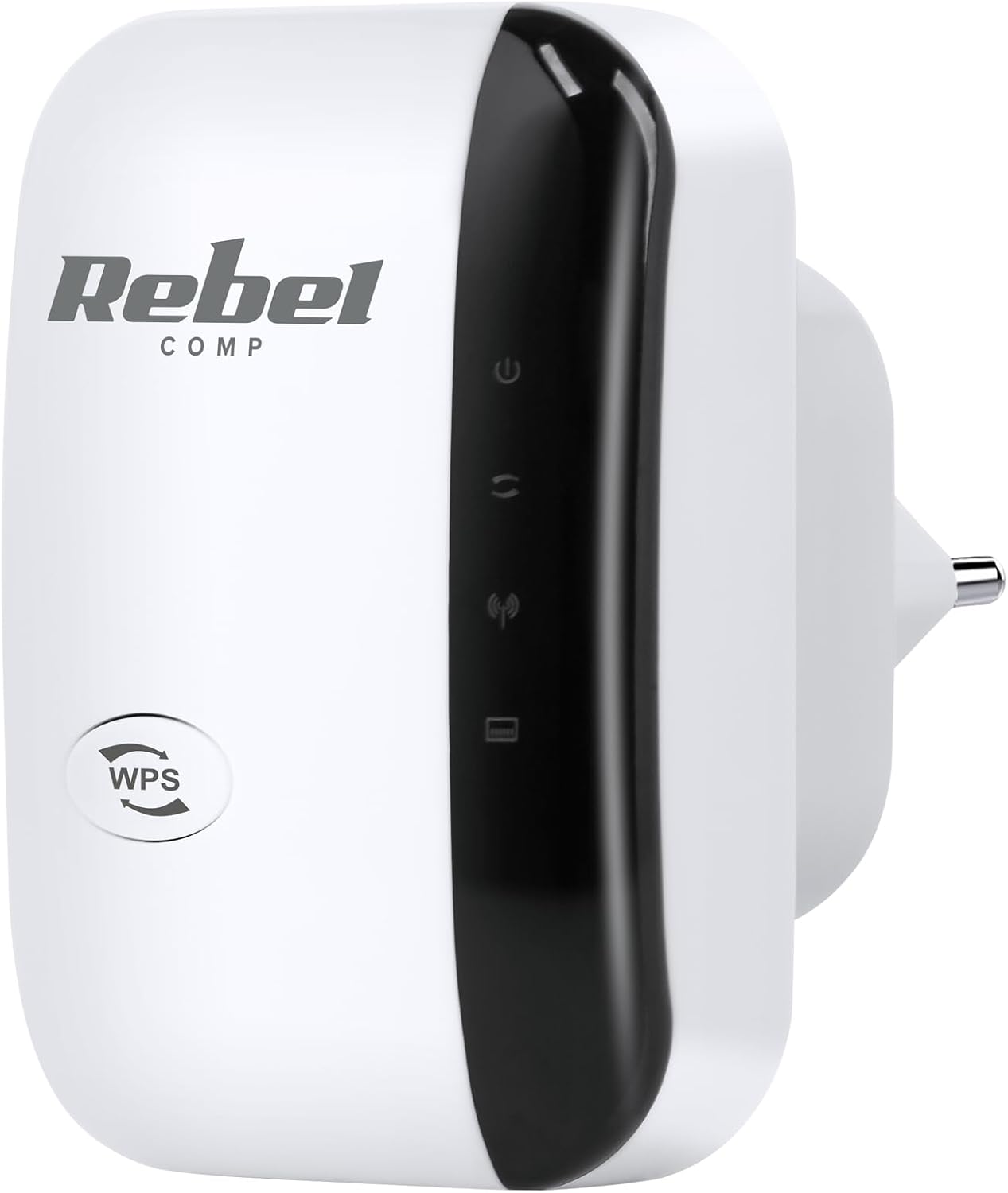
Slika: Front view of the Rebel KOM1030 Wi-Fi Signal Amplifier, showing the WPS button and indicator lights.
Uputstva za postavljanje
1. Fizička veza
- Raspakujte uređaj: Carefully remove the Rebel KOM1030 from its packaging.
- Priključak: Insert the device directly into a standard electrical outlet. Ensure it is securely plugged in.

Image: The Rebel KOM1030 Wi-Fi Signal Amplifier plugged into a wall power outlet, demonstrating proper physical connection.
2. Metode konfiguracije
The Rebel KOM1030 can be configured using two primary methods: WPS (Wi-Fi Protected Setup) or via a web pretraživač.
Method A: WPS Setup (Recommended for compatible routers)
- Uključeno: Plug the Rebel KOM1030 into a power outlet near your main router.
- Aktivirajte WPS na ruteru: Press the WPS button on your main Wi-Fi router. Refer to your router's manual for the exact location and procedure.
- Activate WPS on Repeater: Within two minutes, press the WPS button on the Rebel KOM1030. The WPS indicator light on the repeater should start blinking.
- Čekanje na vezu: The devices will attempt to establish a connection. Once connected, the Wi-Fi indicator light on the repeater will become solid.
- Premještanje (opciono): After successful setup, you can unplug the repeater and move it to a more central location between your router and the area needing extended coverage.

Slika: Sa strane view of the Rebel KOM1030, highlighting the WPS button and the LAN port, which are crucial for setup and wired connections.
Metoda B: Web Podešavanje pretraživača
- Uključeno: Plug the Rebel KOM1030 into a power outlet.
- Connect to Repeater's Wi-Fi: On your computer or mobile device, connect to the Wi-Fi network broadcast by the repeater (e.g., "Rebel_Repeater" or similar, check the device label if available). This network will not have internet access initially.
- Pristup Web Interfejs: Otvori a web pretraživač i unesite zadanu IP adresu (npr. http://192.168.10.1) ili naziv domene (npr. http://rebelrepeater.net). Refer to the device label or packaging for the exact address.
- Prijavite se: Enter the default username and password (commonly "admin" for both, or as specified on the device label).
- Odaberite način rada: Choose "Repeater Mode" or "Extender Mode" from the setup wizard.
- Skeniranje mreža: The repeater will scan for available Wi-Fi networks. Select your main Wi-Fi network from the list.
- Unesite lozinku: Input the password for your main Wi-Fi network.
- Configure Repeater SSID (Optional): You can choose to keep the same network name (SSID) as your main router or create a new one (e.g., "YourNetwork_EXT").
- Primijeni postavke: Save the settings and wait for the repeater to restart.
- Potvrdite vezu: Once restarted, the Wi-Fi indicator light should be solid, indicating a successful connection.
3. Optimalno postavljanje
For best performance, place the Rebel KOM1030 in a location that is:
- Approximately halfway between your main router and the area where you need improved Wi-Fi coverage.
- Within the range of your existing Wi-Fi network, where the signal is still strong and stable.
- Away from large metal objects, concrete walls, microwaves, and other devices that may cause interference.

Image: The Rebel KOM1030 Wi-Fi Signal Amplifier mounted on a wall, demonstrating a typical placement for extending Wi-Fi coverage.

Image: An overhead floor plan illustrating how a Wi-Fi repeater extends network coverage from a central router to previously uncovered areas.
Upravljanje uređajem
Once configured, the Rebel KOM1030 operates automatically to extend your Wi-Fi signal. Observe the indicator lights for status information.
Indikatorska svjetla
- Indikator napajanja: Solid light indicates the device is powered on.
- Wi-Fi indikator:
- Solid: Successfully connected to the main Wi-Fi network and extending signal.
- Blinking: Attempting to connect or WPS pairing in progress.
- Off: No Wi-Fi connection or device is not configured.
- LAN indikator: Solid or blinking light indicates an active connection through the Ethernet port.
Upotreba Ethernet porta
The integrated LAN port allows you to connect a wired device (e.g., a desktop computer, gaming console, or smart TV) to the repeater, providing network access to devices that do not have Wi-Fi capabilities or for a more stable connection.
Održavanje
- čišćenje: Za čišćenje uređaja koristite meku, suhu krpu. Ne koristite tekuća sredstva za čišćenje ili aerosole.
- Ažuriranja firmvera: Povremeno provjeravajte proizvođačeve website for firmware updates. Updates can improve performance, add features, or fix bugs. Refer to the manufacturer's instructions for updating firmware.
- Resetiranje uređaja: If the device is not functioning correctly, you may perform a factory reset. Locate the "Reset" button (often a small pinhole) on the device. With the device powered on, use a paperclip or similar pointed object to press and hold the Reset button for approximately 5-10 seconds until the lights flash. The device will revert to factory default settings, requiring re-configuration.
Rješavanje problema
Nema pristupa internetu nakon postavljanja
- Ensure the repeater is within range of your main router and receiving a strong signal.
- Provjerite da li vaš glavni ruter ima aktivnu internetsku vezu.
- Re-run the setup process, ensuring the correct Wi-Fi network and password are selected.
- Try relocating the repeater to a different power outlet or a more optimal position.
Spora brzina veze
- The repeater might be too far from the main router. Move it closer to improve signal strength.
- Provjerite ima li smetnji od drugih elektronskih uređaja (npr. mikrovalnih pećnica, bežičnih telefona).
- Ensure your main router is providing adequate speed.
- Consider connecting wired devices directly to the repeater's LAN port for potentially better performance.
WPS Setup Fails
- Ensure you press the WPS button on both the router and the repeater within the specified time frame (usually 2 minutes).
- Some routers may require WPS to be enabled in their settings.
- Ako WPS i dalje ne uspijeva, koristite web način podešavanja preglednika.
Ne mogu pristupiti Web Stranica upravljanja
- Ensure your device is connected to the repeater's Wi-Fi network (not your main router's).
- Verify the IP address or domain name entered in the browser is correct.
- Pokušajte obrisati keš memoriju preglednika ili koristiti drugi preglednik.
- Perform a factory reset on the repeater and try again.
Specifikacije
| Feature | Detalj |
|---|---|
| Brand | Buntovnik |
| Broj modela | KOM1030 |
| Standard bežične komunikacije | 802.11bgn |
| Frekvencijski opseg | 2.4 GHz |
| Brzina prijenosa podataka | Do 300 Mbps |
| bežični domet | Do 100 metara (328 stope) |
| Antene | 2 integrisane antene |
| Podržani korisnici | Do 10 istovremena korisnika |
| Uključene komponente | Repeater, User Manual |
| Težina artikla | 65 grama |

Image: The Rebel KOM1030 Wi-Fi Signal Amplifier displayed alongside its key technical specifications, including IEEE 802.11 b/g/n, 2.4 GHz frequency, and 300 Mb/s data rate.
Garancija i podrška
For warranty information and technical support, please refer to the documentation provided with your purchase or visit the official Rebel brand webstranica. Specifični uslovi garancije mogu se razlikovati u zavisnosti od regije i prodavca.
Kontaktirajte podršku: If you encounter issues not covered in this manual, please contact Rebel customer support through their official channels.


