Uvod
This user manual provides comprehensive instructions for the setup, operation, and maintenance of your LeapFrog LF925-2HD Video Baby Monitor. This system allows you to monitor your child using a 5-inch 720p High-Definition LCD Parent Unit and remotely via the LeapFrog Baby Care App on your smartphone or tablet. The monitor features 1080p camera resolution, 360-degree pan and tilt, 8x digital zoom, color night vision, and integrated temperature and humidity sensors.

Image: The LeapFrog LF925-2HD Video Baby Monitor system, showing the parent unit display and two baby camera units.
Sadržaj paketa
Provjerite da li se u vašem paketu nalaze sve dolje navedene stavke:
- (1) Parent Unit
- (2) Baby Units (Cameras)
- (3) A/C Adapters (for Parent Unit and two Baby Units)
- (1) Rechargeable Li-Polymer Battery (pre-installed in Parent Unit)
- (2) Wall Mount Kits (for Baby Units)
- Korisnički priručnik (ovaj dokument)
Setup
1. Punjenje roditeljske jedinice
Before first use, fully charge the Parent Unit battery for optimal performance.
- Spojite mali utikač adaptera za napajanje roditeljske jedinice na utičnicu za napajanje sa strane roditeljske jedinice.
- Spojite drugi kraj adaptera za struju u odgovarajuću električnu utičnicu.
- Ikona baterije na ekranu će pokazivati status punjenja. Potpuno punjenje obično traje nekoliko sati.
2. Installing the Baby Unit (Camera)
Place the Baby Unit in a location that provides a clear view of your child, ensuring it is out of reach of children.
- Place the Baby Unit on a flat surface, such as a dresser or shelf.
- For wall mounting, use the provided wall mount kit. Ensure the camera is securely fastened and positioned for the desired viewing kut.
- Connect the Baby Unit power adapter to the power jack on the unit and plug it into an electrical outlet.

Image: Illustration of the baby unit's 360-degree pan and tilt functionality, allowing for comprehensive room coverage.
3. Initial Pairing (if necessary)
The Parent Unit and Baby Units are pre-paired at the factory. If they lose connection or you add a new camera, follow these steps:
- Ensure both the Parent Unit and Baby Unit are powered on.
- On the Parent Unit, navigate to the camera settings menu.
- Select the "Add Camera" or "Pair" option.
- Press the PAIR button on the back of the Baby Unit within 10 seconds.
- The Parent Unit will display the camera feed once pairing is successful.
4. Povezivanje na Wi-Fi i podešavanje aplikacije
Za daljinski viewing and advanced features, connect your monitor to your home Wi-Fi network and set up the LeapFrog Baby Care App.
- Download the "LeapFrog Baby Care" app from your smartphone's app store (iOS or Android).
- Otvorite aplikaciju i pratite uputstva na ekranu da kreirate nalog ili se prijavite.
- Select "Add Device" and choose your LF925-2HD monitor.
- Follow the app's prompts to connect the Baby Unit to your Wi-Fi network. This typically involves scanning a QR code generated by the app with the camera.
- Kada se povežete, možete view the live feed and control the camera remotely through the app.

Image: The LeapFrog Baby Care app interface shown on a smartphone and tablet, demonstrating remote access capabilities.
Uputstvo za upotrebu
1. Parent Unit Overview
The Parent Unit is your primary interface for monitoring your child.
- Dugme za napajanje: Pritisnite i držite da biste uključili/isključili. Kratko pritisnite da biste uključili/isključili ekran.
- Dugmad za jačinu zvuka: Podesite jačinu zvuka slušanja.
- Navigacijski gumbi (gore/dolje/lijevo/desno): Navigacija kroz menije i kontrola panoramiranja/naginjanja kamere.
- OK/Odaberi dugme: Potvrdite odabire.
- Dugme menija: Access settings and features.
- Dugme za razgovor: Press and hold to speak to your child through the Baby Unit.
- Dugme za zumiranje: Magnify the image up to 8 times.

Image: The parent unit display, showing a live feed of a baby and the various control buttons for navigation and features.
2. Baby Unit Overview
The Baby Unit houses the camera and various sensors.
- Objektiv kamere: Snima video.
- mikrofon: Picks up audio from the room.
- govornik: For two-way talk and lullabies.
- noćno svjetlo: Integrated multi-color night light.
- Temperature/Humidity Sensor: Monitors room conditions.
- Dugme PAIR: For pairing with the Parent Unit.
3. Monitoring Features
- Praćenje uživo videom: View real-time video on the Parent Unit or app.
- Audio nadzor: Listen to sounds from your child's room.
- Dvosmjerni razgovor: Press and hold the Talk button on the Parent Unit to speak to your child.

Image: A woman holding the parent unit, demonstrating the ease of using the two-way talk feature to communicate with her baby.
- Noćni vid u boji: The camera automatically switches to color night vision in low-light conditions, providing a clear view.
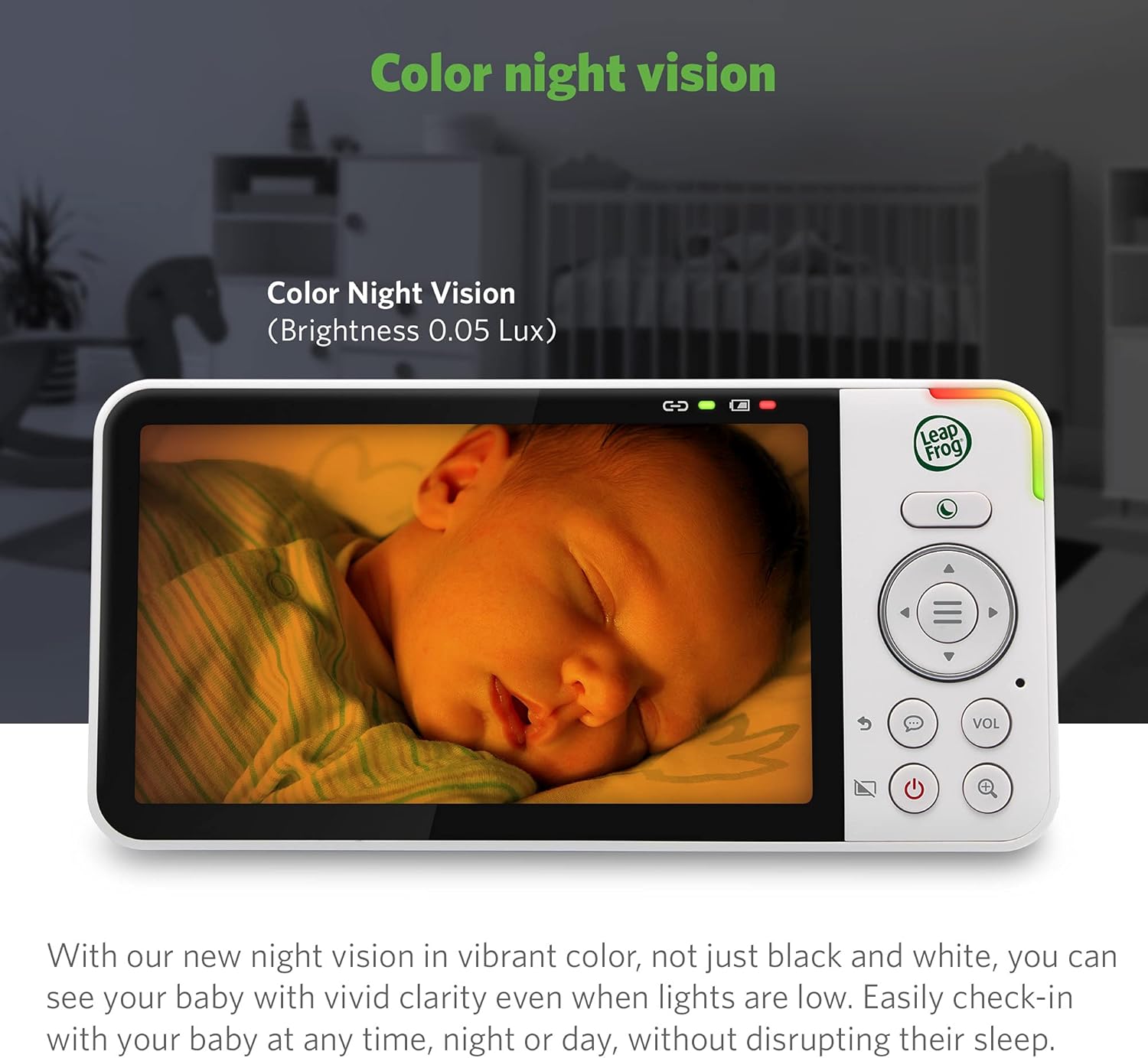
Image: The parent unit screen displaying a baby sleeping, illustrating the clarity and detail provided by the color night vision feature in low light.
- Digitalni zum: Use the zoom button on the Parent Unit to magnify the image up to 8 times.

Image: A visual representation of the 2x, 4x, and 8x digital zoom capabilities, showing increasing detail of a baby's face.
- Više kamera View: With two cameras, you can view one camera at a time, use a split-screen view, or set it to patrol mode to alternate between cameras every 10 seconds.
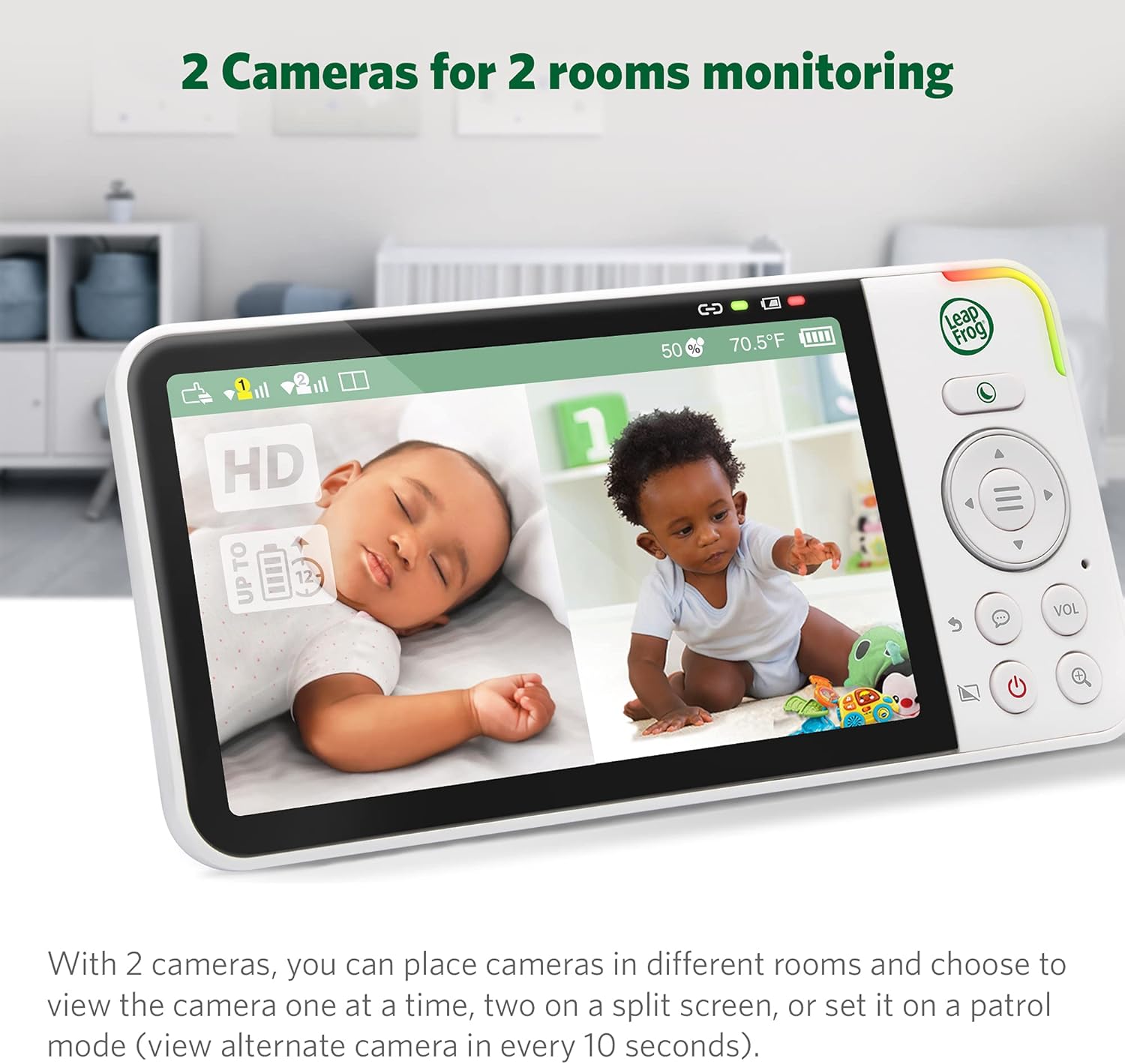
Slika: Roditeljska jedinica prikazuje podijeljeni ekran view from two separate baby cameras, allowing simultaneous monitoring of two rooms.
4. Napredne funkcije
- Praćenje temperature i vlažnosti: The Parent Unit displays real-time room temperature and humidity levels from the Baby Unit. Alerts can be set for out-of-range conditions.

Image: A close-up of the parent unit screen highlighting the temperature and humidity display, indicating the environmental conditions of the baby's room.
- Uspavanke i umirujući zvukovi: Play pre-programmed lullabies or soothing sounds through the Baby Unit to comfort your child.

Image: The baby unit camera with musical notes emanating from it, symbolizing the soothing sounds and lullabies feature designed to comfort the baby.
- Upozorenja na kretanje i zvuk: Receive notifications on the Parent Unit and app when motion or sound is detected in your child's room. Sensitivity levels are adjustable.
- Adaptive Night Light: The built-in night light on the Baby Unit adjusts to room brightness and can be controlled remotely.

Image: The baby unit with its base illuminated, surrounded by icons of various colored light bulbs, demonstrating the adaptive and dimmable night light feature.
- Privacy Parking Mode: The camera lens can be rotated downwards into a "parking" position for privacy when not in use.

Image: The baby unit camera in its privacy parking mode, with the lens tilted downwards to ensure privacy when monitoring is not desired.
Održavanje
- čišćenje: Clean the monitor units with a soft, damp cloth. Do not use cleaning sprays or liquid cleaners.
- Održavanje baterije: To prolong battery life, avoid fully discharging the Parent Unit battery frequently. Store the unit in a cool, dry place if not used for extended periods.
- Njega sočiva: Gently wipe the camera lens with a soft, lint-free cloth to ensure clear image quality.
Rješavanje problema
| Problem | Moguće rješenje |
|---|---|
| Nema slike/zvuka na roditeljskoj jedinici. |
|
| Poor image quality or blurry picture. |
|
| Ne mogu se povezati na Wi-Fi ili aplikaciju. |
|
| Parent Unit battery drains quickly. |
|
Specifikacije
| Feature | Detalj |
|---|---|
| Broj modela | LF925-2HD |
| Rezolucija video snimanja | 1080p (camera) |
| Veličina ekrana roditeljske jedinice | 5 inches (720p HD) |
| Boja | Bijelo |
| Bežična komunikacijska tehnologija | Wi-Fi |
| Viewing Angle | 152 Degrees (vertical tilt) |
| Pan & Tilt | 360-degree horizontal pan, 152-degree vertical tilt |
| Digitalni zum | Do 8x |
| Domet | Do 1,000 stopa (linija vidljivosti) |
| Izvor napajanja | Corded Electric |
| Kompatibilni uređaji | Smartphone, Tablet (Android, iPhone) |
| Dimenzije artikla (D x Š x V) | 23 x 13 x 16.8 cm |
| Težina artikla | 1.64 kg |
| Baterija (roditeljska jedinica) | Rechargeable Li-Polymer (included) |
Garancija i podrška
Your LeapFrog LF925-2HD Video Baby Monitor is covered by a manufacturer's warranty. Please refer to the warranty card included in your package or visit the official LeapFrog webstranicu za detaljne uslove i odredbe garancije.
For technical support, troubleshooting assistance, or to inquire about replacement parts, please contact LeapFrog Customer Service. Contact information can typically be found on the LeapFrog website or in the product packaging. Online resources, including FAQs and video tutorials, may also be available.
Webstranica: www.leapfrog.com


