1. Uvod
The Milestone MPT-II is a compact and portable 58mm thermal printer designed for various business applications, including retail, restaurants, and mobile logistics. It offers high-speed, clear printing and features Bluetooth connectivity for seamless integration with Android and iOS devices. Its lightweight design and long-lasting battery make it ideal for on-the-go printing needs.

2. Ključne karakteristike
- Bluetooth štampanje: Supports Android and iOS devices for wireless printing.
- prenosivost: Light and compact design allows for printing anywhere, anytime.
- Low Operating Cost: Direct thermal printing eliminates the need for ink ribbons or cartridges, requiring only thermal paper.
- Dug vijek trajanja baterije: Built-in 7.4V/2500mAh rechargeable lithium battery provides up to 4 hours of continuous printing.
- Versatile Interface: Equipped with both USB and Bluetooth connectivity.
- ESC/POS Compatible: Supports standard ESC/POS print commands for broad software compatibility.

3. Početno podešavanje
3.1 Raspakivanje i sadržaj
Carefully unpack the printer and verify all components are present:
- 1 x Milestone MPT-II Thermal Printer
- 1 x USB kabl
- 1 x USB Adaptor
- 1 x rolna papira
- 1 x Korisnički priručnik (ovaj dokument)
3.2 Punjenje štampača
- Connect the USB cable to the printer's charging port.
- Plug the USB adaptor into a standard power outlet.
- The charging indicator light will illuminate. Charge the printer fully before first use (approximately 2.5-3 hours for continuous printing).
3.3 Ubacivanje termalnog papira
- Open the paper compartment cover by gently pushing the latch.
- Insert the thermal paper roll with the printing side facing outwards (as shown in Figure 2). Ensure the roll is seated correctly.
- Izvucite mali komad papira izvan ruba za rezanje.
- Čvrsto zatvorite poklopac pretinca za papir dok ne klikne na svoje mjesto.
4. Uputstvo za upotrebu
4.1 Uključivanje/isključivanje
- Za uključivanje: Pritisnite i držite dugme za napajanje dok se indikatorska lampica ne upali.
- Za isključivanje: Pritisnite i držite dugme za napajanje dok se indikatorska lampica ne ugasi.
4.2 Bluetooth veza
The MPT-II printer supports Bluetooth connectivity for mobile devices.
- Provjerite je li štampač uključen i unutar dometa vašeg mobilnog uređaja.
- On your mobile device (Android/iOS), go to Bluetooth settings and turn Bluetooth on.
- Traži available devices. The printer will appear as "MPT-II".
- Select "MPT-II" to pair. If prompted for a password, enter 1234 or 0000.
- Once paired, the printer is ready for use with compatible applications.
4.3 Korištenje s aplikacijama
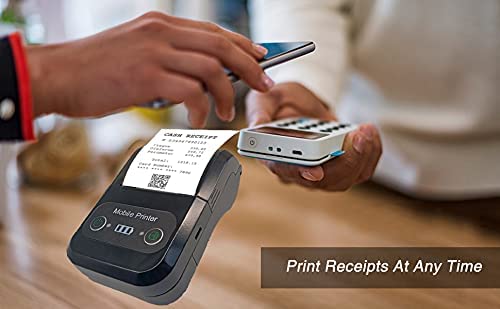
For mobile printing, you will need a compatible application. Milestone recommends downloading RAWBT Printer App or MYXPrint App from the Google Play Store. For iOS, search for compatible thermal printer apps in the App Store.
- Open your chosen printing application.
- Navigate to the printer settings within the app.
- Select the "MPT-II" printer from the list of available Bluetooth devices.
- You can now send print commands from the application.

4.4 USB veza (za računar)
The printer can also be connected to a PC via USB. You may need to install a printer driver, which is typically available from the manufacturer's website or included on a CD with the product (if applicable).
5. Održavanje
5.1 Čišćenje štampača
To ensure optimal performance and print quality, regularly clean the printer:
- Glava za štampanje: Lagano koristite pamučni štapićamptermalnu glavu za štampanje natopljenu izopropilnim alkoholom nježno obrišite. Ostavite da se potpuno osuši prije upotrebe.
- Putanja papira: Use a soft, dry cloth or a small brush to remove any paper dust or debris from the paper path.
- Eksterijer: Obrišite vanjski dio štampača mekom,amp tkanina. Izbjegavajte korištenje jakih kemikalija ili abrazivnih sredstava za čišćenje.
5.2 Njega baterija
- Prije prve upotrebe do kraja napunite bateriju.
- Izbjegavajte često potpuno pražnjenje baterije.
- If storing the printer for an extended period, charge it to about 50% and recharge every few months to prevent battery degradation.
6. Otkrivanje problema
| Problem | Mogući uzrok | Rješenje |
|---|---|---|
| Štampač se ne uključuje. | Baterija je slaba ili ispražnjena. | Charge the printer using the provided USB cable and adaptor. |
| Nije moguće povezivanje putem Bluetootha. | Bluetooth is off on device; incorrect pairing password; printer not discoverable. | Ensure Bluetooth is enabled on your device. Re-attempt pairing with password 1234 or 0000. Restart both printer and device. |
| No print output or blank paper. | Paper loaded incorrectly; out of paper; print head dirty. | Check paper orientation (printing side out). Replace paper roll if empty. Clean the thermal print head (refer to Maintenance section). |
| Loš kvalitet otiska (izblijedjelo, linije). | Print head dirty; low battery; poor quality thermal paper. | Clean the print head. Charge the printer fully. Use high-quality thermal paper. |
| Printer beeps continuously. | Paper alarm (out of paper or paper jam); low battery reminder. | Check and replace paper roll or clear jam. Charge the printer. |
7. Tehničke specifikacije
| Feature | Specifikacija |
|---|---|
| Printing Method | Štampanje termičkom linijom |
| Printing Width | Paper width 58mm, effective width 58mm |
| Gustina ispisa | 576 tačke/linija |
| Rezolucija | 8 dots/mm, 203 DPI |
| Brzina štampanja | 70mm/s (Max Print speed Monochrome: 50 ppm) |
| Printer Core Life | 50KM (25% print density or less than 100 million pulses) |
| Printable Content | English, numbers, symbols, characters, pictures, 1D/2D barcode, multi-languages |
| Data Communication Interface | USB / Bluetooth |
| Napajanje | Machine charging 9V-1.5A |
| Baterija | Built-in rechargeable 2600mAh lithium-ion battery (7.4V/2500mAh) |
| Continuous Printing Time | 2.5-3 sata |
| Set instrukcija | ESC / POS kompatibilan |
| Rezanje papira | Manually tear |
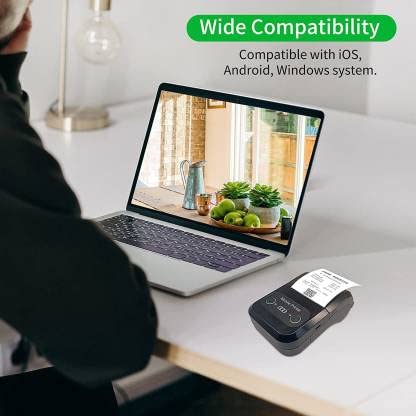
| Kompatibilnost operativnog sistema | Android, iOS, Windows |
| Dimenzije proizvoda | 15 D x 12 Š x 6 V centimetara |
| Težina artikla | 310 grama |
| Uključene komponente | 1 x Thermal Printer, 1 x USB Cable, 1 x USB Adaptor, 1 x Paper Roll, 1 x User Manual |
8. Garancija i podrška
This product comes with a 10-day warranty as per the purchase terms. For any technical assistance, troubleshooting beyond this manual, or warranty claims, please contact your retailer or the manufacturer's customer support. Refer to your purchase documentation for specific contact details.
Proizvođač: Milestone
uvoznik: SB RETAILS, SECTOR 28, PRADHIKARAN, PUNE-44, +918888881631


