1. Uvod
This manual provides essential information for the safe and efficient operation of your ACROJOY D501 Native 1080P Mini Projector. Please read it thoroughly before using the product and retain it for future reference.
2. Sigurnosne informacije
- Ne gledajte direktno u sočivo projektora kada je lamp je uključeno. Intenzivno svjetlo može uzrokovati oštećenje oka.
- Osigurajte odgovarajuću ventilaciju oko projektora. Ne blokirajte ventilacijske otvore.
- Držite projektor dalje od vode, vlage i ekstremnih temperatura.
- Koristite samo adapter za napajanje koji dolazi s projektorom.
- Ne pokušavajte sami popravljati projektor. Sve servisne radove prepustite kvalifikovanom osoblju.
- Čuvati van domašaja djece.
3. Sadržaj paketa
Provjerite da li se sve stavke nalaze u vašem paketu:
- 1x ACROJOY D501 Projector
- 1x User Manual/Quick Start/Warranty Information
- 1x Cleaning Kit
- 1x HDMI kabl
- 1x kabel za napajanje
- 1x Projector Lens Cover
- 1x 120-inch Projector Screen
- 1x daljinski upravljač
4. Proizvod je gotovview
Familiarize yourself with the main components of your ACROJOY D501 projector.

Slika 4.1: ACROJOY D501 Projector and included 120-inch screen. The image highlights key features such as native 1080p resolution, 5G+2.4G WiFi, 9500 lumens (as indicated in image), and 4K support.

Slika 4.2: Side view of the projector illustrating its connectivity options, including ports for PS5, Nintendo Switch, TV Stick, Phone/Tablet, USB, Laptop/PC, and Audio output.
5. Podešavanje
5.1 Postavljanje projektora
Position the projector on a stable, flat surface or mount it (ceiling, tripod) according to your preference. Ensure the projector is perpendicular to the projection surface for optimal image quality.
- Udaljenost projekcije: The optimal projection distance ranges from 4 to 40 feet.
- Veličina ekrana: The projector can produce an adjustable display size from 35 inches to 400 inches. A 120-inch screen is included for convenience.

Slika 5.1: The ACROJOY D501 Projector in an outdoor setting, demonstrating its portability and the use of the bundled 120-inch projector screen for an enjoyable viewing iskustvo.
5.2 Priključak za napajanje
- Spojite kabel za napajanje na ulazni priključak za napajanje projektora.
- Plug the other end of the power cord into a suitable electrical outlet (120 Volts).
- Indikatorska lampica napajanja na projektoru će se upaliti.
5.3 Fokus i podešavanje trapezoidne korekcije
After powering on the projector, adjust the image for clarity and shape:
- Prsten za fokus: Rotate the focus ring on the projector lens until the projected image is sharp and clear.
- Keystone korekcija: Use the keystone correction dial or digital adjustment (if available) to correct trapezoidal distortion, ensuring a rectangular image. The projector supports ±15 degrees keystone correction.
6. Uputstvo za upotrebu
6.1 Uključivanje/isključivanje napajanja
- Uključeno: Pritisnite dugme za napajanje na projektoru ili daljinskom upravljaču.
- Iskljuciti: Ponovo pritisnite dugme za napajanje. Potvrdite isključivanje ako se to od vas zatraži.
6.2 Odabir ulaznog izvora
The projector supports multiple input sources. Use the 'Source' button on the projector or remote to select the desired input:
- HDMI: Connect devices like laptops, TV sticks, gaming consoles (PS5, Xbox) via HDMI cables. The projector has 2 HDMI ports.
- USB: Umetnite USB disk za reprodukciju medija files direktno.
- OD: Povežite starije uređaje pomoću AV kabla.
6.3 Bežična povezivost (WiFi i Bluetooth)
6.3.1 Zrcaljenje ekrana putem WiFi-ja
The projector features 5G+2.4G dual-band WiFi for fast and stable screen mirroring from your smartphone or tablet.
- Provjerite jesu li vaš projektor i mobilni uređaj povezani na istu WiFi mrežu.
- U meniju projektora odaberite opciju 'Zrcaljenje zaslona' ili 'Bežični prikaz'.
- On your iOS device, use 'Screen Mirroring'. On Android, use 'Wireless Projection' or similar.
- Izaberite projektor sa liste dostupnih uređaja.
Napomena: Due to copyright restrictions, streaming services like Netflix, Amazon Prime Video, and Hulu cannot be wirelessly mirrored directly from your device. Use an HDMI-connected TV stick or similar device for these services.

Slika 6.1: Demonstrates 5G WiFi screen mirroring for seamless video streaming from iOS, Android, or Windows devices to the projector.
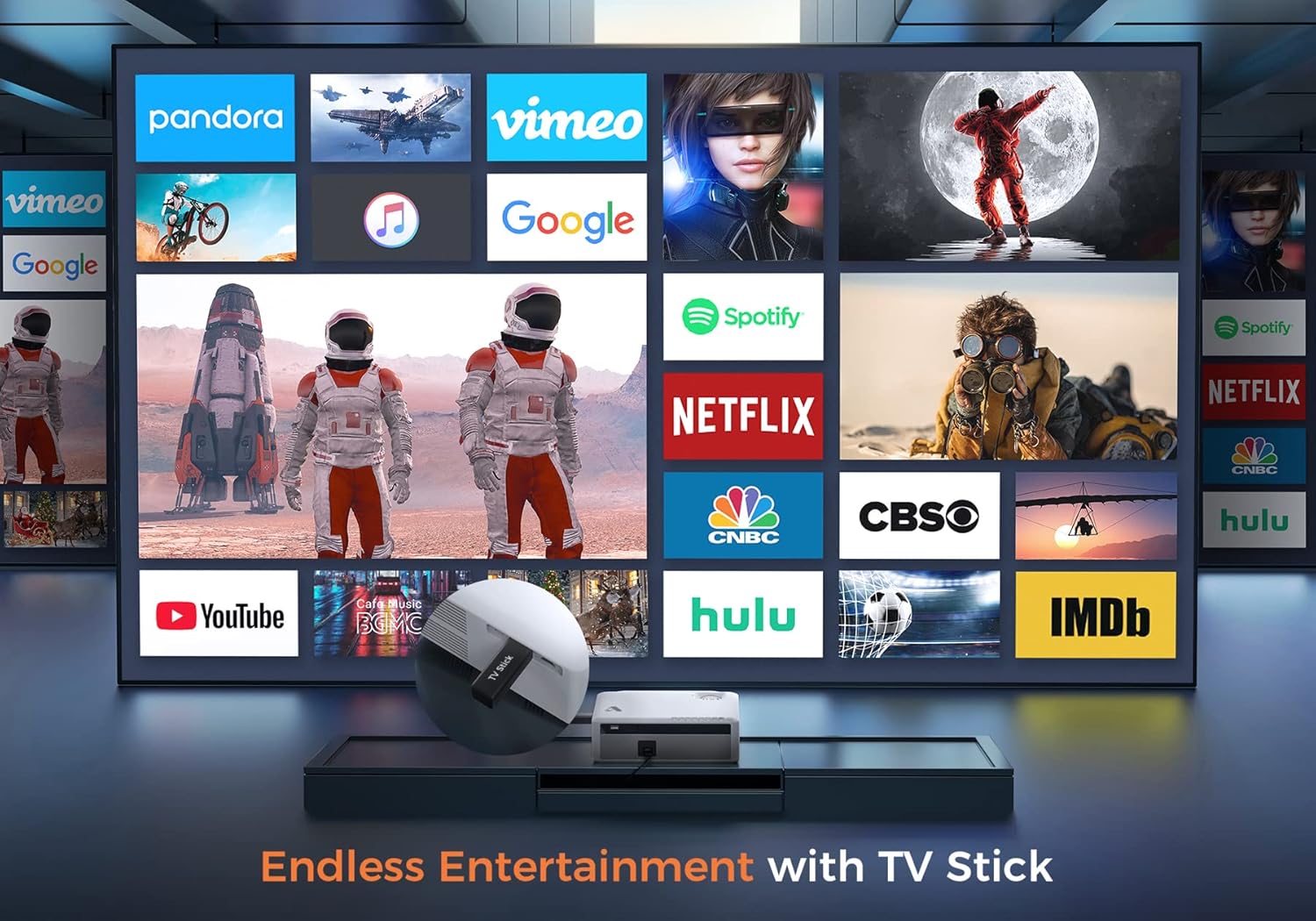
Slika 6.2: Illustrates how to access various entertainment apps like YouTube, Netflix, and Hulu by connecting a TV stick to the projector.
6.3.2 Bluetooth veza
Povežite eksterne Bluetooth zvučnike ili slušalice za poboljšani zvuk.
- Enable Bluetooth on your external audio device and set it to pairing mode.
- On the projector's menu, navigate to 'Bluetooth Settings'.
- Odaberite svoj uređaj s popisa za uparivanje.
The projector also features a built-in Hi-Fi speaker for direct audio output.
6.4 Funkcija zumiranja
Adjust the image size without moving the projector using the 50%-100% zoom function, typically found in the projector's display settings menu.
7. Održavanje
- Čišćenje sočiva: Koristite priloženi set za čišćenje ili meku krpu bez dlačica, posebno dizajniranu za optička sočiva. Ne koristite abrazivna sredstva za čišćenje.
- Uklanjanje prašine: Regularly clean the projector's exterior with a soft, dry cloth. Use a small brush or compressed air to gently clear dust from ventilation openings.
- Skladištenje: When not in use, store the projector in a cool, dry place, protected from dust and direct sunlight. Always replace the lens cover.
8. Otkrivanje problema
- Nema napajanja: Provjerite je li kabel za napajanje sigurno spojen i na projektor i na utičnicu. Pokušajte s drugom utičnicom.
- Nema slike: Check the input source selection. Ensure the connected device is powered on and sending a signal. Verify HDMI/USB cable connections.
- Zamućena slika: Adjust the focus ring. Ensure the projection distance is within the recommended range.
- Slika je trapezoidna: Podesite korekciju keystone.
- Nema zvuka: Check the volume settings on both the projector and the source device. If using external speakers, ensure they are properly connected or paired via Bluetooth.
- WiFi Mirroring Issues: Ensure both devices are on the same WiFi network. Some copyrighted content cannot be mirrored wirelessly.
9. Specifikacije
| Brand | Acrojoy |
| Broj modela | D501 |
| Native Resolution | 1920 x 1080 (Full HD) |
| Maksimalna podržana rezolucija | 3840 x 2160 (4K) |
| Osvetljenost | 5500 lumena |
| Kontrast Ratio | 12000:1 |
| Display Type | LCD |
| Povezivanje | 5G+2.4G WiFi, Bluetooth 5.1 |
| Ulazni portovi | 2x HDMI, 1x USB, AV |
| Izlazni portovi | Audio izlaz 3.5mm |
| Veličina projekcije | 35" - 400" |
| Udaljenost projekcije | 4 - 40 m |
| Aspect Ratio | 4:3 / 16:9 |
| Ispravka Keystone-a | ±15 stepeni |
| Funkcija zumiranja | 50% - 100% |
| Dimenzije proizvoda | 22.86 x 17.75 x 7.62 cm |
| Težina artikla | 3.19 kg |
| Izvor napajanja | Električni uređaj sa kablom (120 volti, 600 vata) |
10. Garancija i podrška
ACROJOY provides comprehensive support for your projector:
- garancija: A 3-year warranty covers manufacturing defects and malfunctions.
- tehnička podrška: Lifetime professional technical support is available.
- Kontakt: For any questions or assistance, please refer to the contact information provided in your Quick Start Guide or Warranty Information document.


