1. Uvod
The Hama MW-650 is a versatile 6-button optical wireless mouse designed for multi-device use. It offers flexible connectivity options via a 2.4 GHz USB-A receiver and Bluetooth, allowing seamless switching between up to three devices. The optical sensor provides precise cursor control, and adjustable DPI settings cater to various user preferences. This manual provides detailed instructions for setup, operation, maintenance, and troubleshooting to ensure optimal performance of your device.
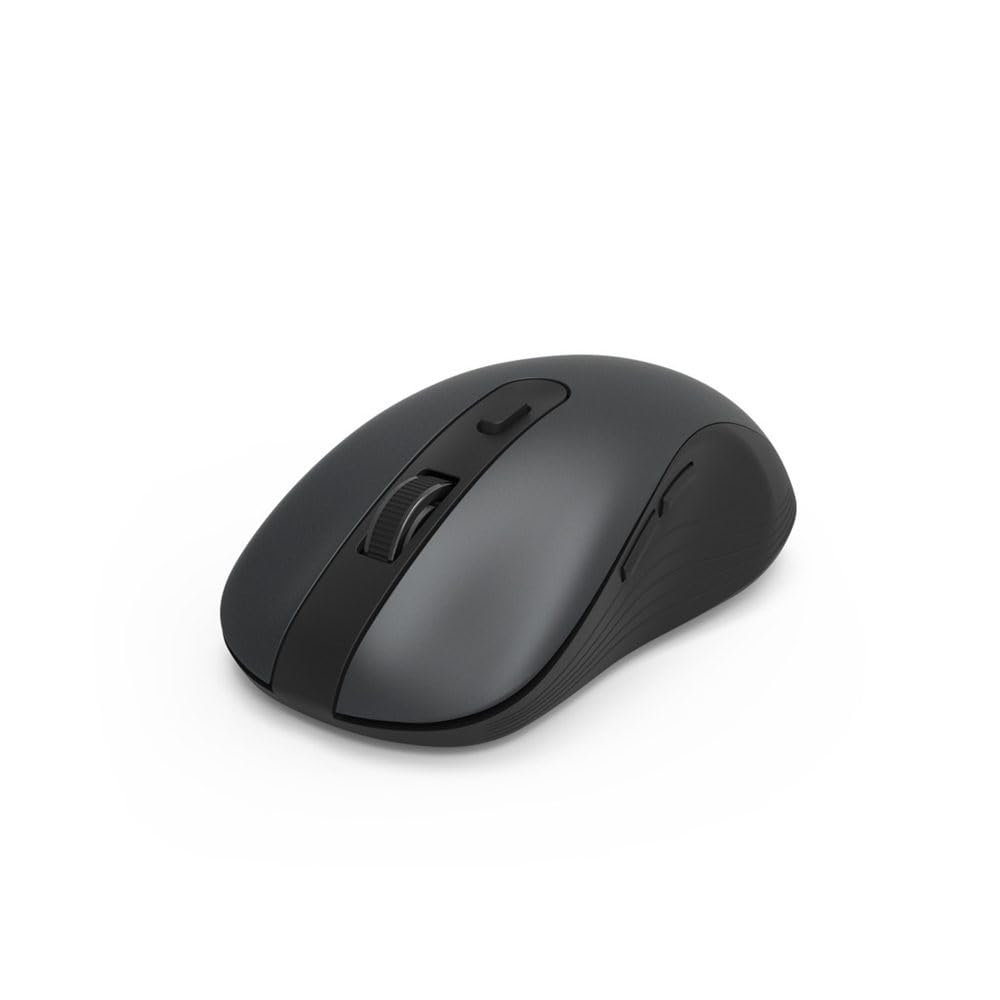
Image 1.1: Hama MW-650 Wireless Mouse (Top View)
2. Sadržaj paketa
Molimo Vas da provjerite paket za sljedeće stavke:
- 1 x Hama MW-650 6-Button Optical Wireless Mouse
- 1 x USB-A prijemnik
- 2 x AA Mignon Batteries
- 1 x Uputstvo za upotrebu (ovaj dokument)

Image 2.1: Hama MW-650 Product Packaging
3. Podešavanje
3.1. Instalacija baterije
- Pronađite pretinac za bateriju na donjoj strani miša.
- Otvorite poklopac odeljka za baterije.
- Insert the two AA Mignon batteries, ensuring correct polarity (+/-).
- Čvrsto zatvorite poklopac odeljka za baterije.
3.2. Uključivanje/isključivanje
On the underside of the mouse, slide the ON/OFF switch to the 'ON' position to power on the mouse. Slide it to 'OFF' when not in use to conserve battery life.

Image 3.1: Underside of Hama MW-650 Mouse with ON/OFF Switch and Receiver
3.3. Opcije povezivanja
The Hama MW-650 mouse supports two wireless connection methods: 2.4 GHz via USB-A receiver and Bluetooth.
3.3.1. 2.4 GHz USB-A Receiver Connection
- Remove the USB-A receiver from its storage slot on the underside of the mouse.
- Plug the USB-A receiver into an available USB-A port on your computer or laptop.
- The operating system should automatically detect and install the necessary drivers.
- The mouse will connect automatically. The LED indicator for BT1/BT2 will not be lit when using the USB receiver.
3.3.2. Bluetooth veza
The mouse can connect to two separate Bluetooth devices (BT1 and BT2).
- Uvjerite se da je miš uključen.
- Press the 'BT1' or 'BT2' button on the underside of the mouse to select the desired Bluetooth channel. The corresponding LED will flash slowly.
- To enter pairing mode, press and hold the selected 'BT1' or 'BT2' button for approximately 3 seconds until the LED flashes rapidly.
- Na vašem uređaju (računar, laptop, tablet, pametni telefon) omogućite Bluetooth i potražite nove uređaje.
- Select "Hama MW-650" from the list of available devices to pair.
- Once successfully paired, the LED will stop flashing and remain steadily lit for a few seconds before turning off.
4. Uputstvo za upotrebu
4.1. Osnovne funkcije miša
The Hama MW-650 features 6 buttons and a scroll wheel:
- Lijevi klik na dugme: Primary function, typically for selecting items or opening links.
- Desni klik: Secondary function, typically for context menus.
- Točak za pomicanje: For scrolling up and down documents or web stranice. Može se pritisnuti i za funkciju klika srednjim tasterom miša.
- DPI dugme: Located behind the scroll wheel, used to adjust cursor sensitivity.
- Dugmad za naprijed/nazad: Located on the side of the mouse, typically used for navigating web stranice ili mape.
4.2. Prebacivanje između uređaja
The MW-650 mouse allows you to switch between three connected devices (one via USB receiver, two via Bluetooth).
- To switch to a Bluetooth-connected device, press the 'BT1' or 'BT2' button on the underside of the mouse. The corresponding LED will light up briefly.
- To switch to the device connected via the USB receiver, press the 'USB' button (or the button without a BT label) on the underside of the mouse.

Image 4.1: Multi-Device Connectivity Example

Image 4.2: Multi-Device Setup with Monitor
4.3. Podešavanje osjetljivosti DPI-ja
The mouse offers adjustable DPI (Dots Per Inch) settings to control cursor speed and sensitivity. Press the DPI button located behind the scroll wheel to cycle through the available sensitivities:
- 800 DPI
- 1200 DPI (zadano)
- 1600 DPI
- 2000 DPI
- 2400 DPI
Each press of the DPI button will change the sensitivity, allowing you to find the setting that best suits your task or preference.
5. Upravljanje napajanjem
The Hama MW-650 mouse is designed with intelligent power management features to conserve battery life:
- Automatski način pripravnosti: The mouse will automatically enter a standby mode after a period of inactivity. To wake it up, simply move the mouse or click any button.
- Prekidač za uključivanje/isključivanje: For extended periods of non-use, slide the ON/OFF switch on the underside of the mouse to the 'OFF' position to completely power down the device and maximize battery life.
6. Njega i održavanje
6.1. Čišćenje
To maintain the performance and appearance of your mouse:
- Prije čišćenja provjerite je li miš isključen iz napajanja.
- Koristite meku, suhu krpu koja ne ostavlja dlačice za brisanje površine miša.
- Za tvrdokornu prljavštinu, lagano dampOperite krpu vodom ili blagim rastvorom za čišćenje. Izbjegavajte jake hemikalije ili abrazivne materijale.
- Povremeno čistite područje optičkog senzora na donjoj strani miša pamučnim štapićem kako biste osigurali precizno praćenje.
6.2. Zamjena baterije
Kada se performanse miša smanje ili prestane reagirati, možda je vrijeme za zamjenu baterija.
- Power off the mouse using the ON/OFF switch.
- Otvorite odjeljak za baterije na donjoj strani.
- Remove the old AA batteries and dispose of them according to local regulations.
- Insert new AA Mignon batteries, observing correct polarity.
- Zatvorite odeljak za baterije.
7. Otkrivanje problema
If you encounter issues with your Hama MW-650 mouse, please refer to the following common solutions:
| Problem | Moguće rješenje |
|---|---|
| Mouse does not respond. |
|
| Kretanje kursora je nepravilno ili sporo. |
|
| Nije moguće prebacivanje između uređaja. |
|
| Bluetooth uparivanje nije uspjelo. |
|
8. Tehničke specifikacije
| Broj modela | 00182617 (MW-650) |
| Tehnologija povezivanja | 2.4GHz RF (USB-A Receiver), Bluetooth 5.0 |
| Tehnologija detekcije pokreta | Optički |
| DPI osetljivost | 800 / 1200 / 1600 / 2000 / 2400 DPI (adjustable) |
| Broj dugmadi | 6 (including scroll wheel) |
| Form Factor | Desna ruka |
| Izvor napajanja | 2 x AA Mignon Batteries (included) |
| Trajanje baterije | Do 288 dana (u zavisnosti od upotrebe) |
| Kompatibilni operativni sistemi | Windows 11/10/8/7, Android 4.3 or higher, macOS 10.10 or higher, iOS 13 or higher |
| Dimenzije proizvoda (D x Š x V) | 11.3 x 6.3 x 4 cm (4.41 x 2.48 x 1.57 inča) |
| Težina artikla | 3.62 unce |
| Boja | Crna |
9. Garancija i podrška
For warranty information and technical support, please refer to the official Hama webweb-mjesto ili direktno kontaktirajte njihovu korisničku službu. Sačuvajte dokaz o kupovini za bilo kakve reklamacije u vezi s garancijom.
- Proizvođač: Hama GmbH & Co KG
- Webstranica: www.hama.com


