Tuitager Bluetooth Headphones User Manual
Model: 9S
1. Uvod
Thank you for choosing Tuitager Bluetooth Headphones. These over-ear headphones are designed to provide a high-fidelity audio experience with deep bass and clear treble, featuring long battery life, multiple EQ modes, and versatile connectivity options. Please read this manual carefully before use to ensure proper operation and maintenance.

Image 1.1: Tuitager Bluetooth Headphones (Black)
2. Sigurnosne informacije
- Ne izlažite slušalice ekstremnim temperaturama, vlazi ili korozivnim supstancama.
- Izbjegavajte ispuštanje ili izlaganje slušalica jakim udarcima.
- Ne rastavljajte niti modificirajte slušalice. To će poništiti garanciju.
- Čistite slušalice mekom, suhom krpom. Ne koristite tekuća sredstva za čišćenje.
- Dugotrajno slušanje na visokim nivoima jačine zvuka može uzrokovati oštećenje sluha. Podesite jačinu zvuka na siguran nivo.
3. Podešavanje
3.1 Punjenje slušalica
Before first use, fully charge the headphones. Connect the provided USB-C charging cable to the Type-C charging port on the headphones and the other end to a compatible USB power source (e.g., computer USB port, wall adapter). The LED indicator will show charging status.
- Vrijeme punjenja: Otprilike 2 sati za potpuno punjenje.
- Battery Life: Up to 60 hours of playtime on a single charge.
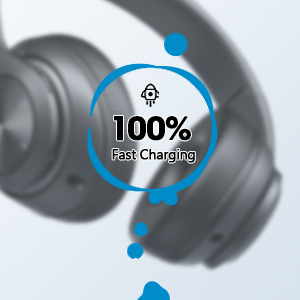
Image 3.1: Fast Charging Capability
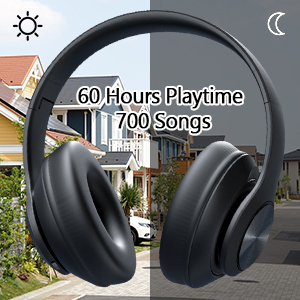
Image 3.2: Extended Playtime and Wired Option
3.2 Bluetooth uparivanje
- Provjerite jesu li slušalice potpuno napunjene.
- Press and hold the Power On/Off button until the LED indicator flashes, indicating pairing mode.
- Na svom uređaju (pametnom telefonu, tabletu, laptopu) omogućite Bluetooth i potražite dostupne uređaje.
- Select "Tuitager 9S" (or similar name) from the list of devices.
- Kada se poveže, LED indikator će prestati da treperi i ostati će stalno plavi.
Slušalice će se automatski pokušati ponovo povezati s posljednjim uparenim uređajem kada se uključe.
3.3 Wired Connection (3.5mm Aux)
For a wired connection, use the included 3.5mm audio cable. Plug one end into the 3.5mm Aux plug-in port on the headphones and the other end into your audio device's 3.5mm jack. The headphones will automatically switch to wired mode when the cable is connected.
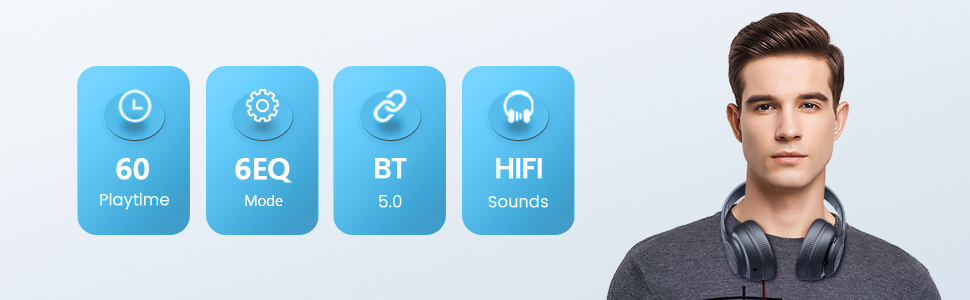
Image 3.3: Wide Compatibility and Usage (Wired & TF Card)
3.4 Korištenje TF kartice
The headphones support TF (Micro SD) cards up to 32GB for direct music playback. Insert the TF card into the TF Card slot on the headphones. The headphones will automatically switch to TF card mode and begin playing audio files.
Note: TF card is not included.
4. Uputstvo za upotrebu
4.1 Funkcije dugmadi

Image 4.1: Easy Operation Button Layout
| Dugme/Port | Funkcija |
|---|---|
| Uključivanje/isključivanje | Press and hold to power on/off. Short press to play/pause (in Bluetooth mode). |
| Reproduciraj/Pauziraj/Odgovori/Prekini vezu | Short press to play/pause music or answer/end calls. Long press to reject calls. |
| Prethodni zapis / Smanjenje glasnoće | Kratki pritisak za prethodnu pjesmu. Dugi pritisak za smanjenje jačine zvuka. |
| Sljedeća pjesma / pojačavanje zvuka | Kratki pritisak za sljedeću pjesmu. Dugi pritisak za povećanje jačine zvuka. |
| EQ dugme | Short press to cycle through 6 EQ modes (Bass/Jazz/Voice/Rock/Pop/Classic). |
| Dugme za način rada (M) | Short press to switch between Bluetooth Mode and FM Mode. |
| 3.5mm Aux Plug-in Port | Za žičanu audio vezu. |
| Port za punjenje tipa C | Za punjenje slušalica. |
| Utor za TF karticu | For direct music playback from a TF (Micro SD) card. |
4.2 EQ moda
The headphones feature 6 distinct EQ modes to optimize your listening experience:
- bas: Enhanced low frequencies for powerful beats.
- džez: Profesionalni uravnoteženi zvukfile suitable for jazz music.
- glas: Clearer vocals, ideal for podcasts or audiobooks.
- rock: Dynamic sound for rock music.
- pop: Vibrant and energetic sound for pop music.
- klasična: Rich and detailed sound for classical music.
Press the EQ button to cycle through these modes.
4.3 Upućivanje poziva
With the built-in microphone, you can make and receive calls when connected via Bluetooth:
- Odgovori/Završi poziv: Kratko pritisnite dugme Play/Pause.
- odbiti poziv: Dugo pritisnite dugme Play/Pause.
5. Održavanje
- Čuvajte slušalice čistima tako što ćete ih brisati mekom, suvom krpom.
- Slušalice čuvajte na hladnom i suhom mjestu, dalje od direktne sunčeve svjetlosti i ekstremnih temperatura.
- When not in use, fold the headphones for compact storage and to protect them from damage.

Image 5.1: Ergonomic and Foldable Design for Comfort and Portability
6. Otkrivanje problema
| Problem | Rješenje |
|---|---|
| Slušalice se neće uključiti. | Ensure the headphones are fully charged. Press and hold the Power button for a few seconds. |
| Nije moguće uparivanje s uređajem. | Ensure headphones are in pairing mode (flashing LED). Turn off and on Bluetooth on your device. Move headphones closer to the device. Clear previous Bluetooth connections on your device. |
| Nema zvuka. | Check volume levels on both headphones and connected device. Ensure headphones are properly paired or the 3.5mm cable is fully inserted. Try a different audio source. |
| Loša kvaliteta zvuka. | Ensure there are no obstructions between headphones and device (in Bluetooth mode). Try a different EQ mode. Check audio source quality. |
| Povremena veza. | Move closer to the connected device. Avoid environments with strong Wi-Fi or other wireless interference. Ensure headphones are fully charged. |
7. Specifikacije
- Naziv modela: 9S
- Tehnologija povezivanja: Žičano, bežično (Bluetooth)
- Tehnologija bežične komunikacije: Bluetooth 5.3
- Bluetooth opseg: Do 32 stope (10 metara)
- Veličina audio drajvera: 40 milimetara
- Trajanje baterije: Do 60 sati
- Vrijeme punjenja: Približno 2 sata
- Ulaz za slušalice: 3.5 mm Jack
- Materijal: Plastika
- Težina artikla: 10.2 unci (približno 289 grama)
- Vrsta kontrole: Volume Control, Button
- Uključene komponente: Headphones, USB Charging Cable, 3.5mm Audio Cable, User Manual
8. Garancija i podrška
Tuitager products come with a standard manufacturer's warranty. For detailed warranty information, please refer to the warranty card included in your product packaging or visit the official Tuitager website.
If you encounter any issues or have questions regarding your Tuitager Bluetooth Headphones, please contact our customer support team:
- Online podrška: Visit the Tuitager Store on Amazon: Tuitager Store
- Korisnički vodič (PDF): Digitalna verzija korisničkog vodiča dostupna je ovdje: Preuzmite PDF


