1. Uvod
This manual provides essential instructions for the safe and effective use of your VANKYO C751 Hybrid Active Noise Cancelling Headphones. Please read this manual thoroughly before using the product and retain it for future reference.
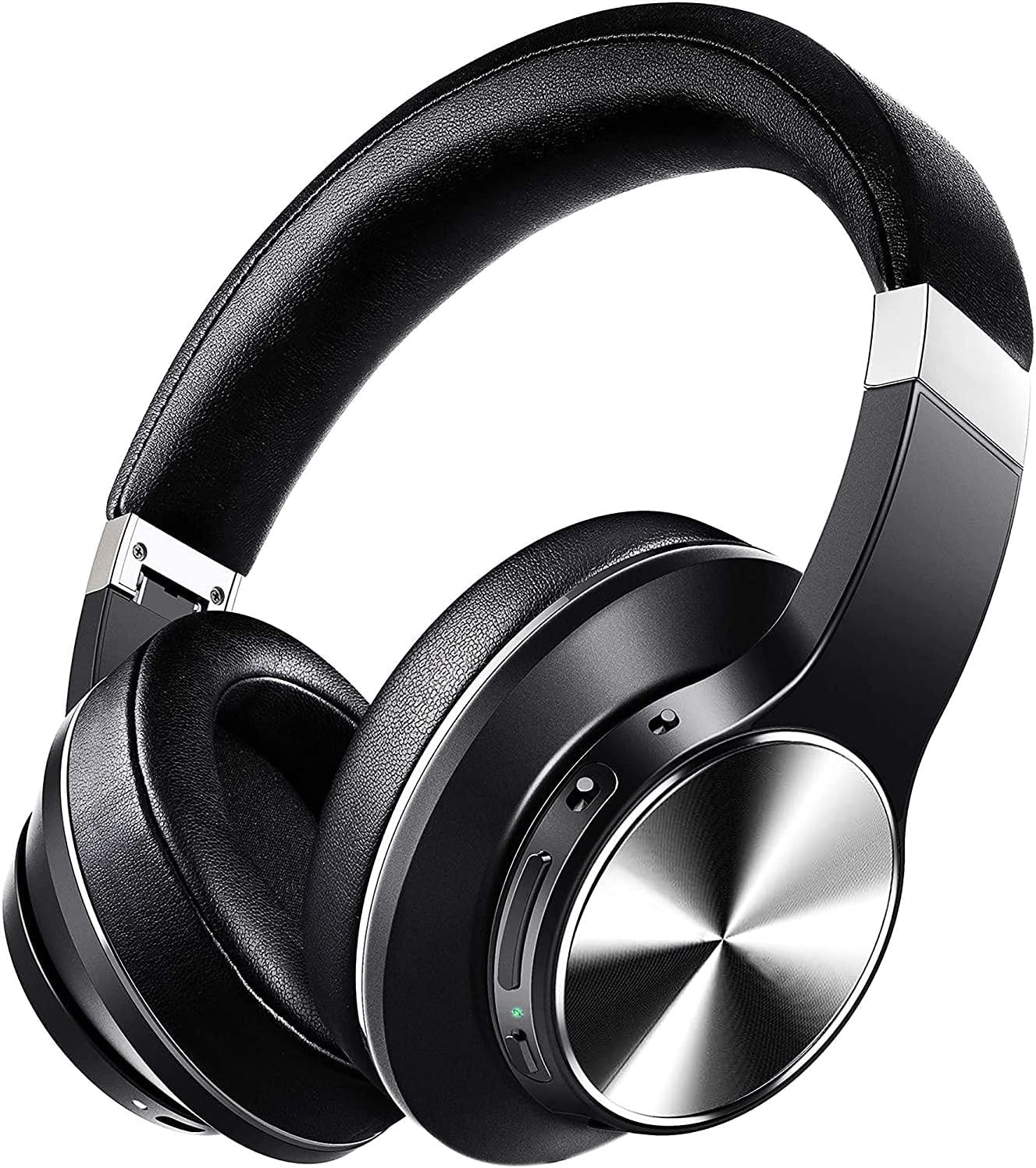
Image: The VANKYO C751 Hybrid Active Noise Cancelling Headphones, shown in black with silver accents, featuring over-ear cups and an adjustable headband.
2. Sadržaj paketa
Provjerite da li se u vašem paketu nalaze sve dolje navedene stavke:
- VANKYO C751 Hybrid Active Noise Cancelling Headphones
- USB-C kabl za punjenje
- 3.5 mm audio kabl
- Torbica za nošenje
- Korisnički priručnik (ovaj dokument)

Image: The VANKYO C751 headphones, a hard carrying case, a USB-C charging cable, and a 3.5mm audio cable, laid out on a surface.
3. Proizvod je gotovview
Familiarize yourself with the various components and controls of your headphones.
3.1 Kontrole i portovi
- Dugme za napajanje: Pritisnite i držite za uključivanje/isključivanje.
- Pojačavanje/sljedeća pjesma: Kratki pritisak za povećanje jačine zvuka, dugi pritisak za sledeću numeru.
- Smanjivanje zvuka/prethodna pjesma: Short press for volume down, long press for previous track. Double press to change EQ band.
- Višenamjensko dugme (MFB): Reprodukcija/pauza, odgovaranje/završavanje poziva.
- ANC prekidač: Uključite/isključite aktivno poništavanje buke.
- USB-C priključak za punjenje: Za punjenje slušalica.
- 3.5 mm audio priključak: Za žičanu vezu.
- mikrofon: Za pozive i glasovne komande.

Image: A woman wearing the VANKYO C751 headphones, with an inset showing a close-up of the control buttons on the earcup.
3.2 Nošenje slušalica
Adjust the headband for a comfortable and secure fit. The earcups are designed with pressure-relieving memory-protein ear pads for extended wear.

Slika: Krupni plan view of the soft, black protein leather earpad of the VANKYO C751 headphones, highlighting its comfortable design.
4. Podešavanje
4.1 Punjenje slušalica
- Spojite USB-C kabel za punjenje na priključak za punjenje slušalica.
- Drugi kraj kabla priključite na USB adapter za napajanje (nije uključen) ili na USB port računara.
- The LED indicator will show charging status. A full charge provides approximately 30 hours of playtime. A 10-minute quick charge provides up to 2 hours of listening.

Image: The VANKYO C751 headphones connected to a charging cable, with text indicating "30 Hours Playing Time" and "10 Mins USB-C turbo charging for 2 Hours use."
4.2 Uključivanje/isključivanje
- Za uključivanje: Press and hold the Power button for 2-3 seconds until the LED indicator flashes.
- Za isključivanje: Pritisnite i držite dugme za napajanje 3-4 sekunde dok se LED indikator ne ugasi.
4.3 Bluetooth uparivanje
- Uvjerite se da su slušalice isključene.
- Pritisnite i držite dugme za napajanje otprilike 5 sekundi dok LED indikator ne počne naizmjenično treperiti crveno i plavo, što označava režim uparivanja.
- Omogućite Bluetooth na svom uređaju (pametni telefon, tablet, računar).
- Traži "VANKYO C751" in the list of available Bluetooth devices and select it to connect.
- Kada se poveže, LED indikator će polako treptati plavo.
4.4 Žičano povezivanje
To use the headphones in wired mode, connect one end of the 3.5mm audio cable to the headphone's audio jack and the other end to your audio source. Bluetooth functionality will be disabled automatically when the audio cable is connected.

Image: A split image showing the VANKYO C751 headphones connected via a 3.5mm audio cable (Wired Mode) and a separate image of the headphones indicating wireless connectivity (Wireless Mode).
5. Uputstvo za upotrebu
5.1 Aktivno poništavanje buke (ANC)
Toggle the ANC switch to activate or deactivate the Hybrid Active Noise Cancellation feature. This function reduces ambient noises by up to 90%, ideal for travel or noisy environments.

Image: A woman wearing the VANKYO C751 headphones, looking out a window, with text indicating "Advanced Active Noise Cancellation" and its ability to block out up to 90% of low and mid-range frequency noises.

Image: A graphic representation of sound waves, with one side showing a complex waveform and the other side showing a simplified waveform, illustrating the effect of active noise cancellation.
5.2 Audio reprodukcija
- Pusti/pauza: Pritisnite MFB jednom.
- Povećavanje glasnoće: Kratko pritisnite dugme za pojačavanje jačine zvuka.
- Smanjivanje jačine zvuka: Kratko pritisnite dugme za smanjenje jačine zvuka.
- Sljedeća pjesma: Dugo pritisnite dugme za pojačavanje jačine zvuka.
- Prethodni zapis: Dugo pritisnite dugme za smanjivanje jačine zvuka.
5.3 Postavke ekvilajzera (EQ)
Double press the Volume Down button to cycle through different EQ bands for an amplified listening experience, such as Pop, Classic, Rock, Jazz, and Voice modes.

Image: A collage of five images representing different music genres or sound profiles: Pop, Classic, Rock, Jazz, and Voice, illustrating the EQ modes available on the VANKYO C751 headphones.
5.4 Telefonski pozivi
The integrated CVC 8.0 noise-cancelling microphone ensures clear hands-free calls.
- Odgovori/Završi poziv: Pritisnite MFB jednom.
- odbiti poziv: Pritisnite i držite MFB 2 sekunde.
- Ponovno biranje zadnjeg broja: Dvaput pritisnite MFB.

Image: A woman wearing the VANKYO C751 headphones while participating in a video conference call on a computer, illustrating the clear call quality provided by the CVC 8.0 microphone.
6. Održavanje
6.1 Čišćenje
- Obrišite slušalice mekom, suhom krpom.
- Nemojte koristiti abrazivna sredstva za čišćenje ili rastvarače.
- Izbjegavajte ulazak vlage u bilo kakve otvore.
6.2 Skladištenje
When not in use, store the headphones in the provided carrying case to protect them from dust and damage. The foldable design allows for compact storage.
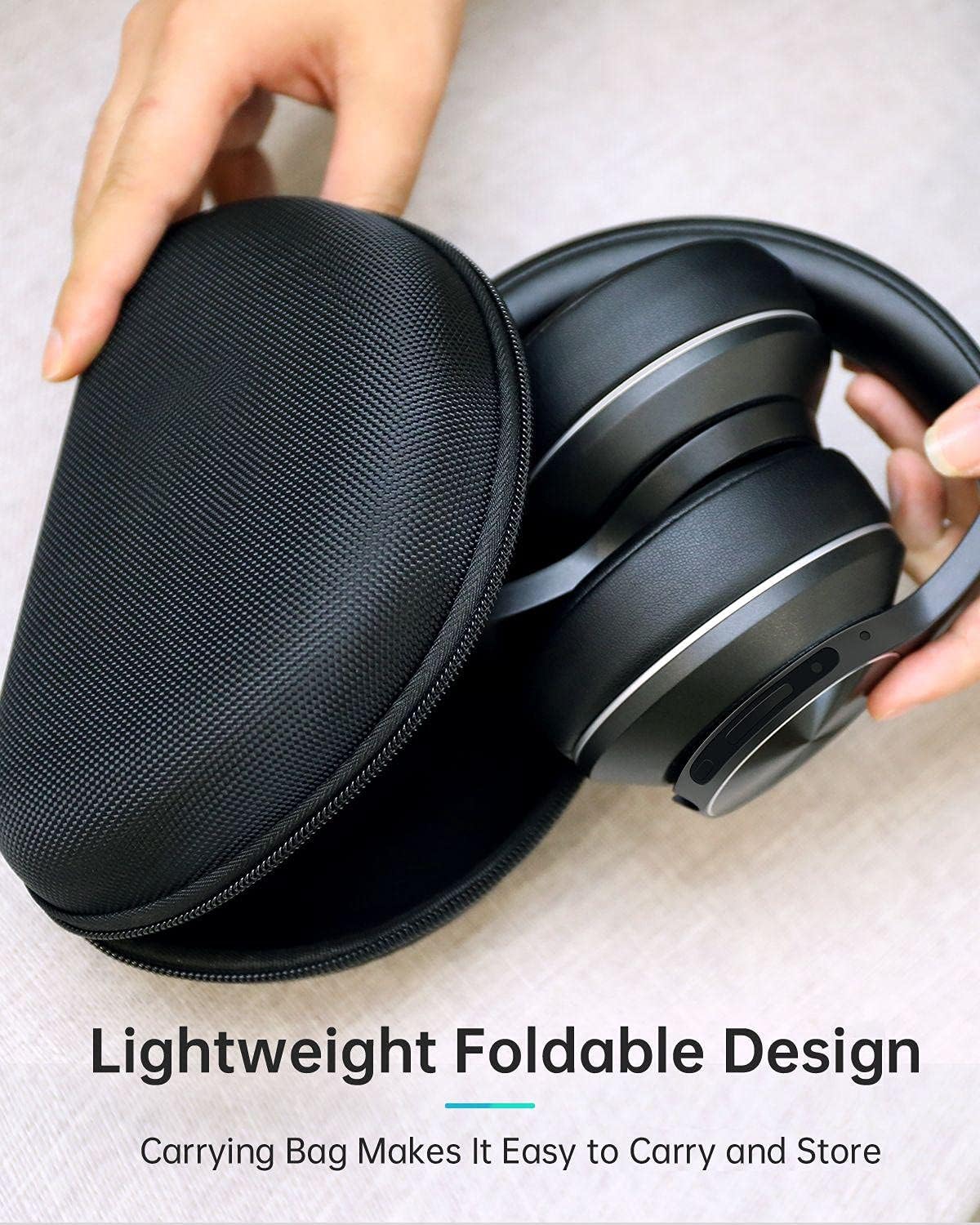
Image: The VANKYO C751 headphones, folded compactly, being placed into or removed from its black zippered carrying case, demonstrating its portable and protective design.
7. Otkrivanje problema
- Nema napajanja: Provjerite jesu li slušalice napunjene. Povežite ih na izvor napajanja pomoću USB-C kabla.
- Ne može se upariti: Ensure the headphones are in pairing mode (LED flashing red and blue). Turn off and on your device's Bluetooth, then try pairing again. Ensure the headphones are not connected to another device.
- Nema zvuka: Check the volume level on both the headphones and your connected device. Ensure the headphones are properly paired or the 3.5mm audio cable is securely connected.
- Loš kvalitet zvuka: Move closer to your Bluetooth device to avoid interference. Try a different audio source or file.
- ANC ne funkcioniše efikasno: Ensure the ANC switch is in the 'On' position. ANC is most effective against low-frequency, constant noise.
8. Specifikacije
| Model | C751 |
| Povezivanje | Bluetooth 5.0, 3.5 mm audio priključak |
| Kontrola buke | Hibridno aktivno poništavanje buke |
| Mikrofon | CVC 8.0 Noise Cancelling Mic |
| Vozači | Dual 40mm Large-Aperture Drivers |
| Trajanje baterije | Vrijeme reprodukcije do 30 sati |
| Port za punjenje | USB-C |
| Postavljanje uha | Preko uha |
| Dimenzije proizvoda | 15 x 6 x 10 cm |
| Težina | 718 g |
9. Sigurnosne informacije
- Ne izlažite slušalice ekstremnim temperaturama ili vlazi.
- Izbjegavajte ispuštanje ili izlaganje slušalica jakim udarcima.
- Ne rastavljajte ili pokušavajte sami da popravite slušalice.
- Slušajte na umjerenim nivoima jačine zvuka kako biste spriječili oštećenje sluha.
- Do not use headphones while driving or in situations where you need to hear your surroundings.
10. Garancija i podrška
For warranty information or technical support, please refer to the contact details provided with your purchase documentation or visit the official VANKYO webSačuvajte dokaz o kupovini za slučaj reklamacije.


