1. Uvod
1.1 Proizvod završenview
The lightmaXX Vega BAT LED is a versatile, battery-powered uplight designed for various lighting applications. It features four 12-watt RGBAWUV (Red, Green, Blue, Amber, White, UV) LEDs, providing a broad spectrum of color mixing capabilities. With an 80W power output, this fixture supports both 6 and 10 DMX channels for precise control in professional setups. Operating modes include automatic programs, sound-activated effects, master/slave configurations, and convenient control via an infrared (IR) remote.
1.2 Sigurnosne informacije
- Uvijek priključite uređaj na uzemljenu utičnicu.
- Ne otvarajte kućište; unutra nema dijelova koje korisnik može sam servisirati. Za sve servisne radove obratite se kvalifikovanom osoblju.
- Izbjegavajte direktno izlaganje očiju izvoru svjetlosti.
- Osigurajte odgovarajuću ventilaciju oko uređaja kako biste spriječili pregrijavanje.
- Držite uređaj dalje od vlage i ekstremnih temperatura.
- Ovaj uređaj mora biti uzemljen.
2. Sadržaj paketa
Please check that all items listed below are present and in good condition upon unpacking:
- lightmaXX Vega BAT LED 4x12 W RGBAWUV unit
- IR daljinski upravljač
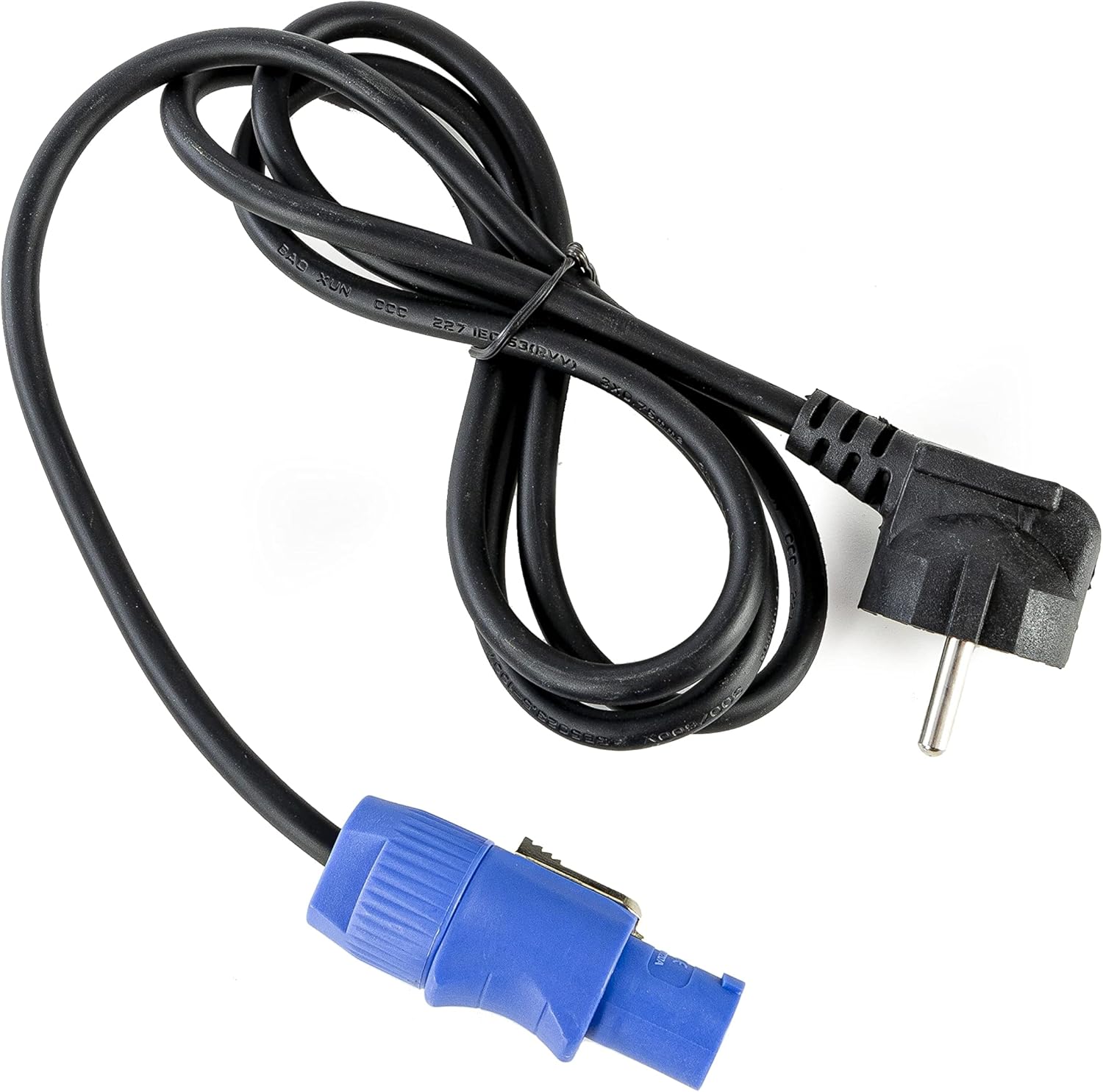
- Power Cable
- Uputstvo za upotrebu (ovaj dokument)

Slika 2.1: Power cable with a standard European plug and a blue locking connector for the light fixture.
Slika 2.2: Infrared remote control with various color, mode, and numerical buttons for operating the LED spot.
3. Podešavanje
3.1 Početno punjenje
Before first use, fully charge the internal battery. Connect the provided power cable to the unit's power input and then to a suitable 240V AC power outlet. The charging indicator (if available on the display) will show the charging status. A full charge typically takes several hours.
3.2 Postavljanje
Position the Vega BAT LED on a stable, flat surface or mount it using appropriate clamps and safety cables (not included) to a truss or stand. Ensure the unit is placed in a location with good air circulation and away from direct heat sources or flammable materials.
3.3 Veze
For standalone operation, simply power on the unit after charging. For DMX control, connect a DMX cable from your DMX controller to the DMX IN port of the Vega BAT LED. If linking multiple units, connect the DMX OUT of the first unit to the DMX IN of the next, and so on.

Slika 3.1: Dno view of the light fixture showing the power input, DMX ports, and regulatory labels.
4. Operacija
4.1 Kontrolna tabla
The unit features an onboard control panel with a display and four buttons: MENU, DOWN, UP, and ENTER. This panel allows for direct access to settings and operating modes.

Slika 4.1: Front view of the control panel with display and navigation buttons.

Slika 4.2: Top view of the control panel, showing the display and button layout.
- MENI: Kruži kroz opcije glavnog menija.
- DOLJE: Decreases values or navigates down through menu options.
- GORE: Increases values or navigates up through menu options.
- ENTER: Potvrđuje odabire ili ulazi u podmenije.
4.2 IR daljinski upravljač
The included IR remote control provides convenient wireless operation for various functions, including color selection, mode changes, and power on/off.
- UKLJUČENO/ISKLJUČENO: Uključuje ili isključuje jedinicu.
- R, G, B, A, W, UV: Direct access to Red, Green, Blue, Amber, White, and Ultraviolet colors.
- 0-9: Numerical buttons for selecting specific programs or DMX addresses.
- AUTOMATSKI: Aktivira automatski programski način rada.
- STROBE: Activates strobe effect.
- FADE: Aktivira način bledenja boje.
- ZVUK: Aktivira način rada aktiviran zvukom.
4.3 Načini rada
The Vega BAT LED offers several operating modes:
- Automatski način rada: The unit cycles through pre-programmed color changes and effects. Selectable via the control panel or IR remote.
- Režim zvuka: The light reacts to ambient sound, creating dynamic effects. Sensitivity can often be adjusted via the control panel.
- Master/Slave način rada: Link multiple units where one acts as the master, controlling all connected slave units. Connect DMX cables in a daisy chain.
- DMX način rada: For professional control using a DMX controller. The unit supports 6 or 10 DMX channels, allowing for granular control over color mixing, dimming, strobe, and internal programs. Set the DMX address via the control panel.

Slika 4.3: The light fixture emitting ultraviolet (UV) light.

Slika 4.4: The light fixture emitting amber-colored light.
5. Održavanje
5.1 Čišćenje
Regularly clean the lens and exterior housing with a soft, lint-free cloth. For stubborn dirt, a slightly damp Može se koristiti krpa. Ne koristite abrazivna sredstva za čišćenje ili rastvarače, jer mogu oštetiti završnu obradu ili optičke komponente.
5.2 Njega baterija
To prolong battery life, avoid fully discharging the unit frequently. If storing the unit for an extended period, ensure the battery is charged to approximately 50-70% and recharge it every 3-6 months. Store in a cool, dry place.
5.3 Skladištenje
When not in use, store the Vega BAT LED in its original packaging or a suitable protective case to prevent damage from dust, moisture, and impacts.
6. Otkrivanje problema
- Uređaj se ne uključuje: Ensure the battery is charged or the power cable is securely connected to a live outlet. Check the power switch.
- No light output: Verify the unit is powered on and not in standby mode. Check selected operating mode and brightness settings.
- IR remote not working: Ensure there are no obstructions between the remote and the unit's IR receiver. Check the remote's battery.
- Problemi sa DMX kontrolom: Verify DMX cable connections, DMX address settings on the unit, and DMX channel mode. Ensure your DMX controller is functioning correctly.
- Battery life is short: The battery may require a full charge cycle. Over time, battery capacity can decrease; consider battery replacement if performance significantly degrades.
7. Specifikacije
| Feature | Specifikacija |
|---|---|
| Brand | lightmaXX |
| Model | Vega BAT LED 4x12 W RGBAWUV |
| Izvor svjetlosti | 4 x 12W RGBAWUV LEDs |
| Total Wattage | 80W |
| DMX kanali | 6 ili 10 kanala |
| Radni režimi | Automatic, Sound, Master/Slave, DMX |
| Kontrola | Onboard display/buttons, IR Remote |
| Voltage | 240 Volt |
| Dimenzije proizvoda | 24.2 x 21 x 19.6 cm |
| Referenca proizvođača | LIG0016385-000 |
| Zemlja porijekla | Njemačka |
| First Available | 16. avgusta 2021 |
8. Garancija i podrška
For warranty information and technical support, please refer to the documentation provided at the time of purchase or contact your authorized lightmaXX dealer. Keep your proof of purchase for warranty claims.


