1. Uvod i krajview
Capture your driving experience with the Ring Automotive RSDC2000 Smart Dash Cam. This advanced dash cam features Full HD 1080p resolution at 30 frames per second, providing clear and detailed video footage. Integrated Wi-Fi and a G-sensor ensure easy connectivity and automatic incident recording. The Ring Connect app allows convenient access and control, while the compact 2-inch screen offers easy viewing. Its sleek black design ensures it blends seamlessly with your vehicle's interior, making it an essential accessory for safe and secure driving.

Image: The Ring Smart Dash Cam RSDC2000 shown with its magnetic mount and a smartphone displaying the Ring Connect application, highlighting its connectivity features.
2. Značajke proizvoda
- Secure Recording: Works in conjunction with Ring Connect to save, store, and easily share captured content.
- G-senzor: Automatically saves moments during a collision, ensuring critical footage je sačuvano.
- Jednostavna instalacija: Simple setup with a magnetic mount and included trim tool for quick and secure placement.
- App and Wi-Fi Connectivity: Stay connected with the Ring Connect app and Wi-Fi features for convenient viewing and sharing of footage.
- High Quality Video: Enjoy crystal-clear videos captured in Full HD 1080p at 30fps.
- Način rada za parkiranje: Records collisions even when the vehicle is parked, providing continuous surveillance.
- Utor za mikro SD karticu: Supports up to 32GB capacity for ample storage of recordings.
- Kompaktan dizajn: Smaller than a credit card, ensuring an unobstructed view tokom vožnje.
- Wide Field of View: Polje od 120 stepeni view to capture a comprehensive view na putu.

Image: Diagram illustrating the secure recording capabilities, including G-sensor, parking mode, and Micro SD card slot.

Image: Visual representation of the dash cam's compact size, comparing it to a credit card and showing its dimensions.
3. Šta se nalazi u kutiji?
The Ring Smart Dash Cam RSDC2000 package includes the following components:
- Ring Smart Dash Cam RSDC2000 Body
- 3.5m 12V DC Power Cable with USB
- Magnetni nosač
- Upute za brzi početak
- Alat za uklanjanje trimova
- Recording Window Sticker
- Spare Self-Adhesive Pad

Image: An illustration detailing all items included in the product packaging, such as the dash cam unit, power cable, magnetic mount, and tools.
4. Podešavanje
Follow these steps to set up your Ring Smart Dash Cam RSDC2000:
- Odaberite lokaciju za montažu: Select a location on your windshield that provides a clear view of the road and does not obstruct your driving visibility. The area should be clean and dry.
- Attach Magnetic Mount: Secure the magnetic mount to the chosen location on your windshield using the adhesive pad. Ensure it is firmly attached.
- Attach Dash Cam: The dash cam unit easily attaches to the magnetic mount. Ensure it clicks securely into place.
- Priključite napajanje: Plug the 3.5m 12V DC power cable into the dash cam and then into your vehicle's cigarette lighter socket. Route the cable neatly along the windshield edge using the included trim removal tool to tuck it under the vehicle's trim for a clean installation.
- Umetnite Micro SD karticu: Insert a compatible Micro SD card (up to 32GB, not included) into the designated slot on the dash cam.
- Početno uključivanje: Once connected to power, the dash cam should power on automatically. Follow any on-screen prompts for initial setup, such as setting the date and time.
- Download Ring Connect App: Download the Ring Connect app from your smartphone's app store. This app will allow you to connect to your dash cam via Wi-Fi for viewing and managing footage.

Image: The dash cam mounted on a car's windshield, demonstrating its discreet placement and ease of installation.
5. Uputstvo za upotrebu
The Ring Smart Dash Cam RSDC2000 is designed for straightforward operation:
- Automatsko snimanje: The dash cam will automatically begin recording when your vehicle's ignition is turned on. Footage is recorded in Full HD 1080p at 30 frames per second.
- Snimanje u petlji: When the Micro SD card is full, the dash cam will automatically overwrite the oldest unprotected footage da biste nastavili snimanje.
- G-Sensor (Incident Detection): In the event of a sudden impact or collision, the built-in G-sensor will automatically detect the event and lock the current video segment, preventing it from being overwritten by loop recording.
- Način rada za parkiranje: When enabled, the dash cam can continue to monitor your vehicle for impacts even when parked. If an impact is detected, it will automatically record and save the footage.
- Using the 2-inch Screen: The integrated 2-inch screen allows for real-time viewing of the recording, playback of saved footage, and navigation through the device's menu settings.
- Wi-Fi and Ring Connect App: Connect your smartphone to the dash cam's Wi-Fi network. Open the Ring Connect app to view live footage, download recorded videos to your phone, adjust settings, and share clips.

Image: A driver's perspective showing the dash cam mounted on the windshield, illustrating its wide 120-degree field of view and clear recording capabilities.
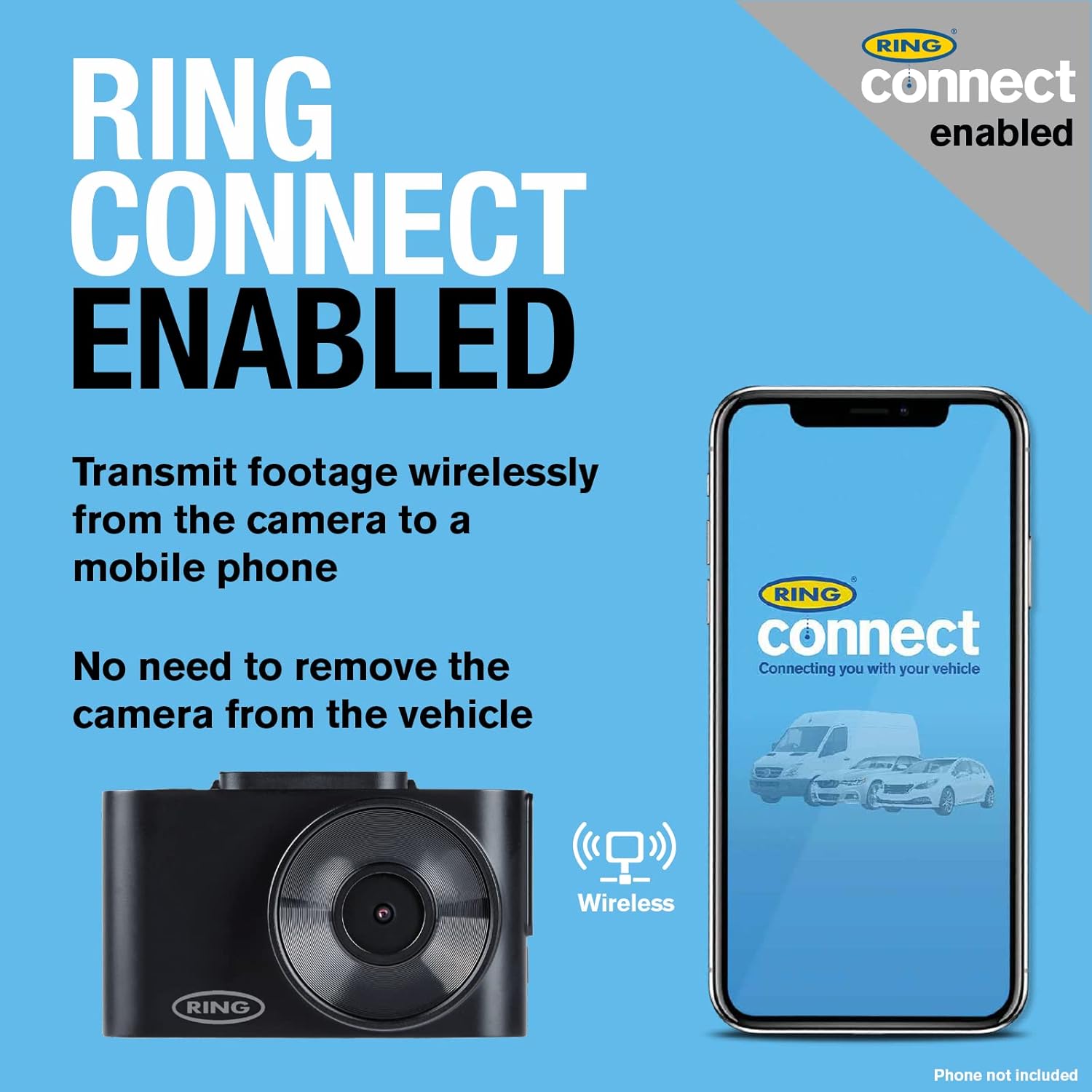
Image: The dash cam and a smartphone with the Ring Connect app, demonstrating the wireless connectivity for footage transmission without removing the camera.
6. Održavanje
Proper maintenance ensures the longevity and optimal performance of your Ring Smart Dash Cam RSDC2000:
- Očistite sočivo: Regularly wipe the camera lens with a soft, lint-free cloth to ensure clear recordings. Avoid abrasive cleaners.
- Očistite ekran: Use a microfiber cloth to gently clean the 2-inch display screen.
- Upravljanje Micro SD karticama: It is recommended to format the Micro SD card periodically (e.g., once a month) using the dash cam's menu settings. This helps maintain card health and prevents data corruption. Back up any important footage prije formatiranja.
- Ažuriranja firmvera: Check the Ring Automotive website or the Ring Connect app for any available firmware updates. Keeping your dash cam's firmware up-to-date can improve performance and add new features.
- Temperaturna razmatranja: Avoid exposing the dash cam to extreme temperatures for prolonged periods. If the vehicle is parked in direct sunlight on a hot day, consider removing the dash cam or shading it.
- Inspekcija kablova: Periodically inspect the power cable for any signs of wear or damage. Replace if necessary.
7. Otkrivanje problema
If you encounter issues with your Ring Smart Dash Cam RSDC2000, refer to the following common troubleshooting steps:
- Kamera za automobil se ne uključuje:
- Ensure the power cable is securely connected to both the dash cam and the vehicle's cigarette lighter socket.
- Check if the vehicle's cigarette lighter socket is receiving power (e.g., by testing with another device).
- Try a different 12V power source if available.
- Recording Issues (No Recording/Corrupted Files):
- Provjerite je li Micro SD kartica ispravno umetnuta.
- Format the Micro SD card using the dash cam's menu. If issues persist, try a different, high-quality Micro SD card.
- Check if the card is full and loop recording is enabled.
- Problemi s Wi-Fi vezom:
- Provjerite je li Wi-Fi omogućen na kameri za automobil i vašem pametnom telefonu.
- Ponovo pokrenite i kameru za automobil i pametni telefon.
- Ensure you are within close proximity to the dash cam for a stable Wi-Fi connection.
- Loš kvalitet videa:
- Očistite sočivo kamere.
- Provjerite da li je zaštitna folija (ako postoji) uklonjena sa objektiva.
- Check the video resolution settings in the dash cam's menu or the Ring Connect app.
- Dash Cam Freezes/Unresponsive:
- Pritisnite i držite dugme za napajanje da biste prisilno ponovo pokrenuli računar.
- If a reset button is available (refer to quick start guide), use a thin object to press it.
If these steps do not resolve the issue, please refer to the official Ring Automotive support resources or contact customer service.
8. Specifikacije
| Feature | Specifikacija |
|---|---|
| Naziv modela | Ring Automotive RSDC2000 Smart Dash Cam 2000 |
| Broj modela | 2000 dinara |
| Brand | Prsten |
| Boja | Crna |
| Veličina ekrana | 2 inča |
| Tehnologija povezivanja | Wi-Fi |
| Rezolucija snimanja video zapisa | 1080p (Full HD) |
| Polje of View | 120 stepeni |
| Vrsta montaže | Nosač za vjetrobransko staklo (magnetni) |
| Posebne karakteristike | Integrated Display, App Control, Loop Recording, Integrated Speaker, Integrated Microphone, Parking Monitor, Integrated Wi-Fi |
| Kompatibilni uređaji | Auto |
| Sastav baterije | Litijum-jonski (1 uključen) |
| Punjiva baterija | Da |
9. Garancija i podrška
For warranty information, please refer to the documentation provided with your product or visit the official Ring Automotive website. Information regarding spare parts availability and guaranteed software updates is not directly available in this manual.
For technical support, troubleshooting assistance beyond this manual, or inquiries about spare parts and software updates, please contact Ring Automotive customer service directly. You can typically find contact details on their official webweb-mjestu ili u kratkom vodiču za početak korištenja proizvoda.
Ring Automotive Official Webstranica: www.ringautomotive.com


