1. Uvod
This manual provides detailed instructions for the installation, operation, and maintenance of your Xigmatek Aero Black Micro-ATX Case. Please read this manual thoroughly before beginning assembly to ensure proper setup and to maximize the lifespan of your components.
2. Proizvod je gotovview
The Xigmatek Aero is a compact Micro-ATX PC case designed for efficient component housing and airflow. It features a simple and stylish design, incorporating a tempered glass front panel and an acrylic side panel for visibility of internal components.
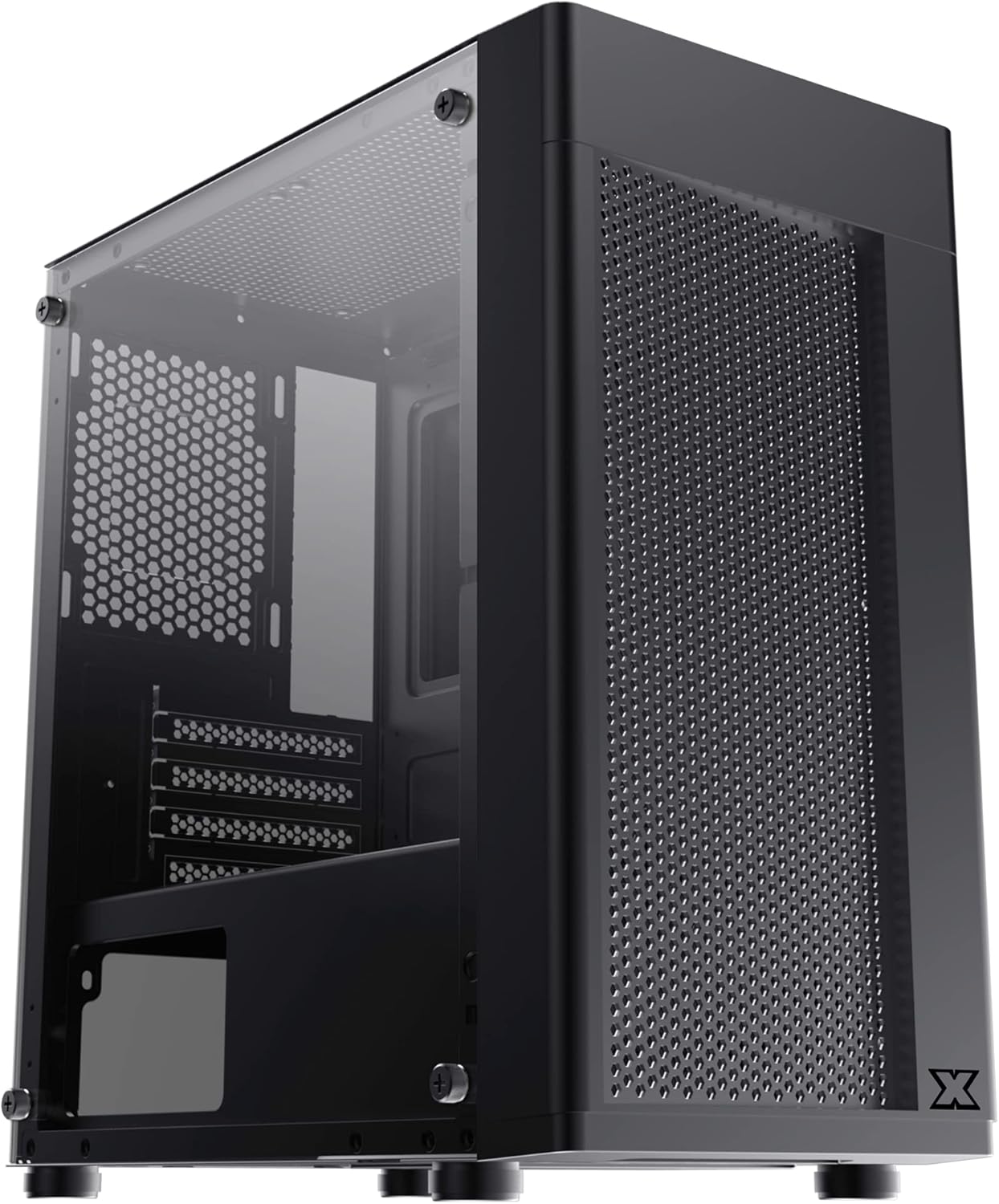
Slika 2.1: Naprijed lijevo view of the Xigmatek Aero Black Micro-ATX Case, showcasing the tempered glass front panel and acrylic side panel.
3. Ključne karakteristike
- Bočna ploča od kaljenog stakla: Pruža jasan view unutrašnjih komponenti.
- Bottom Mounted PSU: Dedicated compartment for power supply unit, aiding in thermal management and cable routing.
- Mesh Design Front Panel: Enhances airflow for improved cooling performance.
- Jednostavno upravljanje kablovima: Designed with routing options and a PSU shroud to facilitate neat cable organization.
- Compact Micro-ATX Form Factor: Optimized for smaller builds while maintaining compatibility with standard components.
4. Sadržaj paketa
Molimo Vas da prije početka instalacije provjerite da li se u paketu nalaze svi elementi:
- Xigmatek Aero Black Micro-ATX Case
- Accessory Box (containing screws, standoffs, zip ties)
- Korisnički priručnik (ovaj dokument)
5. Postavljanje i instalacija
Follow these steps carefully for proper installation of your PC components into the Xigmatek Aero case.
5.1 Priprema slučaja
- Postavite kućište na ravnu, stabilnu površinu.
- Carefully remove the tempered glass side panel by unscrewing the four thumb screws. Set the panel aside on a soft, non-abrasive surface to prevent scratches.
- Remove the rear side panel (solid metal panel) by unscrewing the two thumb screws at the back and sliding it off. This provides access for cable management.
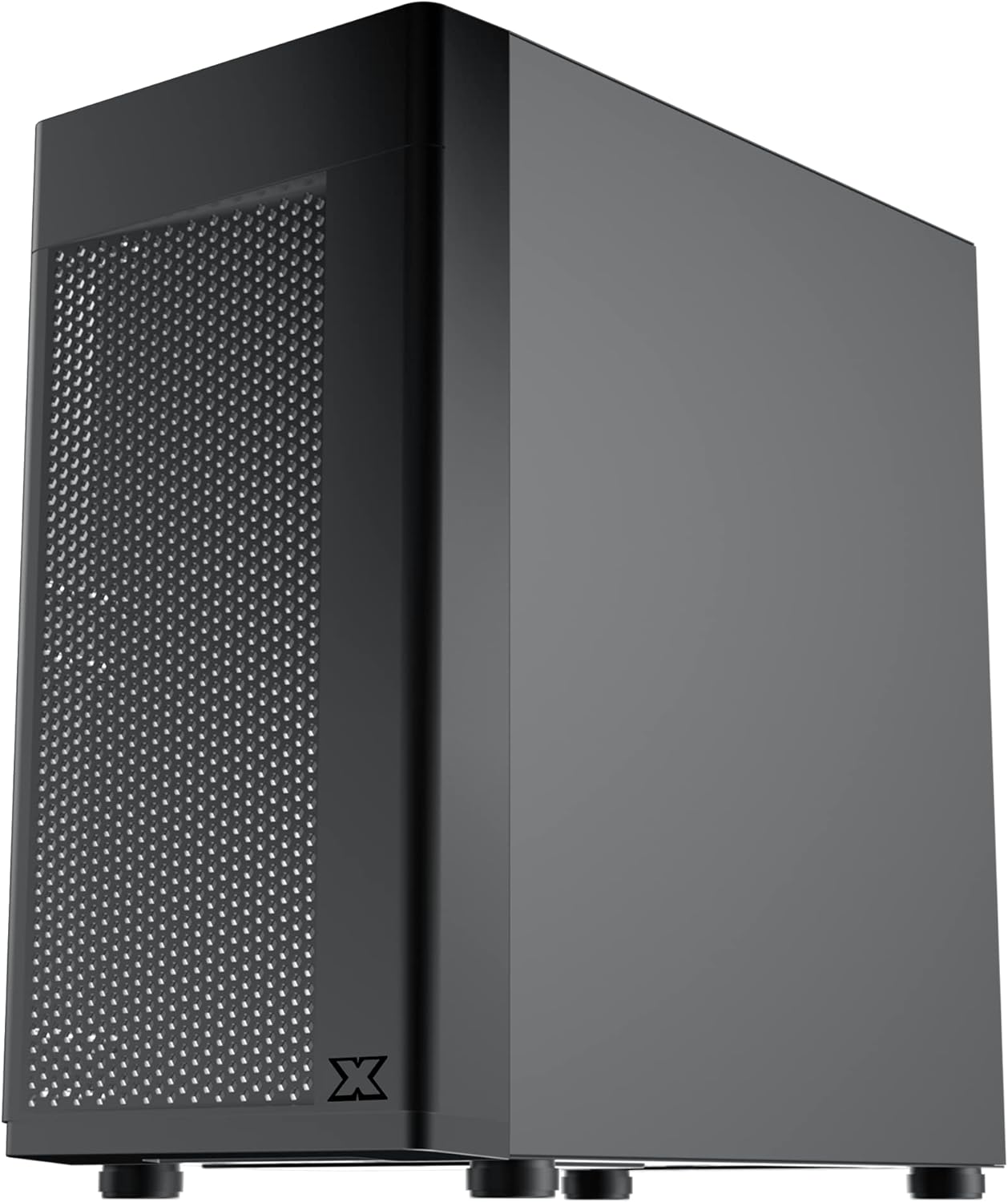
Slika 5.1: Bočna strana view of the case, showing the tempered glass panel secured by four thumb screws.
5.2 Instalacija jedinice za napajanje (PSU).
- Locate the PSU mounting area at the bottom rear of the case, within the PSU shroud.
- Slide your PSU into the designated slot from the rear of the case. Ensure the PSU fan faces downwards (if the case has a bottom vent) or upwards, depending on your cooling preference and PSU design.
- Pričvrstite napajanje vijcima sa stražnje strane kućišta.
- Route necessary PSU cables through the cutouts in the PSU shroud to the main compartment.

Slika 5.2: Interni view highlighting the PSU shroud and cable routing options.
5.3 Instalacija matične ploče
- Instalirajte I/O štitnik (ako je primjenjivo) u zadnji otvor kućišta.
- Align your Micro-ATX motherboard with the pre-installed standoffs. Ensure the screw holes on the motherboard match the standoffs.
- Secure the motherboard using the provided screws. Do not overtighten.

Slika 5.3: Interni view of the case, showing the motherboard tray and standoff locations.
5.4 Instalacija diska za pohranu podataka
The case supports 3.5-inch HDDs and 2.5-inch SSDs.
- 3.5" tvrdi disk: Locate the drive cage under the PSU shroud. Slide the HDD into the drive bay and secure with screws. Note: Some users find it easier to remove the drive caddy by unscrewing from the underside of the case first.
- 2.5" SSD: SSDs can typically be mounted on dedicated brackets behind the motherboard tray or on top of the PSU shroud. Secure with screws.
5.5 Grafička kartica i kartice za proširenje
- Remove the necessary expansion slot covers from the rear of the case. These are break-off covers, so bend them carefully until they detach.
- Umetnite grafičku karticu ili druge kartice za proširenje u odgovarajuće PCIe utore na matičnoj ploči.
- Pričvrstite kartice vijcima.

Slika 5.4: Pozadi view of the case, showing expansion slots and I/O shield opening.
5.6 Fan and Cooling Installation
The Xigmatek Aero supports multiple fan configurations for optimal airflow.
- Prednji dio: Up to 2x 120mm or 140mm fans. Can also support a 240mm AIO liquid cooler.
- Vrh: Up to 2x 120mm fans.
- pozadi: 1x 120mm ventilator.
Install fans by aligning them with the screw holes and securing them with fan screws. Pay attention to airflow direction (intake vs. exhaust).
5.7 Upravljanje kablovima
Utilize the cutouts and tie-down points behind the motherboard tray to route and secure cables. This improves airflow and aesthetics.

Slika 5.5: View from the rear of the motherboard tray, showing space for cable routing.
5.8 Priključci prednje ploče
Connect the front panel cables (USB 3.0, USB 2.0, Audio, Power LED, HDD LED, Power Switch, Reset Switch) to the corresponding headers on your motherboard. Refer to your motherboard manual for exact pin layouts.

Slika 5.6: Vrh view of the case, illustrating the front I/O ports including USB 3.0 and audio jacks.
5.9 Završna skupština
- Nakon što su sve komponente instalirane i kablovi sređeni, ponovo pričvrstite zadnju bočnu ploču.
- Carefully reattach the tempered glass side panel and secure it with the four thumb screws.
6. Radna razmatranja
To ensure optimal performance and longevity of your system:
- Protok zraka: Ensure proper fan configuration for intake and exhaust to maintain good internal temperatures. The mesh front panel is designed for excellent air intake.
- plasman: Place the PC case on a hard, flat surface to allow adequate airflow to the bottom-mounted PSU and any bottom intake fans. Avoid placing it on carpet.
7. Održavanje
Regular maintenance helps preserve your system's performance and extends its lifespan:
- Čišćenje prašine: Periodically clean dust from the case interior and fan filters. The top panel features a magnetic dust filter for easy removal and cleaning.
- Eksterijerno čišćenje: Koristite meku, damp cloth to clean the exterior surfaces. Avoid abrasive cleaners. For the tempered glass and acrylic panels, use a microfiber cloth and a gentle glass cleaner.
8. Otkrivanje problema
Ako naiđete na probleme tokom ili nakon montaže, razmotrite sljedeće:
- Sistem se ne uključuje:
- Ensure all PSU cables are securely connected to the motherboard and components.
- Provjerite je li kabel prekidača za napajanje na prednjoj ploči ispravno spojen na priključak matične ploče.
- Check the PSU switch is in the 'ON' position.
- Ventilatori se ne okreću:
- Confirm fan cables are properly connected to motherboard fan headers or a fan controller.
- Slab protok zraka/visoke temperature:
- Check fan orientation (intake/exhaust).
- Ensure dust filters are clean.
- Verify no cables are obstructing airflow.
9. Specifikacije
| Feature | Detalj |
|---|---|
| Broj modela | EN46584 |
| Form Factor | Micro-ATX Tower |
| Dimenzije (D x Š x V) | 34.5 x 20 x 29 cm |
| Težina | 3.53 kg |
| Materijal | Tempered Glass, Acrylic, Steel |
| Kompatibilnost matične ploče | Micro ATX, Mini-ITX |
| Montiranje napajanja | Bottom Mount |
| Drive Bays | 1x 3.5" HDD, 2x 2.5" SSD (or 2x 3.5" HDD, 1x 2.5" SSD depending on configuration) |
| Slotovi za proširenje | 4 |
| Nosač ventilatora (prednji) | 2x 120 mm / 140 mm |
| Podrška za navijače (gore) | 2x 120 mm |
| Nosač ventilatora (stražnji) | 1x 120 mm |
| Nosač hladnjaka (prednji) | Do 240 mm |
| Prednji I / O portovi | 1x USB 3.0, 2x USB 2.0, HD Audio (Mic & Headphone) |
10. Garancija i podrška
For warranty information and technical support, please refer to the official Xigmatek webweb-mjesto ili kontaktirajte lokalnog prodavača. Sačuvajte dokaz o kupovini za slučaj reklamacije.


