1. Proizvod je gotovview
Blucoil prenosivi USB audio interfejs dizajniran je za pružanje visokokvalitetne audio rezolucije za različite primjene, uključujući snimanje u kućnom studiju, streaming, igranje i podcasting. Ovaj kompaktni uređaj podržava 24-bitnu/48kHz rezoluciju i kompatibilan je s Windows i Mac operativnim sistemima. Posjeduje svestrane opcije ulaza/izlaza i mogućnosti direktnog monitoringa s niskom latencijom, što ga čini neophodnim alatom za snimanje jasnog i preciznog zvuka.

Front view prenosivog USB audio interfejsa Blucoil, koji prikazuje kontrole za mikrofonski ulaz, instrumentalni ulaz i izlaz.

Blucoil prenosivi USB audio interfejs postavljen na stolu, spreman za snimanje ili streaming visokokvalitetnog zvuka.
2. Vodič za postavljanje
2.1 Sistemski zahtjevi
- Operativni sistem: Windows ili Mac OS
- Dostupan USB port
- Kompatibilni softver za snimanje (npr. Audacity, GarageBand)
2.2 Povezivanje interfejsa
- Spojite USB kabel iz interfejsa na dostupan USB priključak na računaru. Interfejs se napaja preko USB magistrale, tako da nije potrebno vanjsko napajanje.
- Za mikrofonski ulaz, priključite kondenzatorski mikrofon na kombinirani XLR-1/4" ulaz. Provjerite je li uključeno dugme za fantomsko napajanje +48V ako je to potrebno za vaš mikrofon.
- Za instrumentalni ulaz, spojite vaš instrument (npr. gitaru, klavijature) na 6,35 mm TRS ulaz.
- Spojite studijske monitore ili zvučnike na glavne izlaze na zadnjoj ploči. Alternativno, priključite slušalice u 1/4" stereo priključak za slušalice na prednjoj ploči za monitoring.

Blucoil audio interfejs povezan sa laptopom, demonstrirajući pouzdane veze za snimanje.
Interfejs podržava različite tipove mikrofona, uključujući kondenzatorske mikrofone koji zahtijevaju fantomsko napajanje od 48V.
3. Uputstvo za upotrebu
3.1 Podešavanje nivoa ulaznog signala
- Koristite Dobitak dugme za ulaz mikrofona da biste podesili nivo ulaznog signala.
- Koristite Nivo dugme za ulaz instrumenta da biste podesili njegov ulazni nivo.
- Pratite indikatore Clip i Signal za svaki kanal. Zeleno svjetlo označava signal, dok crveno svjetlo označava clipping (izobličenje signala). Podesite dugmad za pojačanje/nivo kako biste spriječili clipping.

Close-up view kontrola interfejsa, sa dugmadima za pojačanje i nivo za fino podešavanje zvuka.

Ruka koja podešava jedan od potenciometra za nivo ulaza, demonstrirajući kako spriječiti prekid signala posmatranjem LED indikatora.
3.2 Direktno praćenje
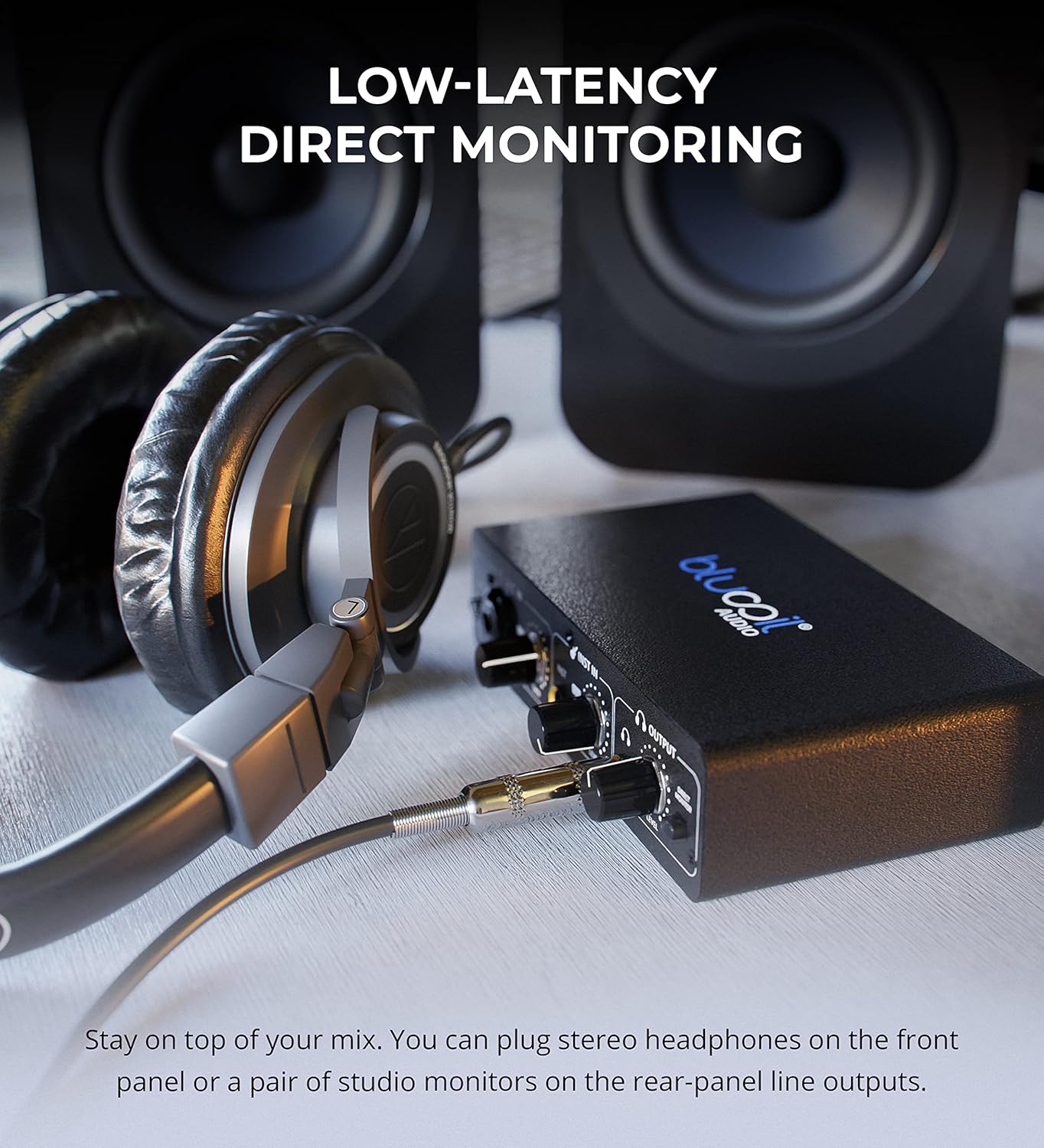
- Uključite se Direct Monitor dugme za direktno slušanje ulaznih signala preko slušalica ili glavnih izlaza bez latencije. Ovo vam omogućava da pratite svoje performanse bez odlaganja uzrokovanog obradom vašeg računara.

Slušalice povezane na Blucoil audio interfejs, omogućavajući direktno praćenje ulaznih signala sa niskom latencijom.
3.3 Kontrola izlazne jačine zvuka
- Koristite Volume Level dugme u odjeljku Izlaz za kontrolu ukupne jačine zvuka za slušalice i glavne izlaze.
4. Održavanje i njega
- Uređaj održavajte čistim brisanjem mekom, suhom krpom. Izbjegavajte upotrebu tečnih sredstava za čišćenje ili rastvarača.
- Čuvajte interfejs na hladnom i suhom mjestu, dalje od direktne sunčeve svjetlosti i ekstremnih temperatura.
- Izbjegavajte ispuštanje ili izlaganje uređaja jakim udarima.
- Provjerite jesu li svi kablovi sigurno spojeni, ali bez prekomjerne sile kako biste spriječili oštećenje priključaka.
5. Otkrivanje problema
| Problem | Mogući uzrok | Rješenje |
|---|---|---|
| Nema izlaza zvuka | Nepravilna podešavanja jačine zvuka, nepravilan odabir izlaza u softveru, labavi kablovi. | Provjerite dugme za jačinu zvuka izlaza. Uvjerite se da je interfejs odabran kao izlazni uređaj u postavkama zvuka i softveru za snimanje na računaru. Provjerite da li su svi kablovi sigurno povezani. |
| Ograničavanje ulaznog signala (crveno svjetlo) | Ulazno pojačanje/nivo je previsoko. | Smanjujte pojačanje ili nivo (Gain) za odgovarajući ulaz sve dok crveni indikator Clip više ne svijetli. |
| Mikrofon ne radi (kondenzatorski mikrofon) | Fantomsko napajanje od 48V nije omogućeno. | Pritisnite dugme +48V da biste omogućili fantomsko napajanje za kondenzatorske mikrofone. |
| Nema zvuka sa instrumentalnog ulaza | Nivo instrumenta prenizak, pogrešan kabl. | Povećajte jačinu dugmeta za nivo (Level) za instrumentalni ulaz. Provjerite da li koristite odgovarajući 1/4" TS ili TRS instrumentalni kabl. |
| Računar ne prepoznaje interfejs | Problem s USB kablom, problem s upravljačkim programom (rijetko za uređaje kompatibilne s klasom), neispravan USB priključak. | Pokušajte s drugim USB priključkom ili kablom. Ponovo pokrenite računar. Iako se obično koristi plug-and-play, provjerite je li vaš operativni sistem ažuriran. |
6. Specifikacije
- Težina artikla: 1 funte
- Dimenzije proizvoda: 3.94 x 6.69 x 1.73 inča
- ASIN: B096ZRJSX6
- Kompatibilni uređaji: Laptop
- Tip konektora: 1/4" priključak, USB priključak, XLR-TRS kombinovani konektor
- Hardverski interfejs: USB
- Podržani softver: Windows softver za snimanje i uređivanje zvuka (kompatibilan i sa Mac OS softverom poput GarageBand-a)
- Operativni sistem: Windows (također kompatibilan sa Mac OS-om)
- Brand: blucoil
- Tehnologija povezivanja: USB
- Broj kanala: 4 (implicirano ulazima i izlazima, 2 ulazna kanala, 2 izlazna kanala)
7. Garancija i podrška
Za detaljne informacije o garanciji i korisničkoj podršci, molimo pogledajte službenu stranicu Blucoil-a. webweb-mjesto ili direktno kontaktirajte njihovu korisničku službu. Sačuvajte račun za kupovinu u slučaju reklamacije.


