1. Uvod
Thank you for choosing the TOKVIA T111 Senior Mobile Phone. This phone is designed with ease of use in mind, featuring a large display, big buttons, and essential functions for clear communication. It includes a dedicated SOS button for emergencies, making it an ideal choice for elderly users or anyone seeking a straightforward mobile experience. This manual provides detailed instructions to help you get started and make the most of your device.
2. Početak: Podešavanje
Before using your TOKVIA T111 phone, please follow these steps to set it up.
2.1 Sadržaj paketa
Provjerite da li su sve stavke prisutne u vašem paketu:
- TOKVIA T111 Mobile Phone
- Punjiva litijum-jonska baterija
- Dock za punjenje
- USB kabl za punjenje
- Power Adapter (UK Plug)
- Korisnički priručnik / Vodič za brzi početak
- SIM Tray Ejector / SIM Adapters (if included)

Image: All components included in the TOKVIA T111 package.
2.2 Umetanje SIM kartice i baterije
- Uklonite stražnji poklopac: Gently pry open the back cover of the phone using the notch provided, usually at the bottom or side.
- Umetnite SIM karticu: Locate the SIM card slot(s). Insert your 2G compatible SIM card into the designated slot with the gold contacts facing down, ensuring it clicks into place. This phone supports 2G networks only.
- Umetnite bateriju: Align the battery contacts with the terminals inside the phone's battery compartment. Press down gently until the battery is securely seated.
- Zamijenite zadnji poklopac: Carefully place the back cover back onto the phone and press along the edges until it snaps securely into place.
2.3 Punjenje telefona
For first-time use, fully charge the phone for at least 4 hours.
- Korištenje stanice za punjenje: Connect the USB charging cable to the power adapter, then plug the adapter into a wall outlet. Connect the other end of the USB cable to the charging dock. Place the phone into the charging dock, ensuring it sits correctly and the charging indicator appears on the screen.
- Direktno punjenje: Alternatively, you can connect the USB charging cable directly to the phone's charging port (usually at the bottom) and then to the power adapter and wall outlet.

Image: The TOKVIA T111 phone charging in its convenient dock.
3. Uputstvo za upotrebu
This section details the basic functions and features of your TOKVIA T111 phone.
3.1 Uključivanje/isključivanje napajanja
- Za uključivanje: Press and hold the red End Call/Power button (⏏) until the screen lights up.
- Za isključivanje: Press and hold the red End Call/Power button (⏏) until the power off options appear, then select 'Power off'.
3.2 Upućivanje i primanje poziva
- Za upućivanje poziva: Dial the phone number using the large keypad buttons. Press the green Call button (✆) da biste započeli poziv.
- Da odgovorite na poziv: When the phone rings, press the green Call button (✆).
- Za završetak poziva: Press the red End Call button (⏏).

Image: The phone's display showing photo contacts for simplified dialing.
3.3 Slanje i primanje poruka (SMS)
- Za slanje poruke: Navigate to the 'Messages' menu. Select 'New Message' and enter the recipient's number and your message using the keypad. Press 'Send'.
- Da pročitate poruku: When a new message arrives, an icon will appear on the screen. Navigate to the 'Messages' menu to view vaš inbox.

Image: The phone's screen displaying the 'Messages' menu.
3.4 SOS dugme za hitne slučajeve
The SOS button is a critical safety feature. In an emergency, pressing this button will automatically send SMS messages and make calls to pre-set emergency contacts.
- Postavljanje SOS kontakata: Go to 'Settings' > 'SOS Settings'. Add up to 5 emergency contact numbers. These contacts will receive an emergency SMS and be called in sequence until one answers.
- Using the SOS Button: Press and hold the SOS button (located on the back of the phone) for a few seconds. The phone will activate the emergency sequence.
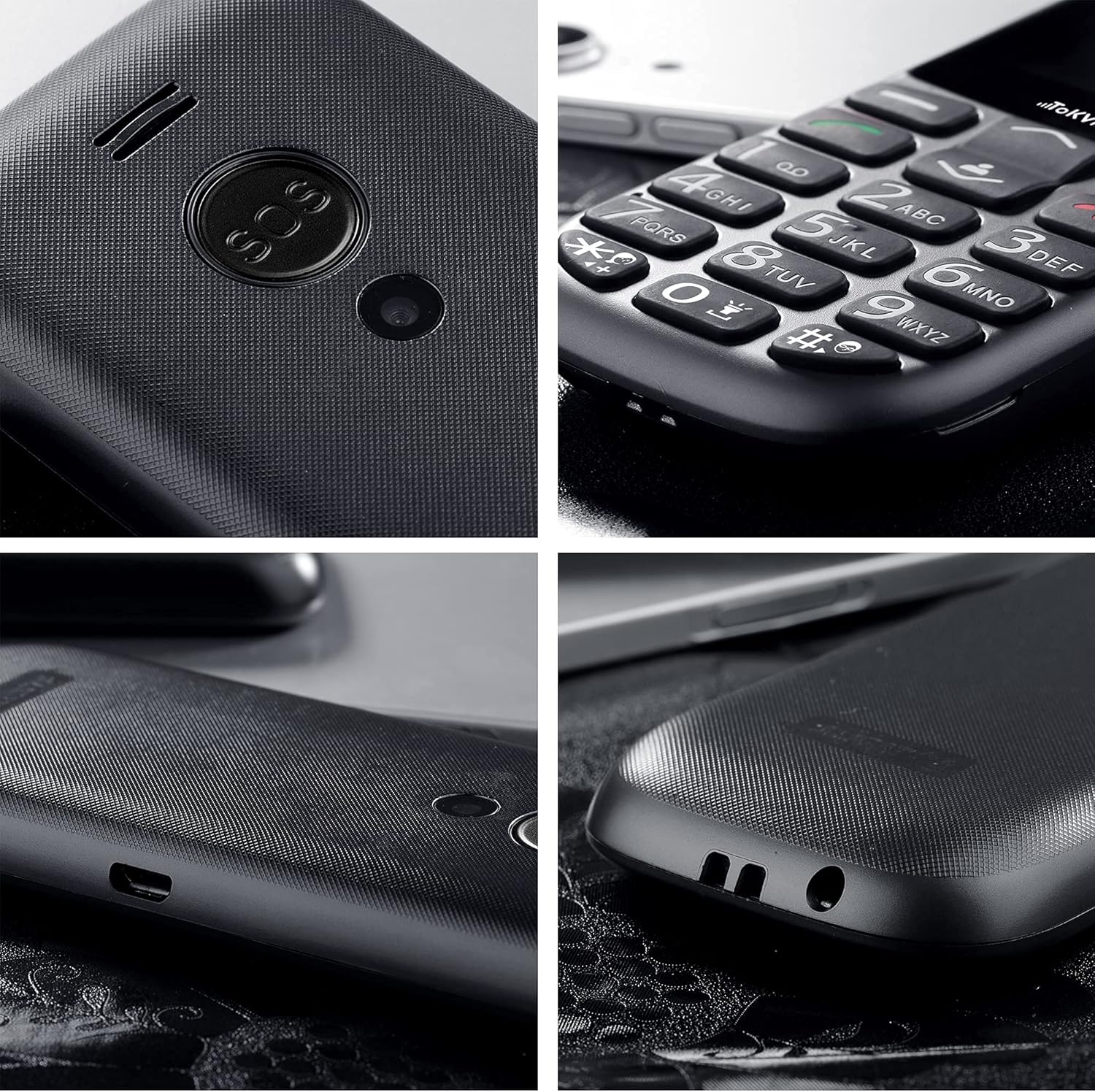
Slika: Detaljna view of the SOS button on the back of the phone.
3.5 Dodatne funkcije
- FM radio: The phone includes a built-in FM radio that operates without requiring headphones or an external antenna. Access it via the main menu.
- Bluetooth: For connecting to compatible Bluetooth devices like headsets. Enable Bluetooth in the 'Settings' menu.
- Alarm Clock, Calculator, Calendar, Music Player: These standard features are accessible through the phone's main menu, providing basic utility functions.
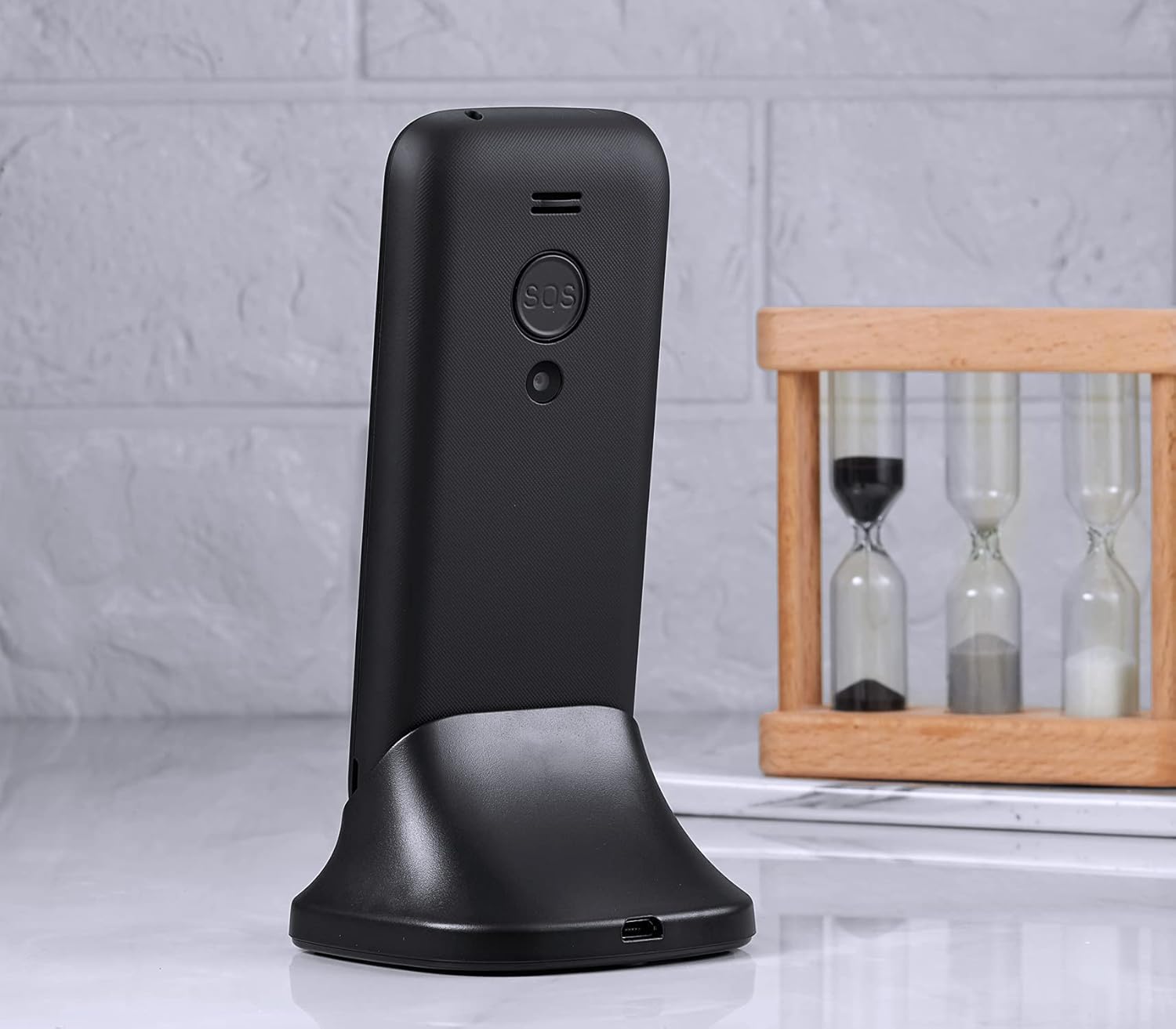
Image: The phone's display showing the time and date.
4. Održavanje i njega
To ensure the longevity and optimal performance of your TOKVIA T111 phone, please follow these maintenance guidelines:
- čišćenje: Za čišćenje ekrana i kućišta telefona koristite meku, suhu krpu. Izbjegavajte upotrebu tečnih sredstava za čišćenje ili abrazivnih materijala.
- Izbjegavajte ekstremne temperature: Ne izlažite telefon vrlo visokim ili niskim temperaturama, jer to može utjecati na vijek trajanja baterije i unutrašnje komponente.
- Zaštitite od vlage: Keep the phone dry. Moisture can damage the internal circuitry.
- Pažljivo rukujte: While designed to be robust, avoid dropping the phone or subjecting it to strong impacts.
- Održavanje baterije: For best battery life, avoid frequently draining the battery completely. Charge it regularly.
5. Otkrivanje problema
If you encounter issues with your TOKVIA T111 phone, refer to the following common problems and solutions:
| Problem | Moguće rješenje |
|---|---|
| Telefon se ne uključuje | Provjerite je li baterija pravilno umetnuta i potpuno napunjena. Pokušajte puniti telefon najmanje 30 minuta. |
| Nema mrežnog signala | Check if the SIM card is properly inserted. Ensure you are in an area with 2G network coverage. Contact your network provider if issues persist. |
| Ne mogu upućivati ili primati pozive | Verify network signal. Check if the SIM card is active and has sufficient credit/plan. Restart the phone. |
| Mala jačina poziva | Increase the call volume using the side volume buttons during a call. Note that for individuals with severe hearing loss, the phone's maximum volume may still be insufficient. |
| Baterija se brzo prazni | Ensure background applications are closed. Reduce screen brightness. Limit usage of features like FM radio or Bluetooth when not needed. |
| Tastatura ne reaguje | Restart the phone. Ensure the keypad lock is not activated. |
6. Specifikacije
Detailed technical specifications for the TOKVIA T111 Mobile Phone:
| Feature | Detalj |
|---|---|
| Naziv modela | T111 |
| Brand | TOKVIA |
| Veličina ekrana | 2.4 inča |
| Rezolucija | 240 x 320 piksela |
| Operativni sistem | Nucleus OS |
| Veličina instalirane RAM memorije | 32 MB |
| Kapacitet memorije | 32 GB (likely refers to expandable storage via microSD, not internal) |
| Wireless Carrier | Otključano za sve prijevoznike |
| Cellular Technology | 2G |
| Tehnologija povezivanja | Bluetooth |
| Baterija | 1 litijum-jonska baterija (uključena) |
| Dimenzije proizvoda | 12.9 x 5.4 x 1.3 cm; 81 g |
| Proizvođač | TOKVIA |

Image: Visual comparison of screen sizes on the TOKVIA T111.
7. Garancija i podrška
Your TOKVIA T111 phone comes with a standard manufacturer's warranty. Please refer to the warranty card included in your package for specific terms and conditions. For technical support, troubleshooting assistance beyond this manual, or warranty claims, please contact TOKVIA customer service through the contact information provided on the product packaging or official website.
Molimo sačuvajte dokaz o kupovini za bilo kakve upite u vezi s garancijom.


