1. Uvod
The ThinkScan SR6 is a professional OBD2 diagnostic scanner designed for comprehensive vehicle system analysis and maintenance. It supports diagnostics for six major vehicle systems: Anti-lock Braking System (ABS), Supplemental Restraint System (SRS), Body Control Module (BCM), Tire Pressure Monitoring System (TPMS), Engine Control Module (ECM), and Transmission Control Module (TCM). Additionally, it offers five essential reset functions: Electronic Parking Brake (EPB) Reset, Tire Pressure Monitoring System (TPMS) Reset, Oil Light Reset, Steering Angle Sensor (SAS) Reset, and Throttle Body Adjustment (TBA).
This manual provides detailed instructions on how to set up, operate, and maintain your ThinkScan SR6 device to ensure accurate and efficient vehicle diagnostics.
Šta je u kutiji
- ThinkScan SR6 Diagnostic Tool (with integrated OBD2 cable)
- USB kabl za punjenje/data podataka
- Uputstvo za upotrebu
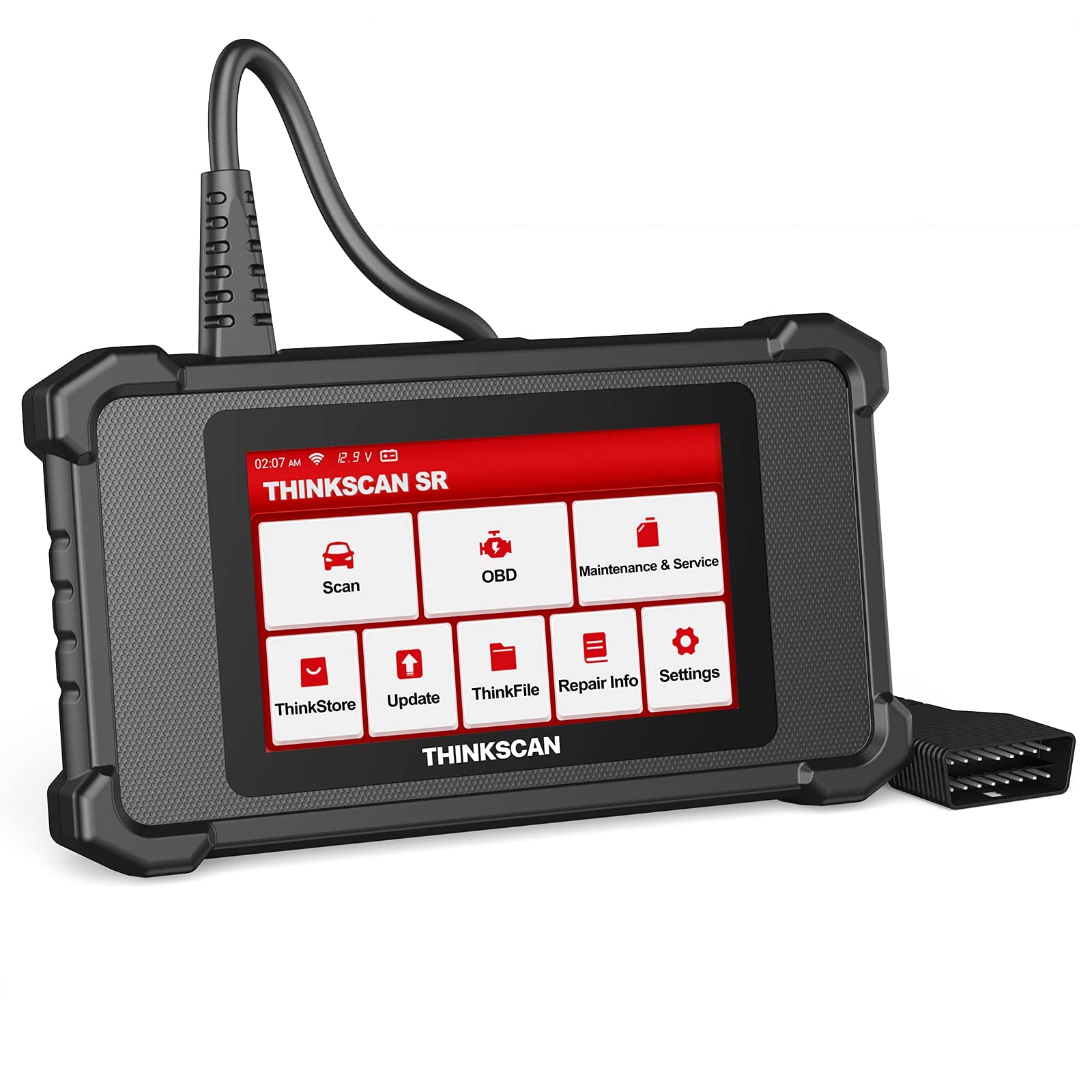
Image: ThinkScan SR6 OBD2 Scanner device and its packaging.
Video: Prekorview of the ThinkScan SR6 Scan Tool, demonstrating its unboxing and initial features. This video highlights the device's physical components and basic interface.
2. Podešavanje
2.1 Povezivanje s vašim vozilom
- Pronađite 16-pinski Data Link konektor (DLC) vozila. Obično se nalazi ispod instrumentne ploče na strani vozača.
- Provjerite da li je paljenje vozila u položaju ISKLJUČENO.
- Plug the ThinkScan SR6's integrated OBD2 cable into the vehicle's DLC. Ensure a secure connection.
- Turn the vehicle's ignition to the ON position (engine can be off or running, depending on the diagnostic task). The device will power on automatically.
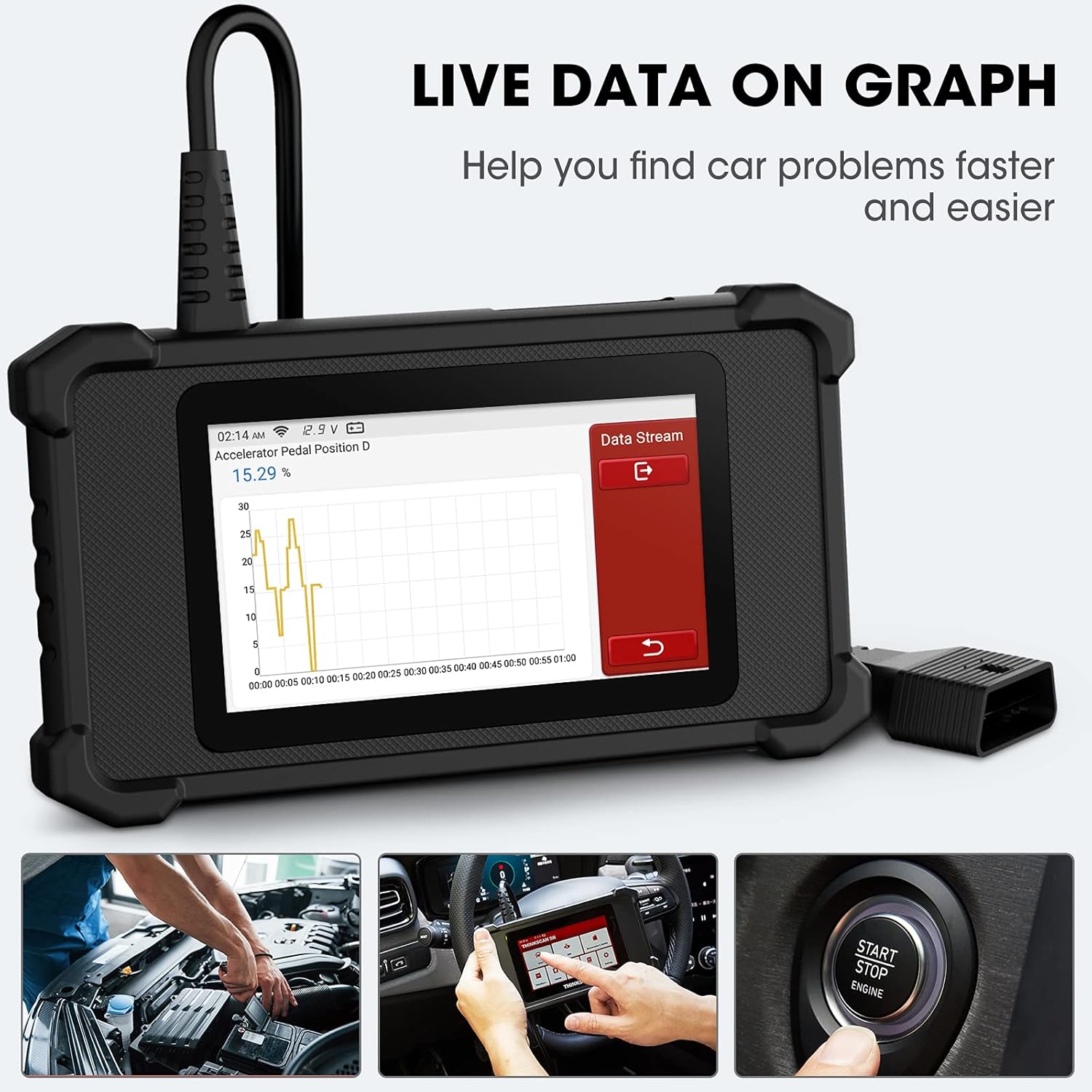
Image: The ThinkScan SR6 device connected to a vehicle's OBD2 port, ready for operation.
2.2 Početna konfiguracija uređaja
- Upon first use, the device may prompt you to select a language. Follow the on-screen instructions.
- Connect the device to a Wi-Fi network for software updates. Navigate to Postavke > Wi-Fi i odaberite svoju mrežu.
- Perform a software update to ensure you have the latest vehicle coverage and diagnostic functions. Go to Ažuriraj na glavnom meniju.
3. Operacija
3.1 Dijagnostika sistema
The ThinkScan SR6 supports comprehensive diagnostics for six key vehicle systems. From the main menu, select Skeniraj za početak.
- ABS sistem: Diagnoses issues related to the anti-lock braking system.
- SRS sistem: Checks the supplemental restraint system (airbags).
- BCM System: Analyzes the body control module for electrical and body-related faults.
- TPMS sistem: Monitors tire pressure and related sensor issues.
- ECM System: Diagnoses engine control module faults.
- TCM System: Checks the transmission control module for transmission-related problems.

Image: Visual representation of the six major vehicle systems supported for diagnostics by the ThinkScan SR6.
3.2 Potpune OBD2 funkcije
Access standard OBD2 functions by selecting OBD from the main menu. These functions are crucial for emissions-related diagnostics and general engine health checks.
- Pročitajte kodove: Preuzima dijagnostičke kodove grešaka (DTC) sa računara vozila.
- Obriši kodove: Briše DTC-ove i gasi lampicu za provjeru motora (MIL).
- Zamrzni okvir: Prikazuje snimak radnih uslova vozila u trenutku kada se pojavio kvar povezan sa emisijom.
- Podaci uživo: Shows real-time data streams from various sensors and components.
- I/M spremnost: Provjerava spremnost sistema za praćenje emisija.
- Test O2 senzora: Dohvaća rezultate testa praćenja O2 senzora.
- Podaci o vozilu: Displays vehicle identification information (VIN, CID, CVN).
- Test EVAP sistema: Pokreće testiranje sistema za kontrolu emisije isparavanjem.
- Test ugrađenog monitora: Dohvaća rezultate testova za dijagnostičko praćenje na vozilu.
- Test komponente: Allows testing of specific vehicle components.
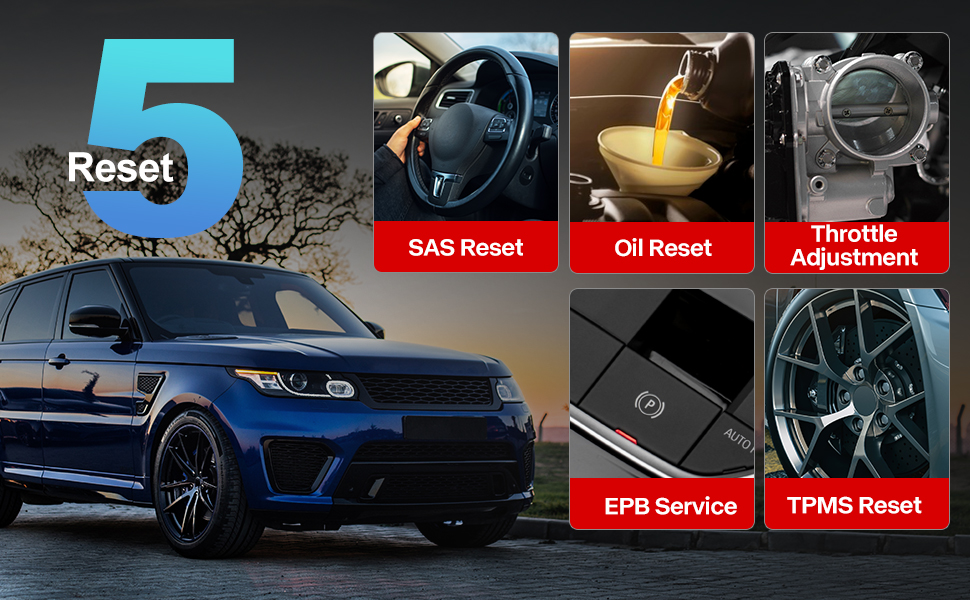
Image: A visual guide to the comprehensive OBD2 functions available on the ThinkScan SR6, including code reading, live data, and vehicle information retrieval.
3.3 DTC Lookup Function
When a Diagnostic Trouble Code (DTC) is retrieved, the ThinkScan SR6 can help you understand its meaning. Navigate to Informacije o popravku > OBD biblioteka kodova grešaka to input the code and receive a detailed description.
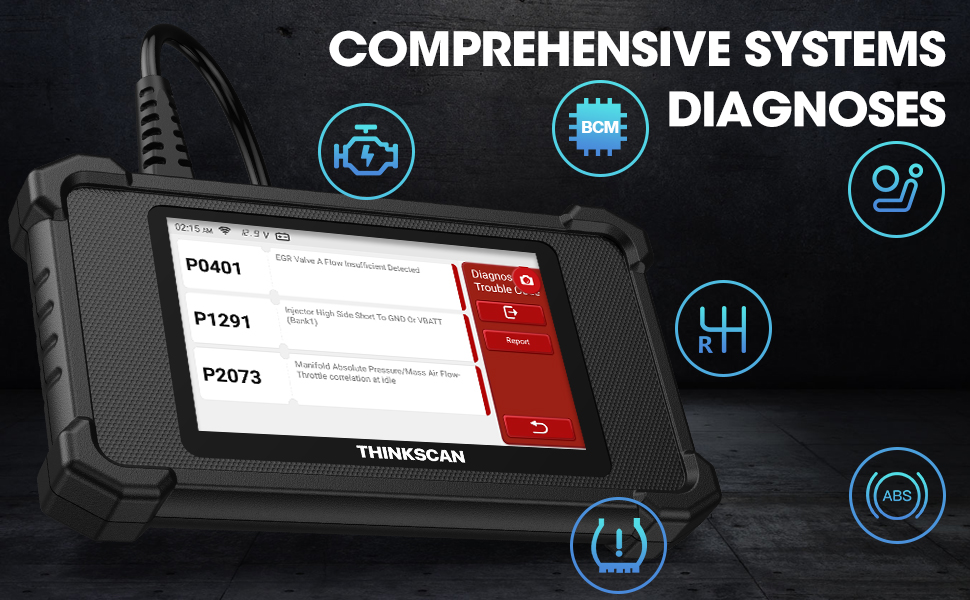
Image: The DTC Lookup function displaying fault codes and their corresponding meanings, aiding in quick diagnosis.
3.4 Live Data Graph
The Live Data function allows you to view real-time sensor data in a graphical format, making it easier to identify anomalies and diagnose intermittent problems. Select OBD > Live Data da biste pristupili ovoj funkciji.
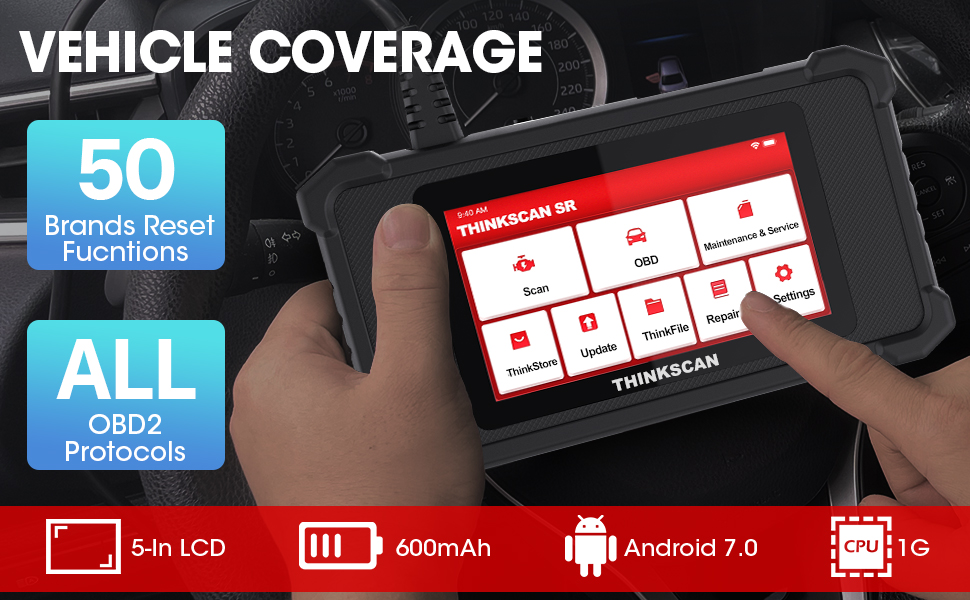
Image: The ThinkScan SR6 displaying live vehicle data in a graphical format, illustrating real-time sensor readings for diagnostic purposes.
4. Maintenance & Service Functions
The ThinkScan SR6 provides five commonly used reset functions to assist with vehicle maintenance. Access these by selecting Održavanje i servis iz glavnog menija.
- Resetiranje lampice za ulje: Resetuje lampicu za servis ulja nakon zamjene ulja.
- EPB usluga: Resetuje elektronski sistem parkirne kočnice nakon zamjene kočionih pločica.
- Resetovanje SAS-a: Kalibrira senzor ugla upravljanja nakon popravke sistema upravljanja.
- TPMS resetiranje: Resets the tire pressure monitoring system after tire rotation or sensor replacement.
- TBA (Throttle Body Adjustment): Ponovo uči položaj kućišta leptira za gas.

Image: An illustration of the five free reset functions offered by the ThinkScan SR6, including throttle adjustment and various system resets.
4.1 Ažuriranja softvera
Regular software updates are essential to ensure your ThinkScan SR6 has the latest vehicle models, diagnostic functions, and bug fixes. The device supports Wi-Fi updates for convenience.
- Provjerite je li uređaj povezan na stabilnu Wi-Fi mrežu.
- Iz glavnog menija izaberite Ažuriraj.
- Slijedite upute na ekranu da biste preuzeli i instalirali dostupna ažuriranja.

Image: A comparison highlighting the ThinkScan SR6's features, including its 5-inch touch screen, Android 7.0 OS, and one-click Wi-Fi update capability.
5. Otkrivanje problema
If you encounter issues with your ThinkScan SR6, consider the following common solutions:
- Uređaj se ne uključuje: Ensure the OBD2 cable is securely connected to the vehicle's DLC and the vehicle's ignition is ON. Check the vehicle's battery voltage.
- Connection errors: Verify the OBD2 cable connection. Try connecting to a different vehicle (if available) to rule out vehicle-specific issues. Ensure Wi-Fi is stable for updates.
- Dijagnostička funkcija ne radi: Ensure the vehicle model and year are supported for the specific function. Perform a software update.
- Understanding fault codes: Koristite OBD biblioteka kodova grešaka ispod Informacije o popravku to look up DTC meanings.
For more detailed troubleshooting or specific repair information, the device includes a Informacije o popravku section with a fault code library, coverage list, and video tutorials. You can also connect the device to Wi-Fi and use the Video option to search for relevant repair guides.
6. Specifikacije
| Feature | Detalj |
|---|---|
| Brand | thinkcar |
| Broj modela | TKSR6 |
| Veličina ekrana | 5 inča |
| Operativni sistem | Android 7.0 |
| Izvor napajanja | Battery Powered |
| Težina artikla | 1 funte |
| Dimenzije proizvoda | 4.13 x 8.07 x 1.18 inča |
| Baterije | Potrebna 1 litijum-polimerska baterija (uključena) |
| Pokrivenost vozila | US-based vehicles after 1996, EU-based vehicles after 2000, Asia-based vehicles after 2008 |
7. Garancija i podrška
For technical assistance, warranty information, or any inquiries regarding your ThinkScan SR6 device, please contact thinkcar customer support. The manufacturer provides 7*24 hours support.
Email: jushi@thinkcar.com
Please refer to the official thinkcar website or the included warranty card for detailed warranty terms and conditions.