1. Uvod
This manual provides detailed instructions for the proper installation, operation, and maintenance of your Xprinter XP-N160II thermal receipt printer. Please read this manual thoroughly before using the printer to ensure optimal performance and to prevent damage.
2. Proizvod je gotovview
2.1 Ključne karakteristike
- Marka: Xprinter
- Boja: crna
- Printer Type: Receipt Thermal Printer
- Broj modela: N160
- Tehnologija povezivanja: USB
- Printer Output: Monochrome
- Print Media: Labels
- Maximum Black and White Print Resolution: 203 dpi
2.2 Komponente štampača
Familiarize yourself with the various parts of your Xprinter XP-N160II printer:
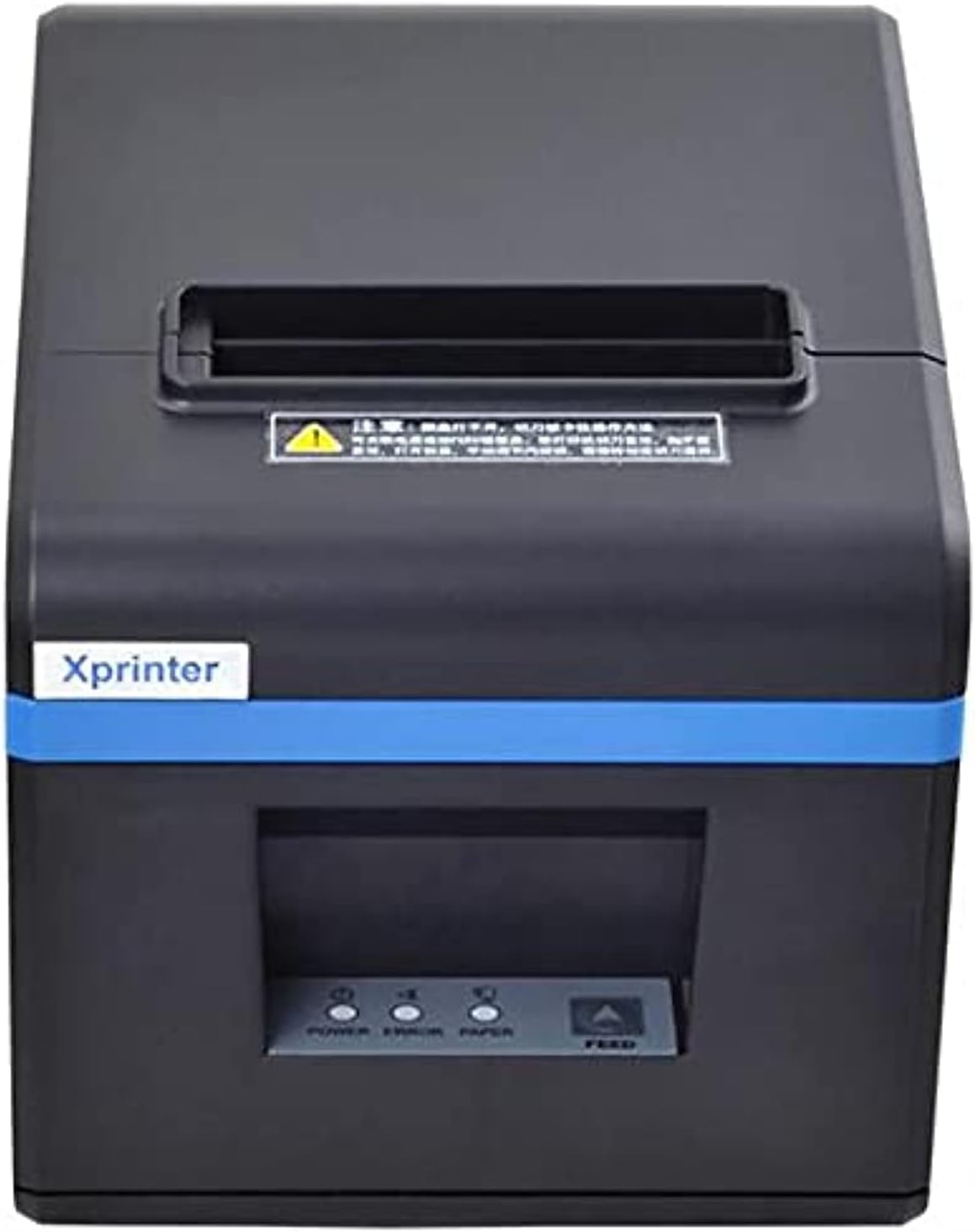
Slika 1: Front view of the Xprinter XP-N160II thermal receipt printer, showing the paper output slot, control panel with indicator lights (POWER, ERROR, PAPER), and FEED button.
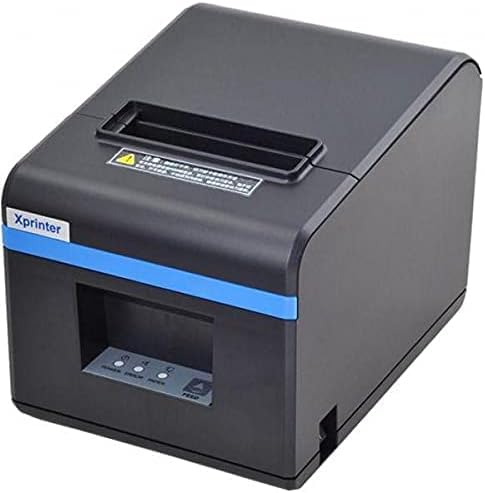
Slika 2: Ugaoni prednji dio view of the Xprinter XP-N160II, highlighting its compact design and the Xprinter branding on the front.
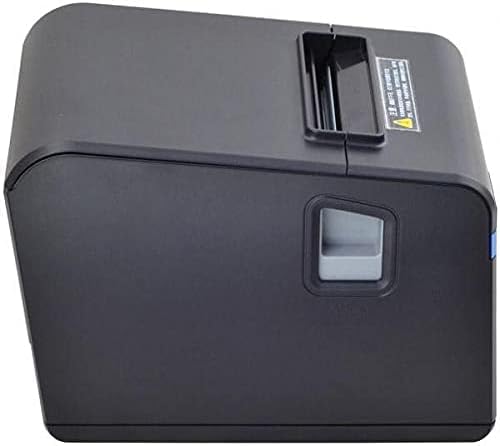
Slika 3: Side view of the Xprinter XP-N160II, illustrating the paper cover release lever for easy paper roll replacement.

Slika 4: Pozadi view of the Xprinter XP-N160II, displaying the power input port, USB port, and an additional port (likely for cash drawer connection).
3. Upute za postavljanje
- Raspakivanje: Carefully remove the printer from its packaging. Retain all packaging materials for future transport or storage.
- Priključite napajanje: Connect the power adapter to the printer's power input port (refer to Figure 4) and then plug the power cord into a suitable electrical outlet.
- Spojite podatkovni kabel: Connect the USB cable from the printer's USB port (refer to Figure 4) to your computer or point-of-sale system.
- Ubacite papir u rolu:
- Press the paper cover release lever (refer to Figure 3) to open the printer cover.
- Insert a new thermal paper roll into the compartment, ensuring the paper feeds from the bottom and the leading edge extends slightly out of the printer.
- Čvrsto zatvorite poklopac štampača dok ne klikne na svoje mjesto.
- Instalirajte drajvere: Insert the driver CD (if included) into your computer or download the latest drivers from the official Xprinter webstranicu. Slijedite upute na ekranu da biste dovršili instalaciju upravljačkog programa.
- Uključeno: Press the power button on the printer. The POWER indicator light should illuminate.
4. Uputstvo za upotrebu
- Self-Test Print: To perform a self-test, turn off the printer. While holding down the FEED button, turn the printer back on. Release the FEED button once the printer starts printing. This will print a configuration page, confirming basic functionality.
- Printing from Application: Ensure the printer is connected and drivers are installed. In your application (e.g., POS software, word processor), select the Xprinter XP-N160II as your default printer and initiate the print command.
- Feeding Paper Manually: Press the FEED button on the front panel to advance the paper by a small amount. Hold the FEED button down to continuously feed paper.
5. Održavanje
- Čišćenje glave štampača: Regularly clean the thermal print head with an alcohol swab or a specialized print head cleaning pen. Ensure the printer is turned off and cooled down before cleaning.
- Čišćenje valjka za štapiranje: Koristite meku, damp cloth to wipe the platen roller (the rubber roller that feeds the paper) to remove any paper dust or debris.
- Zamjena rolne papira: Replace the paper roll when the PAPER indicator light illuminates or when the red line appears on the paper, indicating the end of the roll is near. Follow the steps outlined in Section 3.4.
- Generalno čišćenje: Keep the printer exterior clean by wiping it with a soft, dry cloth. Avoid using harsh chemicals or abrasive cleaners.
6. Otkrivanje problema
| Problem | Mogući uzrok | Rješenje |
|---|---|---|
| Štampač se ne uključuje | No power supply; faulty power adapter | Check power cable connection; ensure outlet is functional; try a different power adapter if available. |
| No paper feeding / PAPER light on | Paper roll empty or incorrectly loaded | Replace paper roll or re-load correctly (refer to Section 3.4). |
| Print output is blank or faded | Paper loaded incorrectly (upside down); print head dirty or damaged | Ensure thermal paper is loaded with the thermal side facing the print head; clean the print head (refer to Section 5). |
| Računar ne prepoznaje štampač | USB cable disconnected; drivers not installed or corrupted | Check USB cable connection; re-install printer drivers (refer to Section 3.5). |
| Lampica GREŠKE je upaljena | Paper jam; print head overheating; cover open | Clear any paper jams; allow printer to cool down; ensure printer cover is closed properly. |
7. Specifikacije
| Feature | Detalj |
|---|---|
| Brand Name | Xprinter |
| Naziv modela | N160 |
| Boja | Crna |
| Tehnologija štampača | Thermal |
| Tehnologija povezivanja | USB |
| Izlaz štampača | Monochrome |
| Print Media | Etikete |
| Maksimalna rezolucija crno-belog štampe | 203 dpi |
| Maksimalni kapacitet listova | 50 (referring to individual labels or a roll capacity equivalent) |
| Dimenzije paketa | 33 x 21.4 x 18.3 cm |
| Težina artikla | 1.62 kg |
| Proizvođač | Xprinter |
| Datum prve dostupnosti | 1. juna 2021 |
8. Sigurnosne informacije
- Ne izlažite štampač vodi ili visokoj vlažnosti.
- Izbjegavajte postavljanje štampača na direktnu sunčevu svjetlost ili u blizinu izvora toplote.
- Use only the power adapter supplied with the printer.
- Ne pokušavajte sami rastavljati ili popravljati štampač. Obratite se kvalifikovanom servisnom osoblju.
- Čuvati van domašaja djece.
- Osigurajte odgovarajuću ventilaciju oko štampača tokom rada.
9. Garancija i podrška
The Xprinter XP-N160II thermal receipt printer comes with a standard manufacturer's warranty. For specific warranty terms and conditions, please refer to the documentation included with your purchase or contact Xprinter customer support directly. For technical assistance or service inquiries, please visit the official Xprinter webstranicu ili kontaktirajte njihove ovlaštene servisne centre.


