Uvod
This manual provides essential information for setting up, operating, maintaining, and troubleshooting your OUKITEL C21 smartphone. Please read it carefully to ensure optimal performance and longevity of your device.

Figure 1: OUKITEL C21 Smartphone in hand, showcasing its full-screen display.
1. Podešavanje
1.1 Raspakivanje
Upon receiving your OUKITEL C21, carefully open the packaging and ensure all components are present. The box typically contains the smartphone, a charging cable, a power adapter, and a user manual.
Video 1: An unboxing video demonstrating the contents of the OUKITEL C21 package and initial handling of the device.
1.2 Instalacija SIM kartice i memorijske kartice
The OUKITEL C21 supports dual SIM cards or one SIM card and one TF (microSD) card for expanded storage. Locate the SIM tray on the side of the device. Use the provided SIM ejector tool to open the tray. Insert your Nano-SIM cards and/or TF card into the designated slots, ensuring correct orientation. Gently push the tray back into the device until it clicks into place.
- SIM1 + SIM2: For dual network connectivity.
- SIM + TF Card: For single network connectivity with expanded storage.
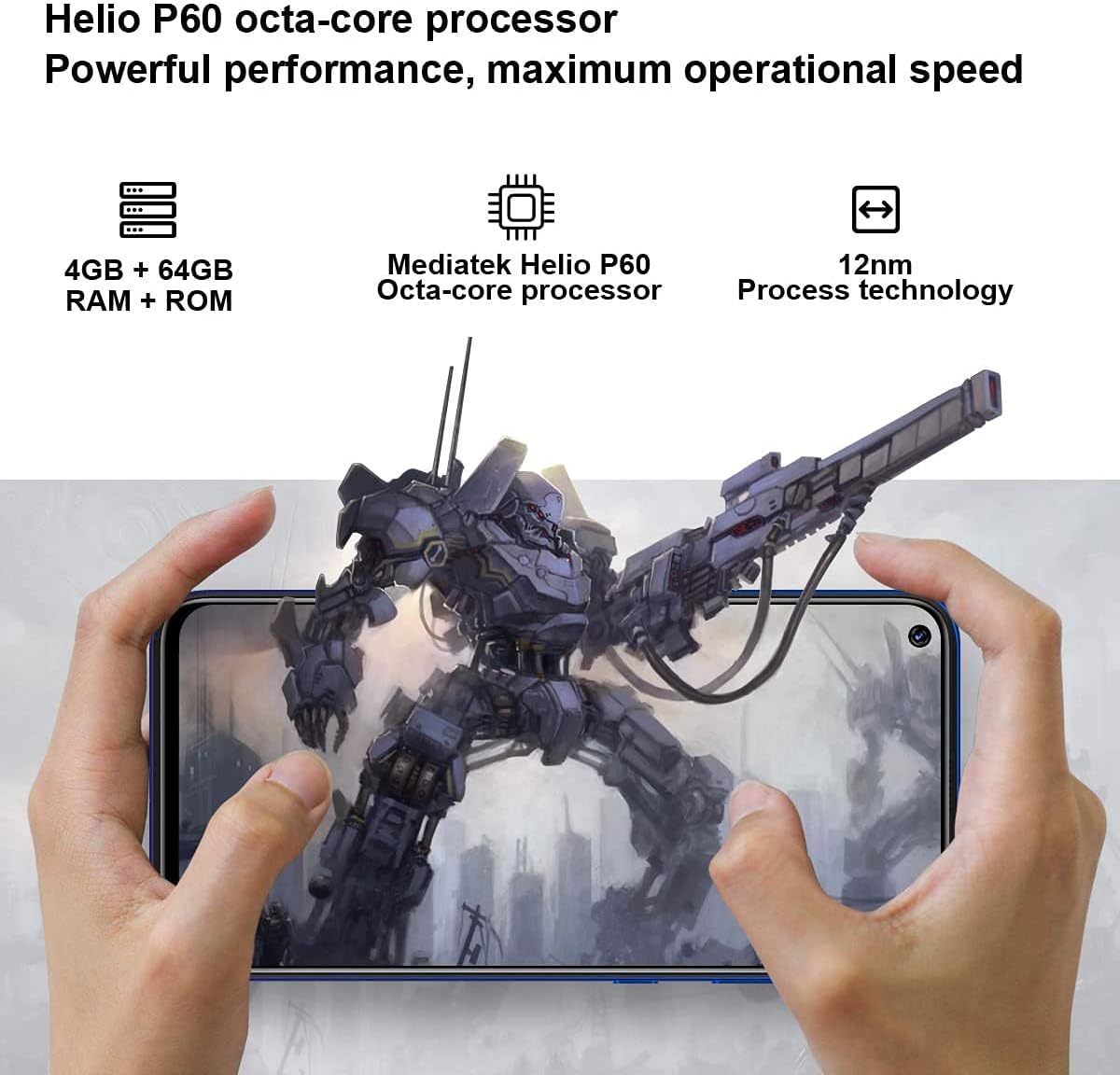
Slika 2: Bočna strana view of the OUKITEL C21, indicating the location of the SIM tray and highlighting the MediaTek Helio P60 processor.
1.3 Početno uključivanje i podešavanje
Press and hold the power button located on the side of the device until the OUKITEL logo appears. Follow the on-screen prompts to complete the initial setup, including language selection, Wi-Fi connection, Google account login, and security settings (fingerprint/face unlock).
1.4 Punjenje uređaja
Connect the USB cable to the charging port on your phone and the other end to the power adapter. Plug the adapter into a wall outlet. The battery icon on the screen will indicate charging status. For optimal battery life, use the provided charger and cable.

Figure 3: Illustration of the OUKITEL C21 charging, highlighting its 4000mAh battery capacity.
2. Upravljanje pametnim telefonom
2.1 Osnovna navigacija (Android 10.0)
Your OUKITEL C21 runs on Android 10.0, offering an intuitive user experience. Swipe up from the bottom of the screen to access the app drawer. Swipe down from the top for notifications and quick settings. Use gestures or the navigation bar for Home, Back, and Recent Apps functions.

Figure 4: The OUKITEL C21 displaying the Android 10.0 operating system interface with various applications.
2.2 Korištenje kamere
The OUKITEL C21 features a 20MP AI front camera and a quad-camera setup on the rear. Open the Camera app to capture photos and videos. Tap the screen to focus, and use the on-screen shutter button to take a picture. Explore different modes like Portrait, Macro, and Night mode for enhanced photography.

Figure 5: The OUKITEL C21's 20MP AI front camera in use, capturing a selfie.

Figure 6: Close-up of the OUKITEL C21's quad rear camera system, including a 16MP main camera, 2MP micro lens, 2MP blur lens, and 2MP auxiliary lens.
2.3 Povezivanje
The device supports 4G LTE networks, Wi-Fi, and Bluetooth. Access these settings from the Quick Settings panel or the main Settings menu to connect to available networks and devices. Ensure your SIM card is activated for cellular data and calls.
3. Održavanje
3.1 Ažuriranja softvera
Regularly check for system updates to ensure your device has the latest security patches and features. Go to Postavke > Sistem > Ažuriranje sistema to check for and install available updates. It is recommended to back up your data before performing a major software update.
3.2 Čišćenje i njega
To clean your device, use a soft, lint-free cloth. Avoid using harsh chemicals or abrasive materials. Keep the phone away from extreme temperatures, direct sunlight, and liquids. While the phone is designed for durability, excessive force or impact can cause damage.
Video 2: A demonstration of the OUKITEL C21 undergoing a screen durability test, including a "Crazy Cut Test" and a "Drop test of steel ball" to assess its resistance to impact and scratches.
4. Otkrivanje problema
4.1 Uobičajeni problemi
- Uređaj se ne uključuje: Provjerite je li baterija napunjena. Spojite punjač i pričekajte nekoliko minuta prije nego što ponovo pokušate uključiti uređaj.
- Slab mrežni signal: Check if your SIM card is properly inserted. Move to an area with better network coverage. Verify your carrier settings.
- Aplikacije se ruše ili zamrzavaju: Zatvorite aplikacije u pozadini. Obrišite keš memoriju problematične aplikacije (Postavke > Aplikacije i obavještenja > Informacije o aplikaciji > [Naziv aplikacije] > Pohrana i keš memorija > Obriši keš memorijuPonovo pokrenite uređaj.
- Baterija se brzo prazni: Reduce screen brightness, disable unused features like Wi-Fi or Bluetooth, and limit background app activity.
4.2 Vraćanje na tvorničke postavke
Ako vaš uređaj ima stalne probleme, vraćanje na tvorničke postavke bi ih moglo riješiti. Upozorenje: A factory reset will erase all data from your phone. Back up important data before proceeding. Go to Postavke > Sistem > Opcije resetovanja > Izbriši sve podatke (vrat na tvorničke postavke) i slijedite upute.
5. Specifikacije
| Feature | Detalj |
|---|---|
| Naziv modela | C21 |
| Operativni sistem | Android 10.0 |
| Veličina ekrana | 6.4 inča |
| RAM | 4 GB |
| Kapacitet memorije | 64 GB |
| Kapacitet baterije | 4000 Milliamp Sati |
| Prednja kamera | 20MP AI kamera |
| zadnje kamere | 16MP Main + 2MP Micro + 2MP Blur + 2MP Auxiliary |
| Procesor | MediaTek Helio P60 Octa-core |
| Broj utora za SIM kartice | Dual SIM |
| Cellular Technology | GSM, WCDMA, LTE, HSPA |
| Dimenzije proizvoda | 6.19 x 2.97 x 0.34 inča |
| Težina artikla | 14 unce |
| Šta je u kutiji | Battery, Cable, Device |
6. Garancija i podrška
6.1 Informacije o garanciji
For detailed warranty information, please refer to the warranty card included in your product packaging or visit the official OUKITEL webSačuvajte dokaz o kupovini za slučaj reklamacije.
6.2 Korisnička podrška
If you encounter any issues not covered in this manual or require further assistance, please contact OUKITEL customer support through their official webweb-mjesto ili kontakt informacije navedene u dokumentaciji vašeg proizvoda.


