1. Uvod
This manual provides detailed instructions for the setup, operation, maintenance, and troubleshooting of your MEETION MT-KB015 One-Handed Wired RGB Gaming Keyboard. Please read this manual thoroughly to ensure proper use and to maximize your gaming experience.
2. Proizvod je gotovview
The MEETION MT-KB015 is a compact, one-handed gaming keyboard designed for enhanced control and comfort. It features vibrant RGB backlighting, ergonomic keycaps, and dedicated multimedia controls. Its durable membrane switches are rated for 50 million keystrokes, ensuring longevity.

Ova slika prikazuje prednju stranu view of the MEETION MT-KB015 one-handed gaming keyboard, highlighting its compact design and vibrant RGB backlighting.

An angled perspective of the MEETION MT-KB015 keyboard, emphasizing its integrated ergonomic palm rest designed for comfortable use during extended gaming sessions.

A user's hand is shown comfortably resting on the integrated palm rest of the MEETION MT-KB015 keyboard, illustrating its ergonomic design for gaming.
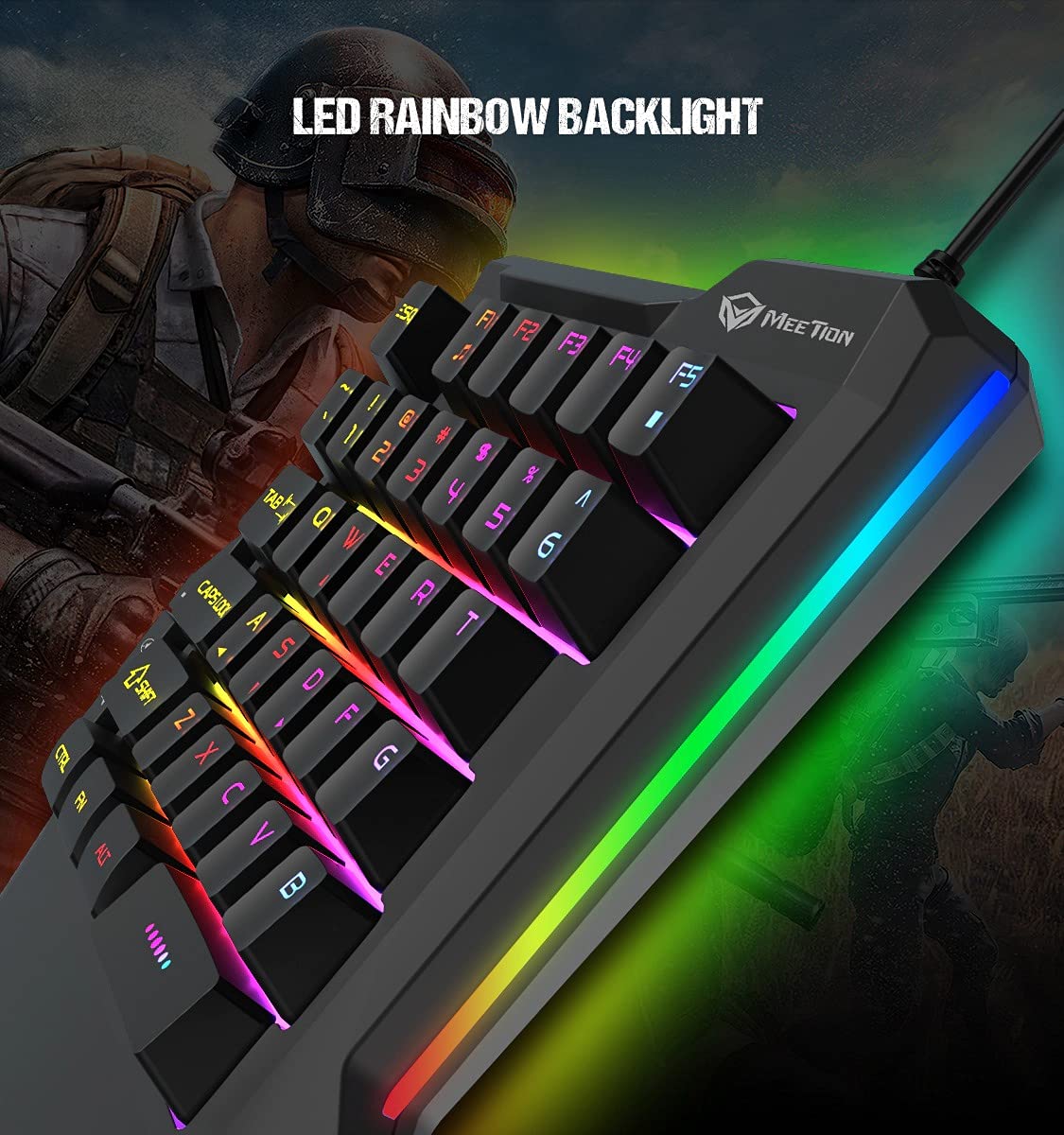
Detaljno view of the MEETION MT-KB015 keyboard's keys, showcasing the dynamic LED rainbow backlighting effect.

This image provides a close-up of the membrane switch keys on the MEETION MT-KB015 keyboard, illustrating their design and construction.

The MEETION MT-KB015 keyboard is depicted connected to a computer setup, demonstrating its simple plug-and-play connectivity.

Nad glavom view of a user engaged in gaming, utilizing the MEETION MT-KB015 one-handed keyboard alongside a gaming mouse on a desk.
Ključne karakteristike:
- 50 Million Keystroke Life: Durable membrane switches designed for extended use.
- Multimedijalni ključevi: Conveniently placed dedicated keys for volume control.
- Comfortable Palm Rest: Integrated broad palm rest for ergonomic support during long gaming sessions.
- Easy To Use Plug and Play: Simple connectivity with various devices without requiring additional drivers.
3. Podešavanje
The MEETION MT-KB015 keyboard is designed for plug-and-play functionality, requiring no complex installation.
Povezivanje tastature:
- Locate an available USB port on your computer, laptop, or compatible smartphone.
- Plug the USB cable of the MT-KB015 keyboard into the USB port.
- The operating system (e.g., Windows 10) will automatically detect and install the necessary drivers.
- The keyboard's RGB backlight will illuminate, indicating it is ready for use.
Kompatibilni uređaji: Laptop, PC, Smartphone.
4. Uputstvo za upotrebu
Osnovna operacija:
Once connected, the keyboard functions immediately. The keys are laid out for one-handed gaming, providing quick access to essential commands.
Kontrola RGB pozadinskog osvjetljenja:
The keyboard features an LED rainbow backlight. Specific key combinations or dedicated buttons for backlight mode changes are not detailed in the product information, but the lighting will be active upon connection.
Multimedijalni ključevi:
The MT-KB015 includes dedicated multimedia keys for convenient audio control.

A diagram highlighting the location and function of the dedicated Volume Up, Mute, and Volume Down multimedia keys positioned on the left side of the MEETION MT-KB015 keyboard.
- Povećavanje glasnoće: Increases audio output.
- Isključi zvuk: Toggles audio mute on/off.
- Smanjivanje jačine zvuka: Decreases audio output.
Additional multimedia functions (Music Player, Stop) are indicated with FN key combinations (FN + F1 for Music Player, FN + F5 for Stop).
5. Održavanje
Da biste osigurali dugotrajnost i optimalne performanse vaše tastature, slijedite ove smjernice za održavanje:
- čišćenje: Use a soft, dry cloth to wipe the surface of the keyboard. For deeper cleaning, a slightly damp Može se koristiti krpa s blagim sapunom, pazeći da tekućina ne uđe u prekidače ili unutrašnje komponente.
- Uklanjanje prašine: Koristite komprimirani zrak za uklanjanje prašine i ostataka između tipki.
- Izbjegavajte tečnosti: Do not spill liquids on the keyboard. In case of accidental spills, immediately disconnect the keyboard and allow it to dry completely before reconnecting.
- Skladištenje: Tastaturu čuvajte na hladnom i suhom mjestu, dalje od direktne sunčeve svjetlosti i ekstremnih temperatura.
6. Otkrivanje problema
If you encounter issues with your MEETION MT-KB015 keyboard, refer to the following common solutions:
Tastatura ne reaguje:
- Provjerite USB vezu: Ensure the USB cable is securely plugged into a functional USB port on your device. Try a different USB port.
- Ponovo pokrenite uređaj: Ponovo pokrenite računar ili pametni telefon.
- Testirajte na drugom uređaju: Connect the keyboard to another computer or compatible device to determine if the issue is with the keyboard or the original device.
Pozadinsko osvetljenje ne radi:
- Provjerite je li tastatura pravilno povezana i da li prima napajanje.
- If available, check for any dedicated backlight control keys or software settings.
Tipke se ne registruju ili se tipkaju dva puta:
- Clean the affected keys to remove any debris that might be obstructing the switch mechanism.
- Provjerite da li je tastatura na stabilnoj, ravnoj površini.
Ako problemi i dalje postoje nakon isprobavanja ovih rješenja, obratite se korisničkoj podršci.
7. Specifikacije
| Feature | Detalj |
|---|---|
| Brand | SASTANAK |
| Broj modela | MT-KB015 |
| Serije | MEETION MT-KB015 |
| Boja | Crna |
| Tehnologija povezivanja | Žičani |
| Opis tastature | Gaming |
| Tip prekidača | Membranski prekidač |
| Keystroke Life Cycle | 50 miliona |
| Hardverska platforma | Laptop, PC, Smartphone |
| Kompatibilnost operativnog sistema | Windows 10 (and compatible with other OS via Plug and Play) |
| Dimenzije proizvoda (DxŠxV) | 21 x 3.8 x 18.1 cm |
| Težina artikla | 420 g |
| Uključene komponente | USB kabel |
| Baterije uključene | br |
8. Garancija i podrška
Informacije o garanciji:
The MEETION MT-KB015 One-Handed Wired RGB Gaming Keyboard comes with a 1 godina garancije od datuma kupovine. Ova garancija pokriva proizvodne nedostatke pri normalnoj upotrebi. Molimo sačuvajte dokaz o kupovini za reklamacije u slučaju garancije.
Korisnička podrška:
For technical assistance, warranty claims, or any product-related inquiries, please contact MEETION customer support. Contact details for the manufacturer/importer are provided below:
- Proizvođač: Meetion, Meetion Tech Co. LTD - China
- uvoznik: Cavitak Marketing Pvt Ltd. 9, Vitthalbhai Patel Colony, Lakhudi, Naranpura, Ahmedabad-380014
- Email: meetion@cavitak.com
- Telefon: 0796813-66-11


