1. Uvod
This manual provides essential information for setting up, operating, and maintaining your VIZIO 32-inch D-Series Full HD 1080p Smart TV (Model D32f4-J01). This television features a Full Array LED backlight for enhanced contrast and uniformity, brilliant 1080p Full HD resolution, and an ultra-fast VIZIO IQ processor. It supports immersive audio pass-through for Dolby Atmos and DTS:X. The D-Series also includes the V-Gaming Engine for optimized gaming performance and the SmartCast platform with built-in apps, Apple AirPlay 2, and Chromecast.
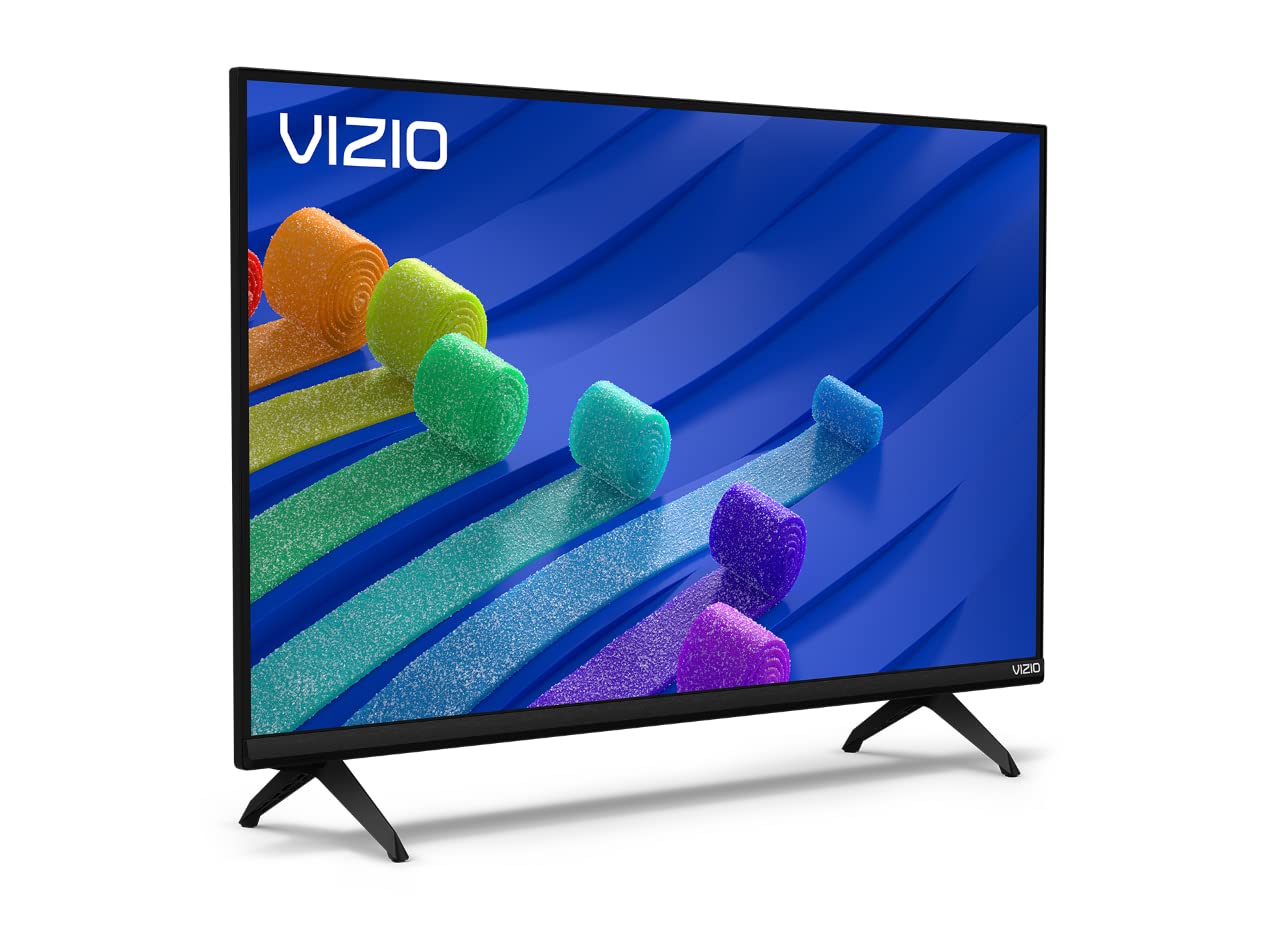
Figure 1: VIZIO 32-inch D-Series Full HD 1080p Smart TV.
2. Šta se nalazi u kutiji
Upon unboxing your VIZIO D-Series TV, ensure all components are present:
- VIZIO D-Series Full HD Smart TV
- Power Cable
- Daljinski upravljač
- TV Stand (2 feet)

Figure 2: Included accessories with your VIZIO D-Series TV.
3. Podešavanje
3.1 Pričvršćivanje TV postolja
If you plan to place your TV on a flat surface, attach the included stand feet. Ensure the TV is placed face down on a soft, clean surface to prevent screen damage.
- Carefully align each stand foot with the corresponding slots on the bottom of the TV.
- Secure each foot using the provided screws. Tighten firmly but do not overtighten.
Video 1: VIZIO D-Series Unboxing and Stand Assembly. This video demonstrates the unboxing process and how to attach the stand feet to your VIZIO D-Series TV.
3.2 Priključak za napajanje
Connect the power cable to the TV's power input and then to a wall outlet. The power cable is typically attached to the rear of the TV.
3.3 Početno podešavanje
Once powered on, follow the on-screen instructions to complete the initial setup, including language selection, network connection, and channel scanning.
4. Uputstvo za upotrebu
4.1 Daljinski upravljač
The included remote control provides full functionality for navigating your VIZIO Smart TV. Insert the provided batteries into the remote control.

Figure 3: The VIZIO Mobile App can also serve as a remote control.
4.2 Osnovna navigacija
- Snaga: Press the power button on the remote or TV to turn the TV on/off.
- Unos: Use the 'Input' button to switch between connected devices (HDMI, USB, etc.).
- Volumen: Podesite jačinu zvuka pomoću dugmadi +/-.
- SmartCast Home: Press the 'Home' button to access the SmartCast platform.
5. SmartCast Features
VIZIO SmartCast provides instant access to a wide selection of built-in apps and streaming services.
5.1 Built-in Apps
Access popular streaming services like Netflix, Disney+, YouTube, HBO Max, and many more directly from your TV's home screen.

Figure 4: The VIZIO SmartCast platform offers a wide array of streaming applications.
5.2 WatchFree+
Enjoy free access to live TV and hundreds of free channels right out of the box with WatchFree+.

Figure 5: WatchFree+ provides free live TV and on-demand content.
5.3 Ugrađeni Apple AirPlay 2 i Chromecast
Mirror content from your Apple or Android devices directly to your TV for seamless sharing of photos, videos, and apps.

Figure 6: Stream or mirror content using Apple AirPlay 2 and Chromecast.
5.4 Kompatibilnost s glasovnim asistentom
The VIZIO D-Series TV is compatible with popular voice assistants like Alexa, Google Assistant, and Apple HomeKit, allowing for convenient voice control.

Figure 7: VIZIO D-Series TVs integrate with various smart home ecosystems.
6. Karakteristike igranja
The VIZIO D-Series is equipped with the V-Gaming Engine to enhance your gaming experience.
- V-Gaming Engine: Automatically optimizes picture mode for gaming.
- Variable Refresh Rate (VRR) with AMD FreeSync: Ensures smooth, tear-free gameplay.
- Automatski način igre: Reduces input lag for more responsive gaming.
Video 2: VIZIO V-Gaming Engine. This video highlights the gaming features of VIZIO TVs, including low input lag and Auto Game Mode.

Figure 8: VIZIO Gaming TVs offer features like Auto Game Mode and low input lag.
7. Povezivanje
Your VIZIO D-Series TV offers various ports for connecting external devices.
- HDMI portovi: Connect high-definition devices such as gaming consoles, Blu-ray players, and cable boxes.
- USB port: Za reprodukciju medija sa USB diskova.
- Ulaz za antenu/kablovsku televiziju: Za povezivanje antene ili kablovske televizije.
- Kompozitni ulaz: Za starije uređaje koji koriste RCA kablove.
- Audio izlaz: Za povezivanje eksternih audio sistema.

Slika 9: Opcije povezivanja zadnje ploče.
8. Održavanje
To ensure the longevity and optimal performance of your VIZIO TV, follow these maintenance guidelines:
- Čišćenje ekrana: Nježno obrišite ekran mekom krpom koja ne ostavlja dlačice. Za tvrdokorne mrlje koristite sredstvo za čišćenje ekrana naneseno na krpu, a ne direktno na ekran.
- Čišćenje kabineta: Za čišćenje kućišta televizora koristite meku, suhu krpu. Izbjegavajte abrazivna sredstva za čišćenje ili rastvarače.
- ventilacija: Provjerite da ventilacijski otvori televizora nisu blokirani kako biste spriječili pregrijavanje.
- Kabl za napajanje: Redovno provjeravajte kabel za napajanje da li ima oštećenja. Ne koristite oštećeni kabel.
9. Otkrivanje problema
If you encounter issues with your VIZIO D-Series TV, refer to the following common solutions:
- Nema napajanja: Provjerite je li kabel za napajanje sigurno spojen i na TV i na ispravnu zidnu utičnicu. Pokušajte s drugom utičnicom.
- Nema slike/zvuka: Verify the correct input source is selected. Check all cable connections (HDMI, antenna, etc.) are secure.
- Daljinski ne radi: Zamijenite baterije u daljinskom upravljaču. Provjerite da nema prepreka između daljinskog upravljača i infracrvenog senzora televizora.
- Problemi s mrežnom vezom: Restart your router and modem. Check the TV's network settings to ensure it's connected to the correct Wi-Fi network.
- Problemi s kvalitetom slike: Adjust picture settings (brightness, contrast, sharpness) in the TV menu. Ensure the content source is high quality.
10. Specifikacije
| Feature | Detalj |
|---|---|
| Brand | VIZIO |
| Broj modela | D32F4-J01 |
| Veličina ekrana | 32 inča |
| Display Technology | LCD with Full Array LED Backlight |
| Rezolucija | 1080p full HD |
| Refresh Rate | 60 Hz |
| Posebne karakteristike | Flat, SmartCast, Apple AirPlay 2, Chromecast Built-in, Alexa Compatibility, V-Gaming Engine, IQ Picture Processor |
| Tehnologija povezivanja | HDMI, USB |
| Podržane Internet usluge | Apple TV+, Crackle, Discovery+, Disney+, Fandango, fuboTV, HBO Max, Hulu, iHeartRadio, Netflix, Pandora, Paramount+, Peacock, Prime Video, Redbox, Sling TV, Tubi, Vudu, XUMO, YouTube, YouTube TV |
| Težina artikla | 8.5 funti |
| Dimenzije proizvoda | 28.09 x 7.1 x 16.59 inča |
| Boja | Crna |
11. Garancija i podrška
For warranty information and technical support, please refer to the VIZIO Quick Start Guide included with your product or visit the official VIZIO support webweb-mjesto. Dodatne resurse za podršku i često postavljana pitanja možete pronaći i na mreži.


