Uvod
Thank you for choosing the Symcode MJ-9200DA-S 2D Wireless Barcode Scanner. This manual provides detailed instructions for setting up, operating, maintaining, and troubleshooting your device. Please read this manual thoroughly before use to ensure optimal performance and longevity of your scanner.

Opis slike: The main product image displays the Symcode MJ-9200DA-S 2D Wireless Barcode Scanner, its accompanying stand, a USB cable, and a wireless USB dongle. The scanner is black, ergonomically designed, and the stand provides a stable base for hands-free operation.
1. Podešavanje i povezivanje
The Symcode MJ-9200DA-S scanner offers versatile 2-in-1 connectivity, supporting both 2.4 GHz wireless and USB wired connections. It is designed for plug-and-play operation, requiring no driver installation.
1.1 Sadržaj paketa
Before proceeding, please verify that all items are present in the package:

Opis slike: This image displays the individual components included with the Symcode MJ-9200DA-S scanner: the barcode scanner unit, a dedicated stand, a USB cable, a wireless USB dongle, and the user manual (brochure).
- Symcode MJ-9200DA-S Barcode Scanner
- Stalak za skener
- USB kabel
- 2.4G bežični USB adapter
- Uputstvo za upotrebu
1.2 Načini povezivanja
The scanner supports two primary connection methods:

Opis slike: This image illustrates the two connection options for the scanner: Wireless Mode (2.4G Connection) using a USB dongle, and Wired Mode (USB Connection) using a USB cable, both connecting to a laptop.
- Bežični način rada od 2.4 GHz:
- Insert the 2.4G wireless USB dongle into an available USB port on your computer (PC, laptop, POS machine, etc.).
- The scanner will automatically pair with the dongle. A successful connection is indicated by a specific sound or LED indicator (refer to the scanner's LED status guide in the full manual).
- USB ožičeni način rada:
- Povežite skener sa računarom pomoću priloženog USB kabla.
- The scanner will function as a standard USB HID keyboard device.
The scanner is compatible with Windows, Mac, Android, and Linux operating systems. No additional drivers are required for basic functionality.
2. Uputstvo za upotrebu
2.1 Načini skeniranja
The MJ-9200DA-S scanner supports multiple scanning modes to suit various operational needs:
- Okidačko skeniranje: Pritisnite okidač da biste aktivirali snop za skeniranje i pročitali barkod.
- Auto-Sensing Scan: Skener automatski detektuje barkod unutar svog polja view and scans it without requiring a trigger press.
- Kontinuirano skeniranje: The scan beam remains active, continuously scanning barcodes as they are presented.
Refer to the full user manual or contact support for instructions on how to switch between these scanning modes.
2.2 Mogućnost dekodiranja barkodova
This 2D barcode scanner is capable of reading a wide range of 1D and 2D barcodes, whether printed on labels or displayed on screens. It can even decode damaged or blurred barcodes.

Opis slike: This image demonstrates the scanner's ability to decode various 1D and 2D barcodes, including QR Code, Data Matrix, PDF417, as well as damaged and blurred linear barcodes. It also highlights a scanning angle of up to 80 degrees.
Podržani 1D barkodovi:
- EAN, UPC, Code39, Code93, Code128, UCC/EAN 128, Codabar, Interleaved 2 of 5, ITF-6, BNF-14, ISS, ISSN, MSI-Plessey, GS1 Databar, GS1 Composite, Code 11, Industrial 25, Standard 25, Plessey, Matrix 2 of 5.
Podržani 2D barkodovi:
- QR Code, Data Matrix, PDF417, Aztec, Maxicode, HanxinCode.
2.3 Data Uploading Modes
The scanner offers two methods for uploading scanned data to your connected device:

Opis slike: This image illustrates the two data uploading modes: Instant Upload Mode, where data is sent immediately after scanning, and Storage Mode, where up to 50,000 barcodes can be stored internally before being uploaded to a device.
- Način trenutnog otpremanja: Barcode data is synchronously uploaded to your device immediately after scanning. This is suitable for real-time data entry.
- Način pohrane: The scanner can store up to 50,000 barcodes in its internal 16MB memory. This mode is ideal for situations where real-time connection is not available. Data can be uploaded to your device later when needed.
2.4 Programabilne funkcije
The Symcode scanner supports various programmable settings to customize its behavior:
- Uppercase/Lowercase settings
- Podešavanje jačine zvuka
- Postavka terminata
- Prefix or Suffix addition
- Character addition or masking
These settings are typically configured by scanning specific programming barcodes found in the comprehensive user manual.
3. Održavanje
3.1 Informacije o bateriji
The scanner is equipped with a high-capacity Lithium-ion battery for extended operation.

Opis slike: This image highlights the scanner's internal battery, indicating a capacity of 1800mAh and the ability to perform approximately 50,000 scans on a full charge.
- Kapacitet baterije: 1800 mAh
- Kontinuirano vrijeme rada: 8 do 10 sati
- Vrijeme pripravnosti: 15 dana
- Vrijeme punjenja: 3.5 do 4 sati
Da biste napunili skener, priključite ga na USB izvor napajanja pomoću priloženog USB kabela.
3.2 Čišćenje i trajnost
To maintain optimal performance, keep the scanner's scanning window clean. Use a soft, dry, lint-free cloth to gently wipe the surface. Avoid using abrasive cleaners or solvents.
The scanner features a sturdy, anti-shock construction with anti-drop silicone, designed to withstand drops from up to 5 feet (approximately 1.5 meters) onto concrete.
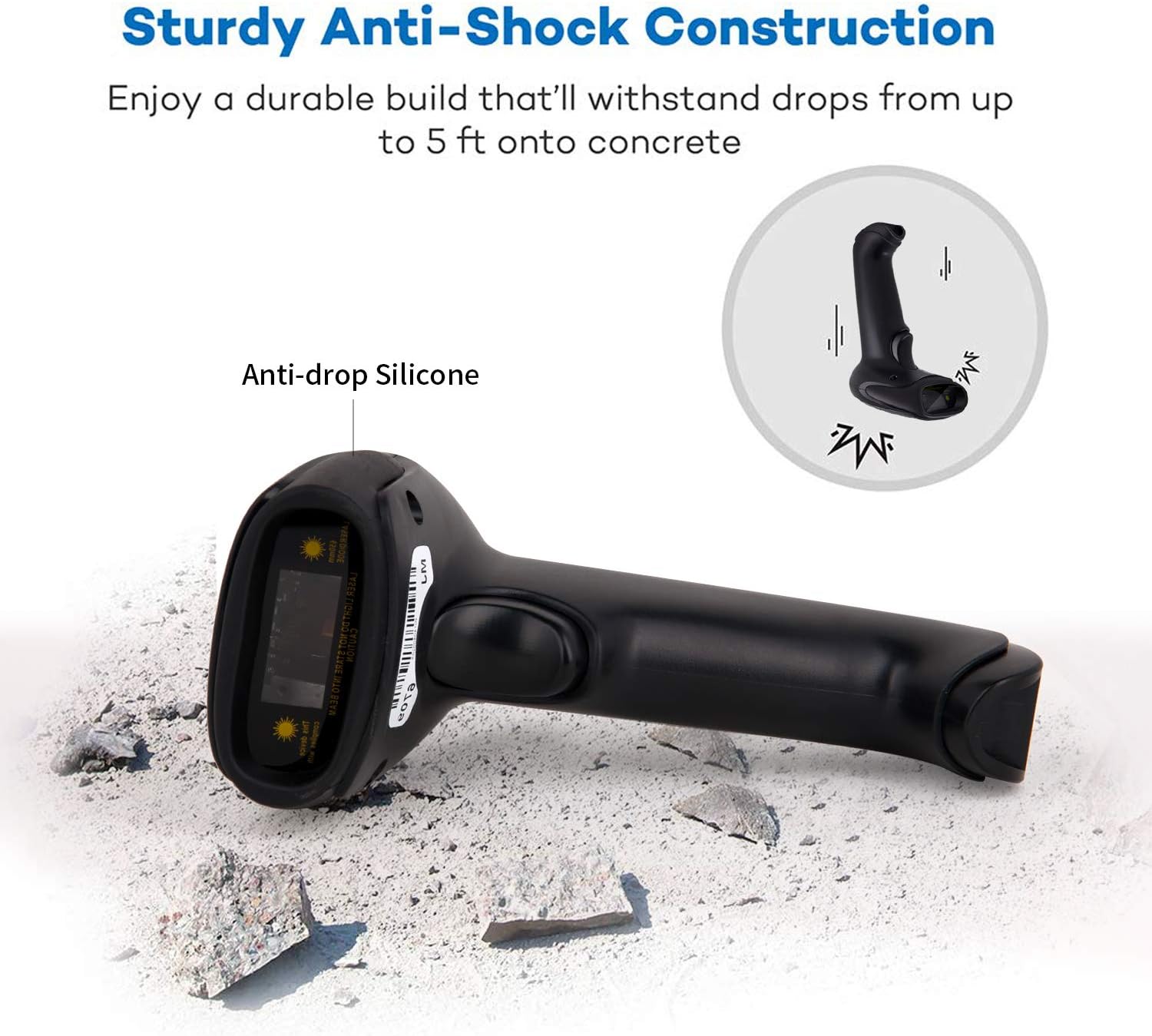
Opis slike: This image illustrates the robust design of the scanner, highlighting its anti-drop silicone casing and its ability to withstand impacts from a height of up to 5 feet onto concrete.
4. Otkrivanje problema
If you encounter issues with your Symcode MJ-9200DA-S scanner, please refer to the following common problems and solutions:
- Skener se ne povezuje:
- Ensure the USB dongle is securely inserted or the USB cable is properly connected.
- Verify that the scanner is powered on and has sufficient battery charge.
- Pokušajte da se povežete na drugi USB port na računaru.
- For wireless mode, ensure the scanner is within range of the dongle.
- Skener ne čita barkodove:
- Ensure the barcode is clean, undamaged, and within the scanner's optimal reading distance and angle.
- Check if the correct scanning mode (trigger, auto-sensing, continuous) is selected.
- Clean the scanner's reading window with a soft, dry cloth.
- Provjerite da li skener podržava tip barkoda (pogledajte odjeljak 2.2).
- If experiencing issues with specific 2D codes like Data Matrix, ensure the code is clear and well-printed. If problems persist, contact support.
- Nema izlaza podataka na računar:
- Confirm the scanner is successfully connected to your device (indicated by LED or sound).
- Ensure the target application (e.g., Notepad, Word, POS software) is active and ready to receive input.
- Check if the scanner is in "Storage Mode" and needs to be switched to "Instant Upload Mode" or have its stored data uploaded.
- Baterija se ne puni:
- Ensure the USB cable is properly connected to both the scanner and a working USB power source.
- Pokušajte s drugim USB kabelom ili adapterom za napajanje.
Za dodatnu pomoć, molimo pogledajte odjeljak "Podrška i garancija".
5. Specifikacije
| Feature | Detalj |
|---|---|
| Brand | symcode |
| Broj modela | MJ-9200DA-S |
| Tehnologija povezivanja | 2.4G Wireless (via USB dongle), USB Wired |
| Kompatibilnost operativnog sistema | Windows, Mac, Android, Linux |
| Vrste barkodova (1D) | EAN, UPC, Code39, Code93, Code128, UCC/EAN 128, Codabar, Interleaved 2 of 5, ITF-6, BNF-14, ISS, ISSN, MSI-Plessey, GS1 Databar, GS1 Composite, Code 11, Industrial 25, Standard 25, Plessey, Matrix 2 of 5 |
| Vrste barkodova (2D) | QR Code, Data Matrix, PDF417, Aztec, Maxicode, HanxinCode |
| Vrsta baterije | Litijum-jonski |
| Kapacitet baterije | 1800 mAh |
| Kontinuirano vrijeme rada | 8-10 sata |
| Vrijeme pripravnosti | 15 dana |
| Vrijeme punjenja | 3.5-4 sata |
| Otpor na pad | Up to 5 feet (approx. 1.5 meters) onto concrete |
| Interna pohrana | 16MB (do 50,000 barkodova) |
| UPC | 719986641137 |
| Certifikati | CE |
6. Podrška i garancija
6.1 Informacije o garanciji
The Symcode MJ-9200DA-S barcode scanner comes with a 180-dnevna garancija from the date of purchase. During this period, if the scanner is damaged due to manufacturing defects, we guarantee an exchange for a new replacement unit or a full refund. This warranty does not cover damage caused by misuse, accidents, or unauthorized modifications.
6.2 Korisnička podrška
For any questions, technical assistance, or warranty claims, please contact Symcode customer support. When contacting support, please have your model number (MJ-9200DA-S) and purchase details ready.
If you are unsure how to change scanning modes or configure specific settings, our support team can provide guidance.
Kontakt informacije: Please refer to the contact details provided in your product packaging or on the official Symcode website.


