Uvod
This manual provides comprehensive instructions for the Inrico T522A 4G/LTE Network Radio. Designed for reliable communication, this device integrates 4G/LTE connectivity with Zello and ZelloWork platforms, offering long-range, clear audio transmission. Please read this manual thoroughly before operating the device to ensure proper usage and optimal performance.
Product Overview
The Inrico T522A is a robust network radio built for demanding environments. It features a durable design, including waterproof and dustproof capabilities (IP66 rating), and supports various network functionalities for seamless communication.
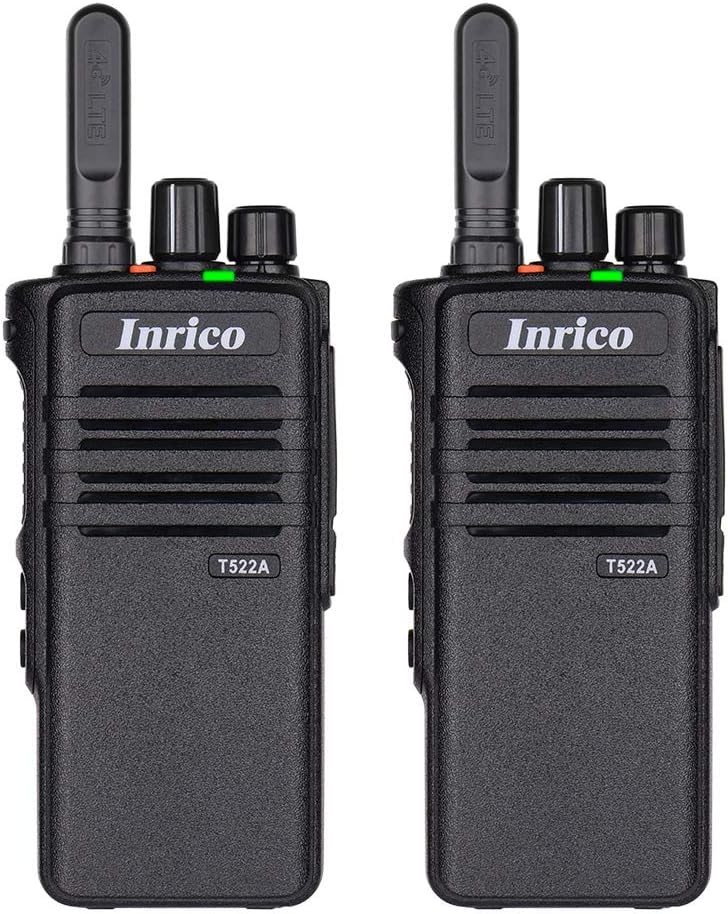
Slika 1: Prednja strana view of two Inrico T522A network radios, showing the Inrico branding and T522A model number.

Figure 2: Various angles of the Inrico T522A radio, including front, side, and back views, highlighting its compact design and belt clip.
Ključne komponente:
- antena: For 4G/LTE signal reception.
- Dugme za napajanje/glasnoću: To turn the device on/off and adjust volume.
- Channel/Function Knob: For selecting channels or functions.
- PTT (pritisni za razgovor) dugme: For initiating voice transmissions.
- Zvučnik/mikrofon: Integrisan za audio ulaz i izlaz.
- Pretinac za baterije: Sadrži uklonjivu bateriju.
- kopča za pojas: Za praktično nošenje.
- Kontakti za punjenje: Located at the bottom for cradle charging.
Setup
1. Instalacija baterije:
- Provjerite je li radio isključen.
- Pronađite odeljak za baterije na poleđini radija.
- Align the battery with the contacts and gently push it into place until it clicks.
- Secure the battery cover if applicable.
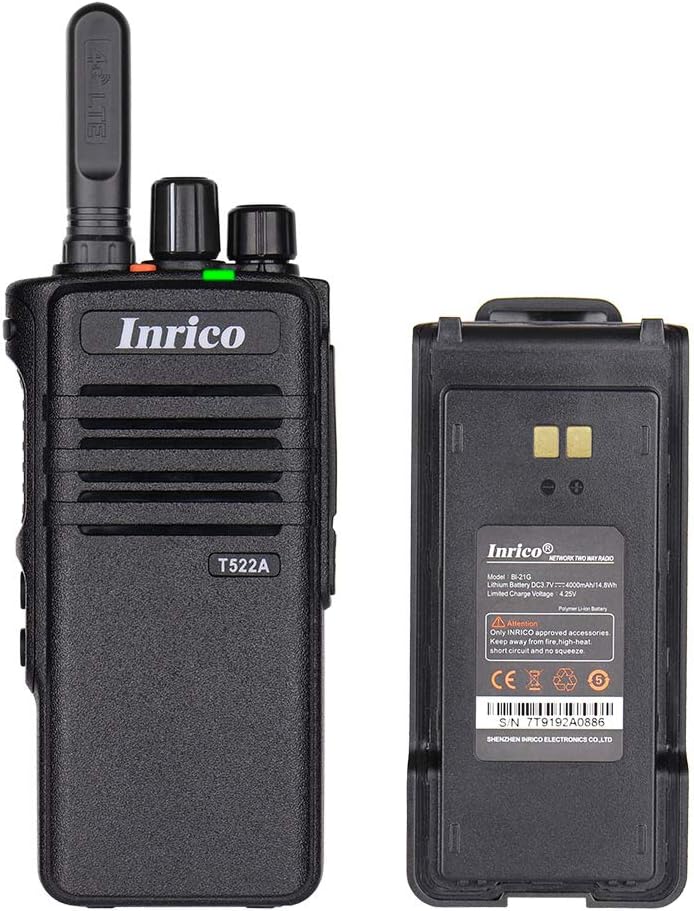
Figure 3: The Inrico T522A radio shown alongside its removable battery pack, illustrating the battery's connection points.
2. Punjenje baterije:
Prije prve upotrebe, napunite bateriju do kraja.
- Place the radio into the charging cradle, ensuring the charging contacts align.
- Connect the charging cradle to a power source using the provided adapter.
- The charging indicator light will illuminate (typically red) during charging and change color (typically green) when fully charged.

Figure 4: The Inrico T522A radio securely placed in its dedicated charging cradle, ready for power replenishment.
3. Mrežno povezivanje:
The T522A supports 4G/LTE and WLAN connectivity. Ensure a valid SIM card is inserted for 4G/LTE operation, or configure Wi-Fi settings for WLAN use.

Figure 5: The Inrico T522A radio depicted with "4G LTE" and Android logos, indicating its cellular and operating system capabilities.

Figure 6: The Inrico T522A radio shown with a WLAN (Wi-Fi) symbol, indicating its wireless local area network connectivity.
Uputstvo za upotrebu
Uključivanje/isključivanje:
- Da biste uključili uređaj, okrenite dugme za napajanje/jačinu zvuka u smjeru kazaljke na satu dok ne čujete klik.
- Da biste isključili uređaj, okrenite dugme za napajanje/jačinu zvuka suprotno od smjera kazaljke na satu dok ne čujete klik.
Podešavanje glasnoće:
- Okrenite dugme za napajanje/jačinu zvuka u smjeru kazaljke na satu da biste povećali jačinu zvuka, a suprotno od smjera kazaljke na satu da biste smanjili jačinu zvuka.
Using Zello/ZelloWork:
The Inrico T522A is optimized for Zello and ZelloWork applications.
- Ensure the Zello or ZelloWork application is installed and configured on the device.
- Log in to your Zello/ZelloWork account.
- Select the desired channel or contact.
- Press and hold the PTT button to transmit your voice. Release the PTT button to listen.
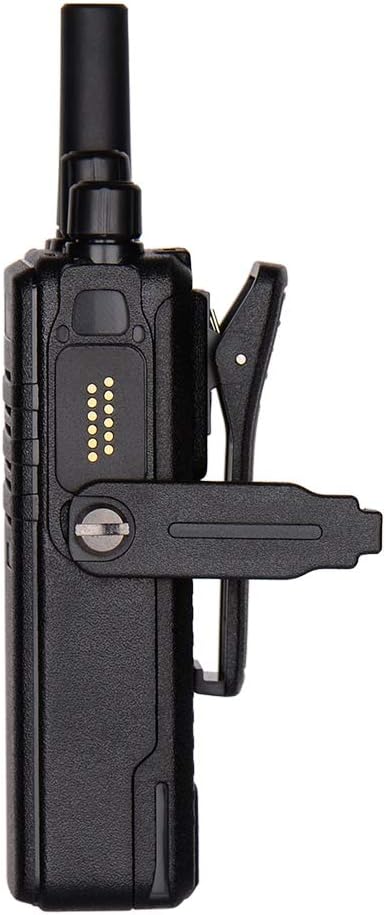
Figure 7: Two Inrico T522A radios displayed in front of a computer monitor showing a dispatch system interface, illustrating their integration with communication platforms.
Održavanje
- čišćenje: Koristite meku, damp krpu za čišćenje vanjštine radija. Ne koristite jake hemikalije ili abrazivna sredstva za čišćenje.
- Održavanje baterije: Da biste produžili vijek trajanja baterije, izbjegavajte često potpuno pražnjenje baterije. Radio i bateriju čuvajte na hladnom i suhom mjestu kada ih ne koristite duži period.
- Zaštita životne sredine: While the radio is waterproof and dustproof (IP66), avoid prolonged exposure to extreme temperatures or direct sunlight.
Rješavanje problema
| Problem | Mogući uzrok | Rješenje |
|---|---|---|
| Radio se ne uključuje. | Baterija je slaba ili nije pravilno instalirana. | Napunite bateriju ili je ponovo sigurno instalirajte. |
| Nema zvuka iz zvučnika. | Volume is too low; speaker is blocked; network issue. | Increase volume; check for obstructions; verify network connection. |
| Cannot transmit/receive. | No network signal; Zello/ZelloWork not logged in; incorrect channel. | Check network signal strength; log into Zello/ZelloWork; select correct channel. |
| Loš kvalitet zvuka. | Weak network signal; interference. | Move to an area with better signal; avoid sources of interference. |
Specifikacije
| Feature | Detalj |
|---|---|
| Brand | Inrico |
| Model | T522A |
| Povezivanje | 4G/LTE, WLAN |
| Kompatibilni uređaji | Zello, ZelloWork, 4G/LTE devices on the same frequency band, internet-capable devices |
| Nivo vodootpornosti | Vodootporan (IP66) |
| Posebne karakteristike | Long Range, Waterproof, Dust Proof |
| Uključene komponente | 2 x Radio (as per product listing) |
| Boja | Crna |
Garancija i podrška
For warranty information and technical support, please refer to the official Inrico webstranicu ili kontaktirajte ovlaštenog prodavača. Sačuvajte račun kao dokaz o kupovini.
Proizvođač: Inrico


