1. Uvod
The COMPUTHERM T-32 room thermostat is designed for controlling most boilers and air conditioners available in the EU. It can be easily connected to any gas boiler with a two-wire thermostatic connection point, and to all air conditioning systems or electrical appliances, whether they have a 24V or 230V control circuit.
This digital thermostat allows for more precise temperature measurement and adjustment compared to traditional thermostats. It helps reduce energy costs while maintaining comfort by regulating the connected appliance (e.g., a gas boiler or pump) based on the measured and set temperatures.
Ključne karakteristike:
- Precizna kontrola temperature: Easily set desired temperature between 5°C and 30°C in 0.5°C increments.
- Constant Indoor Temperature: Switching sensitivity of ±0.2°C or 0.1°C ensures a uniform and stable room temperature.
- Svestrana kompatibilnost: Suitable for boilers with a two-wire connection and various HVAC systems (24V or 230V).
- Režimi grijanja i hlađenja: Supports both heating and cooling functions.
- Digitalni prikaz: Provides clear and accurate temperature readings.
2. Postavljanje i instalacija
Važno: Uređaj mora instalirati stručna osoba.
2.1 Sadržaj paketa
Provjerite da li su sve komponente prisutne:
- 1x COMPUTHERM T-32 Digital Room Thermostat
- 2x AAA baterije
- Pribor za montažu (vijci i zidni tiplovi)

Figure 1: Package contents including the thermostat, batteries, and mounting hardware.
2.2 Instalacija baterije
- Carefully remove the back cover of the thermostat.
- Umetnite dvije AAA baterije u odjeljak za baterije, pazeći na ispravan polaritet (+/-).
- Vratite zadnji poklopac.
2.3 Montaža i ožičenje
The thermostat is designed for wall mounting in a room. Choose a location away from direct sunlight, drafts, or heat sources that could affect temperature readings.
- Separate the front panel from the back plate.
- Označite željeni položaj za montažu na zidu.
- Izbušite rupe i umetnite tiple u zid.
- Pričvrstite zadnju ploču na zid pomoću priloženih vijaka.
- Connect the two-wire control circuit from your boiler or HVAC system to the terminals on the back plate. Refer to the wiring diagram on the back of the thermostat for correct connections.
- Carefully reattach the front panel to the back plate.

Slika 2: Pozadi view of the thermostat with wiring terminals and battery compartment details.
3. Operacija
3.1 Prikaz prekoview
The digital display shows the current room temperature and the set desired temperature. The thermostat features three control buttons below the display.

Slika 3: Prednja strana view of the COMPUTHERM T-32 thermostat with its digital display and three control buttons.
3.2 Podešavanje željene temperature
Use the temperature control buttons (typically marked with up and down arrows or similar symbols) to adjust the desired temperature. Each press changes the temperature by 0.5°C within a range of 5°C to 30°C.
- Pritisnite Strelica gore dugme da biste povećali željenu temperaturu.
- Pritisnite Strelica dole dugme da biste smanjili željenu temperaturu.
The thermostat will automatically regulate the connected heating or cooling appliance to maintain the set temperature within its switching sensitivity of ±0.2°C.
3.3 Heating Mode Operation
In heating mode, if the measured room temperature falls below the set temperature minus the switching sensitivity (e.g., 22°C - 0.2°C = 21.8°C), the thermostat will activate the heating appliance. It will deactivate the heating when the room temperature rises above the set temperature plus the switching sensitivity (e.g., 22°C + 0.2°C = 22.2°C).
3.4 Cooling Mode Operation
In cooling mode, the operation is reversed. If the measured room temperature rises above the set temperature plus the switching sensitivity, the thermostat will activate the cooling appliance. It will deactivate cooling when the room temperature falls below the set temperature minus the switching sensitivity.
Note: After a temperature change using the thermostat's adjustment buttons, the switching sensitivity is temporarily not considered, allowing the thermostat to react to a difference of ±0.1°C for immediate response.
4. Održavanje
- čišćenje: Obrišite termostat mekom, suhom krpom. Ne koristite abrazivna sredstva za čišćenje ili rastvarače.
- Zamjena baterije: Zamijenite baterije kada se na ekranu pojavi indikator slabe baterije. Uvijek koristite nove AAA alkalne baterije.
- Izbjegavajte prepreke: Ensure no objects block the thermostat's ventilation slots or sensor, as this can affect temperature accuracy.
5. Otkrivanje problema
| Problem | Mogući uzrok | Rješenje |
|---|---|---|
| Displej termostata je prazan. | Prazne ili nepravilno instalirane baterije. | Zamijenite baterije, pazeći na ispravan polaritet. |
| Sistem grijanja/hlađenja ne reaguje. | Incorrect wiring; system power off; thermostat in wrong mode. | Check wiring connections (consult a professional); ensure system power is on; verify thermostat is set to appropriate mode (heating/cooling). |
| Netačno očitavanje temperature. | Termostat se nalazi blizu izvora toplote/propuha; senzor je blokiran. | Relocate thermostat if possible; ensure no obstructions around the sensor. |
| Temperature fluctuates too much. | High switching sensitivity setting (not applicable for T-32 as it's fixed). | The T-32 has a fixed sensitivity of ±0.2°C. Ensure proper placement and insulation of the room. |
6. Specifikacije
- Model: T32
- Izvor napajanja: 2x AAA 1.5V Alkaline Batteries (included)
- Control Voltage: 24V AC ili 230V AC
- Nosivost: 8 Amperes
- Raspon mjerenja temperature: 5°C do 30°C
- Raspon podešavanja temperature: 5°C do 30°C
- Korak podešavanja temperature: 0.5°C
- Prebacivanje osjetljivosti: ±0.2°C (or ±0.1°C after manual adjustment)
- Dimenzije (D x Š x V): 8.5 x 8.5 x 2.8 cm
- Težina: 160 grama
- Povezivanje: Žičani
- Boja: Bijelo


Figure 4: Dimensions of the COMPUTHERM T-32 thermostat.
7. Garancija
The COMPUTHERM T-32 Digital Room Thermostat comes with a 5-godišnja garancija proizvođačaMolimo sačuvajte dokaz o kupovini za reklamacije u okviru garancije. Garancija pokriva nedostatke u materijalu i izradi pri normalnoj upotrebi.
8. Podrška
For further assistance or if you encounter issues not covered in this manual, please refer to the official COMPUTHERM website or contact your retailer. Always ensure that any electrical work is performed by a qualified professional.
Za više informacija možete posjetiti web stranicu proizvođača webstranica: www.calorsol.de
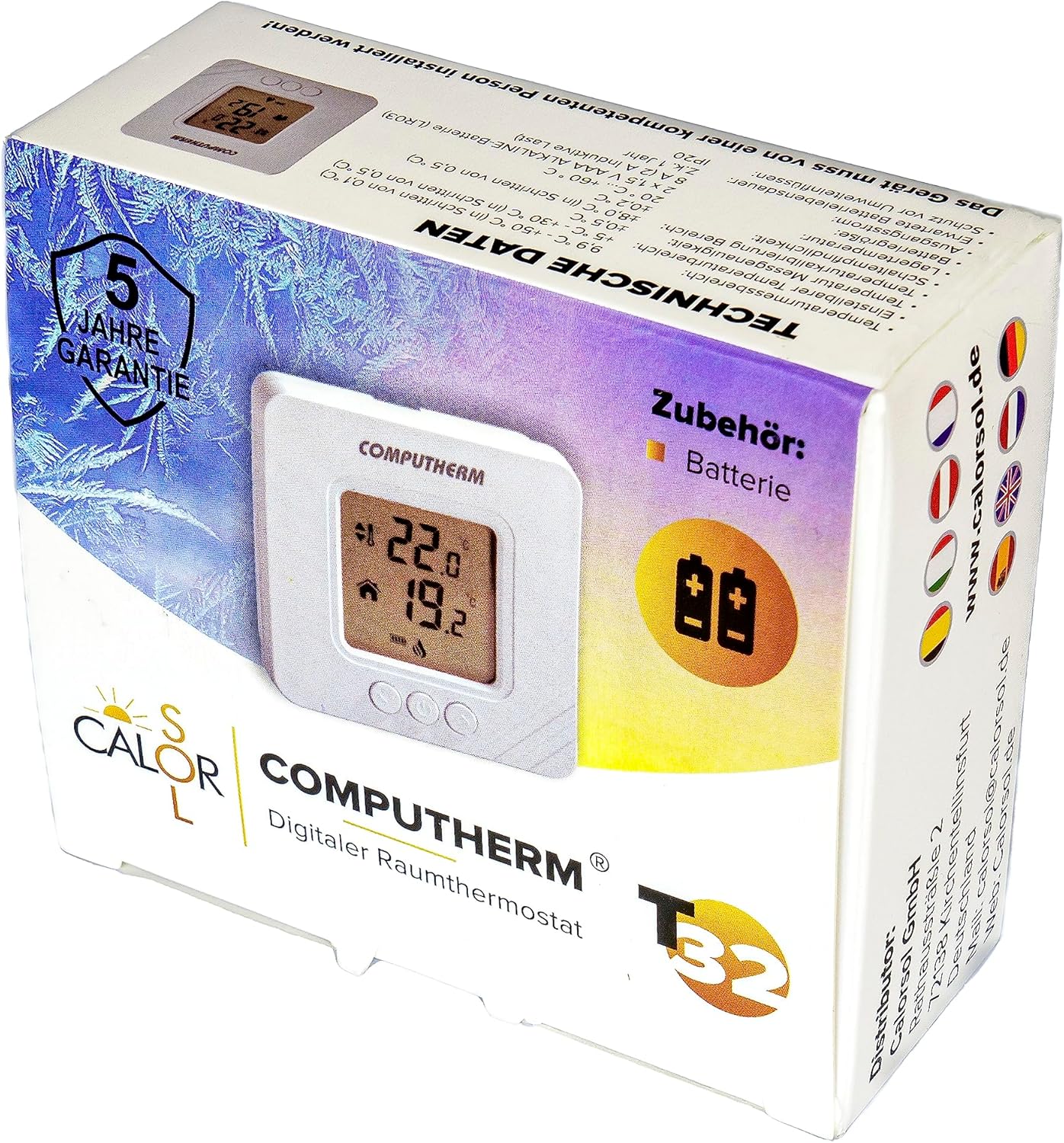
Figure 5: Product packaging displaying warranty information and technical data.


