Uvod
This user manual provides detailed instructions for the setup, operation, maintenance, and troubleshooting of your iFFALCON 43K71 4K Ultra HD Smart Android LED TV. Please read this manual thoroughly before using the television and retain it for future reference.

Slika: Front view of the iFFALCON 43K71 4K Ultra HD Smart Android LED TV, showcasing svojim tankim dizajnom i živopisnim ekranom.
Sigurnosne informacije
Uvijek se pridržavajte sljedećih sigurnosnih mjera opreza kako biste spriječili požar, strujni udar ili ozljede:
- Ne izlažite televizor kiši ili vlazi.
- Osigurajte odgovarajuću ventilaciju; ne blokirajte ventilacijske otvore.
- Koristite samo kabel za napajanje koji dolazi s TV-om.
- Do not open the TV cabinet; refer all servicing to qualified personnel.
- Držite televizor dalje od direktne sunčeve svjetlosti, izvora toplote i jakih magnetnih polja.
- Postavite TV na stabilnu, ravnu površinu ili ga sigurno pričvrstite na zid.
Šta je u kutiji
Prilikom raspakivanja provjerite da li su sve komponente prisutne:
- 1 x iFFALCON 43K71 LED TV
- 1 x Remote Controller (with 2 AAA batteries)
- 2 x Table Stand components
- 1 x Uputstvo za upotrebu
- 1 x Garantni list
- 1 x audio kabl
Setup
1. Fizička instalacija
You can install your TV using the included table stands or by wall-mounting (wall mount bracket sold separately).
Instalacija postolja za sto:
- Pažljivo postavite televizor licem prema dolje na meku, ravnu površinu kako biste spriječili oštećenje ekrana.
- Attach the two table stand components to the designated slots on the bottom of the TV using the provided screws. Ensure they are securely fastened.
- Pažljivo podignite TV u uspravan položaj na stabilnoj, ravnoj površini.
Montaža zidnog nosača:
For wall mounting, consult a professional installer. Ensure the wall mount bracket is compatible with the TV's VESA mounting pattern and can support the TV's weight (approximately 6.9 kg).

Slika: Vrh view of the iFFALCON 43K71 TV, showing its slim profile i tačke za pričvršćivanje postolja.
2. Početno uključivanje i mrežno povezivanje
- Spojite kabel za napajanje na TV, a zatim na utičnicu.
- Pritisnite dugme za napajanje na televizoru ili daljinskom upravljaču da biste uključili televizor.
- Slijedite upute na ekranu da biste dovršili početno podešavanje, uključujući odabir jezika, zemlje i mrežne veze (Wi-Fi ili Ethernet).
- Prijavite se sa svojim Google računom da biste pristupili funkcijama Android TV-a i preuzeli aplikacije.
Upravljanje TV-om
Daljinski upravljač
The supplied remote control allows you to navigate the TV's interface and access various functions.
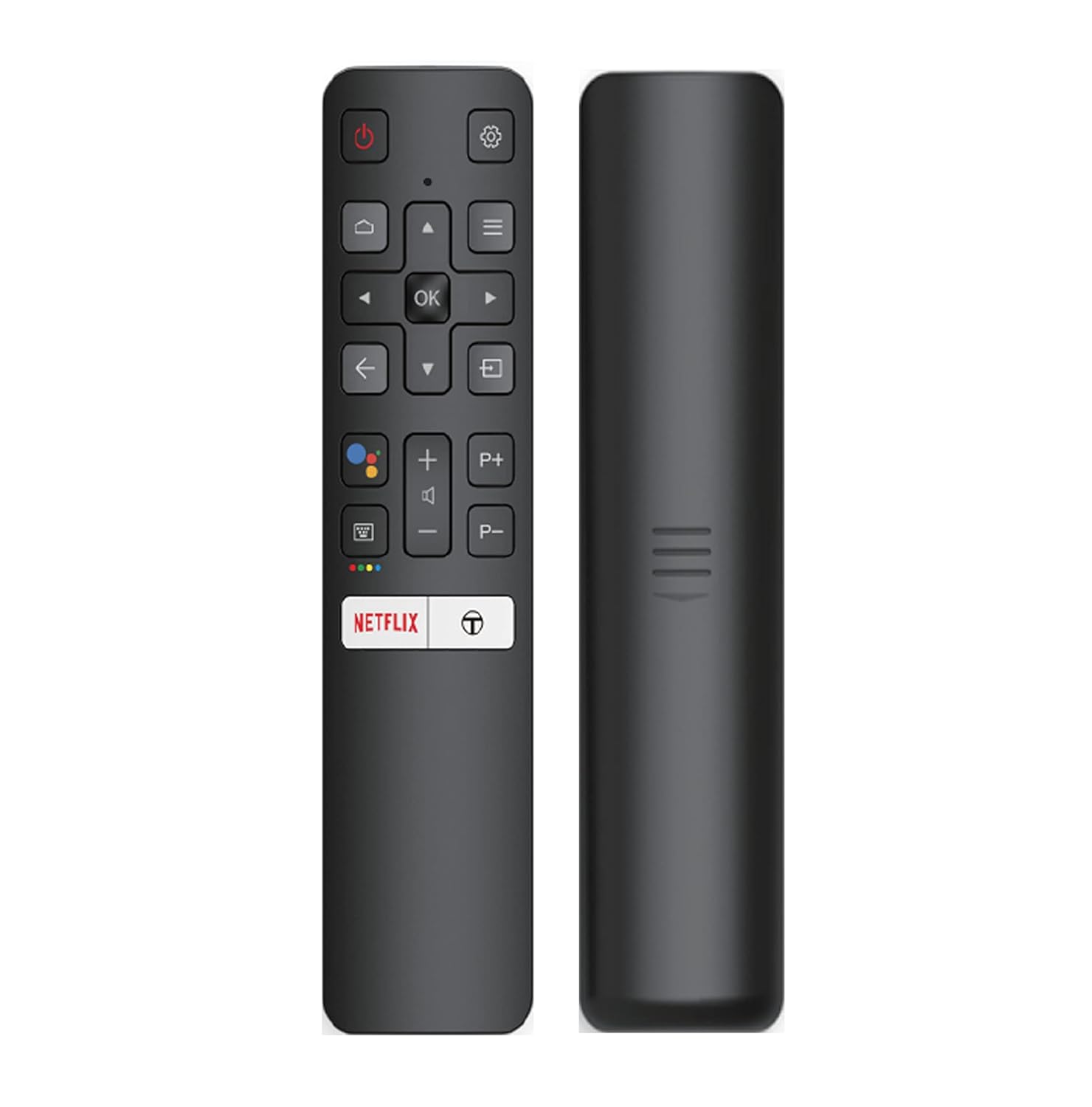
Image: The iFFALCON 43K71 remote control, featuring dedicated buttons for Netflix, Amazon Prime Video, Zee5, and Google Assistant.
Ključni tasteri uključuju:
- Snaga: Uključuje/isključuje TV.
- Navigacija (Gore/Dolje/Lijevo/Desno/U redu): Navigacija kroz menije i potvrđivanje odabira.
- nazad: Vraća se na prethodni ekran.
- Početna: Pristupa početnom ekranu Android TV-a.
- Volumen +/-: Podešava jačinu zvuka.
- Kanal P+/P-: Mijenja kanale.
- Google asistent: Aktivira glasovnu kontrolu.
- Netflix, Prime Video, Zee5: Dugmad za direktan pristup streaming servisima.
Funkcije pametnog TV-a (Android TV)
Your iFFALCON 43K71 TV runs on Android 9.0, providing access to a wide range of applications and smart functionalities.

Image: The Android TV home screen on the iFFALCON 43K71, displaying various streaming apps like Netflix, YouTube, and Prime Video.
- aplikacije: Download and install apps from the Google Play Store, including Netflix, YouTube, Prime Video, Disney+Hotstar, and more.
- Hands-free glasovno upravljanje: Use the built-in Google Assistant to control your TV, search for content, and manage smart home devices by speaking commands directly to the TV.
- Ugrađen Chromecast: Cast content from your smartphone, tablet, or computer directly to the TV screen.
- AI-IN: iFFALCON's AI-IN technology integrates with Google Assistant for enhanced smart home connectivity and personalized recommendations.
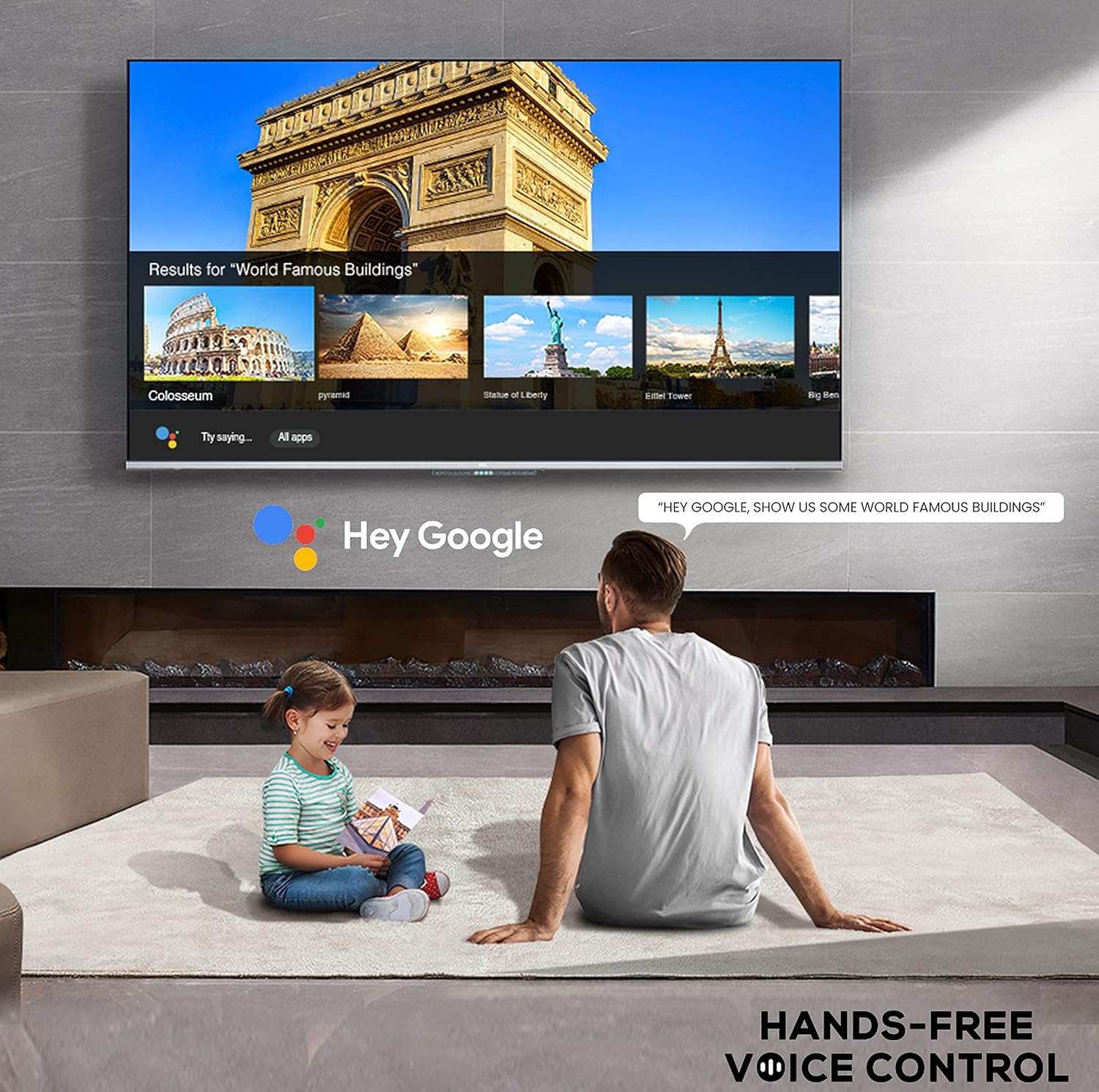
Image: A user interacting with the iFFALCON 43K71 using hands-free voice control, demonstrating the Google Assistant feature.
Povezivanje
Televizor nudi različite priključke za povezivanje eksternih uređaja:
- HDMI portovi (2): Connect set-top boxes, Blu-ray players, gaming consoles, etc.
- USB priključak (1): Povežite tvrde diskove, USB fleš diskove za reprodukciju medija.
- Bluetooth: Connect wireless headphones, soundbars, or other Bluetooth-enabled accessories.
- Wi-Fi: Povežite se na kućnu bežičnu mrežu za pristup internetu.
- Audio kabel: For external audio connections.
Postavke slike i zvuka
Podesite postavke slike i zvuka kako biste optimizirali viewing iskustvo.
- Načini slike: Select from various preset picture modes (e.g., Standard, Dynamic, Movie, Sport) or customize settings like brightness, contrast, color, and sharpness.
- 4K Ultra HD & HDR 10: Experience stunning detail and vibrant colors with 4K resolution and High Dynamic Range (HDR 10) support.
- Mikro zatamnjenje: Enhances contrast by analyzing video content in hundreds of separate zones and adjusting brightness and darkness independently.
- Načini zvuka: Choose from preset sound modes (e.g., Standard, Music, Movie, Clear Voice) or adjust equalizer settings.
- Dolby Audio: Enjoy immersive audio with Dolby Audio processing, delivering rich, clear, and powerful sound from the 30 Watts speakers.
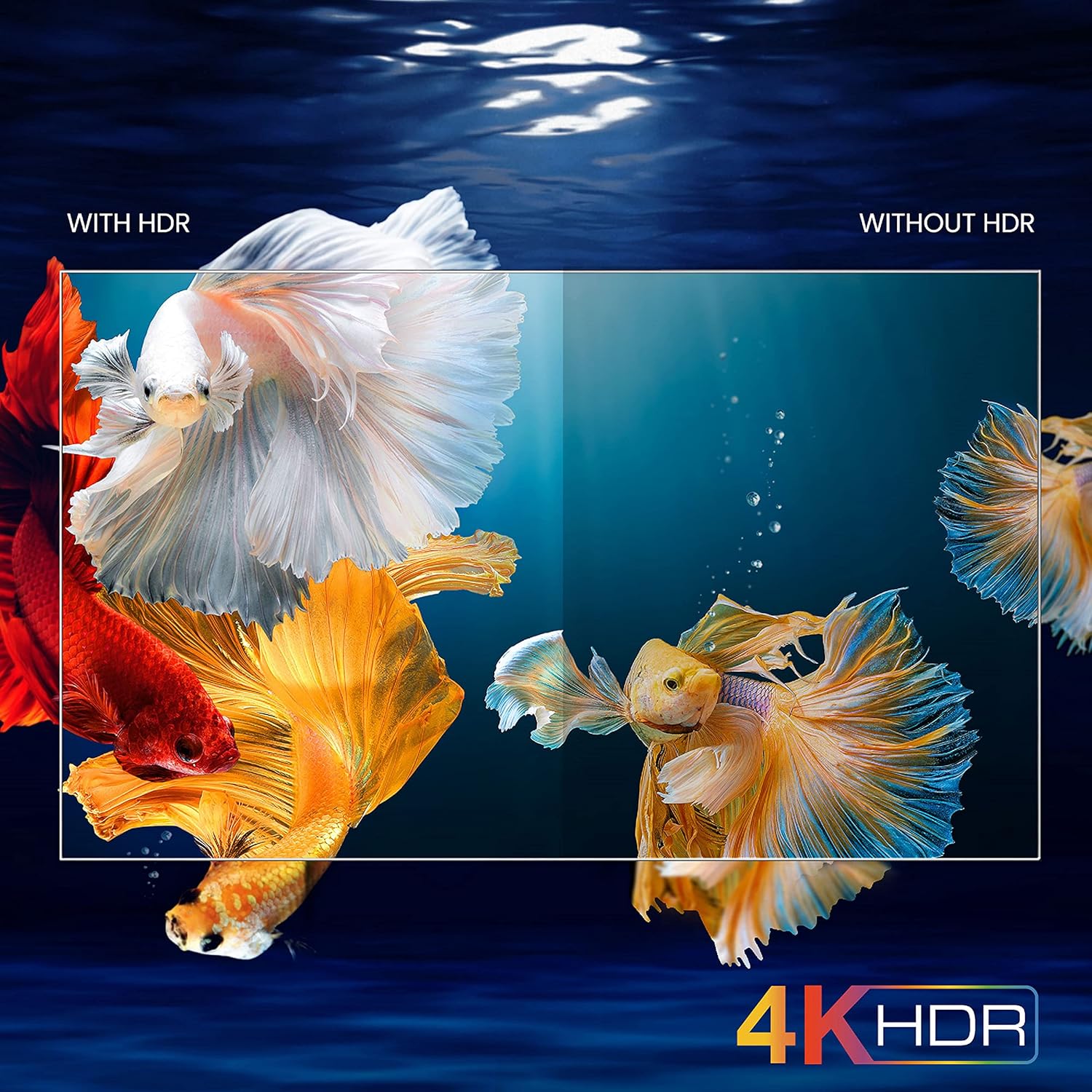
Image: A visual comparison demonstrating the enhanced color and contrast with 4K HDR enabled versus disabled on the iFFALCON 43K71 TV.
Održavanje
Čišćenje
- Uvijek isključite TV iz struje prije čišćenja.
- Koristite meku, suhu krpu za brisanje ekrana i kućišta. Za tvrdokorne mrlje, lagano obrišiteampObrišite krpu vodom ili blagim, neabrazivnim sredstvom za čišćenje ekrana.
- Do not use alcohol, benzene, thinners, or other volatile substances.
Ažuriranja softvera
The TV may receive software updates periodically to improve performance and add new features. Ensure your TV is connected to the internet to receive these updates automatically or check for them manually in the settings menu.
Rješavanje problema
If you encounter issues, refer to the following common solutions before contacting support:
| Problem | Moguće rješenje |
|---|---|
| TV se ne uključuje. | Check if the power cord is securely plugged into the TV and the power outlet. Ensure the power outlet is working. Try pressing the power button on the TV itself. |
| Nema slike, ali je zvuk prisutan. | Provjerite ulazni izvor. Uvjerite se da su vanjski uređaji pravilno povezani i uključeni. Pokušajte ponovo pokrenuti TV. |
| Nema zvuka, ali je slika prisutna. | Check the volume level and ensure the TV is not muted. Verify audio output settings. If using external speakers, check their connections and power. |
| Daljinski upravljač ne radi. | Zamijenite baterije (2 AAA). Provjerite da nema prepreka između daljinskog upravljača i IR senzora televizora. |
| Nije moguće povezati se na Wi-Fi. | Check your router and modem. Restart them if necessary. Ensure you are entering the correct Wi-Fi password. Try moving the TV closer to the router or using an Ethernet cable. |
| Spore performanse ili pad aplikacije. | Close unused applications. Clear cache for problematic apps. Restart the TV. Consider a factory reset as a last resort (this will erase all data and settings). |
Specifikacije
Key technical specifications for the iFFALCON 43K71 TV:
| Feature | Detalj |
|---|---|
| Model | 43K71 |
| Veličina ekrana | 43 inča (108 cm) |
| Rezolucija | 4K Ultra HD (3840 x 2160 piksela) |
| Refresh Rate | 60 Hz |
| Operativni sistem | Android 9.0 |
| RAM | 2 GB |
| Skladištenje | 16 GB |
| Izlaz zvuka | 30 Watts (Dolby Audio Power Speakers) |
| HDMI portovi | 2 |
| USB portovi | 1 |
| Povezivanje | Wi-Fi, Bluetooth |
| Dimenzije (DxŠxV) | 96 x 4.1 x 55.8 cm (bez postolja) |
| Težina artikla | 6.9 kg |

Image: Diagram showing the physical dimensions of the iFFALCON 43K71 TV in centimeters and inches.
Garancija
The iFFALCON 43K71 TV comes with a 1 godine garancije provided by the manufacturer from the date of purchase. Please retain your purchase receipt for warranty claims. For detailed terms and conditions, refer to the included Warranty Card.
Podrška
For further assistance, technical support, or service requests, please contact iFFALCON customer service. Contact details can typically be found on the manufacturer's official websajtu ili na garantnom listu.
Product Overview Video
Video: Kratki uvodview video prezentacijaasing key features and visual enhancements of the iFFALCON 43K71 4K Ultra HD Smart Android LED TV, including 4K HDR, dynamic tone mapping, color enhancement, Android TV interface, and hands-free voice control.


