Uvod
This manual provides comprehensive instructions for the setup, operation, and maintenance of your SUNLUX XL3610 Square Code (2D) USB Handheld Wired Barcode Reader. Please read this manual carefully before using the device to ensure proper functionality and to prevent damage.
Setup
Follow these steps to set up your SUNLUX XL3610 barcode reader:
- Raspakujte uređaj: Carefully remove the barcode reader and its USB cable from the packaging.
- Povežite se na računar: Insert the USB connector of the barcode reader's cable into an available USB port on your computer. The operating system will typically detect and install the necessary drivers automatically.
- Uključeno: The device is powered via the USB connection. Once connected, it should be ready for use.
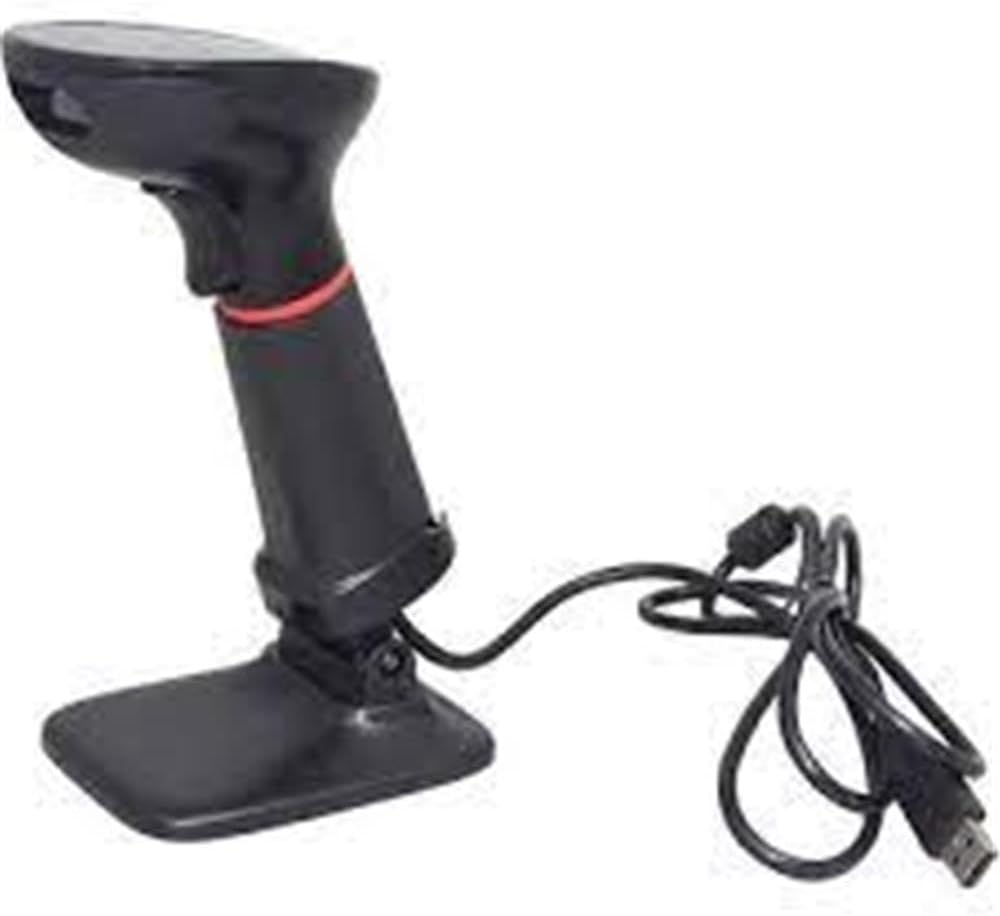
Image: The SUNLUX XL3610 barcode reader shown with its stand and connected USB cable, ready for setup.
Uputstvo za upotrebu
The SUNLUX XL3610 is designed for easy and efficient barcode scanning. Here’s how to operate it:
- Skeniranje barkoda:
Point the scanner's window at the barcode you wish to read. Ensure the entire barcode is within the scanner's field of view. Press the trigger button located on the handle. A successful scan will typically be indicated by an audible beep and/or a visual indicator (e.g., LED light). The scanned data will be transmitted to your computer as keyboard input.
- Podržani bar kodovi:
This device supports both 1D (linear) and 2D (matrix) barcodes, including QR codes, Data Matrix, PDF417, and standard 1D codes like EAN, UPC, Code 39, etc.
- Optimalna udaljenost skeniranja:
For best results, hold the scanner at an appropriate distance from the barcode, typically between 5 cm and 20 cm, depending on the barcode size and type.
Održavanje
Proper maintenance will extend the life of your barcode reader:
- čišćenje:
Use a soft, dry, lint-free cloth to clean the scanner's window and exterior. Do not use abrasive cleaners, solvents, or excessive moisture, as these can damage the device.
- Skladištenje:
When not in use, store the scanner in a cool, dry place, away from direct sunlight and extreme temperatures. Avoid dropping or subjecting the device to strong impacts.
- Održavanje kablova:
Do not bend or twist the USB cable excessively. Avoid placing heavy objects on the cable, which could cause damage.
Rješavanje problema
If you encounter issues with your SUNLUX XL3610, refer to the following common problems and solutions:
| Problem | Mogući uzrok | Rješenje |
|---|---|---|
| Scanner not responding / No power | USB kabel nije pravilno spojen ili je USB priključak neispravan. | Provjerite je li USB kabel sigurno priključen i u skener i u računar. Pokušajte s drugim USB priključkom. |
| Barcode not reading | Barcode damaged, poor print quality, incorrect scanning angle, or out of range. | Check the barcode for damage. Adjust the scanning angle and distance. Ensure the barcode type is supported. |
| Skenirani podaci su netačni ili nepotpuni | Partial scan, software configuration issue. | Ensure the entire barcode is scanned. Check your application's input settings. |
Ako problem i dalje postoji nakon isprobavanja ovih rješenja, obratite se korisničkoj podršci.
Specifikacije
- Model: XL3610
- Vrsta: Square Code (2D) USB Handheld Wired Barcode Reader
- Povezivanje: USB Wired
- Podržani bar kodovi: 1D and 2D (e.g., QR Code, Data Matrix, PDF417, EAN, UPC, Code 39)
- Datum prve dostupnosti: 22. januar 2025
- ASIN: B08R29QYS7
- Referenca proizvođača: 850.10.10.0015
Garancija i podrška
For information regarding warranty coverage, technical support, or service, please refer to the warranty card included with your product or visit the official Sunlux webstranica. Također se možete obratiti mjestu kupovine za pomoć.
Kontakt informacije: Please refer to the packaging or the official Sunlux website for the most current contact details for customer support.


