1. Uvod
Thank you for choosing the Symcode 2-in-1 Wireless CCD Barcode Scanner. This device offers both 2.4GHz wireless and USB wired connectivity, providing flexibility for various applications. It is designed for efficient and accurate scanning of 1D barcodes from both printed materials and digital screens. This manual provides detailed instructions on setting up, operating, maintaining, and troubleshooting your barcode scanner.
2. Proizvod je gotovview
2.1 Sadržaj paketa
Prilikom raspakivanja, molimo Vas da provjerite da li su sve dolje navedene stavke prisutne i u dobrom stanju:
- 1 x Symcode CCD Barcode Scanner
- 1 x USB kabl
- 1 x 2.4GHz bežični adapter
- 1 x engleski korisnički priručnik

Figure 2.1: Package Contents of the Symcode Barcode Scanner.
2.2 Komponente skenera
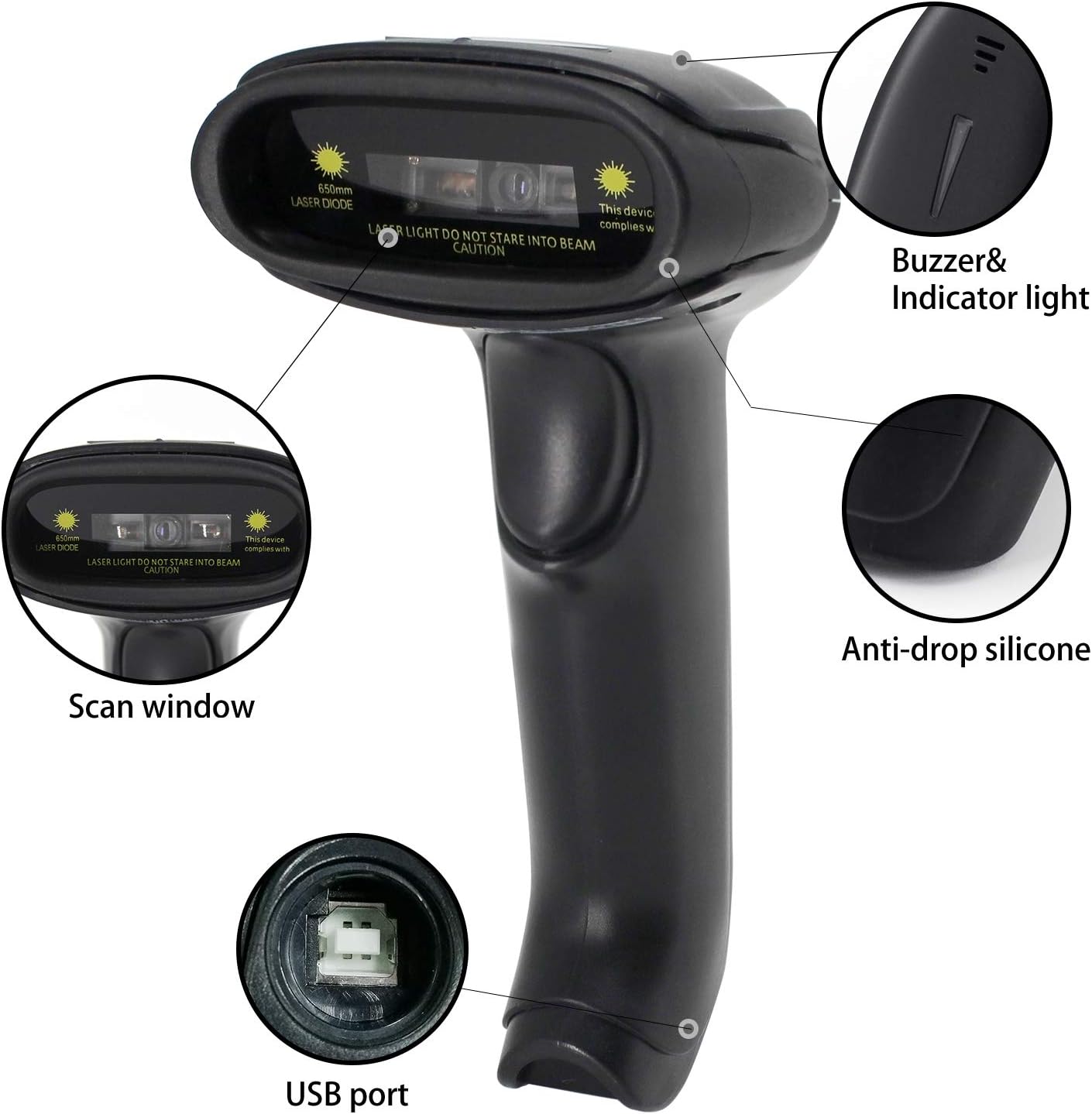
Figure 2.2: Key Components of the Symcode Barcode Scanner.
- Prozor za skeniranje: Area through which the barcode is read.
- Buzzer & Indicator Light: Provides audio and visual feedback for successful scans and status.
- USB port: Za žičanu vezu i punjenje.
- Anti-drop Silicone: Provides protection against accidental drops.
2.3 Dimenzije proizvoda
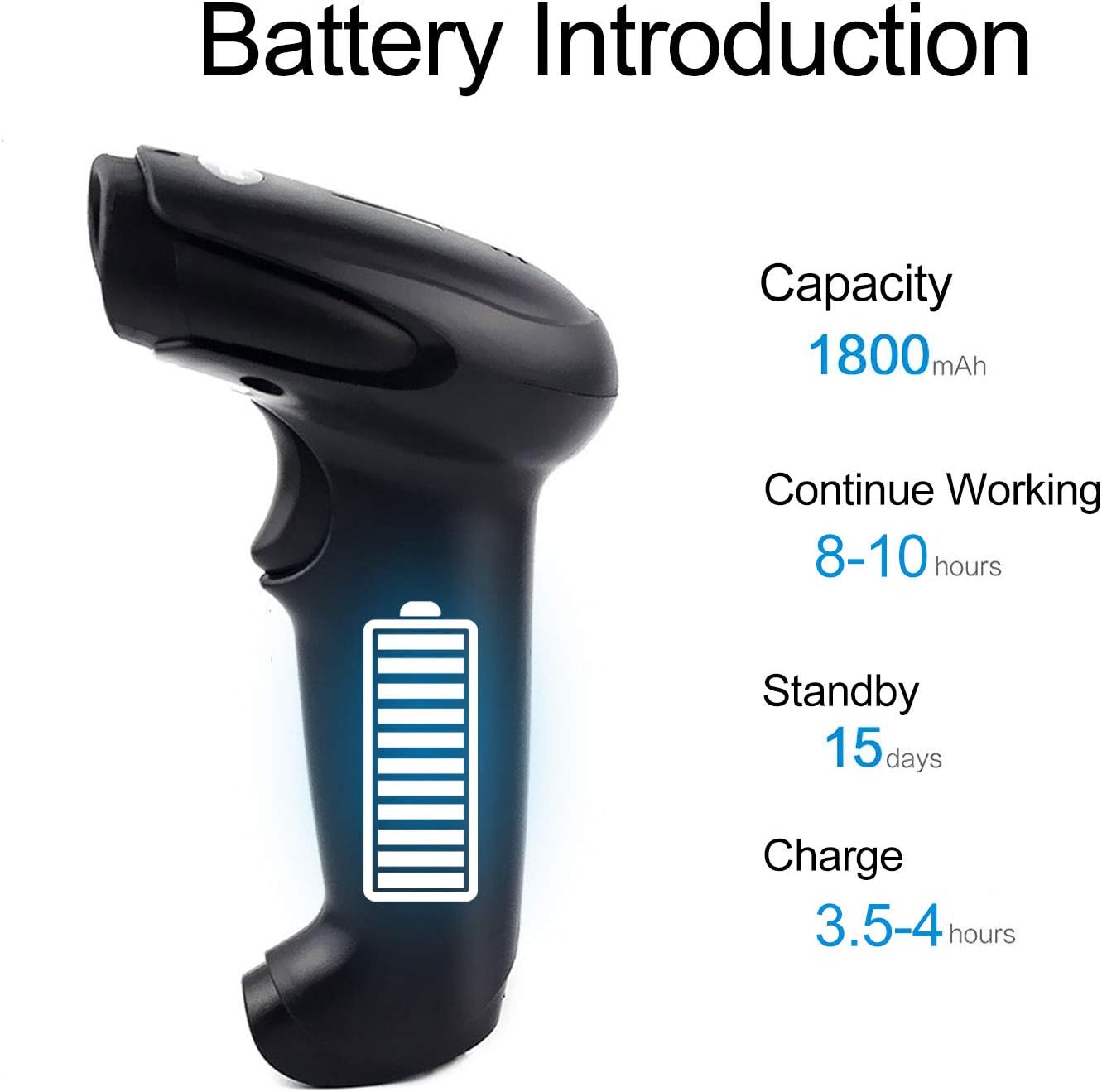
Figure 2.3: Dimensions of the Symcode Barcode Scanner.
3. Podešavanje
3.1 Žičana veza (USB)
- Connect the USB cable to the scanner's USB port.
- Plug the other end of the USB cable into an available USB port on your computer, laptop, or POS machine.
- The scanner is plug-and-play; no additional drivers are required. It will be recognized automatically by Windows, Mac, Android, and Linux systems.
3.2 Wireless Connection (2.4GHz Dongle)
- Insert the 2.4GHz wireless dongle into an available USB port on your computer, laptop, or POS machine.
- Turn on the barcode scanner. It will automatically pair with the dongle.
- The scanner is plug-and-play; no additional drivers are required. It will be recognized automatically by Windows, Mac, Android, and Linux systems.
4. Uputstvo za upotrebu
4.1 Osnovni postupak skeniranja
- Ensure the scanner is powered on and connected (wired or wireless).
- Usmjerite prozor za skeniranje na bar kod koji želite skenirati.
- Press the trigger button (if in trigger mode) or position the scanner over the barcode (if in auto-sense or continuous mode).
- A successful scan will be indicated by a beep and a flash of the indicator light. The barcode data will be transmitted to your connected device.
4.2 Načini skeniranja
The scanner supports three scanning modes:
- Okidačko skeniranje: Press the trigger button to activate the scan beam.
- Auto-sense Scan: Skener automatski detektuje barkod u svom polju view i aktivira snop za skeniranje.
- Kontinuirano skeniranje: The scan beam remains continuously active, allowing for rapid scanning without pressing the trigger.
Refer to the included user manual (physical copy) for instructions on how to switch between these scanning modes. If you encounter difficulties, please contact Symcode customer support.
4.3 Podržane vrste barkodova
This CCD barcode scanner is designed to read 1D barkodova, whether printed on paper or displayed on digital screens. It does not support 2D barcodes (e.g., QR codes).
Supported 1D barcode symbologies include: EAN-8, EAN-13, Codabar, CODE11, CODE 39, CODE 93, CODE128, China Post, GS1-128, GS1 Limited, GS1 Omnidirectional, UPC-A, UPC-E, ISBN/ISSN, ISBT, Interleaved 2 of 5, Matrix 2 of 5, Industrial 2 of 5, 2 of 5, MSI, Plessey, ITF14.

Figure 4.1: Scanning a barcode from a digital screen.
5. Informacije o bateriji
The Symcode barcode scanner is equipped with a high-capacity rechargeable battery for extended operation.

Slika 5.1: Specifikacije baterije.
- Kapacitet: 1800 mAh
- Kontinuirano radno vrijeme: 8 do 10 sati
- Vrijeme pripravnosti: 15 dana
- Vrijeme punjenja: 3.5 do 4 sati
To charge the scanner, connect it to a USB power source using the provided USB cable. The indicator light will show charging status.
6. Bežično povezivanje
The 2.4GHz wireless connection provides reliable data transmission over a significant range.
- Transmission Distance (Indoor): 15-30 meters (in crowded indoor environments)
- Transmission Distance (Outdoor): 30-100 meters (in open outdoor environments)

Figure 6.1: Wireless Transmission Range.
6.1 Načini rada
The scanner supports two primary operating modes for data handling:
- Normalni način rada: Data is transferred immediately after each scan.
- Način pohrane: Barcode data is stored internally in the scanner's 16MB memory (capable of storing over 50,000 barcode entries). Data can then be uploaded to the connected device by scanning a specific setting code. This mode is useful for inventory taking or when out of wireless range.
7. Barcode Programming
The Symcode barcode scanner is programmable, allowing customization of its output and behavior. These settings are typically configured by scanning specific programming barcodes found in the full user manual.
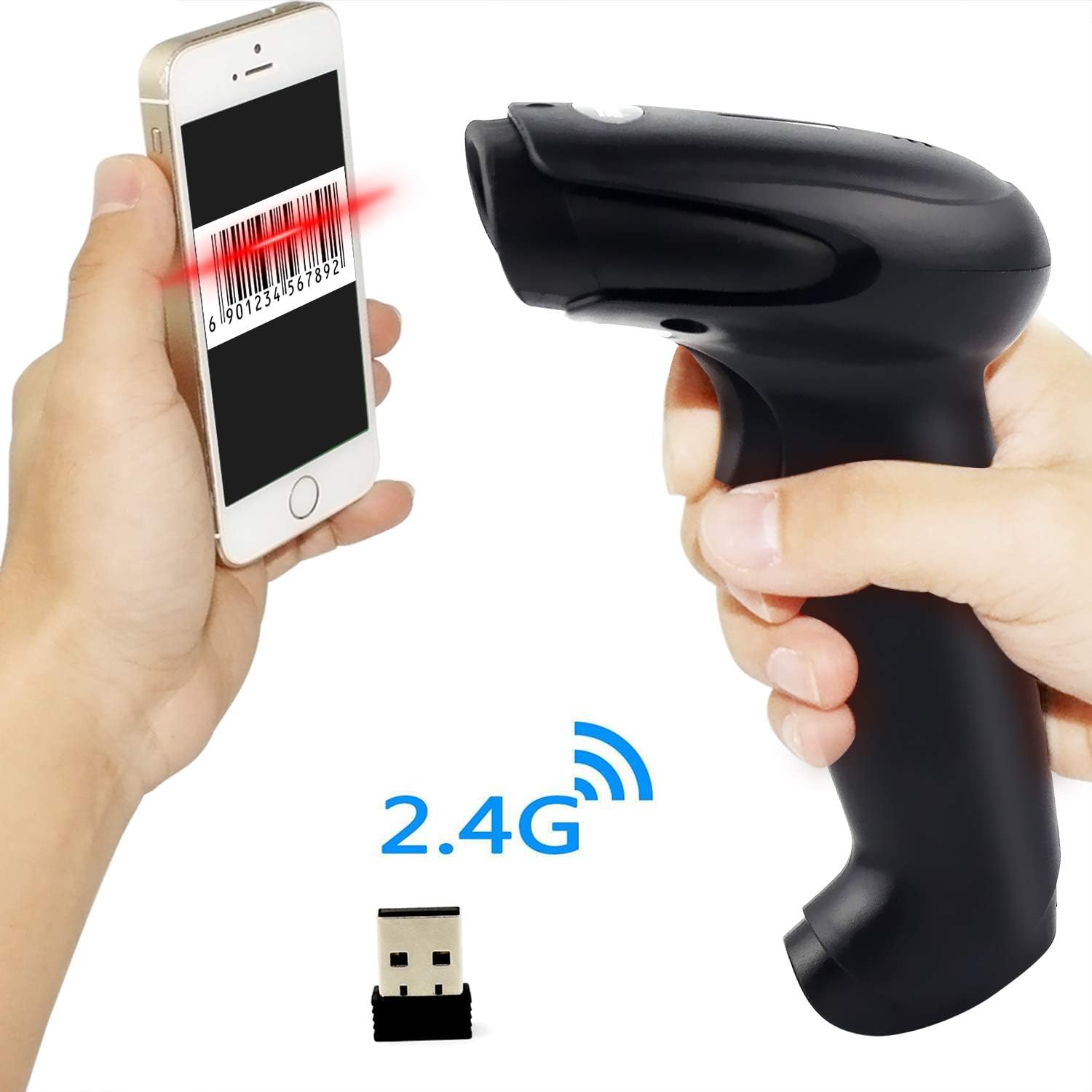
Figure 7.1: Barcode Programming Capabilities.
Programmable features include:
- Konverzija slučaja: Adjusting output to uppercase or lowercase.
- Podešavanje jačine zvuka: Changing the sound level of the buzzer.
- Terminator Setting: Adding a specific character (e.g., Enter, Tab) after each scanned barcode.
- Prefix or Suffix Setting: Adding custom characters before or after the scanned data.
- Character Manipulation: Adding or masking specific characters within the barcode data.
For detailed programming instructions, please refer to the comprehensive programming guide included with your scanner or contact Symcode support.
8. Održavanje
Pravilno održavanje osigurava dugotrajnost i optimalne performanse vašeg skenera.
- čišćenje: Use a soft, dry cloth to clean the scanner's exterior. For the scan window, use a lint-free cloth lightly dampened with a non-abrasive cleaner. Avoid harsh chemicals or abrasive materials.
- Skladištenje: Čuvajte skener na hladnom i suhom mjestu, dalje od direktne sunčeve svjetlosti i ekstremnih temperatura.
- Održavanje baterije: Avoid fully discharging the battery frequently. If storing for a long period, charge the battery to about 50% and recharge every few months.
9. Otkrivanje problema
Ako naiđete na probleme sa skenerom, pogledajte sljedeće uobičajene probleme i rješenja:
| Problem | Mogući uzrok / rješenje |
|---|---|
| Skener se ne uključuje. | Battery is low or depleted. Charge the scanner for 3.5-4 hours. |
| Skener ne skenira barkodove. |
|
| Nijedan podatak nije prenesen na računar. |
|
| Scanner beeps continuously or behaves erratically. | The scanner might be in an incorrect setting mode. Refer to the full user manual for factory reset instructions or contact support. |
If the problem persists after trying these solutions, please contact Symcode customer support for further assistance.
10. Specifikacije
| Parametar | Vrijednost |
|---|---|
| Izvor svjetlosti | 632nm Visible LED Light |
| Režim skeniranja | Trigger / Auto-sense / Continuous |
| Rezolucija | ≥ 4 mil / 0.1mm @ PCS90% |
| Procesor | ARM32-bit |
| Brzina skeniranja | 200 skeniranja/sek |
| Dubina polja | 40-500 mm |
| Indikator | LED i zujalica |
| Print Contrast | ≥ 30% |
| Operating Voltage | DC 3.3V-5V |
| Kapacitet baterije | 1800 mAh |
| Kontinuirani rad | 8-10 sata |
| Vrijeme pripravnosti | 15 dana |
| Vrijeme punjenja | 3.5-4 sata |
| Wireless Transmission (Indoor) | 15-30 metara |
| Wireless Transmission (Outdoor) | 30-100 metara |
| Kapacitet pohrane | 16MB (over 50,000 barcode entries) |
| Radna temperatura | -20 ℃ to 50 ℃ (-4 ℉ to 122 ℉) |
| Temperatura skladištenja | -40 ℃ to 70 ℃ (-40 ℉ to 158 ℉) |
| Vlažnost | 5% do 95% (bez kondenzacije) |
| Ambient Brightness | Max 100,000 luksa |
| Podržani OS | Windows, Mac, Android, Linux |
11. Garancija i podrška
The Symcode barcode scanner comes with a 180-dnevna garancija od datuma kupovine, pokrivajući proizvodne nedostatke i kvarove pri normalnoj upotrebi. Molimo sačuvajte dokaz o kupovini za reklamacije u slučaju reklamacije.
For technical support, warranty service, or any questions regarding your product, please contact Symcode customer service through the platform where you purchased the product or refer to the contact information provided in the physical user manual.


