1. Uvod
This manual provides essential information for the safe and efficient operation of your iFFALCON 32F2A 32-inch HD Ready Android Smart LED TV. Please read these instructions thoroughly before using the television and retain them for future reference.
The iFFALCON 32F2A is an 80 cm (32 inches) HD Ready Android Smart LED TV designed to offer a comprehensive entertainment experience. It features a 720p resolution display, integrated Android operating system, and smart functionalities like Google Assistant and Chromecast built-in.
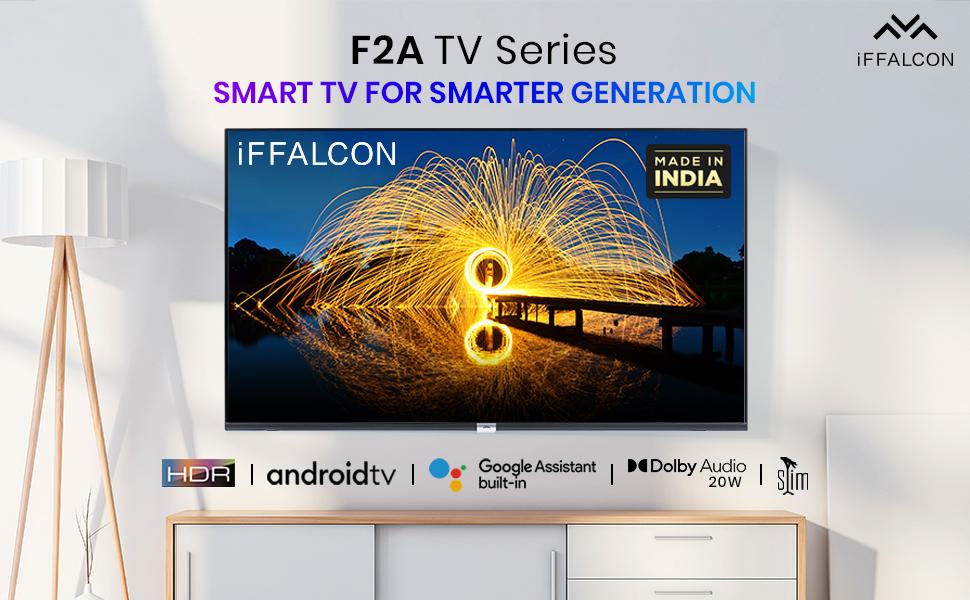
Slika 1.1: Prednja strana view of the iFFALCON 32F2A Smart LED TV displaying the Android TV interface, alongside icons representing key features such as HDR, Android TV, Google Assistant, Micro Dimming, IPQ Engine, Chromecast built-in, AI, and Dolby Audio with 20W speakers.
2. Šta se nalazi u kutiji
Verify that all components are present and undamaged upon unpacking your new television.
- 1 x iFFALCON 32F2A LED TV
- 1 x Postolje za sto
- 1 x Uputstvo za upotrebu
- 1 x Garantni list
- 1 x daljinski upravljač
- 2 x AAA baterije (za daljinski upravljač)
3. Podešavanje
3.1 Raspakivanje i postavljanje
Carefully remove the TV from its packaging. It is recommended to have two people for this process. Place the TV on a stable, flat surface or mount it securely on a wall.
3.2 Pričvršćivanje postolja za sto
- Postavite televizor ekranom prema dolje na meku, čistu površinu kako biste spriječili ogrebotine.
- Poravnajte baze postolja sa odgovarajućim utorima na donjoj strani televizora.
- Secure the stand bases using the provided screws. Ensure they are tightened firmly.
3.3 Montiranje na zid (opciono)
If you choose to wall mount your TV, please note that the wall mount bracket is not included and must be purchased separately. Follow the instructions provided with your wall mount kit and ensure professional installation for safety.
3.4 Povezivanje vanjskih uređaja
Your iFFALCON 32F2A TV offers various connectivity options:
- HDMI portovi: Povežite Blu-ray plejere, igraće konzole ili set-top box uređaje.
- USB port: Spojite USB uređaje za pohranu podataka za reprodukciju medija.
- Ethernet priključak: Za žičanu internet vezu.
- Priključak za slušalice: Za privatno slušanje.
3.5 Priključak za napajanje
Connect the power cord to the TV's power input and then to a suitable AC power outlet (240 Volts, 50 Watts). Ensure the power cable is securely connected.
3.6 Početno uključivanje i čarobnjak za podešavanje
After connecting power, press the power button on the TV or remote control. The TV will guide you through the initial setup wizard, including language selection, network connection (Wi-Fi or Ethernet), Google account sign-in, and channel scanning.

Image 3.1: A diagram illustrating the physical dimensions of the iFFALCON 32F2A TV, including screen size (32 inches / 79.97 cm diagonal), width (73.20 cm / 29 inch), height (48.20 cm / 19 inch), and depth (17.30 cm / 6.9 inch).
4. Uputstvo za upotrebu
4.1 Daljinski upravljač
The provided remote control allows you to navigate the TV's interface and access various functions. Insert the two AAA batteries (included) into the remote control, ensuring correct polarity.
- Dugme za napajanje: Uključuje ili isključuje TV.
- Navigacijski gumbi: Use the directional pad and OK button to move through menus.
- Volumen +/-: Podešava nivo jačine zvuka.
- Kanal +/-: Mijenja TV kanale.
- Dugme za početnu stranicu: Povratak na početni ekran Android TV-a.
- Dugme za povratak: Vraća se na prethodni ekran.
- Dugme Google asistenta: Aktivira glasovnu kontrolu.
- Netflix dugme: Direct access to Netflix.
- Amazon Prime Video Button: Direct access to Amazon Prime Video.
- Zee5 Button: Direct access to Zee5.
- TCL Channel Button: Direct access to TCL channel.

Image 4.1: The smart remote control for the iFFALCON TV, highlighting the Google Assistant button and a dedicated hotkey for Netflix for quick access.
4.2 Interfejs Android TV-a
Your TV runs on Android 9, providing access to a wide range of apps and services. The home screen displays recommended content, installed applications, and input sources.
- aplikacije: Access pre-installed applications like Netflix, YouTube, Prime Video, Disney+Hotstar, Sun NXT, and Zee5. Download more from the Google Play Store.
- Ulazi: Switch between HDMI inputs, USB, and other connected devices.
- Postavke: Customize TV settings such as picture, sound, network, and system preferences.

Image 4.2: The iFFALCON Smart LED TV showcasing its Android TV home screen, featuring prominent app icons for Netflix, YouTube, Prime Video, and other streaming services.

Image 4.3: The iFFALCON Smart LED TV interface, illustrating the availability of popular streaming platforms such as YouTube, Prime Video, Disney+ Hotstar, SonyLIV, Zee5, ALTBalaji, Voot Select, and Eros Now.
4.3 Google Asistent
The built-in Google Assistant allows you to control your TV and smart home devices using voice commands. Press the Google Assistant button on your remote and speak into the microphone.
- Search Content: Say "Play a cartoon movie" or "Traži action films."
- Control TV: Say "Turn up the volume" or "Switch to HDMI 1."
- Get Information: Ask "What's the weather today?" or "How long is Moonlight?"
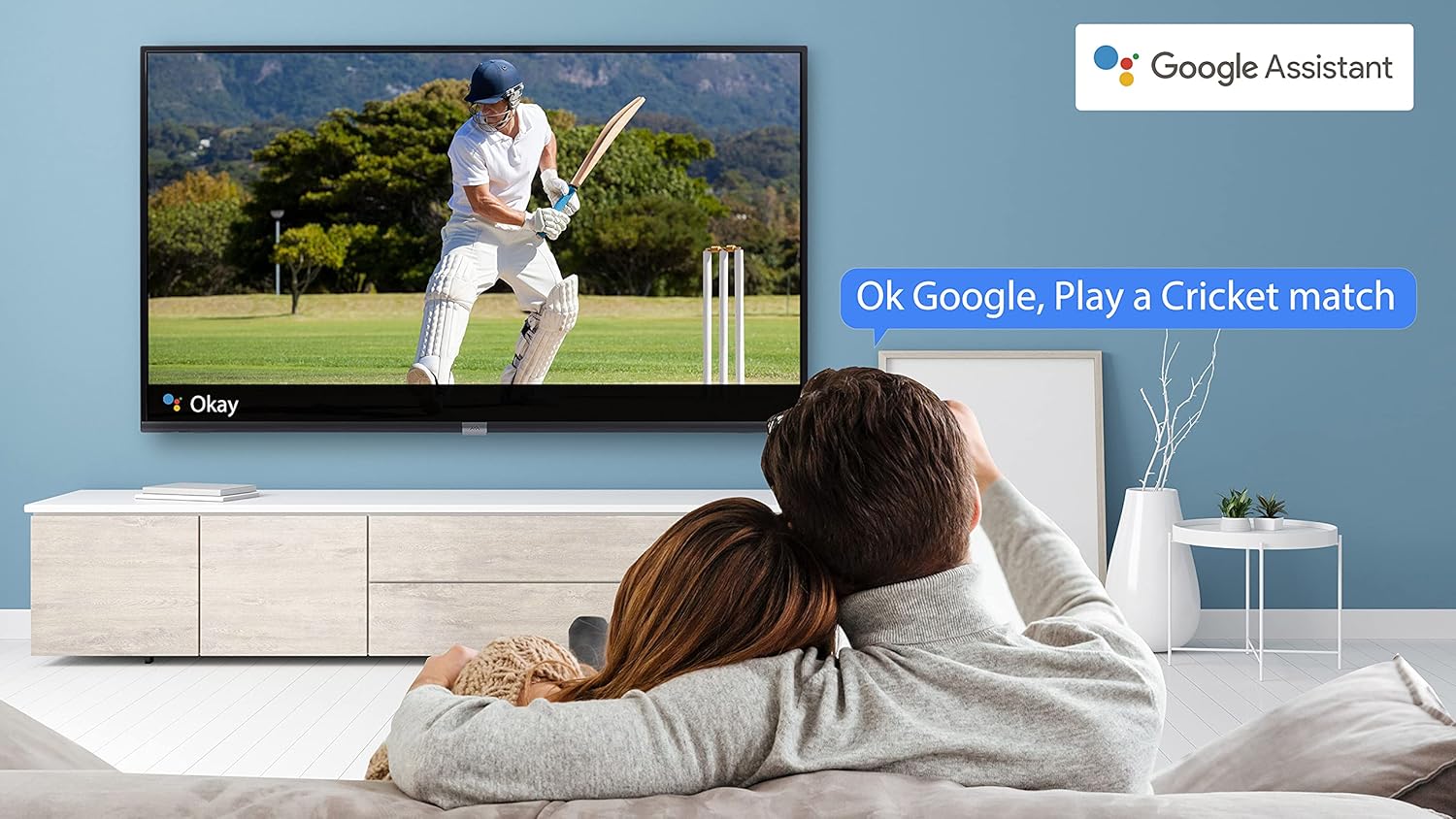
Image 4.4: A couple watching a cricket match on the iFFALCON TV, with a Google Assistant prompt bubble showing "Ok Google, Play a Cricket match," demonstrating voice control functionality.
Image 4.5: The Google Assistant logo, indicating the TV's integrated voice control capabilities.
4.4 Ugrađen Chromecast
Use Chromecast built-in to cast content from your compatible smartphone, tablet, or computer directly to your TV screen. Ensure your device and TV are connected to the same Wi-Fi network.

Image 4.6: A smartphone displaying a car image, with a casting icon indicating that the content is being mirrored to a larger TV screen, demonstrating the Chromecast built-in feature.
5. Ključne karakteristike
5.1 HDR (visoki dinamički raspon)
HDR technology enhances contrast, color accuracy, and brightness, delivering a more lifelike and immersive viewing experience with greater detail in both dark and bright scenes.

Image 5.1: A split-screen comparison showing the visual difference between an image without HDR 10 (left, darker, less vibrant) and with HDR 10 (right, brighter, more detailed, and richer colors).
5.2 Micro Dimming
Micro Dimming analyzes the TV content in hundreds of separate zones to adjust brightness and darkness independently. This results in improved contrast and picture quality, especially in scenes with mixed light levels.

Image 5.2: A split-screen comparison demonstrating the effect of Micro Dimming, with the 'Without Micro Dimming' side appearing less vibrant and the 'With Micro Dimming' side showing enhanced contrast and color saturation in a city night scene.
5.3 IPQ Engine
The IPQ Engine (Image Quality Processing Engine) optimizes picture quality by intelligently adjusting brightness, color range, and contrast, ensuring a more vivid and accurate display.

Image 5.3: A visual representation of the IPQ Engine, highlighting its 'High Brightness Precision Control Technology' and 'Intelligent Color Range Control Technology' for optimized picture quality.
5.4 Dolby Audio
Experience rich, clear, and powerful sound with Dolby Audio. This technology enhances the audio output, providing an immersive listening experience for movies, music, and games.

Image 5.4: The Dolby Audio logo, signifying enhanced sound quality and an immersive audio experience.
5.5 Smart Volume
Smart Volume automatically adjusts the sound level to prevent sudden changes in volume, such as during commercials or when switching channels, ensuring a consistent listening experience.

Image 5.5: An illustration of the Smart Volume feature, showing how it maintains consistent audio levels across different content types, represented by varying sound wave patterns.
5.6 Sportski način rada
Sports Mode optimizes picture and sound settings for sports content, enhancing motion clarity and audio to provide a more engaging viewing experience for live sports.

Image 5.6: A split-screen comparison of a cricket player, showing the 'Without Sports Mode' side with standard clarity and the 'With Sports Mode' side with enhanced motion and detail, indicated by a playback bar.
5.7 Slim Design
The iFFALCON 32F2A features a slim design, allowing it to blend seamlessly into various living spaces and offering a modern aesthetic.

Image 5.7: An illustration emphasizing the slim profile of the iFFALCON TV, with a hand demonstrating its thinness.
6. Održavanje
6.1 Čišćenje ekrana
Nježno obrišite ekran mekom krpom koja ne ostavlja dlačice. Za tvrdokorne mrlje, laganoampOperite krpu vodom ili specijaliziranim sredstvom za čišćenje ekrana. Izbjegavajte upotrebu jakih hemikalija ili abrazivnih materijala.
6.2 Čišćenje kućišta
Obrišite kućište televizora mekom, suhom krpom. Ne koristite tekuća sredstva za čišćenje direktno na kućištu.
6.3 Power Cord Care
Redovno provjeravajte kabel za napajanje da li ima oštećenja. Ne stavljajte teške predmete na kabel niti ga izlažite prekomjernoj toplini.
7. Otkrivanje problema
Ako imate problema s televizorom, pogledajte sljedeće uobičajene probleme i rješenja:
| Problem | Mogući uzrok | Rješenje |
|---|---|---|
| Nema struje | Kabel za napajanje isključen, problem sa utičnicom | Ensure power cord is securely plugged in. Check if the power outlet is working. |
| Nema slike, ali je zvuk prisutan | Neispravan ulazni izvor, neispravan kabel | Verify the correct input source is selected. Check HDMI/AV cable connections. |
| Nema zvuka, ali je slika prisutna | Volume muted or too low, audio settings issue | Povećajte jačinu zvuka. Provjerite postavke audio izlaza u TV meniju. |
| Daljinski upravljač ne radi | Prazne baterije, prepreka, daljinski upravljač izvan dometa | Zamijenite baterije. Uklonite prepreke između daljinskog upravljača i TV-a. Provjerite je li daljinski upravljač unutar radnog dometa. |
| Nije moguće povezati se na Wi-Fi | Incorrect password, router issue, TV too far from router | Re-enter Wi-Fi password. Restart router. Move TV closer to router or use Ethernet. |
Ako problem i dalje postoji nakon isprobavanja ovih rješenja, obratite se korisničkoj podršci.
8. Specifikacije
Detailed technical specifications for the iFFALCON 32F2A Smart LED TV:
| Feature | Specifikacija |
|---|---|
| Brand | iFFALCON |
| Naziv modela | 32F2A |
| Veličina ekrana | 32 inča (80 cm) |
| Display Technology | LED, panel A+ klase |
| Rezolucija | HD Ready (1366 x 768 piksela) |
| Refresh Rate | 60 Hz |
| Viewing Angle | 178 stepeni |
| Image Aspect Ratio | 16:9 |
| Odnos kontrasta slike | 3000:1 |
| Operativni sistem | Android |
| Veličina instalirane RAM memorije | 1 GB |
| Digital Storage Capacity | 8 GB |
| Grafički koprocesor | Mali470x2 |
| Audio Wattage | 16 Watts |
| Surround zvuk zvučnika | Dolby Audio |
| Tehnologija povezivanja | Wi-Fi, Ethernet, HDMI, USB |
| Ukupni USB portovi | 1 |
| Izvor napajanja | AC |
| Voltage | 240 Volts |
| Wattage | 50 Watts |
| Dimenzije proizvoda | 48.2 x 73.2 x 18.3 cm |
| Težina artikla | 3.9 kg |
9. Garancija i podrška
Your iFFALCON 32F2A TV comes with a warranty. Please refer to the included Warranty Card for detailed terms and conditions, including the warranty period and coverage.
For technical assistance, service requests, or further inquiries, please visit the official iFFALCON support website or contact their customer service helpline. Contact information can typically be found on the Warranty Card or the manufacturer's official website.


