Uvod
The Inrico T526 is a robust network radio designed for global communication, leveraging 4G cellular networks and Wi-Fi for extensive coverage. It offers advanced features such as GPS, Bluetooth, and programmable buttons, making it suitable for professional use in various environments. This manual provides essential information for setting up, operating, and maintaining your T526 network radio.
Šta je u kutiji
Upon unboxing your Inrico T526, please verify that all the following components are present:
- Inrico T526 Network Radio
- Antena
- Battery (5000mAh Lithium Ion)
- Ugradbeni punjač
- USB Lead
- Utikač
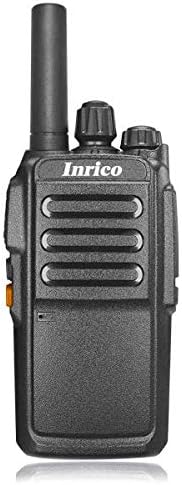
Slika: Front view of the Inrico T526 Network Radio, showing its compact design and antenna.
Ključne karakteristike
- Intercom globally via cellular data card
- Guard Patrol function mapping capability
- Integrated WIFI and Bluetooth support
- GPS functionality for location services
- Exceptional audio output for clear communication
- Programmable buttons for emergency or quick access functions
- High-capacity 5000mAh battery for extended operation
Setup
1. Ugradnja i punjenje baterije
- Provjerite je li radio isključen.
- Otvorite poklopac pretinca za baterije na stražnjoj strani radija.
- Umetnite litijum-jonsku bateriju od 5000 mAh, pazeći da su kontakti pravilno poravnati.
- Čvrsto zatvorite poklopac odeljka za baterije.
- Place the radio into the drop-in charger. Connect the USB lead to the charger and the power plug to a wall outlet.
- Charge the battery fully before first use. The charging indicator light will change when charging is complete.
2. Priključak antene
Zavrnite priloženu antenu u smjeru kazaljke na satu u konektor antene na vrhu radija dok ne bude čvrsto pričvršćena prstima. Nemojte previše zatezati.
3. Instalacija SIM kartice (opciono)
The T526 operates on cellular data. If using a SIM card for network connectivity, carefully insert it into the designated SIM card slot, usually located under the battery or on the side. Refer to the radio's internal markings for correct orientation.
Uputstvo za upotrebu
1. Uključivanje/isključivanje
- To power on: Press and hold the Power button (usually located on the side or top) until the radio powers on.
- To power off: Press and hold the Power button until the power-off prompt appears, then confirm.
2. Podešavanje jačine zvuka
Rotate the volume knob (typically on the top) clockwise to increase volume and counter-clockwise to decrease volume.
3. Funkcija pritisni-za-govor (PTT)
To transmit, press and hold the PTT button (large button on the side). Speak clearly into the microphone. Release the PTT button to listen.
4. Mrežna povezanost
- Mobilni podaci: Ensure a valid SIM card with an active data plan is installed. The radio will automatically connect to the available 4G network.
- Wi-Fi: Navigate to the Wi-Fi settings in the radio's menu. Select your desired Wi-Fi network and enter the password if required.
5. Osnovne funkcije
The T526 supports basic functions such as group calls, individual calls, GPS tracking, Wi-Fi, and Bluetooth connectivity. Specific operation details for these functions can be found in the radio's on-screen menu or by referring to the detailed application software manual.

Image: Diagram illustrating the T526's radio features, technical specifications, and system functions, including network bands, memory, platform, and battery capacity.
Održavanje
1. Čišćenje
Obrišite površinu radija mekom krpomamp cloth. Do not use harsh chemicals or abrasive cleaners. Ensure the radio is powered off and dry before cleaning.
2. Održavanje baterije
- Izbjegavajte često potpuno pražnjenje baterije.
- Radio i bateriju čuvajte na hladnom i suhom mjestu kada ih ne koristite duži period.
- Use only the original Inrico charger and battery.
3. Antenna Care
Ensure the antenna is securely attached. Avoid bending or forcing the antenna, as this can damage the connector or affect signal quality.
Rješavanje problema
| Problem | Mogući uzrok | Rješenje |
|---|---|---|
| Radio se ne uključuje. | Baterija je slaba ili nije pravilno instalirana. | Potpuno napunite bateriju. Vratite bateriju, pazeći na pravilan kontakt. |
| Nema mrežnog signala. | No SIM card, no data plan, or out of network coverage. | Ensure SIM card is installed and active. Move to an area with better cellular coverage. Check Wi-Fi connection. |
| Loš kvalitet zvuka. | Low volume, weak signal, or microphone/speaker obstruction. | Adjust volume. Check network signal strength. Ensure microphone and speaker are clear of debris. |
| Dugmad ne reagiraju. | Software glitch or radio frozen. | Attempt a soft reset (power off and on). If persistent, remove and reinsert battery. |
Tehničke specifikacije
| Feature | Specifikacija |
|---|---|
| Mrežna podrška | 4G: TDD B38/B40/B41, FDD-LTE B1/B3/B5/B7/B20 |
| Proširena memorija | 512MB RAM + 4GB ROM |
| Platforma | MT6737M |
| Operativni sistem | Android 6.0 |
| Speaker + Mic | Diameter of 40 big trumpet |
| Utičnica za slušalice | 3.5mm |
| GPS | Podržano |
| Kapacitet baterije | 5000mAh |
| Dimenzije (D*Š*V) | 106*56*33mm |
| Težina | ~220g |
| Power Voltage | 7.4 Volts |
| Tehnologija tjunera | UHF |
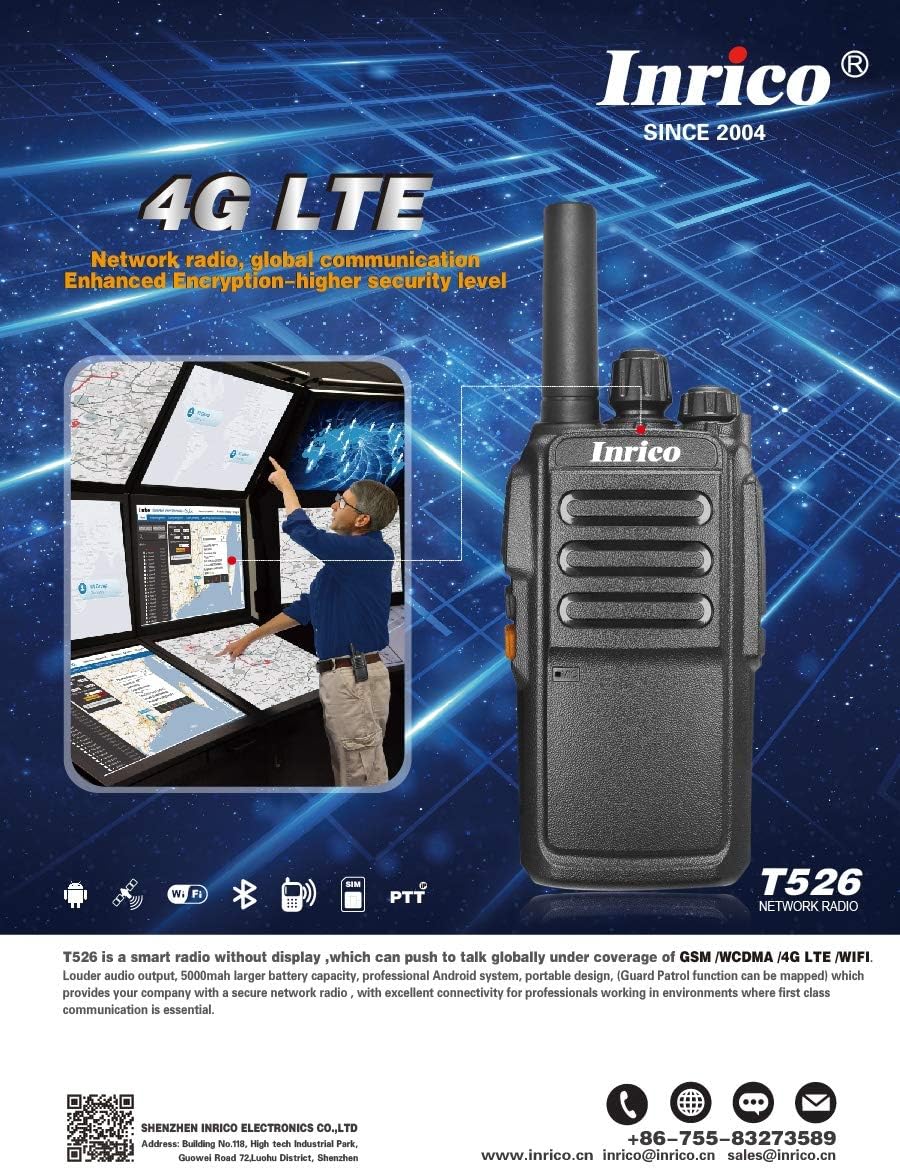
Image: Promotional image highlighting the Inrico T526's 4G LTE capabilities and showing an application schematic for network radio convergence.
Garancija i podrška
Inrico products are designed for reliability and performance. For warranty information, technical support, or service inquiries, please contact Inrico directly. Keep your purchase receipt as proof of purchase.
Kontakt informacije:
- Webstranica: www.inrico.cn
- Email: sales@inrico.cn
- Telefon: +86-755-83273589
- Dodatni resursi: http://733597.clewm.net/Fn4pWUL


