Uvod
This manual provides comprehensive instructions for the safe and efficient operation of your InFocus IN119BB Multimedia Projector. Please read this manual thoroughly before using the projector and retain it for future reference.
The InFocus IN119BB projector is designed for versatile use, offering a very long lamp life, high brightness, and extensive connectivity options. Its compact and lightweight design ensures ease of portability and installation.
Sigurnosne informacije
Uvijek se pridržavajte sljedećih sigurnosnih mjera opreza kako biste spriječili požar, strujni udar ili ozljede:
- Ne blokirajte otvore za ventilaciju.
- Ne izlažite projektor kiši ili vlazi.
- Sav servis prepustite kvalifikovanom serviseru.
- Izbjegavajte gledanje direktno u sočivo projektora kada je lamp je uključen.
- Osigurajte pravilno uzemljenje kabla za napajanje.
Product Overview
Komponente i kontrole
Familiarize yourself with the main components and controls of your InFocus IN119BB projector.

Slika 1: Ugao view of the InFocus IN119BB projector, showing the lens, ventilation grilles, and top panel controls.

Slika 2: Front view of the InFocus IN119BB projector, highlighting the main projection lens.

Slika 3: Ugao od vrha prema dolje view of the InFocus IN119BB projector, showing the control panel layout.

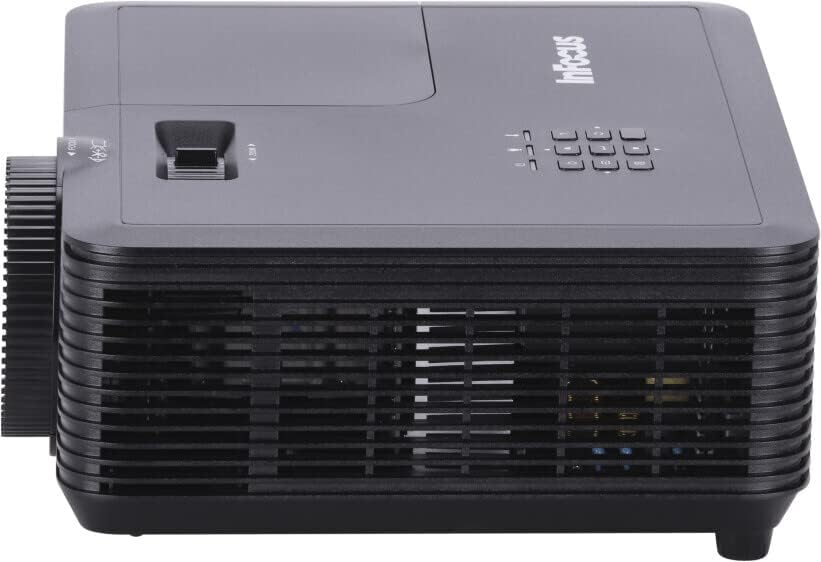
Slika 4: Side view of the InFocus IN119BB projector, illustrating its compact profile.
Slika 5: Pozadi view of the InFocus IN119BB projector, displaying all available input and output ports including HDMI, VGA, S-Video, and audio connections.
Setup
Plasman
Choose a stable, flat surface for the projector. Ensure adequate ventilation around the unit. For optimal image quality, position the projector perpendicular to the projection surface.
Connecting Power
- Spojite kabel za napajanje na ulaz za napajanje projektora.
- Plug the other end of the power cord into a grounded electrical outlet (240V recommended).
Povezivanje ulaznih izvora
The IN119BB projector supports multiple input sources:
- HDMI: Use an HDMI cable to connect your computer, Blu-ray player, or other HDMI-enabled device to either HDMI 1 or HDMI 2 port.
- VGA: Connect your computer's VGA output to the VGA IN port using a VGA cable.
- S-Video: For older video sources, connect an S-Video cable to the S-VIDEO port.
- audio: Connect external audio devices to the AUDIO IN port. Audio output is available via the AUDIO OUT port.
Uputstvo za upotrebu
Uključivanje/isključivanje
- To power on, press the Power button on the projector or remote control. The power indicator light will turn blue.
- To power off, press the Power button twice. The projector will enter a cooling down cycle before shutting down completely.
Podešavanje slike
- Fokus: Okrećite prsten za fokusiranje na objektivu dok slika ne postane oštra i jasna.
- zumiranje: Adjust the zoom lever next to the lens to change the image size.
- Keystone korekcija: Ako slika izgleda trapezoidno, koristite funkciju korekcije trapezoidnog izobličenja u OSD izborniku da biste sliku poravnali.
Odabir izvora ulaza
Press the "Source" button on the projector's control panel or remote control to cycle through available input sources (HDMI 1, HDMI 2, VGA, S-Video).
On-Screen Display (OSD) meni
Press the "Menu" button to access the OSD menu. Use the arrow keys to navigate and the "Enter" button to select options. Adjust settings such as brightness, contrast, color, and aspect ratio.
Održavanje
Lamp Zamjena
Lamp life of the IN119BB is very long, but eventually, it will need replacement. When the lamp Ako se indikator upali ili slika postane tamna, vrijeme je za zamjenuampPogledajte detaljno lamp replacement guide in the full user manual for specific steps.
Čišćenje projektora
- Objektiv: Koristite meku krpu bez dlačica, posebno dizajniranu za optička sočiva. Ne koristite abrazivna sredstva za čišćenje.
- Casing: Obrišite projektor casing s mekim, damp tkanina. Izbjegavajte korištenje jakih hemikalija.
- Filteri zraka: Regularly check and clean the air filters to ensure proper ventilation and prevent overheating.
Rješavanje problema
| Problem | Mogući uzrok | Rješenje |
|---|---|---|
| Nema prikazane slike | Power cord disconnected; Incorrect input source selected; Lamp problem. | Check power connection; Select correct input source; Replace lamp ako je potrebno. |
| Slika je mutna | Objektiv nije u fokusu; Projektor je preblizu/predaleko od platna. | Adjust focus ring; Reposition projector. |
| Projektor se pregrijava | Začepljena ventilacija; Zaprljan filter za vazduh. | Ensure clear ventilation; Clean air filter. |
Specifikacije
| Feature | Detalj |
|---|---|
| Broj modela | IN119BB |
| Display Technology | DLP |
| Native Resolution | 1280 x 800 (WUXGA) |
| Osvetljenost | 3500 lumena |
| Povezivanje | HDMI (x2), VGA In, VGA Out, S-Video, Audio In, Audio Out, RS232 |
| Napajanje | 240 V, 267 W |
| Dimenzije proizvoda (D x Š x V) | 23.62 x 31.24 x 10.67 cm |
| Težina proizvoda | 2.6 kg (5.5 funti) |
| Form Factor | Prijenosni |
| Preporučena upotreba | Kućno kino |
Garancija i podrška
For warranty information and technical support, please visit the official InFocus webweb-mjesto ili kontaktirajte njihovu korisničku službu. Sačuvajte račun kao dokaz o kupovini.
Online podrška: www.infocus.com/support


