1. Uvod
Hvala na kupoviniasing the SHARP XL-B512 Stereo Sound System. This micro sound system offers a rich 45-watt sound experience with versatile connectivity options including Bluetooth, CD player, USB, and FM radio. Its elegant design with a wooden speaker housing and LED display complements any living space. This manual provides essential information for setting up, operating, and maintaining your device to ensure optimal performance and longevity.
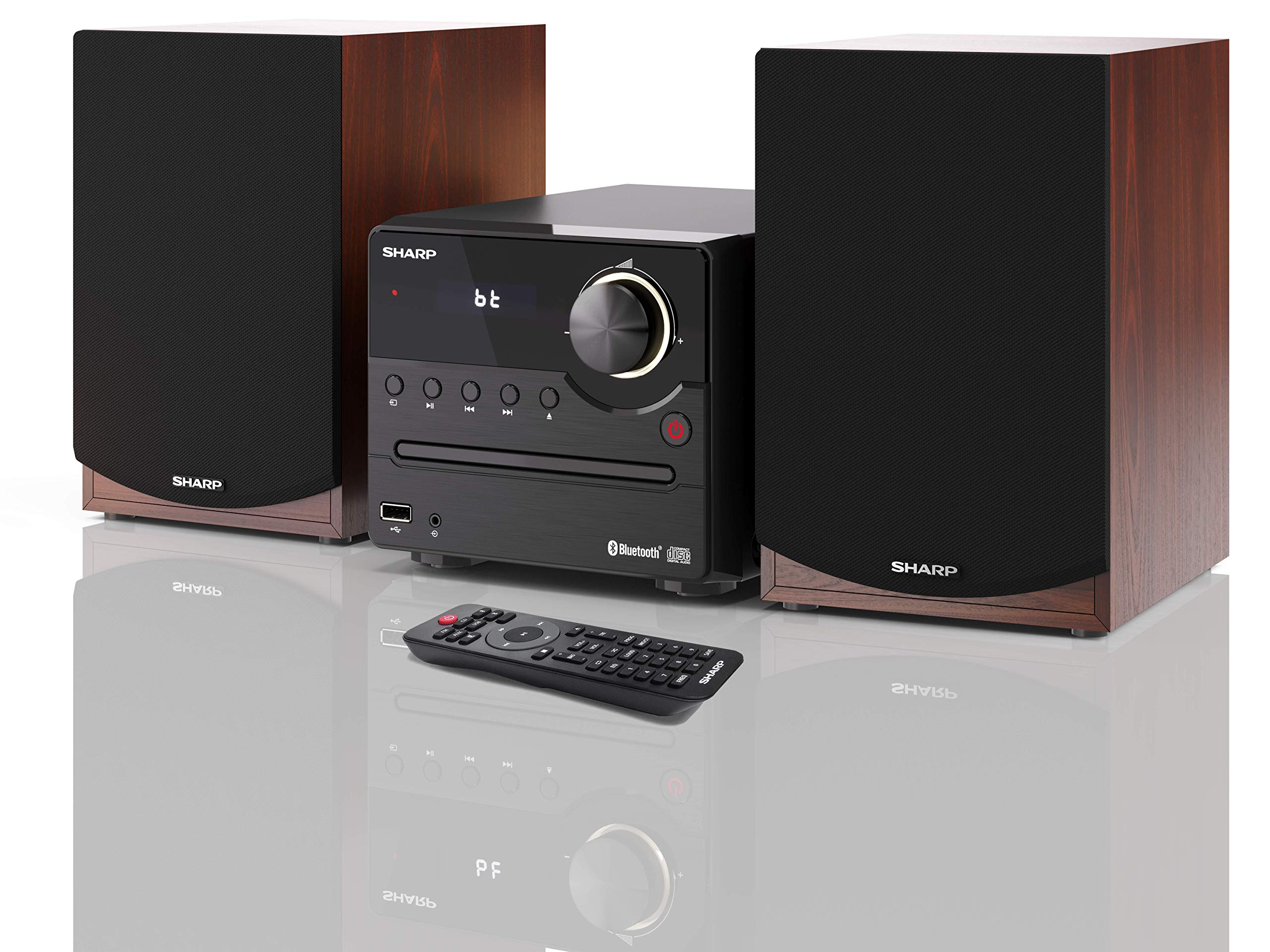
Slika 1: SHARP XL-B512 Stereo Sound System. This image shows the central unit flanked by two wooden-cased speakers, reflecting on a polished surface.
2. Sigurnosne informacije
Molimo vas da pažljivo pročitate sva sigurnosna uputstva prije upotrebe proizvoda. Sačuvajte ovaj priručnik za buduću upotrebu.
- Izvor napajanja: Use only the specified power supply. Ensure the voltage odgovara vašem lokalnom izvoru napajanja.
- ventilacija: Ne blokirajte ventilacijske otvore. Osigurajte dovoljno prostora oko uređaja za pravilan protok zraka.
- Voda i vlaga: Ne izlažite uređaj kiši, vlazi ili kapanju/prskanju tekućina. Ne stavljajte predmete napunjene tekućinom, poput vaza, na uređaj.
- toplina: Držite uređaj dalje od izvora toplote kao što su radijatori, grijalice, peći ili drugi uređaji (uključujući ampLifiers) koji proizvode toplotu.
- čišćenje: Isključite uređaj iz zidne utičnice prije čišćenja. Koristite samo suhu krpu.
- servisiranje: Ne pokušavajte sami servisirati ovaj proizvod. Sve servise prepustite kvalificiranom servisnom osoblju.
3. Sadržaj paketa
Provjerite da li se u vašem paketu nalaze sve dolje navedene stavke:
- SHARP XL-B512 Micro Sound System (Main Unit)
- Two Speakers (with wooden housing)
- Power Cable
- Daljinski upravljač (sa baterijama)
- Uputstvo za upotrebu (ovaj dokument)
- Vodič za brzi početak
4. Podešavanje
4.1 Priključivanje zvučnika
Connect the two speakers to the main unit using the provided speaker cables. Ensure correct polarity (positive to positive, negative to negative) for optimal sound quality.
4.2 Priključak za napajanje
Connect the power cable to the AC IN port on the rear of the main unit, then plug it into a wall outlet.

Slika 2: Rear panel connections. This image displays the back of the central unit with ports for speaker wires and the AC power input, alongside the rear of the two speakers.
4.3 Početno uključivanje
Press the Power button on the main unit or the remote control to turn on the system. The LCD display will illuminate.
5. Uputstvo za upotrebu
5.1 Kontrole na prednjoj ploči

Slika 3: Front panel controls. This close-up shows the central unit's display, volume knob, and various control buttons for playback and source selection.
- Dugme za napajanje: Uključuje ili isključuje jedinicu.
- Tipka Izvor: Cycles through available input sources (CD, FM, Bluetooth, USB, AUX).
- Gumb za jačinu zvuka: Podešava glavni nivo jačine zvuka.
- Kontrole reprodukcije: Play/Pause, Stop, Skip Forward/Backward for CD and USB modes.
- USB port: For connecting USB storage devices for music playback.
- AUX ulaz: 3.5 mm priključak za povezivanje eksternih audio uređaja.
5.2 Reprodukcija CD-a
- Pritisnite Izvor dugme za odabir načina rada 'CD'.
- Open the CD tray by pressing the Eject button.
- Place a CD (CD/CD-R/CD-RW/MP3 format) with the label side up into the tray.
- Close the CD tray. The system will read the disc and begin playback automatically or display track information.
- Use the playback controls (Play/Pause, Stop, Skip) to manage your music.
5.3 FM radio
- Pritisnite Izvor dugme za odabir 'FM' načina rada.
- The system will automatically search for available stations or you can manually tune.
- Da biste sačuvali stanicu kao predefinisanu, podesite željenu stanicu, a zatim pritisnite i držite Preset button (if available on remote) or follow on-screen instructions. The system supports 40 preset memories.
- Koristite Preset Up/Down tipke za navigaciju kroz spremljene stanice.
5.4 Bluetooth uparivanje
- Pritisnite Izvor button to select 'Bluetooth' mode. The display will show 'bt' and flash, indicating it's in pairing mode.
- Na svom mobilnom uređaju omogućite Bluetooth i potražite dostupne uređaje.
- Select 'SHARP XL-B512' from the list of devices.
- Once paired, the 'bt' indicator on the system's display will stop flashing. You can now stream audio from your device.
5.5 Reprodukcija s USB-a
- Umetnite USB uređaj za pohranu podataka u USB priključak na prednjoj ploči.
- Pritisnite Izvor dugme da biste odabrali 'USB' način rada.
- Sistem će automatski detektovati i reprodukovati kompatibilni audio files (MP3).
- Use the playback controls to navigate tracks.
5.6 AUX ulaz
- Connect an external audio device (e.g., smartphone, MP3 player) to the AUX IN jack on the front panel using a 3.5mm audio cable (not supplied).
- Pritisnite Izvor dugme za odabir 'AUX' načina rada.
- Play audio from your connected device. The sound will be output through the SHARP XL-B512 system.
5.7 Postavke ekvilajzera
The system features 6 preset equalizers with independent treble and depth control. Use the EQ button on the remote control or main unit to cycle through the presets and adjust sound to your preference.
6. Održavanje
6.1 Čišćenje jedinice
Wipe the unit with a soft, dry cloth. Do not use abrasive cleaners, waxes, or solvents as they may damage the finish. Ensure the unit is unplugged before cleaning.
6.2 Njega CD-ova
Handle CDs by their edges. Keep them clean and free of scratches. Store CDs in their cases when not in use.
6.3 Briga o zvučnicima
The wooden speaker housing can be cleaned with a soft, dry cloth. Avoid placing heavy objects on the speakers or exposing them to direct sunlight or extreme temperatures.
7. Otkrivanje problema
If you encounter any issues with your SHARP XL-B512 system, refer to the following table for common problems and solutions.
| Problem | Mogući uzrok | Rješenje |
|---|---|---|
| Nema struje | Power cable not connected securely; Power outlet not active. | Provjerite priključak kabela za napajanje; pokušajte s drugom utičnicom. |
| Nema zvuka | Volume too low; Incorrect source selected; Speaker cables disconnected. | Increase volume; Select correct input source; Check speaker cable connections. |
| Bluetooth se ne uparuje | System not in pairing mode; Device too far; Bluetooth disabled on device. | Ensure system is in Bluetooth pairing mode; Move device closer; Enable Bluetooth on your device. |
| CD se ne reproducira | CD inserted incorrectly; CD is dirty or scratched; Incorrect format. | Reinsert CD correctly; Clean CD; Ensure CD is a supported format (CD/CD-R/CD-RW/MP3). |
| Daljinski upravljač ne radi | Baterije su prazne ili nepravilno umetnute; Prepreka između daljinskog upravljača i uređaja. | Zamijenite baterije; Osigurajte ispravan polaritet baterija; Uklonite sve prepreke. |
Ako problem i dalje postoji nakon isprobavanja ovih rješenja, obratite se korisničkoj podršci.
8. Specifikacije
Below are the technical specifications for the SHARP XL-B512 Stereo Sound System:
- Model: XL-B512
- Ukupna izlazna snaga: 45 Watts
- Način audio izlaza: Stereo
- Speaker Output Channel Quantity: 2
- Podržani audio formati: MP3, CD, CD-R, CD-RW
- Tehnologija tjunera: FM PLL Tuner
- FM frekvencijski raspon: 87.5 do 108 MHz
- FM Preset Memory: 40 stanica
- Povezivanje: Bluetooth, USB, Auxiliary (3.5mm)
- Posebne karakteristike: 6 Preset Equalizers, LCD Display with white backlight
- Sound System Dimensions (W x H x D): 17 x 22 x 15 cm
- Speaker Dimensions (W x H x D): 14.5 x 17.7 x 22.3 cm (svaki)
- Težina artikla: 4 kg
- Izvor napajanja: Corded Electric
- daljinski upravljač: Da (baterije uključene)
9. Garancija i podrška
Your SHARP XL-B512 Stereo Sound System comes with a standard manufacturer's warranty. Please refer to the warranty card included in your package for specific terms and conditions, including the warranty period and coverage details.
For technical support, service inquiries, or further assistance, please contact your local SHARP customer service center. Contact information can typically be found on the manufacturer's webweb-mjestu ili u garantnoj dokumentaciji.


