1. Uvod
This manual provides detailed instructions for the Delton 10X Bluetooth Computer Headset. This wireless headset is designed for clear communication and extended use, featuring Bluetooth 5.0 connectivity, a noise-canceling microphone, and a USB dongle for versatile compatibility. Please read this manual thoroughly to ensure proper setup and operation of your device.

Slika 1.1: The Delton 10X Bluetooth Computer Headset and its accompanying USB dongle. This image displays the headset's over-the-head design, single ear cup, adjustable microphone boom, and the compact USB dongle.
2. Sadržaj paketa
Provjerite da li se sve stavke nalaze u vašem paketu:
- Delton 10X Bluetooth Headset
- USB Dongle
- Kabel za punjenje
- Korisnički priručnik (ovaj dokument)
3. Značajke proizvoda
The Delton 10X headset offers a range of features designed for optimal performance and user comfort:
- Bluetooth 5.0 povezivanje: Ensures stable and efficient wireless connection up to 30 feet.
- Mikrofon sa poništavanjem buke: Reduces background noise for clear voice transmission.
- Mikrofon koji se okreće za 270°: Allows for flexible positioning and use on either ear.
- Produženi vijek trajanja baterije: Up to 15 hours talk time, 18 hours play time, and 160 hours standby time.
- Brzo punjenje: Potpuno se puni za otprilike 1.5 sata.
- Adjustable Headband & Plush Ear Cushion: Provides comfort for prolonged wear.
- Ear Gripper T-Pad: Ensures secure fit during movement.
- Univerzalna kompatibilnost: Works with smartphones, tablets, desktop PCs, laptops, and supports iOS and Windows platforms.

Slika 3.1: A visual summary of the Delton 10X headset's key features, including 15 hours talk time, Bluetooth 5.0, adjustable headband, high fidelity sound, noise-canceling mic, rotatable mic, long battery backup, voice assistant support, and plush cushions.
3.1 Performanse baterije
The Delton 10X headset is equipped with a long-lasting battery to support your daily communication needs.
- Vrijeme razgovora: Do 15 sati
- Vrijeme igranja: Do 18 sati
- Vrijeme pripravnosti: Do 160 sati
- Vrijeme punjenja: Približno 1.5 sata
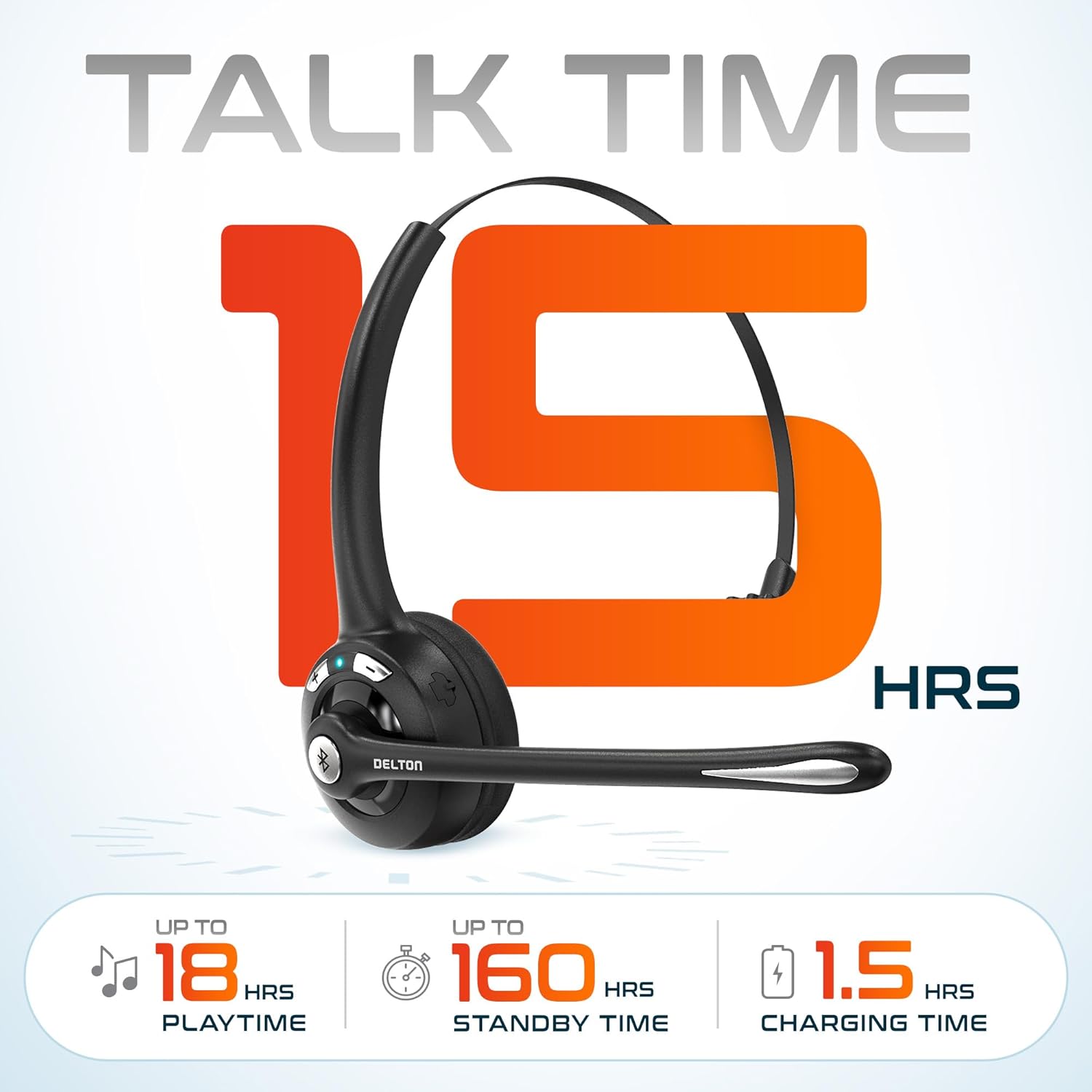
Slika 3.2: An infographic detailing the battery performance of the Delton 10X headset, highlighting 15 hours of talk time, 18 hours of play time, 160 hours of standby time, and a 1.5-hour charging time.
3.2 Napredna tehnologija
The headset incorporates an advanced chipset for seamless connectivity and improved power efficiency.

Slika 3.3: Krupni plan view of the headset's internal components, illustrating the advanced Bluetooth 5.0 chipset. This image emphasizes the technology that reduces outside noise, improves power efficiency, and provides seamless connectivity up to 30 feet.
4. Podešavanje
4.1 Punjenje slušalica
- Connect the provided charging cable to the charging port on the headset.
- Plug the other end of the cable into a USB power source (e.g., computer USB port, wall adapter).
- LED indikator će prikazivati status punjenja. Potpuno punjenje traje otprilike 1.5 sata.
4.2 Uključivanje/isključivanje napajanja
- Za uključivanje: Press and hold the Multi-Function Button (MFB) until the LED indicator flashes blue.
- Za isključivanje: Press and hold the MFB until the LED indicator flashes red and then turns off.
4.3 Bluetooth Pairing (Direct)
To connect the headset directly to a Bluetooth-enabled device (e.g., smartphone, tablet):
- Provjerite jesu li slušalice isključene.
- Press and hold the MFB for approximately 5-7 seconds until the LED indicator flashes red and blue alternately, indicating pairing mode.
- Na svom uređaju omogućite Bluetooth i potražite dostupne uređaje.
- Select "Delton 10X" from the list of found devices.
- Once connected, the LED indicator on the headset will flash blue slowly.
4.4 USB Dongle Connection
For computers without native Bluetooth or for a more stable connection, use the included USB dongle. The dongle provides instant auto-pairing.
- Plug the USB dongle into an available USB port on your computer. The dongle's LED will blink.
- Power on your Delton 10X headset.
- The headset and dongle will automatically pair. The dongle's LED will turn solid blue, and the headset's LED will flash blue slowly once connected.
- Ensure the Delton 10X is selected as the audio input and output device in your computer's sound settings.

Slika 4.1: A visual representation of the USB dongle being inserted into a laptop's USB port. The image highlights the 'Auto-Pair USB Dongle' feature and 'Plug & Play' functionality, indicating no driver installation is required.
4.5 Kompatibilnost
The Delton 10X headset is designed for broad compatibility:
- uređaji: Smartphones, Tablets, Desktop PCs, Laptops.
- Operativni sistemi: iOS, Windows, Linux, Mac.
- Prijave: MS Teams, Zoom, Google Meet, Slack, Skype.

Slika 4.2: Izložba ilustracijaasing the wide compatibility of the Delton 10X headset with various devices, including phones, tablets, iOS & Windows laptops, and desktop computers/iMacs. This emphasizes its versatility across different platforms.
5. Uputstvo za upotrebu
5.1 Kontrole slušalica
The headset features intuitive controls for managing calls and audio playback:
- Višefunkcionalno dugme (MFB):
- Press once to Answer/End Call.
- Press and hold for 2 seconds to Redial.
- Pritisnite jednom za reprodukciju/pauziranje muzike.
- Dugme za pojačavanje zvuka (+):
- Pritisnite jednom da povećate jačinu zvuka.
- Press and hold for 2 seconds for Next Track.
- Dugme za smanjenje jačine zvuka (-):
- Pritisnite jednom da smanjite jačinu zvuka.
- Press and hold for 2 seconds for Previous Track.

Slika 5.1: A detailed diagram of the Delton 10X headset's controls, showing the Volume Down (-), Volume Up (+), and Multi-Function Button (MFB) with their respective functions for call management, track control, and power.
5.2 Korištenje mikrofona
The microphone is designed for clear voice pickup and can be adjusted for optimal positioning.
- Podešavanje mikrofona: The microphone boom can rotate 270 degrees. Position the microphone approximately 1-2 inches from your mouth for best voice clarity.
- Poništavanje buke: The integrated noise-canceling technology helps filter out ambient sounds, ensuring your voice is heard clearly by others.
5.3 Nošenje slušalica
The Delton 10X headset is designed for comfort and can be worn on either ear.
- Podesiva traka za glavu: Extend or retract the headband to fit your head size comfortably.
- Ear Gripper T-Pad: This feature helps secure the headset in place.
- Left or Right Ear: Rotate the microphone boom to position the ear cup on your preferred ear.

Slika 5.2: An image illustrating the comfort and adjustability features of the Delton 10X headset. It shows the adjustable headband, the Ear Gripper T-Pad, the plush ear cushion, and the 270° rotation of the flexible microphone, demonstrating its usability on both left and right ears.
6. Održavanje
Pravilno održavanje osigurava dugotrajnost i optimalne performanse vaših slušalica.
- čišćenje: Za čišćenje slušalica koristite meku, suhu krpu. Za jastučiće za uši, laganoamp cloth can be used, but ensure they are completely dry before use. Avoid harsh chemicals or abrasive materials.
- Skladištenje: Slušalice čuvajte na hladnom i suhom mjestu, dalje od direktne sunčeve svjetlosti i ekstremnih temperatura.
- Održavanje baterije: Da biste produžili vijek trajanja baterije, izbjegavajte često potpuno pražnjenje slušalica. Redovno ih punite, čak i ako ih ne koristite duži period.
- Izbjegavajte vodu: Slušalice nisu vodootporne. Izbjegavajte izlaganje tekućinama.
7. Otkrivanje problema
If you encounter issues with your Delton 10X headset, refer to the following common solutions:
| Problem | Mogući uzrok | Rješenje |
|---|---|---|
| Slušalice se ne uključuju. | Slaba ili nikakva napunjenost baterije. | Punite slušalice najmanje 1.5 sat. |
| Nije moguće uparivanje s uređajem. | Slušalice nisu u načinu rada za uparivanje; Bluetooth isključen na uređaju; uređaj je previše udaljen. | Ensure headset is in pairing mode (flashing red/blue). Turn on device Bluetooth. Move headset closer to device (within 30 feet). Try using the USB dongle. |
| Poor microphone audio quality (others cannot hear me clearly). | Microphone position; computer audio settings; environmental noise. | Adjust the microphone closer to your mouth (1-2 inches). Check your computer's sound settings to ensure the Delton 10X is selected as the input device and microphone volume is adequate. Ensure the noise-canceling mic is facing the correct direction. |
| No sound or low sound from headset. | Headset volume too low; device volume too low; incorrect audio output device. | Increase headset volume using the '+' button. Increase volume on your connected device. Verify that the Delton 10X is selected as the audio output device in your computer's sound settings. |
| Veza često prekida. | Izvan dometa; smetnje. | Ensure you are within 30 feet of the connected device or USB dongle. Minimize obstacles between the headset and device. |
8. Specifikacije
Detailed technical specifications for the Delton 10X Bluetooth Computer Headset:
| Feature | Specifikacija |
|---|---|
| Naziv modela | 10X Monoaural Headset + Dongle |
| Tehnologija povezivanja | Bežično (Bluetooth 5.0) |
| Bluetooth domet | Do 30 stopa |
| Kontrola buke | Sound Isolation (Noise-Canceling Mic) |
| Frekvencijski odziv | 20 Hz - 20,000 Hz |
| Trajanje baterije (vrijeme razgovora) | Do 15 sati |
| Trajanje baterije (vrijeme reprodukcije) | Do 18 sati |
| Trajanje baterije (stanje pripravnosti) | Do 160 sati |
| Vrijeme punjenja | 1.5 sata |
| Priključak za slušalice | USB (za punjenje) |
| Tip kontrole | Call Control, Volume Control, Track Control |
| Težina artikla | 1.5 unce |
| Dimenzije proizvoda | 6 x 6 x 2 inča |
| Materijal | Plastika |
| Postavljanje uha | Over Ear (Monoaural) |
9. Garancija i podrška
For warranty information or technical assistance, please contact Delton customer support. Details can typically be found on the official Delton website or through your purchase documentation. Please retain your proof of purchase for warranty claims.


