1. Uvod
The WAVLINK USB 3.0 Universal Docking Station (Model: UG39DK101-BL) is designed to expand the connectivity of your laptop or desktop computer. It provides a comprehensive solution for connecting multiple peripherals, external displays, and network access through a single USB 3.0 connection to your host device. This manual provides detailed instructions for setup, operation, and troubleshooting to ensure optimal performance.

Image 1.1: WAVLINK USB 3.0 Universal Docking Station, front view.
2. Značajke proizvoda
- Extensive Port Selection: Features 13 ports including 2x USB 3.0, 4x USB 2.0, 1x USB 3.0 IN (for host connection), 1x HDMI, 1x DVI, 1x Gigabit Ethernet, 1x DC Power Jack, 1x Audio Input, and 1x Audio Output.
- High-Resolution Dual Display: Supports dual external monitors. HDMI output supports resolutions up to 2560x1440@50Hz. DVI or VGA (via included adapter) supports resolutions up to 2048x1152@60Hz / 1920x1080@60Hz. When using HDMI + DVI/VGA, resolutions up to 2048x1152@60Hz / 1920x1080@60Hz are supported for extended or mirrored displays.
- Gigabitni Ethernet: Provides a stable and fast wired network connection with support for 10/100/1000Mbps Ethernet via the RJ-45 port.
- Superbrzi prijenos podataka: USB 3.0 ports offer data transfer speeds up to 5Gbps.
- Široka kompatibilnost: Compatible with Windows Vista/7/8/8.1/10/11 and Mac OS 10.2 and later.
- Kompaktan i lagan dizajn: Designed for portability and minimal desk space.
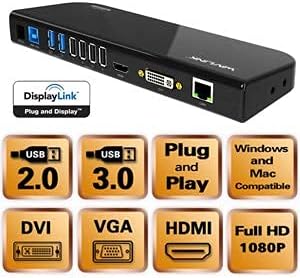
Slika 2.1: Gotovoview of the docking station ports and key features.
3. Sadržaj paketa
Molimo Vas da provjerite da li se u paketu nalaze svi artikli:
- 1x WAVLINK USB 3.0 Universal Docking Station (UG39DK101-BL)
- 1x SuperSpeed USB 3.0 Cable
- 1x DVI-to-VGA Adapter
- 1x adapter za napajanje
- 1x uputstvo za upotrebu
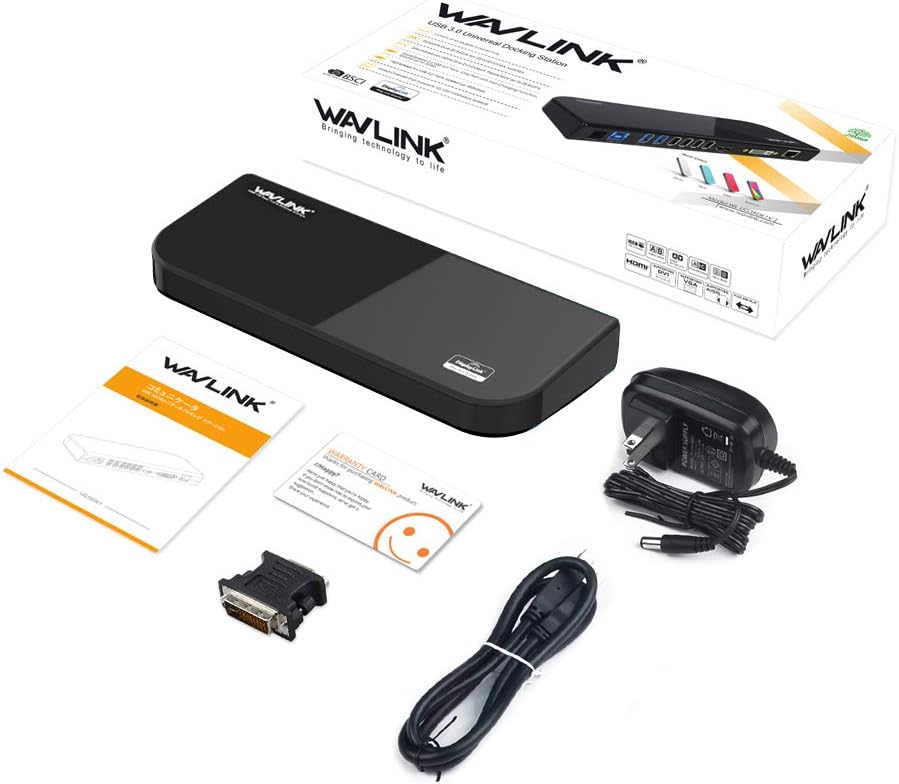
Slika 3.1: Svi artikli uključeni u paket proizvoda.
4. Upute za postavljanje
- Instalirajte drajvere: Before connecting the docking station, ensure that the latest DisplayLink drivers are installed on your computer. These can typically be downloaded from the WAVLINK support website or DisplayLink's official website.
- Priključite napajanje: Connect the provided power adapter to the DC 12V port on the docking station and then plug it into a power outlet.
- Povežite se s host računarom: Use the SuperSpeed USB 3.0 cable to connect the USB 3.0 IN port on the docking station to an available USB 3.0 port on your laptop or desktop computer.
- Povežite periferne uređaje:
- Monitori: Connect your external monitors to the HDMI and/or DVI ports on the docking station. If using a VGA monitor, use the DVI-to-VGA adapter.
- USB uređaji: Connect your USB devices (keyboard, mouse, printer, external drives, etc.) to the available USB 3.0 and USB 2.0 ports.
- Ethernet: Connect an Ethernet cable from your router or modem to the RJ-45 Gigabit Ethernet port on the docking station.
- audio: Connect headphones, speakers, or a microphone to the audio input/output ports as needed.
- Potvrdite vezu: Once all connections are made, your computer should detect the docking station and connected devices. You may need to adjust display settings in your operating system.

Slika 4.1: Detaljno view of the docking station's ports and their labels.
5. Uputstvo za upotrebu
5.1 Načini prikaza
The docking station supports various display modes for external monitors:
- Prošireni način rada: Each monitor displays a different part of your desktop, allowing for increased workspace.
- Mirror Mode (Duplicate Mode): All monitors display the same content as your primary display.
- Primary Mode / Alternate Mode: Use this mode if you are using your laptop with the lid closed, displaying only on external monitors.
You can configure these display settings through your operating system's display settings (e.g., Windows Display Settings or macOS System Preferences > Displays).
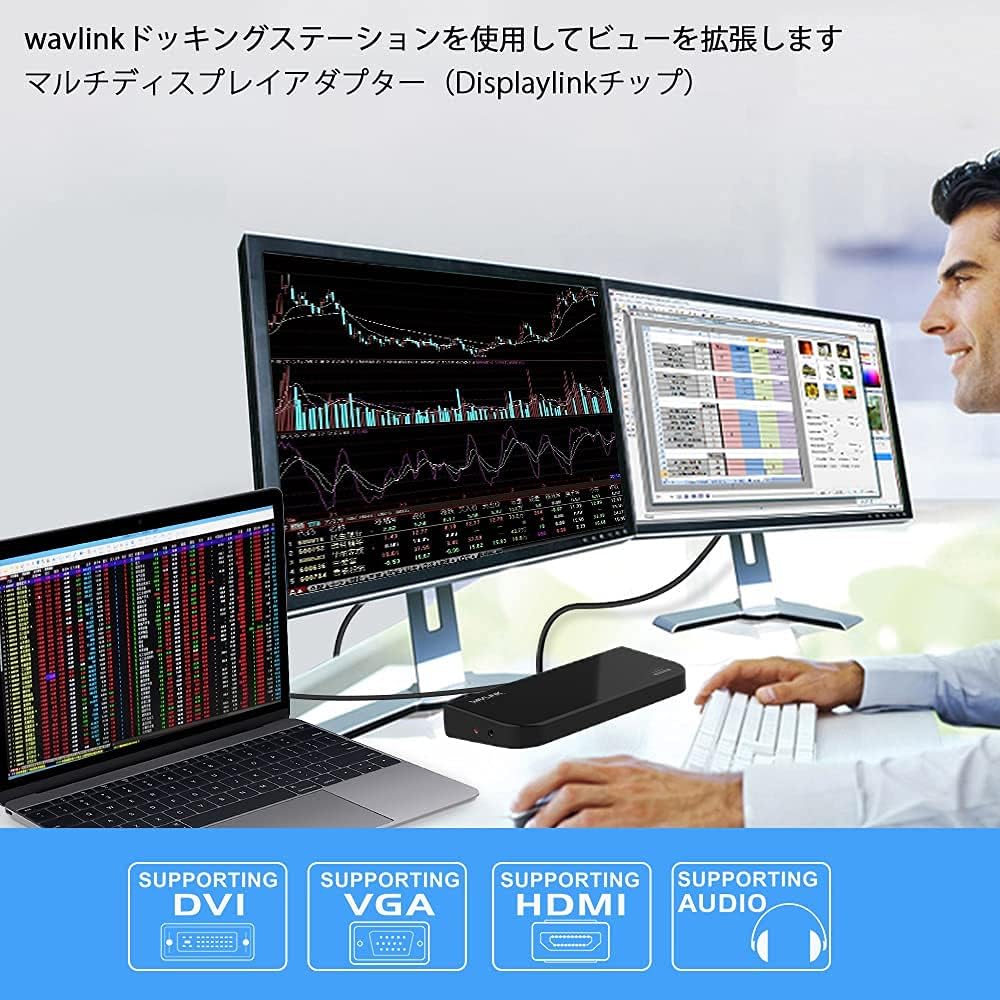
Image 5.1: Illustration of different display modes (Primary, Mirror, Extended).
5.2 Audio konfiguracija
After connecting audio devices to the docking station, you may need to select the docking station as the default audio output/input device in your operating system's sound settings.
5.3 Mrežna povezivost
The Gigabit Ethernet port provides a stable wired network connection. Ensure your network cable is securely connected to the docking station and your network source. Your operating system should automatically detect the network connection.
6. Održavanje
- Držite priključnu stanicu na suhom, dobro prozračenom mjestu, dalje od direktne sunčeve svjetlosti i izvora topline.
- Izbjegavajte izlaganje uređaja vodi ili prekomjernoj vlazi.
- Uređaj čistite mekom, suhom krpom. Ne koristite tekuća ili aerosolna sredstva za čišćenje.
- Ensure cables are not bent or crimped excessively to prevent damage.
- Periodically check for and install updated DisplayLink drivers for optimal performance and compatibility.
7. Otkrivanje problema
- Nema prikaza na vanjskom monitoru:
- Ensure the docking station is powered on and connected to your computer via USB 3.0.
- Verify that the monitor cables (HDMI, DVI, VGA) are securely connected to both the docking station and the monitors.
- Check your computer's display settings to ensure the external monitors are detected and configured correctly (e.g., extended or mirrored).
- Update or reinstall DisplayLink drivers.
- Test the monitors directly with your computer if possible to rule out monitor issues.
- USB uređaji ne rade:
- Ensure the docking station is powered and connected to the host computer.
- Pokušajte spojiti USB uređaj na drugi priključak na priključnoj stanici.
- Connect the USB device directly to your computer to confirm it is functional.
- Nema mrežne veze:
- Verify the Ethernet cable is securely connected to the docking station and your network source.
- Check network settings on your computer.
- Restart your router/modem and the computer.
- Problemi sa zvukom:
- Provjerite da li su audio kablovi pravilno povezani.
- Check your computer's sound settings to ensure the docking station's audio output/input is selected as the default device.
8. Specifikacije
| Feature | Specifikacija |
|---|---|
| Broj modela | UG39DK101-BL |
| Host Connection | USB 3.0 Type-A |
| Video izlaz | 1x HDMI, 1x DVI (with DVI-to-VGA adapter) |
| Max Resolution (HDMI) | 2560x1440@50Hz |
| Max Resolution (DVI/VGA) | 2048x1152@60Hz / 1920x1080@60Hz |
| USB portovi | 2x USB 3.0, 4x USB 2.0 |
| Brzina prijenosa podataka | Do 5Gbps (USB 3.0) |
| Ethernet | RJ-45 Gigabit Ethernet (10/100/1000Mbps) |
| Audio portovi | 1x Audio Input, 1x Audio Output |
| Power Input | DC 12V |
| Kompatibilnost operativnog sistema | Windows Vista/7/8/8.1/10/11, Mac OS 10.2 and later |
| Dimenzije proizvoda | 34.5 x 15.8 x 6 cm |
| Težina proizvoda | 732 g |

Image 8.1: Product dimensions of the WAVLINK docking station.
9. Garancija i podrška
WAVLINK provides a 12-mjesečna garancija for this product, covering manufacturing defects and malfunctions under normal use. We are confident in the design and durability of our products.
If you encounter any issues or have questions regarding the product, please do not hesitate to contact WAVLINK customer support. For the latest drivers, FAQs, and support resources, please visit the official WAVLINK website.
Note: If you are unsure about device compatibility, please contact customer support for assistance.


