
1. Uvod
This manual provides detailed instructions for the setup, operation, and maintenance of your AOC Essential-line Q32E2N monitor. Please read this manual thoroughly before using the product to ensure proper and safe operation.
The AOC Q32E2N monitor features a 31.5-inch VA/SNB panel with QHD (2560 x 1440) resolution, designed for professional use. Key features include a slim 3-sided frameless design, wide 178°/178° viewing angles, built-in speakers, 250 cd/m² brightness, 4ms response time, and automatic source input detection. It also incorporates eye-friendly technologies such as Flicker-Free and Low Blue Mode for enhanced viewudobnost.

Visual representation of the AOC Q32E2N monitor's main features, including its size, display technologies, and mounting options.
2. Podešavanje
2.1 Raspakivanje i sadržaj
Pažljivo izvadite sve komponente iz ambalaže. Provjerite da li su prisutne sve dolje navedene stavke. Ako neke stavke nedostaju ili su oštećene, obratite se prodavaču.
- AOC Q32E2N Monitor
- Stalak za monitor (baza i vrat)
- Power Cable
- HDMI kabl
- DisplayPort kabel (može se razlikovati ovisno o regiji)
- Korisnički priručnik (ovaj dokument)
- Garantni list
2.2 Sastavljanje postolja
- Postavite monitor licem prema dolje na meku, čistu površinu kako biste spriječili ogrebotine.
- Attach the stand neck to the back of the monitor, aligning the mounting holes.
- Pričvrstite vrat priloženim vijcima.
- Attach the stand base to the bottom of the stand neck and tighten the thumb screw or screws.

Pozadi view of the monitor, illustrating the VESA mount compatibility and the location of various input ports.
2.3 Povezivanje sa računarom
Connect the monitor to your computer using one of the available video input ports. Ensure both the monitor and computer are powered off before making connections.
- HDMI veza: Connect one end of the HDMI cable to the HDMI port on your computer and the other end to an HDMI port on the monitor.
- DisplayPort veza: Spojite jedan kraj DisplayPort kabla na DisplayPort priključak na računaru, a drugi kraj na DisplayPort priključak na monitoru.
- Audio veza: Ako koristite eksterne zvučnike ili slušalice, priključite ih na audio izlaz na monitoru.

Close-up view of the monitor's bottom-facing ports, including power, HDMI, DisplayPort, and audio jacks.
2.4 Priključak za napajanje
Spojite kabel za napajanje na ulaz za napajanje monitora, a zatim drugi kraj uključite u uzemljenu električnu utičnicu.
3. Rukovanje monitorom
3.1 Uključivanje/isključivanje
Pritisnite dugme za napajanje koje se nalazi u donjem desnom uglu monitora da biste ga uključili ili isključili. Indikator napajanja će svijetliti kada je monitor uključen.
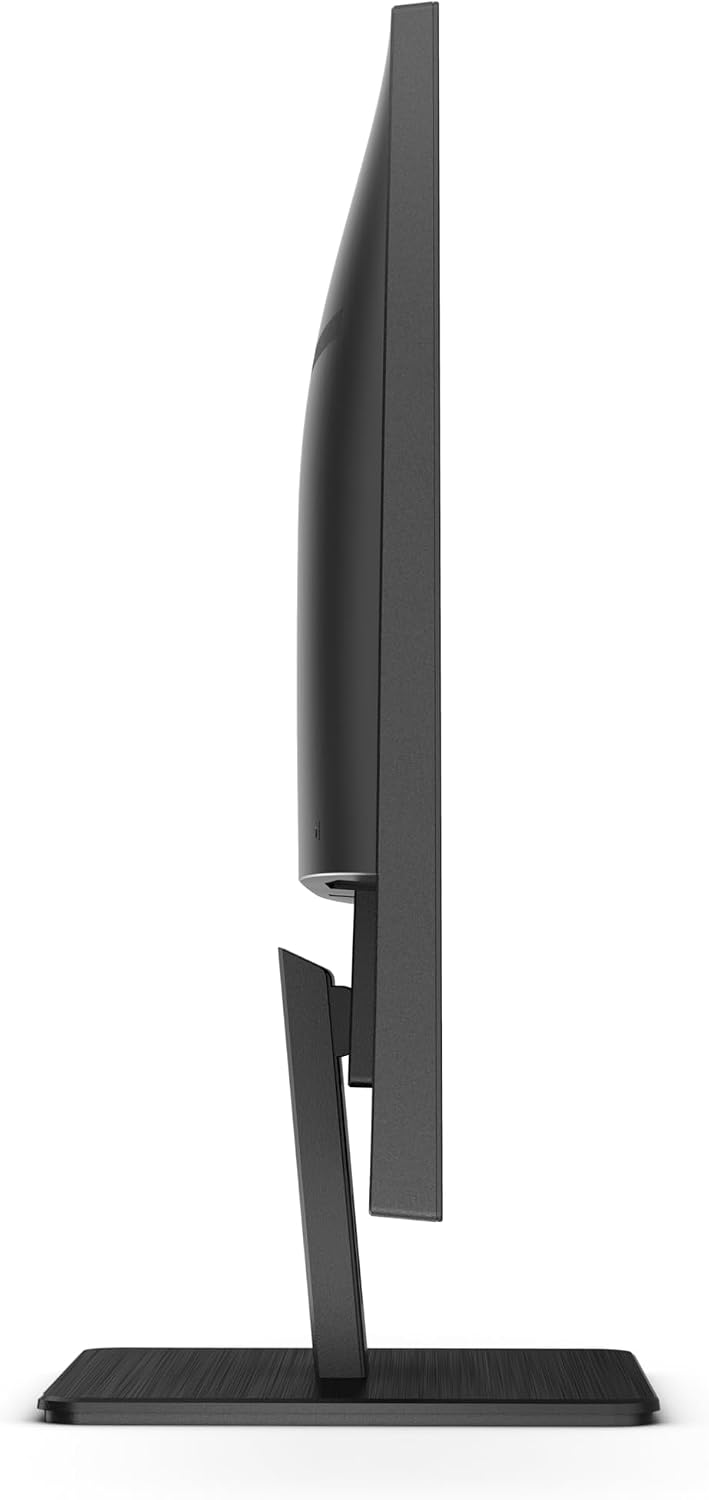
Side view of the monitor, indicating the slim profile and the general area of the control buttons.
3.2 Navigacija kroz meni na ekranu (OSD)
The OSD menu allows you to adjust various display settings. Use the control buttons on the bottom right bezel of the monitor to navigate the menu.
- Pritisnite Meni dugme da biste otvorili OSD meni.
- Koristite Gore/Dolje or Lijevo/Desno buttons to navigate through options.
- Pritisnite Enter or OK dugme za odabir opcije ili potvrdu postavke.
- Pritisnite Izađi button to close the OSD or go back to the previous menu.

Odozgo view of the monitor, highlighting the position of the OSD control buttons on the lower right side.
3.3 Odabir ulaznog izvora
The monitor can automatically detect the active input source. If multiple sources are connected, you can manually switch between them using the OSD menu or a dedicated input select button (if available).
3.4 Podešavanje postavki ekrana
Within the OSD menu, you can adjust various display parameters:
- Svjetlina/kontrast: Podesite ukupnu svjetlinu i kontrast ekrana.
- Postavke boja: Promijenite temperaturu boja, gamu i pojedinačne RGB nivoe.
- Način slike: Select from predefined modes (e.g., Standard, Text, Game, Movie) for optimized viewing.
- Tehnologija bez treperenja: This feature reduces screen flickering, minimizing eye strain during prolonged use.
- Low Blue Mode: Reduces harmful blue light emissions to protect your eyes, especially during nighttime viewing.
- audio: Adjust volume for built-in speakers or connected headphones.
4. Održavanje
4.1 Nega i čišćenje
- Uvijek isključite monitor iz električne utičnice prije čišćenja.
- Koristite meku krpu koja ne ostavlja dlačiceampened with water or a non-abrasive screen cleaner to wipe the screen. Do not spray cleaner directly onto the screen.
- Za monitor casing, use a soft, dry cloth. Avoid using strong detergents or abrasive cleaners.
- Do not allow liquids to enter the monitor's interior.
4.2 Skladištenje
When storing the monitor for an extended period, place it in its original packaging or a suitable protective container. Store in a cool, dry place away from direct sunlight and extreme temperatures.
5. Otkrivanje problema
Pogledajte donju tabelu za uobičajene probleme i njihova rješenja. Ako problem i dalje postoji, obratite se korisničkoj podršci.
| Problem | Mogući uzrok | Rješenje |
|---|---|---|
| Nema slike na ekranu | Monitor nije uključen; Video kabel je labav ili isključen; Odabran je pogrešan ulazni izvor. | Ensure power cable is securely connected and monitor is on; Check video cable connections (HDMI/DisplayPort) at both ends; Select the correct input source via OSD. |
| Slika je mutna ili iskrivljena | Nepravilna postavka rezolucije; Problem s video kablom. | Set the display resolution to 2560 x 1440 (QHD) in your computer's display settings; Try a different video cable. |
| Nema zvuka iz zvučnika | Volume too low or muted; Incorrect audio output selected on computer; Audio cable disconnected. | Increase monitor volume via OSD; Check computer's audio settings to ensure monitor is selected as output device; Ensure audio cable (if used) is connected. |
| Ekran treperi | Refresh rate mismatch; Environmental interference. | Adjust refresh rate in computer display settings; Ensure no strong electromagnetic devices are near the monitor. |
6. Specifikacije
Detailed technical specifications for the AOC Q32E2N monitor:
- Model: Q32E2N
- Veličina ekrana: 31.5 inča
- Tip panela: VA/SNB
- rezolucija: 2560 x 1440 (QHD)
- Omjer širine i visine: 16:9
- Svjetlina: 250 cd/m²
- Vrijeme odgovora: 4ms
- Viewuglovi: 178°/178°
- Ugrađeni zvučnici: Da
- Kompatibilan sa VESA nosačem: Da
- Težina: 21.9 funte (težina predmeta)
- Proizvođač: AOC
- Prvi dostupan datum: 23. septembra 2020
For more detailed energy information, please refer to the official product information sheet:

Official Product Information Sheet providing comprehensive technical and energy-related data for the AOC Q32E2N monitor.
You can also find this information and more on the EPREL database: https://eprel.ec.europa.eu/qr/424528
7. Garancija i podrška
7.1 Informacije o garanciji
AOC provides a limited warranty for the Q32E2N monitor. Please refer to the warranty card included in your product packaging for specific terms, conditions, and duration of the warranty. Keep your purchase receipt as proof of purchase for warranty claims.
7.2 Korisnička podrška
For technical assistance, troubleshooting, or warranty service, please contact AOC customer support. You can find contact information on the official AOC website or through the details provided in your product documentation.
Visit the official AOC Store for more products and support: AOC trgovina na Amazonu


