Introduction to Your iPad Air
The Apple iPad Air (4th Generation) is a versatile tablet designed for a wide range of tasks, from creative work to entertainment and productivity. It features a 10.9-inch Liquid Retina display, powered by the A14 Bionic chip with Neural Engine, offering robust performance and efficiency. This manual provides essential information for setting up, operating, and maintaining your device.

Slika 1: Prednja strana view of the Apple iPad Air (4th Generation).
Ključne karakteristike:
- Stunning 10.9-inch Liquid Retina display with True Tone and P3 wide color for vibrant visuals.
- A14 Bionic chip with Neural Engine for powerful performance and machine learning capabilities.
- Touch ID integrated into the top button for secure authentication and Apple Pay.
- 12MP back camera and 7MP FaceTime HD front camera for high-quality photos and video calls.
- Wide stereo audio for an immersive listening experience.
- Wi-Fi 6 (802.11ax) for fast wireless connectivity.
- Do 10 sati trajanja baterije za produženu upotrebu.
- USB-C connector for charging and connecting various accessories.
- Support for Magic Keyboard, Smart Keyboard Folio, and Apple Pencil (2nd generation) to enhance productivity and creativity.
Video 1: Overview of the Apple iPad Air (4th Generation) features and design.
Šta je u kutiji
Upon opening your iPad Air packaging, you should find the following items:
- iPad Air od 10.9 inča
- USB-C kabel za punjenje (1 metar)
- USB adapter za napajanje od 20 W

Figure 2: The iPad Air, USB-C charge cable, and 20W USB-C power adapter included in the box.
Vodič za postavljanje
1. Initial Power On and Charging:
- Pritisnite i držite gornji gumb dok se ne pojavi Apple logo.
- If the iPad does not turn on, connect it to the 20W USB-C Power Adapter using the USB-C Charge Cable and plug it into a power outlet. Allow it to charge for at least 30 minutes before attempting to power on again.
2. Osnovno podešavanje:
- Pratite uputstva na ekranu da odaberete svoj jezik i region.
- Connect to a Wi-Fi network. You will need the network name and password.
- Set up Touch ID by following the prompts to register your fingerprint. This is used for unlocking your iPad and making purchases.
- Kreirajte šifru za dodatnu sigurnost.
- Restore data from a previous backup (iCloud or computer) or set up as a new iPad.
- Sign in with your Apple ID. If you don't have one, you can create one during this step.
3. Povezivanje dodatne opreme:
- Apple olovka (2. generacija): Attach the Apple Pencil magnetically to the right side of your iPad Air. It will automatically pair and begin charging.
- Magična tastatura: Align the iPad Air with the magnetic connectors on the Magic Keyboard. The iPad will snap into place and connect automatically.

Figure 3: iPad Air connected to the Magic Keyboard.
Uputstvo za upotrebu
Osnovna navigacija:
- Početni ekran: Prevucite prstom prema gore od donje ivice ekrana da biste prešli na početni ekran.
- Prebacivanje aplikacija: Prevucite prstom prema gore od donje ivice i zadržite se na sredini ekrana da biste view otvorene aplikacije.
- Kontrolni centar: Prevucite prstom prema dolje iz gornjeg desnog ugla da biste pristupili brzim postavkama.
- Obavještenja: Prevucite prstom prema dolje iz gornjeg lijevog ugla do view obavještenja.
Using Touch ID:
The Touch ID sensor is integrated into the top button. To unlock your iPad or authorize purchases, place your registered finger on the top button until the device responds.

Figure 4: The top button with integrated Touch ID.
Apple Pencil (2nd Generation) Usage:
The Apple Pencil allows for precise drawing, note-taking, and marking up documents. Simply touch the tip of the Pencil to the screen to interact. Double-tap the side of the Apple Pencil to switch between tools (e.g., pen and eraser) in supported apps.
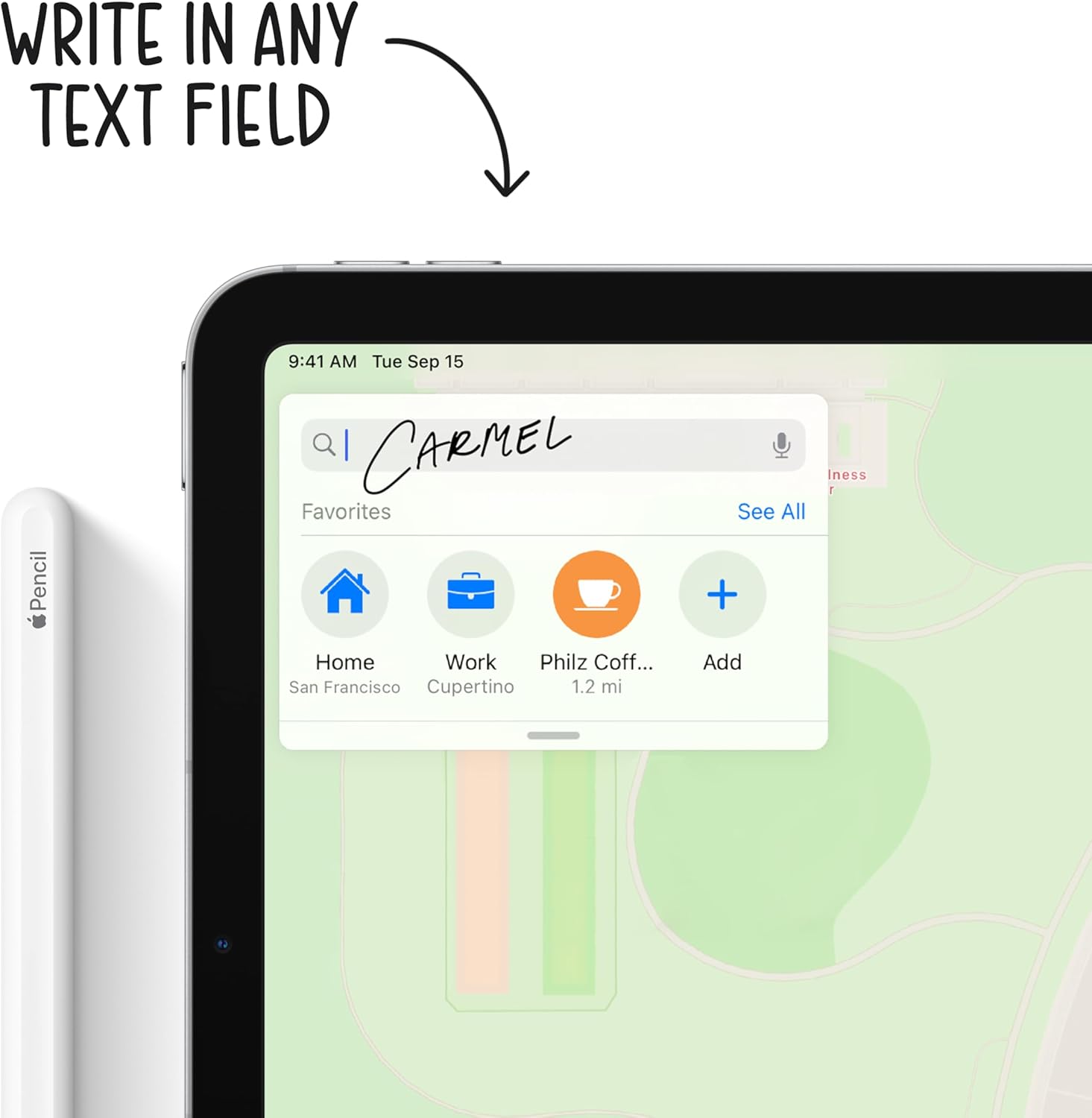
Figure 5: Using the Apple Pencil for writing on the iPad Air.
Funkcije kamere:
Your iPad Air is equipped with a 12MP Wide back camera and a 7MP FaceTime HD front camera. Open the Camera app to take photos, record videos, or use features like Panorama and Slo-mo. The back camera supports 4K video recording at various frame rates.
Upravljanje baterijom:
To optimize battery life, adjust screen brightness, enable Low Power Mode when needed, and manage background app refresh. Charge your iPad using the provided USB-C cable and 20W power adapter.
Održavanje
Cleaning Your iPad Air:
- Isključite sve kablove i isključite iPad.
- Koristite meku, lagano damp, lint-free cloth (e.g., a microfiber cloth).
- Avoid excessive wiping and do not use window cleaners, household cleaners, aerosol sprays, solvents, ammonia, abrasives, or cleaners containing hydrogen peroxide.
- Ne prskajte sredstva za čišćenje direktno na iPad.
Ažuriranja softvera:
Regularly update your iPadOS to ensure optimal performance, security, and access to new features. Go to Postavke > Općenito > Ažuriranje softvera da biste provjerili i instalirali dostupna ažuriranja.
Održavanje baterije:
For long-term battery health, avoid exposing your iPad to extreme temperatures. If storing the device for an extended period, charge it to about 50% before powering it off.
Rješavanje problema
Uobičajeni problemi i rješenja:
- iPad not responding: If your iPad is unresponsive, try a force restart. Press and quickly release the Volume Up button, press and quickly release the Volume Down button, then press and hold the Top button until the Apple logo appears.
- Problemi s Wi-Fi vezom: Ensure Wi-Fi is enabled in Control Center or Settings. Try restarting your Wi-Fi router and your iPad.
- Aplikacije se ruše ili zamrzavaju: Close the app from the App Switcher and reopen it. If the issue persists, restart your iPad. Ensure all apps are updated to their latest versions.
- Problemi s punjenjem: Verify that the USB-C cable and power adapter are securely connected and free from damage. Try a different power outlet.
Za detaljnije rješavanje problema ili uporne probleme, obratite se službenoj Apple podršci. webweb-mjesto ili direktno kontaktirajte Apple podršku.
Specifikacije
| Feature | Detalj |
|---|---|
| Dimenzije proizvoda | 9.74 x 7 x 0.24 inča |
| Težina artikla | 1 pounds (Wi-Fi model) |
| Broj modela stavke | MYFN2LL/A |
| Baterije | Potrebna 1 litijum-polimerska baterija (uključena) |
| Datum prve dostupnosti | 15. septembra 2020 |
| Naziv modela | iPad Air |
| Kapacitet memorije | 64GB (as per this variant) |
| Veličina ekrana | 10.9 inča |
| Maksimalna rezolucija ekrana | 2360 x 1640 piksela |
| Display Type | 10.9-inch Liquid Retina display |
| Čip | A14 Bionic chip with 64-bit architecture Neural Engine |
| Kamera i video | 12MP Wide camera with Smart HDR and 4K video at 24 fps, 30 fps, or 60 fps |
| Prednja kamera | 7MP TrueDepth front camera with Smart HDR |
| Trajanje baterije | Do 10 sata surfanja web na Wi-Fi mreži ili gledanje videa |
| Konektor | USB-C |
| Visina | 9.74 inča (247.6 mm) |
| Širina | 7 inča (178.5 mm) |
| Dubina | 0.24 inča (6.1 mm) |
Garancija i podrška
Garancija na proizvod:
Your Apple iPad Air is covered by a limited warranty. For specific terms and conditions, including coverage duration and service options, please refer to the warranty information provided with your purchase or visit the official Apple website.
tehnička podrška:
For technical assistance, software support, or hardware service, please visit the official Apple Support website at support.apple.com/ipad. You can find articles, guides, and contact options for further help.


