1. Proizvod je gotovview
The FosPower Emergency Weather Radio Model A3 is a versatile device designed for emergency preparedness and outdoor activities. It features NOAA/AM/FM radio reception, a powerful 14800mWh (4000mAh) internal power bank, and multiple charging options including USB-C, solar, and hand crank. Additional functions include an SOS alarm, a bright flashlight, and a reading light.
Ključne karakteristike:
- 14800mWh (4000mAh) Power Bank: Provides extended radio operation and can charge external USB devices.
- Višestruki izvori napajanja: Rechargeable via USB-C, hand crank, and solar panel.
- SOS alarm: Activates a loud siren and flashing light for emergency signaling.
- Dvostruki izvori svjetlosti: Includes a flashlight and a reading light with motion sensor functionality.
- NOAA Emergency Weather Broadcast Access: Receives local weather information and hazard alerts.
- AM/FM radio: Full access to standard AM and FM radio broadcasts.

Figure 1: FosPower Emergency Weather Radio Model A3. This image displays the radio with its solar panel open, hand crank visible, flashlight illuminated, and a smartphone connected for charging.
2. Sadržaj paketa i komponente
Sadržaj paketa:
- FosPower Emergency Weather Radio (Model A3)
- USB-C kabl za punjenje
- Uputstvo za upotrebu
Ključne komponente:
- antena: Proširivo za bolji radio prijem.
- solarni panel: For supplementary charging in sunlight.
- ručna ručica: Za ručno generisanje energije.
- svjetiljka: Integrisani izvor svjetlosti.
- Svjetlo za čitanje: Panel light, often with motion sensor.
- SOS dugme: Aktivira alarm za hitne slučajeve.
- Gumb za jačinu zvuka: Controls audio output and powers the unit on/off.
- Dugme za podešavanje: Podešava radio frekvenciju.
- Selektor benda: Switches between AM, FM, and WB (Weather Band).
- USB-C ulazni port: Za punjenje radija.
- USB-A izlazni port: Za punjenje eksternih uređaja.
- Priključak za slušalice: Za privatno slušanje.
3. Početno podešavanje
3.1 Punjenje radija
Before first use, it is recommended to fully charge the radio's internal 14800mWh (4000mAh) battery using the USB-C port.
- USB-C punjenje: Connect the provided USB-C cable to the radio's USB-C input port and the other end to a standard USB power adapter (not included) or a computer USB port. The charging indicator will illuminate.
- Punjenje rucicom: Rotate the hand crank clockwise or counter-clockwise at a steady pace (approximately 130-150 RPM) for 3-5 minutes to generate sufficient power for initial operation or to extend battery life.
- Punjenje solarnog panela: Place the radio with the solar panel facing direct sunlight. This method is primarily for maintaining battery charge or for emergency power generation, and is slower than USB-C charging.

Figure 2: Multiple Power Sources. This diagram highlights the USB, hand crank, and solar panel charging options for the radio.
4. Uputstvo za upotrebu
4.1 Uključivanje/isključivanje i kontrola jačine zvuka
Da biste uključili radio, okrenite Tipka za jačinu zvuka clockwise from the 'OFF' position. Continue rotating to increase the volume. To power off, rotate the Tipka za jačinu zvuka counter-clockwise until it clicks into the 'OFF' position.
4.2 Radio Tuning (AM/FM/NOAA)
- Produžna antena: Za optimalni prijem, potpuno izvucite teleskopsku antenu.
- Odaberite bend: Koristite Band Selector switch to choose between 'AM', 'FM', or 'WB' (Weather Band).
- Stanica za podešavanje: Rotirajte Gumb za podešavanje to scan for desired radio stations or NOAA weather channels. The tuning indicator light will illuminate when a strong signal is detected.
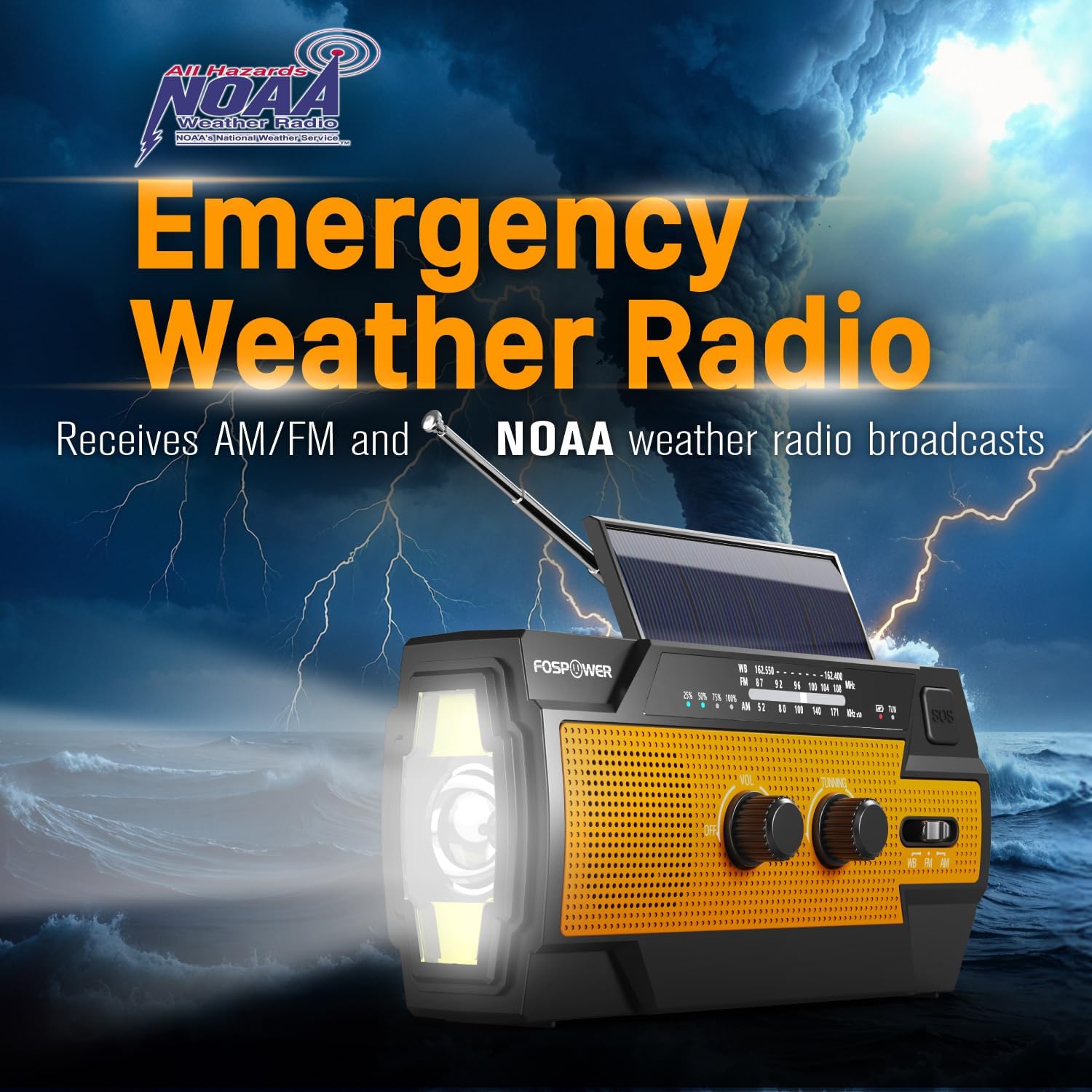
Figure 3: Emergency Weather Radio Function. This image shows the radio against a stormy background, emphasizing its ability to receive AM/FM and NOAA weather broadcasts.
4.3 Rad svjetiljke
The integrated flashlight offers multiple modes:
- Pritisnite dugme za baterijsku lampu jednom za Puni način rada (maksimalna svjetlina).
- Pritisnite ponovo za Far Mode (focused beam).
- Pritisnite treći put za Široki način rada (broader illumination).
- Pritisnite četvrti put da biste isključili baterijsku lampu.

Figure 4: Flashlight Settings. This image illustrates the three distinct flashlight modes available on the radio.
4.4 Reading Light Operation
The reading light provides illumination for close-range tasks:
- Slide the reading light switch to the 'LIGHT' position for constant illumination.
- Slide the switch to the 'AUTO' position to activate the motion sensor. The light will turn on when motion is detected and turn off after approximately 30 seconds of no motion.

Figure 5: Reading Light Modes. This image shows the reading light in operation, highlighting its constant and motion-activated settings.
4.5 Funkcija SOS alarma
In an emergency, activate the SOS alarm to attract attention:
- Pritisnite i držite SOS dugme to activate a loud siren and a flashing light.
- Otpustite dugme da biste deaktivirali alarm.
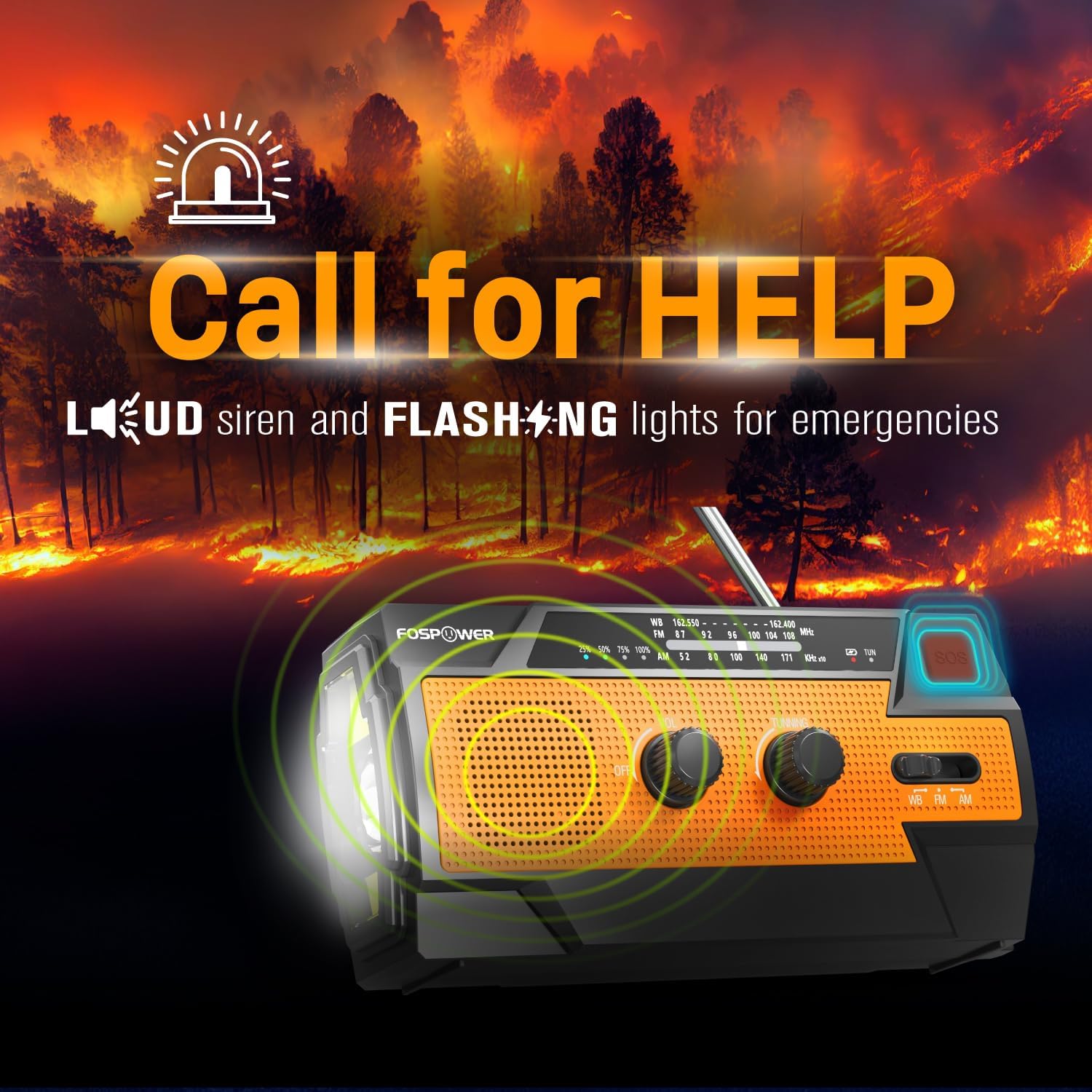
Figure 6: SOS Alarm Activation. This image depicts the radio emitting a loud siren and flashing lights, indicating the SOS function is active.
4.6 Korištenje kao Power Bank
The radio's internal battery can be used to charge external USB devices:
- Connect your smartphone, tablet, or other USB-powered device to the radio's USB-A izlazni port using your device's charging cable.
- The radio will begin charging the connected device. Monitor the radio's battery indicator to ensure sufficient charge remains for its own operation.

Figure 7: Power Bank Function. This image shows the radio charging a smartphone on a wooden table outdoors, demonstrating its 14800mWh power bank capability.
5. Njega i održavanje
- čišćenje: Obrišite radio mekom, damp tkanina. Nemojte koristiti jake hemikalije ili abrazivna sredstva za čišćenje.
- Skladištenje: Store the radio in a cool, dry place away from direct sunlight and extreme temperatures. For long-term storage, ensure the battery is partially charged (around 50%) and recharge every 3-6 months to prevent deep discharge.
- Otpornost na vodu: The radio is IPX3 water resistant, meaning it can withstand spraying water. Do not submerge the radio in water.

Figure 8: IPX3 Water Resistance. This image shows the radio in a light rain shower, illustrating its IPX3 water-resistant design suitable for harsh environments.
6. Otkrivanje problema
| Problem | Mogući uzrok | Rješenje |
|---|---|---|
| Radio se ne uključuje. | Baterija je prazna. | Charge the radio via USB-C, hand crank, or solar panel. |
| Loš radio prijem. | Antena nije ispružena, slab signal, smetnje. | Fully extend the telescopic antenna. Move to an open area away from obstructions. Fine-tune the tuning knob. |
| Flashlight/Reading light not working. | Battery is low, incorrect mode selected. | Charge the radio. Ensure the correct light mode (Full, Far, Wide for flashlight; Light, Auto for reading light) is selected. |
| External device not charging from radio. | Radio battery is low, cable issue, device incompatibility. | Ensure the radio has sufficient charge. Check the USB cable connection. Try a different USB cable or device. |
| Hand crank is stiff or difficult to turn. | Possible obstruction or internal issue. | Ensure there are no physical obstructions. Turn the crank smoothly and avoid excessive force. If problem persists, contact customer support. |
| Solarno punjenje je sporo ili neefikasno. | Insufficient sunlight, dirty solar panel. | Place the radio in direct, strong sunlight. Clean the solar panel surface with a soft cloth. Note that solar charging is supplementary. |
7. Specifikacije proizvoda
| Feature | Specifikacija |
|---|---|
| Broj modela | FOSPWB-2402 |
| Dimenzije proizvoda | 6.23"D x 2.48"Š x 3.19"V (15.82 x 6.30 x 8.10 cm) |
| Težina artikla | 1.06 funte (0.48 kg) |
| Izvor napajanja | Solar, Battery (14800mWh internal), Handcrank |
| Kapacitet baterije | 14800mWh (4000mAh) |
| Podržani radio bendovi | AM, FM, WB (Weather Band) |
| Tehnologija povezivanja | USB C (Input), USB A (Output) |
| Posebna karakteristika | Portable, Power Bank, SOS Alarm, Flashlight, Reading Light |
| Otpornost na vodu | IPX3 |

Figure 9: Product Dimensions. This diagram provides the exact measurements of the FosPower Emergency Weather Radio.
8. Garancija i korisnička podrška
Ograničena doživotna garancija
FosPower products are backed by a limited lifetime warranty. This warranty covers defects in materials and workmanship under normal use. Please refer to the official FosPower webweb-mjesto ili dokumentaciju o kupovini za potpune uvjete i odredbe garancije.
Korisnička podrška
For any questions, technical assistance, or warranty claims, please contact FosPower's dedicated USA-based customer service team. Contact information can typically be found on the product packaging or the official FosPower website.
Također možete posjetiti FosPower Store on Amazon za više informacija i ažuriranja proizvoda.


