Uvod
Thank you for choosing the Mpow Air Pro 2.4G Wireless Gaming Headset. This manual provides detailed instructions on how to set up, operate, and maintain your headset to ensure optimal performance and longevity. The Mpow Air Pro is designed for an immersive gaming experience with 7.1 surround sound, a stable 2.4G wireless connection, and a noise-cancelling microphone.

Image: The Mpow Air Pro 2.4G Wireless Gaming Headset, featuring a black and red design with an adjustable microphone.
Sadržaj paketa
Molimo Vas da provjerite da li se u Vašem paketu nalaze sve dolje navedene stavke:
- Mpow Air Pro Wireless Gaming Headset
- USB Dongle (2.4G Wireless Receiver)
- USB kabl za punjenje
- 3.5 mm audio kabl
- Uputstvo za upotrebu
- User Guide for Software (for 7.1 Surround Sound)

Image: A flat lay showing all items included in the Mpow Air Pro headset package: the headset, USB dongle, USB charging cable, 3.5mm audio cable, and two user guides.
Features Overview
The Mpow Air Pro headset incorporates several key features for an enhanced audio experience:
7.1 Surround zvuk
Experience immersive 7.1 Surround Sound, engineered for ultra-low distortion audio, bringing games, music, and movies to life. Note: The 7.1 surround sound software is available on Windows 7/8/10.

Image: A visual representation of the virtual 7.1 surround sound feature, showing the headset overlaid on a gaming scene with directional audio indicators.
2.4G bežična veza
The 2.4G wireless technology provides wireless freedom with lag-free real-time transmission. Enjoy up to 17 hours of battery life and a wireless range of approximately 39 feet (12 meters).
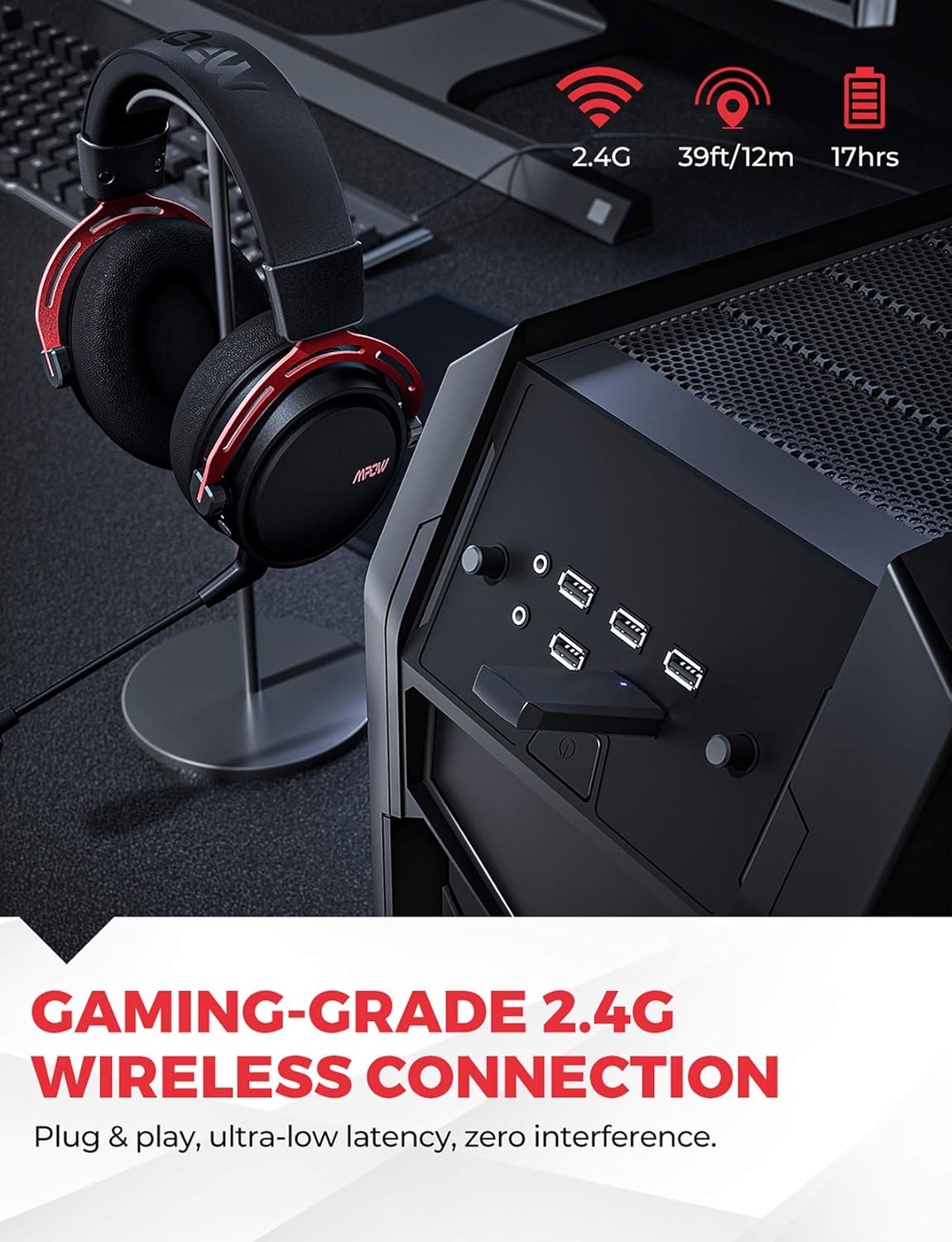
Image: The Mpow Air Pro headset connected wirelessly via a USB dongle to a PC, highlighting the 2.4G wireless, 39ft/12m range, and 17-hour battery life.
Mikrofon za poništavanje buke
The integrated noise-cancellation microphone delivers clear vocal communications by reducing background noise. The flexible microphone can be adjusted for optimal voice pickup.

Image: A gamer wearing the Mpow Air Pro headset, demonstrating the use of the noise-cancelling microphone during gameplay.
Udobnost i izdržljivost
Constructed with an aluminum frame, soft leather headpad, memory foam ear cushions, and an adjustable steel headband, the headset is designed for extended comfort during use.

Slika: Krupni plan views highlighting the comfort features of the Mpow Air Pro headset, including the adjustable steel headband, leather head pad, lightweight aluminum frame, and memory-protein foam ear cushions.
Podešavanje i povezivanje
Bežična veza (2.4G)
- Insert the USB dongle into an available USB port on your PC, Mac, or Nintendo Switch (TV Mode).
- Power on the Mpow Air Pro headset by pressing and holding the Power button until the indicator light illuminates.
- The headset will automatically pair with the USB dongle. A solid indicator light on the headset signifies a successful connection.
- Ensure the Mpow Air Pro is selected as the default audio output and input device in your operating system's sound settings.
Napomena: The wireless function does not support PS4 temporarily. For 7.1 surround sound, software installation is required on Windows 7/8/10.
Žičana veza (3.5 mm audio kabel)
- Connect one end of the 3.5mm audio cable to the audio jack on the Mpow Air Pro headset.
- Connect the other end of the 3.5mm audio cable to the audio output jack on your PC, PS4, Xbox One, Nintendo Switch, or mobile phone.
- The headset will function in stereo mode when connected via the 3.5mm cable.
Punjenje slušalica
- Connect the USB charging cable to the charging port on the headset.
- Connect the other end of the USB charging cable to a USB power source (e.g., computer USB port, USB wall adapter).
- The indicator light will show charging status and turn off or change color when fully charged. A full charge provides approximately 17 hours of usage.
Uputstvo za upotrebu
Uključivanje/isključivanje
- Da biste uključili uređaj, pritisnite i držite dugme za napajanje 2 sekunde.
- Da biste isključili napajanje, pritisnite i držite dugme za napajanje 3 sekunde.
Kontrola jačine zvuka
- Rotate the volume wheel located on the earcup to adjust the audio output level.
Isključivanje/Uključivanje mikrofona
- Use the microphone mute button on the earcup to toggle the microphone on or off.
- The microphone is flexible and can be adjusted to your preferred position.
7.1 Surround Sound Software (Windows Only)
- For Windows 7/8/10 users, download and install the dedicated software from the Mpow official website to enable and customize the 7.1 surround sound feature.
- Refer to the "User Guide for Software" included in your package for detailed installation and usage instructions.
Održavanje
- čišćenje: Use a soft, dry cloth to clean the headset. Do not use abrasive cleaners or solvents. For ear cushions, gently wipe with a damp krpom i ostavite da se potpuno osuši na vazduhu.
- Skladištenje: Slušalice čuvajte na hladnom i suhom mjestu, dalje od direktne sunčeve svjetlosti i ekstremnih temperatura. Izbjegavajte stavljanje teških predmeta na slušalice.
- Održavanje baterije: To prolong battery life, avoid fully discharging the headset frequently. Charge the headset regularly, even if not in use for extended periods (e.g., once every 3 months).
- Rukovanje: Do not bend or twist the microphone arm excessively. Avoid dropping the headset.
Rješavanje problema
| Problem | Mogući uzrok | Rješenje |
|---|---|---|
| No sound from headset (Wireless) | Headset not powered on; Not paired; Incorrect audio output selected; Low battery. | Ensure headset is powered on. Re-pair with USB dongle. Check sound settings on PC/Mac and select "Mpow Air Pro". Charge the headset. |
| Mikrofon ne radi | Microphone muted; Incorrect audio input selected; Microphone not properly connected (if detachable). | Unmute the microphone. Check sound settings on PC/Mac and select "Mpow Air Pro" as input device. Ensure microphone is securely attached. |
| Poor wireless connection/disconnections | Too far from dongle; Interference from other 2.4G devices; Obstructions. | Move closer to the USB dongle. Reduce interference by moving away from other wireless devices (e.g., Wi-Fi routers). Ensure clear line of sight. |
| 7.1 Surround Sound not working | Software not installed; Incorrect settings; Not on Windows OS. | Install the 7.1 surround sound software (Windows 7/8/10 only). Check software settings. Ensure you are using a compatible Windows operating system. |
Specifikacije
| Feature | Detalj |
|---|---|
| Naziv modela | BH473A |
| Tehnologija povezivanja | 2.4G Wireless, 3.5mm Jack |
| bežični domet | Do 39 stope (12 metara) |
| Trajanje baterije | Pribl. 17 sati |
| Audio Type | 7.1 Surround Sound (via software on Windows), Stereo (via 3.5mm) |
| Mikrofon | Noise-Cancelling, Fixed |
| Postavljanje uha | Preko uha |
| Materijal | Leather, Foam (ear cushions), Aluminum (frame) |
| Težina artikla | 350 grama |
| Dimenzije proizvoda | 10 x 16.3 x 20.8 cm |
| Compatible Devices (Wireless) | PC, MAC, Nintendo Switch (TV Mode) |
| Kompatibilni uređaji (žični) | PC, PS4, Xbox One, Nintendo Switch, Cell Phone |
Garancija i podrška
MPOW products come with a standard manufacturer's warranty. For detailed warranty terms and conditions, please refer to the warranty card included in your package or visit the official MPOW website.
If you encounter any issues or have questions regarding your Mpow Air Pro headset, please contact MPOW Customer Support through their official website or the contact information provided in your product documentation. Please have your model number (BH473A) and purchase details ready when contacting support.


