1. Uvod
The Inrico S100 is a robust 4G Push-to-Talk (PoC) radio designed for professional communication across 2G/3G/4G/WLAN networks. Featuring a 2.8-inch screen, compact design, and essential functions like GPS, Bluetooth, and SOS, it provides reliable and clear voice communication for various applications.

Figure 1.1: Inrico S100 4G POC Radio
2. Sadržaj paketa
Molimo označite kućicu za sljedeće stavke:
- Inrico S100 Handheld POC Radio
- Battery (4000 mAh Lithium Ion)
- Uputstvo za upotrebu
- Micro USB kabl za punjenje
- Belt Clip
- Lanyard
- Assembly Kit (screwdriver, screws)

Figure 2.1: Inrico S100 Package Contents
3. Značajke proizvoda
The Inrico S100 is equipped with a range of features to enhance communication and usability:
- 4G PoC Radio: Operates across 2G/3G/4G/WLAN networks for global communication.
- 2.8-inčni HD ekran: Clear screen with touchscreen capabilities.
- Operativni sistem Android 8.1: Provides a familiar and flexible user interface.
- GPS/AGPS/Beidou Navigation: For precise location tracking.
- Bluetooth povezivanje: For wireless accessories.
- SOS funkcija: Dedicated button for emergency alerts.
- Dvostruke kamere: Front 2.0MP and Rear 13.0MP for image and video capture.
- Jasan i glasan zvuk: Features a 036mm large speaker with noise cancellation.
- IP67 vodootporna ocjena: Durable and resistant to dust and water immersion.
- 4000 mAh baterija: Offers up to 21 hours talk time and 25 hours standby.
- Programabilna dugmad: All buttons can be customized via the Inrico App.

Slika 3.1: Ključne karakteristike iznadview
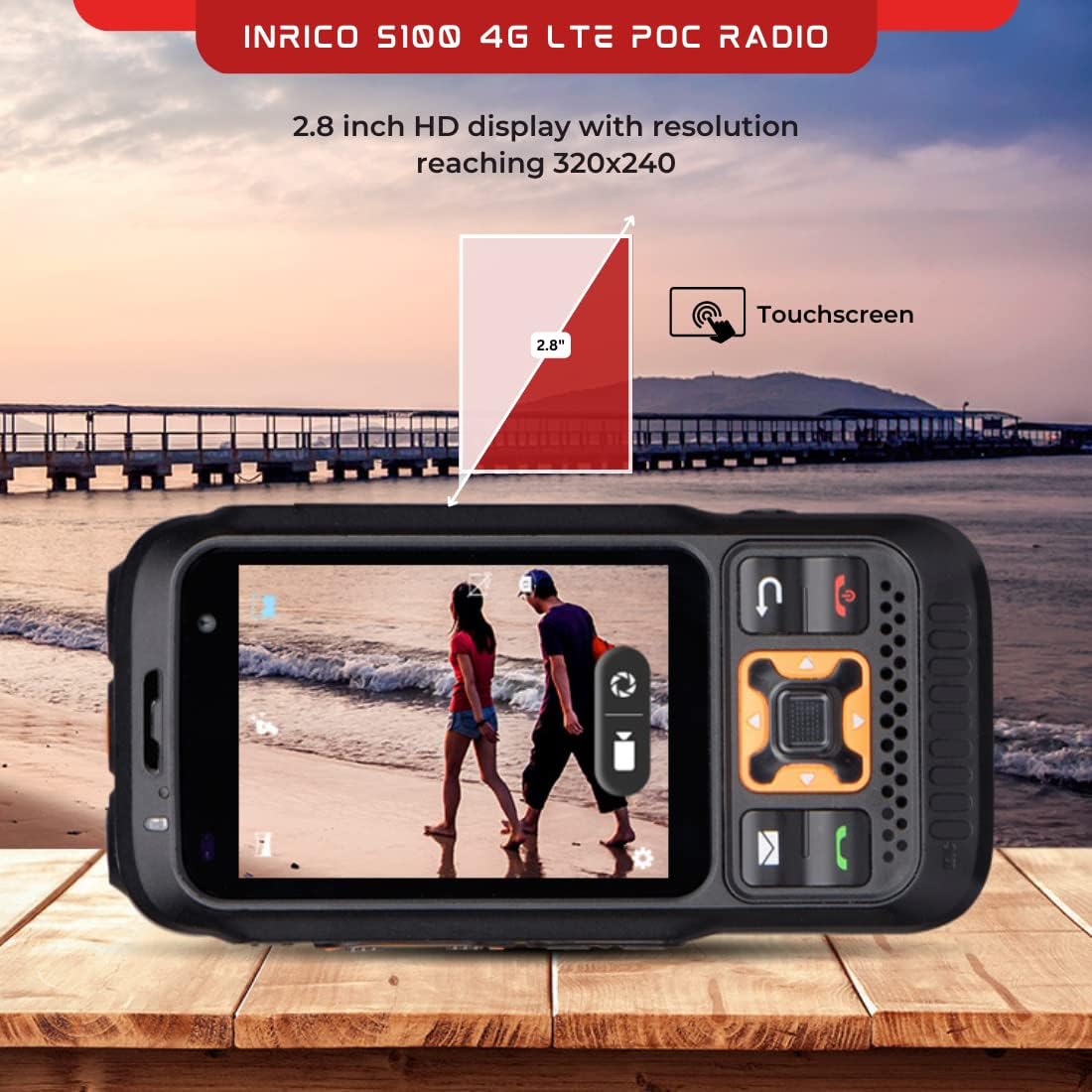
Figure 3.2: 2.8-inch HD Display

Figure 3.3: 4000 mAh Battery

Figure 3.4: Loud Speaker
4. Podešavanje
4.1 Instalacija baterije
- Pronađite odeljak za baterije na poleđini radija.
- Slide the battery lock (refer to Figure 4.1) to the unlocked position.
- Insert the 4000 mAh Lithium Ion battery, ensuring the contacts align correctly.
- Slide the battery lock back to the locked position to secure the battery.
4.2 Instalacija SIM kartice
The Inrico S100 supports 4G network connectivity. Insert your Nano-SIM card into the designated slot, typically located under the battery or on the side of the device. Ensure the SIM card is inserted with the correct orientation.
4.3 Početno punjenje
Before first use, fully charge the device. Connect the Micro USB charging cable to the charging port on the side of the radio and plug the other end into a power adapter. The charging indicator will show the charging status.
4.4 Uključivanje/isključivanje
- Uključeno: Press and hold the Power button (usually on the side or top) until the screen illuminates.
- Iskljuciti: Press and hold the Power button until a power-off menu appears. Select 'Power Off' to shut down the device.

Figure 4.1: Inrico S100 Ports and Controls
5. Uputstvo za upotrebu
5.1 Rad pritisni-za-govor (PTT)
The dedicated PTT button on the side of the radio allows for instant communication:
- Select the desired contact or group on the display.
- Press and hold the PTT button to transmit your voice.
- Release the PTT button to listen for replies.
5.2 Navigacija i meni
Navigate the device using the physical keypad and the 2.8-inch touchscreen. The Android 8.1 operating system provides a familiar interface for accessing applications, settings, and contacts.
5.3 Upućivanje i primanje poziva
The Inrico S100 supports group calls, private calls, and dispatch center communication. Use the on-screen interface to initiate or answer calls.
5.4 SOS funkcija
In an emergency, press the dedicated SOS button. This will send an alert to pre-configured contacts or a dispatch center, often including your current GPS location.
5.5 GPS and Location Sharing
Utilize the built-in GPS, AGPS, and Beidou navigation for accurate location services. The device supports location sharing with other users or a central dispatch system.
5.6 Korištenje kamere
The radio features a 2.0MP front camera and a 13.0MP rear camera. Access the camera application from the main menu to capture photos or videos as needed for documentation or communication.
6. Održavanje
6.1 Čišćenje
Za čišćenje uređaja koristite meku, damp krpu. Izbjegavajte upotrebu jakih hemikalija ili abrazivnih materijala koji bi mogli oštetiti ekran iliasing. Ensure all ports are closed before cleaning to maintain the IP67 rating.
6.2 Njega baterija
- Charge the battery regularly, but avoid overcharging or completely draining it to prolong its lifespan.
- Čuvajte uređaj i bateriju na hladnom i suvom mestu kada se ne koriste.
- If the battery performance significantly degrades, consider replacing it with an official Inrico battery.
6.3 Otpornost na vodu i prašinu (IP67)
The Inrico S100 is rated IP67, meaning it is protected from dust ingress and can withstand immersion in water up to 1 meter for 30 minutes. Ensure all port covers are securely closed to maintain this protection.
7. Otkrivanje problema
| Problem | Mogući uzrok | Rješenje |
|---|---|---|
| Uređaj se ne uključuje | Low battery; Battery not installed correctly; Software issue | Charge the battery; Reinstall battery; Perform a soft reset (hold power button for 10 seconds) |
| Nema mrežnog signala | Out of network coverage; SIM card not installed or faulty; Network settings incorrect | Move to an area with better coverage; Reinstall SIM card; Check network settings in Android OS |
| Loš kvalitet zvuka | Speaker/microphone obstructed; Low network signal; Volume too low | Clean speaker/microphone; Move to an area with better signal; Adjust volume settings |
| GPS ne radi | GPS disabled; Poor satellite reception | Enable GPS in settings; Move to an open area away from obstructions |
8. Specifikacije
| Feature | Specifikacija |
|---|---|
| Brand | Inrico |
| Naziv modela | S100 |
| Operativni sistem | Android 8.1 |
| Čipset | MT 6739 |
| Veličina ekrana | 2.8 inča |
| Display Type | LCD |
| Prednja kamera | 2.0 MP |
| Zadnja kamera | 13.0 MP |
| Kapacitet baterije | 4000 mAh Lithium Ion |
| Vrijeme razgovora | 21 sata |
| Vrijeme pripravnosti | 25 sata |
| Dimenzije | 129.2 x 67.5 x 26 mm |
| Težina | 481 g |
| IP Rating | IP67 |
| Navigacija | GPS, AGPS, Beidou |
| Povezivanje | 4G, Bluetooth |
| Certifikati | FCC, CE, RoHS |
9. Garancija i podrška
Inrico products typically come with a standard manufacturer's warranty. Please refer to the warranty card included in your package or contact Inrico customer support for specific details regarding warranty coverage and service.
For technical support, troubleshooting assistance, or inquiries about your Inrico S100, please visit the official Inrico webweb-mjesto ili kontaktirajte njihovu službu za korisnike. Držite račun za kupovinu i serijski broj proizvoda pri ruci kada tražite podršku.


