1. Uvod
The GVDA GD128 SMART Digital Multimeter is a professional testing instrument designed for accurate and reliable measurements. It is an ideal choice for professional electricians, engineers, electronics enthusiasts, and for general household use. This manual provides detailed instructions on the safe and effective operation of your GD128 multimeter.
Ključne mogućnosti uključuju:
- AC i DC Voltage Measurement
- Mjerenje AC i DC struje
- Mjerenje otpora
- Mjerenje kapacitivnosti
- Mjerenje kontinuiteta
- Diode Measurement
- NCV (Non-Contact Voltage) Mjerenje
- True RMS for accurate readings of non-sinusoidal signals
- Large VA color HD LCD screen with 9999 counts display
- Automatsko i ručno određivanje raspona
- Flashlight and Input Connector LED Indication

Figure 1.1: GVDA GD128 Digital Multimeter with test probes.
2. Sigurnosne informacije
WARNING: To avoid electrical shock or personal injury, please read and understand all instructions and safety information before using this multimeter.
- Uvijek se uvjerite da je multimetar u ispravnoj funkciji i rasponu prije mjerenja.
- Ne prekoračujte maksimalne ulazne vrijednosti za bilo koji raspon.
- Budite oprezni kada radite sa voltagiznad 30V AC RMS, 42V peak ili 60V DC. Ovi volumenitagpredstavljaju opasnost od strujnog udara.
- Prije upotrebe provjerite mjerne kablove da li je izolacija oštećena ili da li je metal izložen. Zamijenite ih ako su oštećeni.
- Ne koristite multimetar ako izgleda oštećeno ili ako ne radi ispravno.
- Uvijek isključite napajanje strujnog kola i ispraznite sve visokonaponsketagKondenzatori prije testiranja otpora, kontinuiteta, dioda ili kapacitivnosti.
- Prije upotrebe provjerite je li poklopac baterije sigurno zatvoren.
- This device meets safety standards EN61010-1,-2-030, EN61010-2-033, EN61326-1 CAT III 1000V, CAT IV 600V.
3. Proizvod je gotovview i komponente
Familiarize yourself with the different parts of your GVDA GD128 Digital Multimeter.

Slika 3.1: Prednja i bočna strana view of the GD128 Multimeter with labeled components.
- Područje NCV senzora
- Ključ za napajanje
- Ključ za lampu
- Indikator upozorenja
- Lampica
- Indikator ulaznog priključka
- Jack other than current and NCV
- COM jack (Common)
- mA (<600mA) jack
- 10A priključak
- Auto power off key
- Funkcijska tipka
- Display
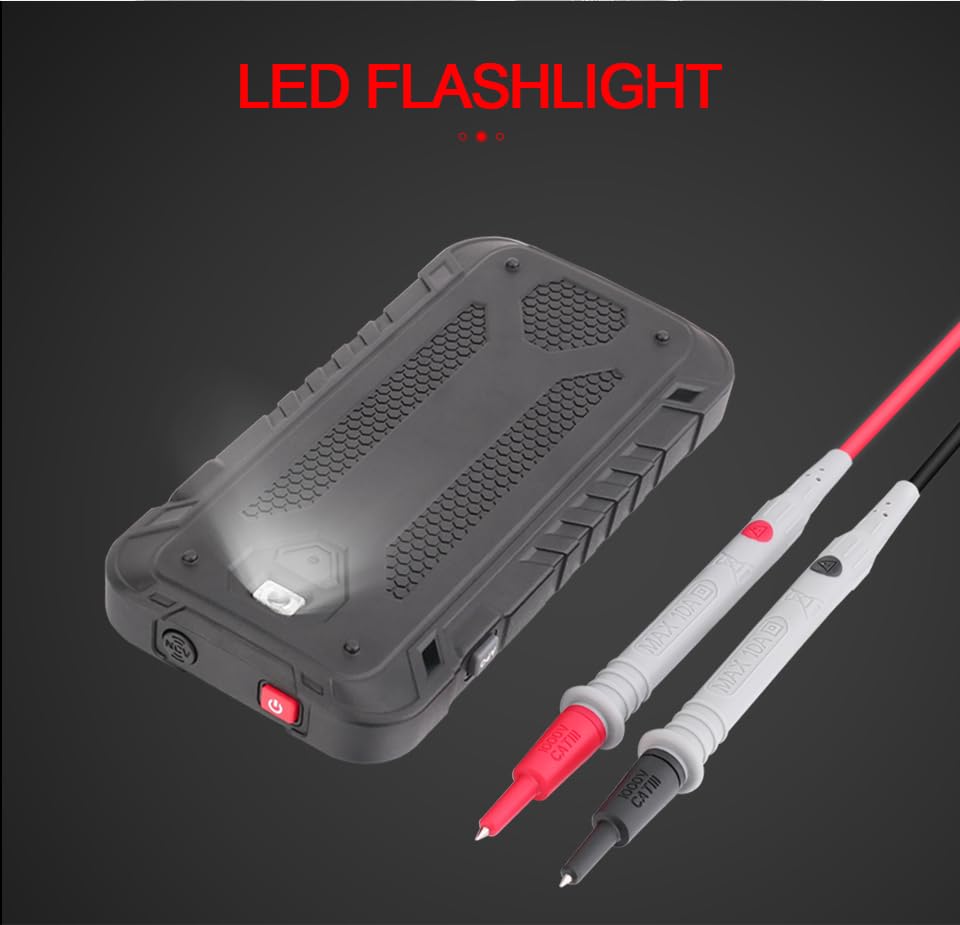
Slika 3.2: Pozadi view of the GD128 Multimeter highlighting the integrated LED flashlight.
4. Podešavanje
4.1 Instalacija baterije
The GVDA GD128 Multimeter requires 3 x 1.5V AAA batteries (not included) for operation.
- Provjerite je li multimetar isključen iz napajanja.
- Pronađite odeljak za baterije na poleđini uređaja.
- Koristite odvijač da otvorite poklopac pretinca za baterije.
- Umetnite 3 AAA baterije, pazeći na ispravan polaritet (+ i -) kao što je naznačeno unutar odjeljka.
- Vratite poklopac odeljka za baterije i pričvrstite ga vijkom.
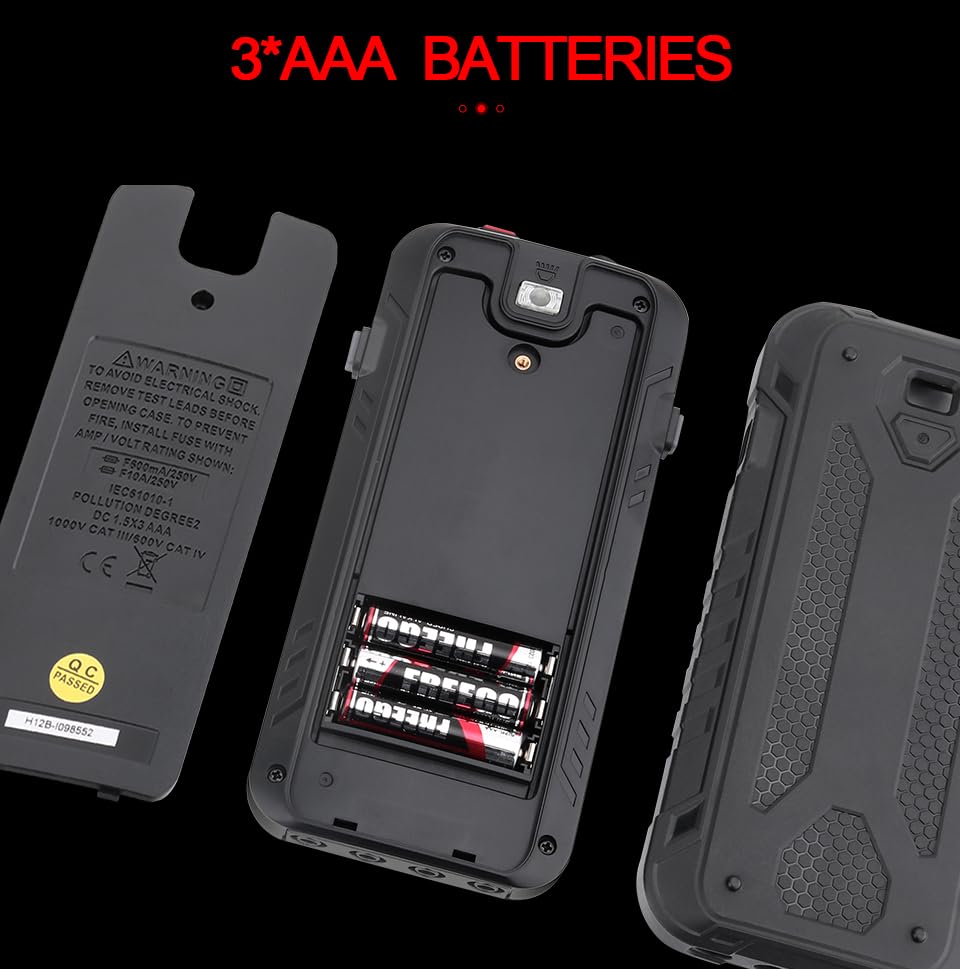
Slika 4.1: Odjeljak za baterije za 3 AAA baterije.
4.2 Spajanje mjernih kabela
Connect the test leads to the appropriate input jacks for the desired measurement function. Always connect the black test lead to the COM (Common) jack. Connect the red test lead to the jack corresponding to the measurement type (e.g., VΩHz for voltage/otpor/frekvencija, mA za miliampere current, 10A for amptrenutno).
5. Uputstvo za upotrebu
The GD128 features both auto-ranging and manual-ranging capabilities. The "SMART" function automatically identifies AC/DC voltage, otpor i kontinuitet.
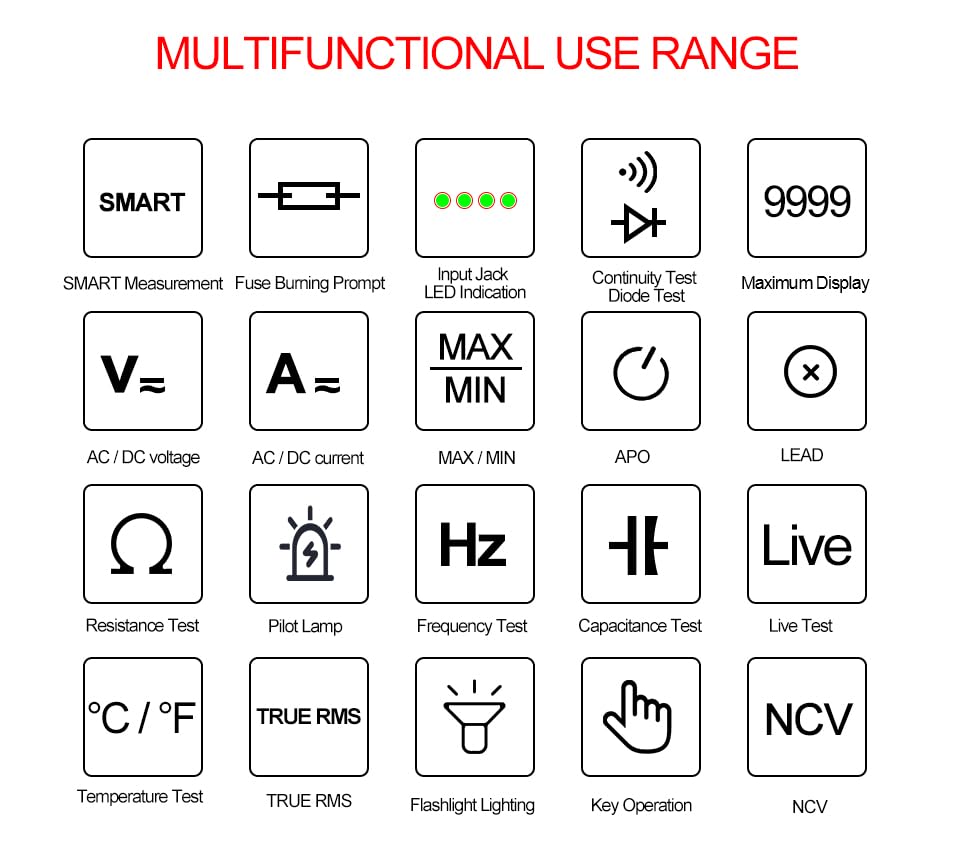
Figure 5.1: Multifunctional Use Range icons.
5.1 Uključivanje/isključivanje napajanja
Pritisnite Ključ za napajanje (2) to turn the multimeter on or off.
5.2 Odabir funkcije
The multimeter typically starts in SMART mode. Press the FUNC (Function) key (12) or SEL key to cycle through different measurement modes within a category (e.g., AC/DC voltage, otpor/kontinuitet/dioda).
5.3 Common Measurement Functions
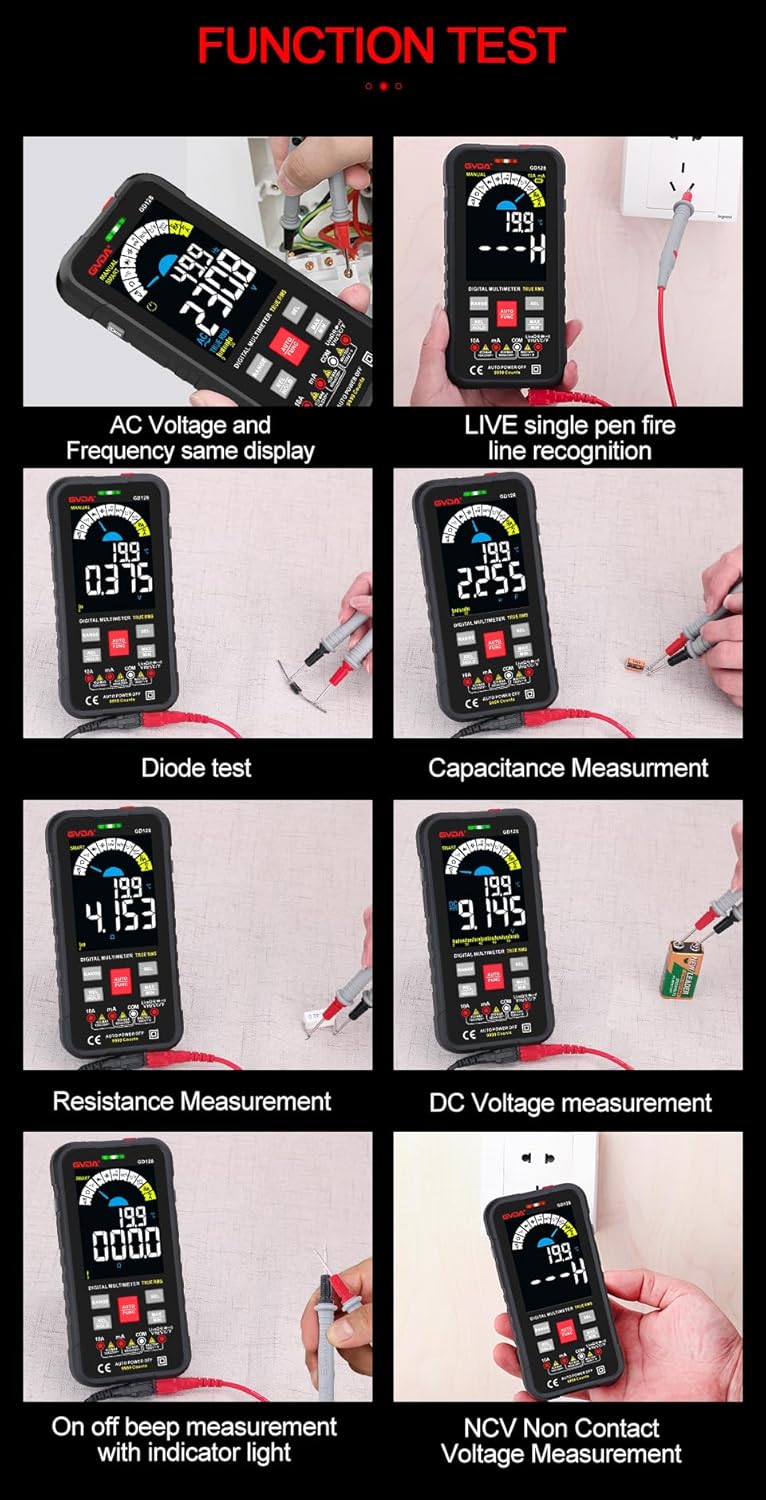
Slika 5.2: Pramples of various function tests.
5.3.1 svtagMjerenje (AC/DC)
- Spojite crni mjerni kabel na COM priključak, a crveni mjerni kabel na VΩHz priključak.
- Select the appropriate AC (~) or DC (---) voltage način.
- Spojite mjerne kablove paralelno sa strujnim kolom ili komponentom koju treba mjeriti.
- Na displeju će se prikazati voltage čitanje.
5.3.2 Mjerenje struje (AC/DC)
- Povežite crni ispitni kabel na COM utičnicu.
- For current up to 600mA, connect the red test lead to the mA jack. For current up to 10A, connect the red test lead to the 10A jack.
- Select the appropriate AC (~) or DC (---) current mode.
- Spojite multimetar serijski sa strujnim kolom koje se mjeri.
- Na ekranu će se prikazati trenutno očitavanje.
5.3.3 Mjerenje otpora (Ω)
- Spojite crni mjerni kabel na COM priključak, a crveni mjerni kabel na VΩHz priključak.
- Odaberite način rada Otpor (Ω).
- Prije mjerenja otpora provjerite je li strujno kolo bez napona.
- Spojite mjerne kablove preko komponente koju treba mjeriti.
- Na displeju će se prikazati očitanje otpora.
5.3.4 Mjerenje kapacitivnosti (F)
- Spojite crni mjerni kabel na COM priključak, a crveni mjerni kabel na VΩHz priključak.
- Select the Capacitance (F) mode.
- Prije mjerenja provjerite je li kondenzator potpuno ispražnjen kako biste izbjegli oštećenje multimetra.
- Spojite mjerne kablove preko priključaka kondenzatora.
- Na ekranu će se prikazati očitanje kapacitivnosti.
5.3.5 Test kontinuiteta (Ω)
- Spojite crni mjerni kabel na COM priključak, a crveni mjerni kabel na VΩHz priključak.
- Select the Continuity mode.
- Touch the test leads to the points you want to check for continuity. A continuous beep indicates a complete circuit.
5.3.6 Test diode (→|)
- Spojite crni mjerni kabel na COM priključak, a crveni mjerni kabel na VΩHz priključak.
- Select the Diode Test mode.
- Spojite crveni mjerni kabel na anodu, a crni na katodu diode. Na ekranu će se prikazati direktna voltaža.tage drop. Reverse the leads; an open circuit (OL) reading indicates a good diode.
5.3.7 NCV (Beskontaktni volumentage) Mjerenje
- Odaberite NCV način rada.
- Move the NCV sensor area (1) near the conductor. The multimeter will beep and the warning indicator (4) will light up with increasing frequency as it detects AC voltage.
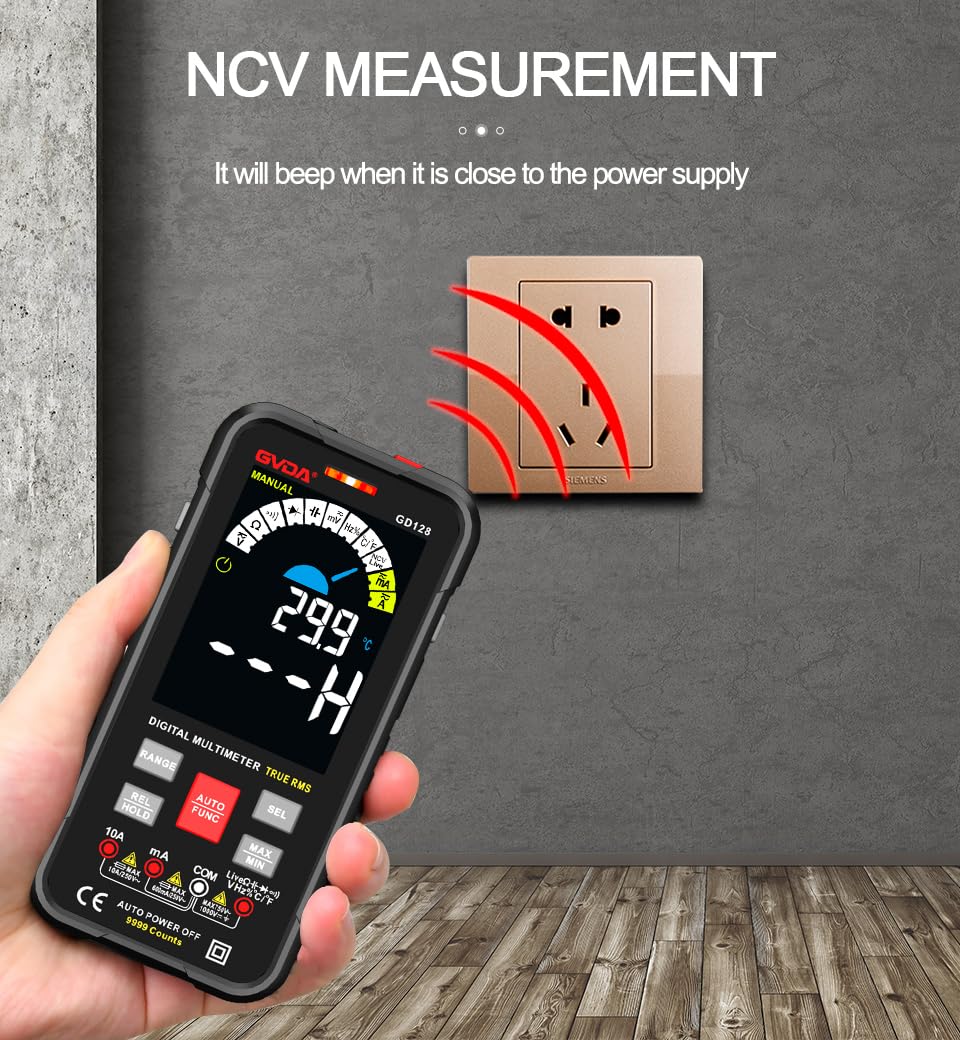
Slika 5.3: NCV (Beskontaktni volumentage) measurement in progress.
5.3.8 Ostale funkcije
- Pravi RMS: Provides accurate readings for both sinusoidal and non-sinusoidal AC waveforms.
- MAKS/MIN/PROSJEK: Pritisnite MAX/MIN key to record maximum, minimum, and average readings.
- REL (Relativno mjerenje): Pritisnite REL/HOLD key briefly to set the current reading as a reference for subsequent measurements.
- Zadržavanje podataka: Pritisnite REL/HOLD key briefly to freeze the current reading on the display.
- svjetiljka: Pritisnite Ključ za lampu (3) to turn the built-in flashlight on/off.
- Automatsko isključivanje (APO): Multimetar će se automatski isključiti nakon određenog perioda neaktivnosti kako bi se uštedio vijek trajanja baterije.
6. Prijave
The GVDA GD128 Digital Multimeter is versatile and suitable for a wide range of applications, including but not limited to:

Figure 6.1: Diverse applications of the GD128 Multimeter.
- Electronic beginners and hobbyists
- Electronic circuit installation and testing
- Electronic maintenance and repair
- Electromechanical maintenance
- Vehicle inspection and automotive electrical work
- Maintenance of household appliances
- General electrical troubleshooting
7. Specifikacije
Detailed technical specifications for the GVDA GD128 Digital Multimeter:
| Feature | Domet | Preciznost |
|---|---|---|
| DC Voltage | 99.99mV/999.9mV; 9.999V/99.9V/1000V | ±(0.5%+3) |
| AC Voltage | 99.9mV/999.9/mV; 9.999V/99.9V/750V | ±(0.8%+3) |
| DC Current | 9.999mA/99.99mA/999.9mA; 9.99A | ±(0.8%+3) for mA, ±(1.2%+3) for A |
| AC struja | 9.999mA/99.99mA/999.9mA; 9.99A | ±(1.0%+3) for mA, ±(1.5%+3) for A |
| Otpor | 99.99/999.9 ohms/9.999k/99.99k/999.9kohm; 9.999 m/99.99 m ohms | ±(0.8%+3) for kΩ, ±(1.2%+3) for MΩ |
| Kapacitet | 9.999/99.99/999.9nF/9.999/99.99/999.9uF; 9.999mF/99.99mF | ±(4.0%+3) for nF/uF, ±(5.0%+5) for mF |
| Frekvencija | 99.99/999.9/9.999k/99.99k/999.9kHz/9.999mHz | ±(1.0%+3) |
| Duty Cycle | 0.1%-99.99% | ±(1.0%+2) |
| Temperatura | -40~1000°C; -40-1832°F | ±2°C |
| Prikaz broja | 9999 counts | |
| Display Type | VA ekran u boji | |
| Sampling Rate | Pribl. 3 puta u sekundi | |
| Prikaz preko dometa | "OL" | |
| Low Voltage Indikacija | Indikacija slabe baterije | |
| Napajanje | 3 x 1.5V AAA baterije (nisu uključene) | |
| Težina proizvoda | Pribl. 230g | |
| Veličina proizvoda | 83x23x165mm | |
| Safety Rating | EN61010-1,-2-030 EN61010-2-033, EN61326-1 CAT III 1000 V CAT IV 600 V |
8. Održavanje
Pravilno održavanje osigurava dugotrajnost i tačnost vašeg multimetra.
- čišćenje: Obrišite kućište oglasomamp krpa i blagi deterdžent. Ne koristite abrazive ili otapala.
- Zamjena baterije: Odmah zamijenite baterije kada se pojavi indikator slabe baterije kako biste osigurali tačna očitavanja.
- Zamjena osigurača: If the current measurement function fails, the fuse may be blown. Refer to the warning label inside the battery compartment for fuse specifications (e.g., F600mA/250V, F10A/250V). Ensure the multimeter is off and test leads are disconnected before replacing fuses.
- Skladištenje: Ako se multimetar ne koristi duži period, izvadite baterije kako biste spriječili curenje. Čuvajte na hladnom i suhom mjestu, dalje od direktne sunčeve svjetlosti.
9. Otkrivanje problema
If you encounter issues with your GVDA GD128 Multimeter, try the following:
- Nema prikaza/Uključivanje: Provjerite jesu li baterije ispravno postavljene i uvjerite se da nisu ispražnjene. Zamijenite ih ako je potrebno.
- Netačna očitanja: Verify test lead connections, ensure the correct function and range are selected, and check if the circuit is de-energized for resistance/continuity/capacitance tests.
- "OL" prikaz: Indicates an over-range condition or an open circuit (e.g., when measuring resistance on an open wire).
- Nema zvučnog signala kontinuiteta: Check if the circuit is truly continuous. If not, the circuit is open.
- Fuse Blown Warning: If the current measurement function is not working, the fuse might be blown. Replace the fuse as per maintenance instructions.
Za uporne probleme, kontaktirajte korisničku podršku.
10. Garancija i podrška
Your GVDA GD128 Digital Multimeter comes with a 30-dnevna garancija for system failures or factory problems. Please retain your proof of purchase for warranty claims.
For technical support, warranty claims, or further assistance, please refer to the contact information provided with your product packaging or visit the official GVDA website.
11. Sadržaj paketa
Upon opening your GVDA GD128 Digital Multimeter package, you should find the following items:

Figure 11.1: Contents included in the GD128 Multimeter package.
- 1 x GVDA GD128 Digital Multimeter
- 1 x Test Lead Set (Original pen cable)
- 1 x platnena torba
- 1 x Thermocouple Probe
- 1 x Uputstvo za upotrebu
- 1 x Poklon kutija (Ambalaža)


