Uvod
Thank you for choosing the SENTRY HPXKX50 RGB Gaming Mouse. This high-performance wired gaming mouse is designed to enhance your gaming and computing experience with its precise optical sensor, customizable RGB lighting, and ergonomic design. This manual provides detailed instructions on setting up, operating, maintaining, and troubleshooting your new mouse.
Sadržaj paketa
- SENTRY HPXKX50 RGB Gaming Mouse
- Korisnički priručnik (ovaj dokument)

Image: The retail packaging for the SENTRY HPXKX50 RGB Gaming Mouse, showing the mouse inside the box with its features highlighted.
Setup
Follow these simple steps to set up your SENTRY HPXKX50 RGB Gaming Mouse:
- Raspakujte miš: Carefully remove the mouse and its USB cable from the packaging.
- Povežite se na svoj uređaj: Locate an available USB port on your computer (PC, Laptop, Mac) or compatible gaming console (PS4/PS5). Insert the USB connector of the mouse into the USB port.
- Instalacija drajvera: The SENTRY HPXKX50 is a plug-and-play device. Your operating system (Windows, macOS) will automatically detect and install the necessary drivers. No additional software installation is required for basic functionality.
- Potvrdite vezu: Once connected, the mouse's RGB lighting will illuminate, indicating a successful connection. You can now move the mouse to test cursor movement.

Slika: Krupni plan view of the USB connector of the SENTRY HPXKX50 RGB Gaming Mouse, which is used for connecting to a computer.

Image: Icons illustrating the compatibility of the SENTRY HPXKX50 RGB Gaming Mouse with various devices, including laptops, desktop computers, HDTVs, PS4/PS5 consoles, and Mac computers.
Operating
The SENTRY HPXKX50 RGB Gaming Mouse offers intuitive operation with its standard buttons and advanced features.
Osnovne funkcije
- Lijevi klik: Dugme za primarnu akciju.
- Desni klik: Sekundarno dugme za akciju, obično za kontekstne menije.
- Točak za pomicanje: Scrolls content up or down. Can also be pressed for middle-click functionality.
- DPI dugme: Located behind the scroll wheel, this button allows you to cycle through different DPI (Dots Per Inch) sensitivity settings.
RGB osvetljenje
The mouse features dynamic RGB lighting that illuminates the edges and scroll wheel. The lighting effects are pre-programmed and will cycle automatically, adding an aesthetic appeal to your setup.
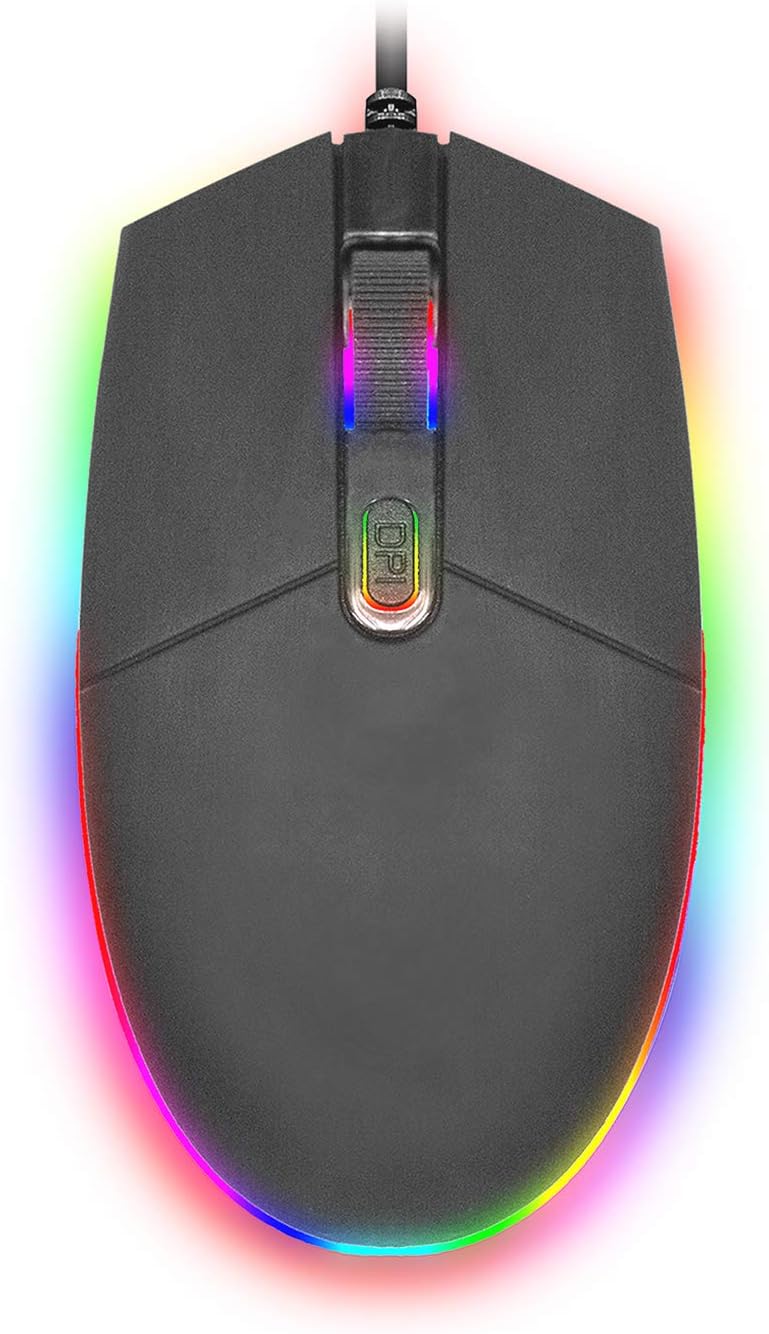
Slika: Pogled odozgo prema dolje view of the SENTRY HPXKX50 RGB Gaming Mouse, showcasing its vibrant, multi-color RGB lighting along the base and around the scroll wheel.

Slika: Sporedni profesionalacfile view of the SENTRY HPXKX50 RGB Gaming Mouse, highlighting the illuminated RGB strip along its bottom edge in a dark environment.
DPI osetljivost
The HPXKX50 mouse is equipped with a high-precision optical sensor, offering up to 7200 DPI. This allows for highly sensitive and accurate cursor movements, ideal for fast-paced gaming or precise graphic design work. Press the DPI button to switch between sensitivity levels. The mouse is designed for smooth tracking and ultra-high sensitivity.

Image: The SENTRY HPXKX50 RGB Gaming Mouse with an overlay indicating its 7200 DPI high-precision optical sensor, emphasizing its accuracy for gaming.
Održavanje
To ensure the longevity and optimal performance of your SENTRY HPXKX50 RGB Gaming Mouse, follow these maintenance guidelines:
- čišćenje: Za brisanje površine miša koristite meku, suhu krpu koja ne ostavlja dlačice. Za tvrdokornu prljavštinu, lagano obrišiteampNapržite krpu vodom. Izbjegavajte upotrebu jakih hemikalija, rastvarača ili abrazivnih sredstava za čišćenje.
- Održavanje senzora: Keep the optical sensor on the bottom of the mouse clean and free from dust or debris. Use a cotton swab or compressed air to gently clean the sensor area.
- Upravljanje kablovima: Avoid sharp bends or kinks in the USB cable. Store the mouse in a way that prevents the cable from being tangled or stressed. The braided cable is designed for durability.
- Skladištenje: Kada se miš ne koristi duži period, čuvajte ga na hladnom i suhom mjestu, dalje od direktne sunčeve svjetlosti i ekstremnih temperatura.
Rješavanje problema
If you encounter issues with your SENTRY HPXKX50 RGB Gaming Mouse, refer to the table below for common problems and solutions:
| Problem | Mogući uzrok | Rješenje |
|---|---|---|
| Miš ne reaguje | Labava USB veza, neispravan USB port, problem s upravljačkim programom. | Ensure USB cable is firmly plugged in. Try a different USB port. Restart your computer. |
| Kretanje kursora je nepravilno ili neravnomjerno | Prljav optički senzor, neodgovarajuća površina podloge za miša. | Clean the optical sensor. Use a clean, uniform mouse pad surface. |
| RGB lighting is off or flickering | Insufficient power from USB port, internal fault. | Try a different USB port, preferably a direct port on the motherboard (for desktops). If the issue persists, contact support. |
| DPI dugme ne mijenja osjetljivost | Software conflict, button malfunction. | Ensure no conflicting mouse software is running. Restart your computer. |
Specifikacije
| Feature | Detalj |
|---|---|
| Brand | SENTRY |
| Broj modela | 50M1-05000 |
| Tehnologija povezivanja | USB Wired |
| Tehnologija detekcije pokreta | Optički |
| DPI (tačke po inču) | Do 7200 DPI |
| Osvetljenje | RGB |
| Boja | Crna |
| Hardverska platforma | PC |
| Kompatibilnost operativnog sistema | Windows, macOS (Plug & Play) |
| Težina artikla | 6.4 unci (otprilike 181 g) |
| Dimenzije proizvoda (DxŠxV) | 4.75 x 2 x 7.25 inča (približno 12.07 x 5.08 x 18.42 cm) |
| Posebna karakteristika | Ergonomski dizajn |
| Proizvođač | CableWholesale |
Garancija i podrška
For warranty information and customer support, please refer to the documentation provided with your purchase or visit the official SENTRY or CableWholesale webSačuvajte dokaz o kupovini za slučaj reklamacije.
For additional assistance, you may contact the manufacturer directly through their official support channels.


