1. Uvod
Hvala na kupoviniasing the TOPTRO X2 Mini Projector. This manual provides detailed instructions for setting up, operating, and maintaining your projector. Please read this manual thoroughly before use to ensure proper operation and to extend the lifespan of your device. Keep this manual for future reference.
Sigurnosne informacije
- Ne gledajte direktno u sočivo projektora kada je lamp je uključen.
- Osigurajte odgovarajuću ventilaciju oko projektora kako biste spriječili pregrijavanje.
- Ne izlažite projektor kiši ili vlazi.
- Koristite samo adapter za napajanje koji dolazi s projektorom.
- Do not attempt to repair the projector yourself. Contact qualified service personnel for assistance.
- Držite projektor dalje od izvora toplote i direktne sunčeve svjetlosti.
2. Sadržaj paketa
Provjerite da li se sve stavke nalaze u vašem paketu:
- TOPTRO X2 Mini Projector
- Daljinski upravljač
- Power Cable
- HDMI kabl
- AV kabel
- Uputstvo za upotrebu
- Poklopac objektiva

Image: The TOPTRO X2 Mini Projector shown with its carrying case and a smartphone displaying projected content. This image illustrates the compact size and portability of the projector, along with its primary function of displaying media.
3. Proizvod je gotovview
Projector Layout
Slika: Prednja i bočna view of the TOPTRO X2 Mini Projector, highlighting the lens, focus ring, and ventilation grilles. This provides a visual guide to the projector's external components.
Ulazno/izlazni portovi
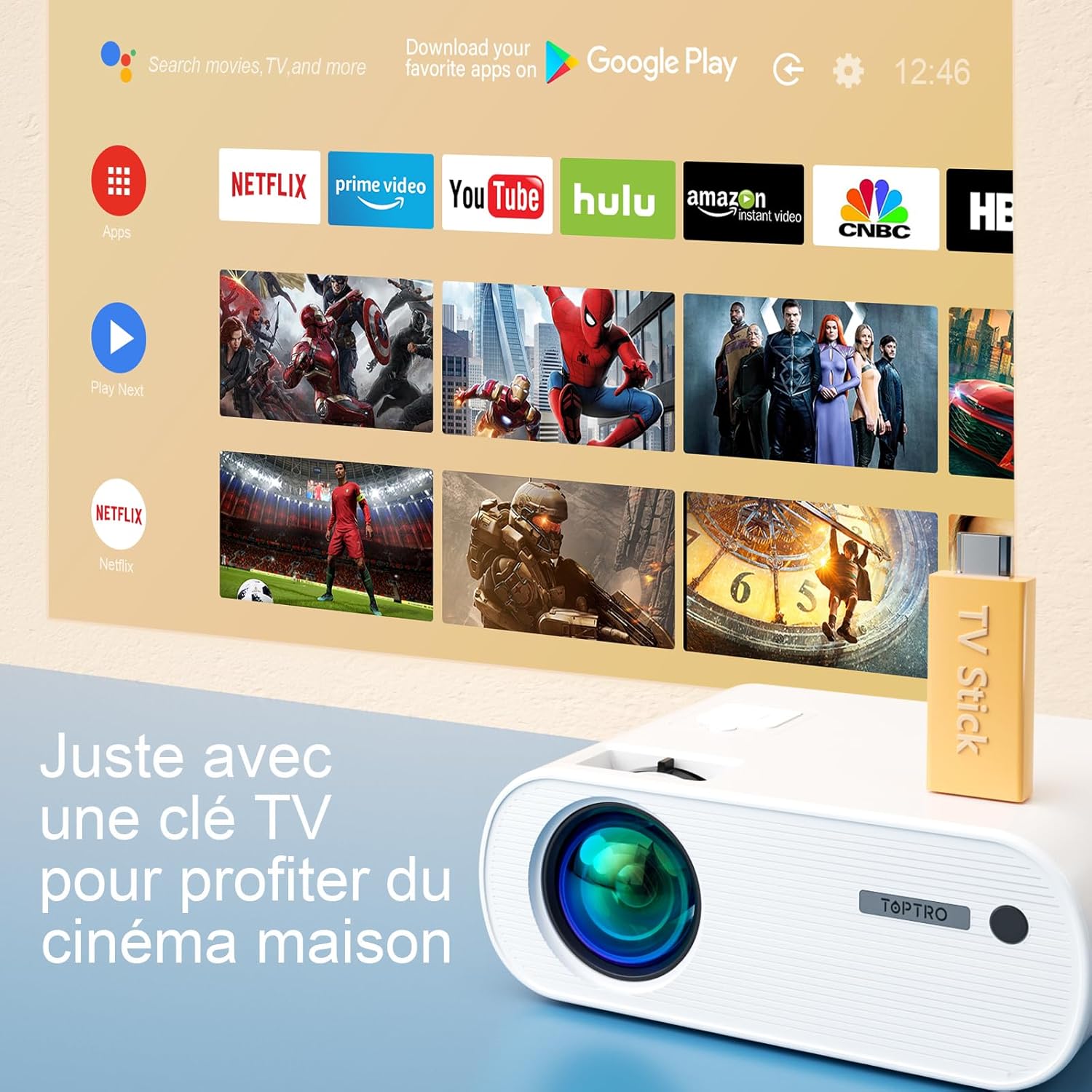
Image: Close-up of the rear panel of the TOPTRO X2 Mini Projector, showing various input/output ports including HDMI, USB, AV, and power input. This helps users identify where to connect their devices.
- Power Input
- HDMI port
- USB port
- AV port
- Audio izlaz (3.5 mm)
- VGA port
- Utor za SD karticu
Control Panel

Slika: Od vrha prema dolje view of the TOPTRO X2 Mini Projector's control panel, showing navigation buttons and the power button. This image assists users in understanding the on-device controls.
The projector can be controlled using the onboard buttons or the included remote control.
4. Početno podešavanje
4.1 Uključivanje
- Connect the power cable to the projector's power input and then to a power outlet.
- Pritisnite dugme za napajanje na projektoru ili daljinski upravljač da uključite uređaj.
4.2 Podešavanje fokusa
Okrećite prsten za fokusiranje na objektivu projektora dok projicirana slika ne postane jasna i oštra.

Image: A hand adjusting the focus ring on the TOPTRO X2 Mini Projector, with a blurred image on the left and a sharp image on the right, demonstrating the effect of focus adjustment. This visual aid helps users understand how to achieve a clear picture.
4.3 Korekcija Keystone
The TOPTRO X2 features 4D Keystone Correction (±40° vertical and horizontal) and a 100% X/Y zoom function, adjustable via the remote control. This allows for a rectangular image even if the projector is not perfectly aligned with the screen.

Image: Diagram illustrating the effect of keystone correction, showing a distorted image being corrected into a perfect rectangle. This helps users visualize the function of keystone adjustment.
Za podešavanje:
- Navigate to the "Keystone Correction" menu using the remote control.
- Adjust the vertical and horizontal parameters until the image is rectangular.
- Use the zoom function (100% X/Y) to adjust the image size without moving the projector.
4.4 Opcije smještaja
The projector can be placed on a table or mounted to the ceiling.

Image: An image showing the TOPTRO X2 Mini Projector in two different setups: on a table and ceiling-mounted. This demonstrates the versatility of installation options for the projector.
5. Uputstvo za upotrebu
5.1 Odabir ulaznog izvora
Press the "Source" button on the remote control or projector to select the desired input source (HDMI, USB, AV, VGA, Screen Mirroring).
5.2 Povezivanje uređaja
5.2.1 HDMI veza
Connect your device (e.g., laptop, game console, TV Stick) to the projector's HDMI port using an HDMI cable.

Image: The TOPTRO X2 Mini Projector connected to a TV Stick, displaying various streaming service icons on a projected screen. This illustrates how to connect and use a TV stick for media consumption.
5.2.2 USB veza
Umetnite USB disk u USB priključak za reprodukciju medija files directly. The projector supports various video, audio, and image formats.
5.2.3 AV veza
Use the provided AV cable to connect devices with AV output (e.g., DVD player).
5.2.4 VGA konekcija
Povežite računar na VGA port pomoću VGA kabla.
5.2.5 Wireless Connection (WiFi Screen Mirroring)
The TOPTRO X2 supports wireless screen mirroring for Android and iOS devices.

Image: The TOPTRO X2 Mini Projector wirelessly connected to multiple devices (smartphone, tablet, laptop), projecting a scenic image. This demonstrates the projector's WiFi screen mirroring capability for various devices.
- Select "Screen Mirroring" as the input source.
- Follow the on-screen instructions to connect your smartphone or tablet to the projector's WiFi network, then enable screen mirroring on your device.
5.2.6 Bluetooth audio veza
Connect external Bluetooth speakers or headphones for enhanced audio experience.

Image: The TOPTRO X2 Mini Projector wirelessly connected via Bluetooth to external speakers and headphones, with sound waves emanating from the projector. This illustrates the projector's Bluetooth audio output feature.
- Provjerite je li vaš Bluetooth audio uređaj u načinu rada za uparivanje.
- Na projektoru idite na meni postavki Bluetootha.
- Odaberite svoj uređaj s popisa za uparivanje.
5.3 Navigacija izbornikom
Use the arrow keys and "OK" button on the remote control or projector to navigate through the on-screen menus for settings such as picture mode, sound mode, and system settings.
6. Održavanje
6.1 Čišćenje objektiva
Use a soft, lint-free cloth or lens cleaning paper to gently wipe the projector lens. Avoid using abrasive cleaners.
6.2 Čišćenje filtera za prašinu
The TOPTRO X2 features a removable dust filter to prevent dust accumulation and black spots on the projection. Regularly clean the filter to maintain optimal performance.
- Locate the removable dust filter cover on the side of the projector.
- Gently remove the cover and the filter.
- Clean the filter using a soft brush or compressed air.
- Reinsert the filter and close the cover securely.
6.3 Ventilacija
Ensure that the projector's ventilation openings are not blocked to allow for proper airflow and prevent overheating. The projector is equipped with a circulation cooling system and three independent smart fans to manage temperature.
7. Otkrivanje problema
| Problem | Mogući uzrok | Rješenje |
|---|---|---|
| Nema slike na ekranu | Power not connected; Incorrect input source; Lens cap on | Provjerite priključak za napajanje; Odaberite ispravan ulazni izvor; Skinite poklopac objektiva |
| Zamućena slika | Focus not adjusted; Incorrect projection distance | Adjust focus ring; Adjust projector distance or use zoom function |
| Iskrivljena slika (trapezoidni oblik) | Projektor nije okomit u odnosu na platno | Use keystone correction function |
| Nema zvuka | Volume too low; Muted; Incorrect audio output selected | Increase volume; Unmute; Check audio settings and connections |
| Daljinski upravljač ne radi | Batteries dead; Obstruction between remote and projector | Zamijenite baterije; Osigurajte jasnu liniju vidljivosti |
| Upozorenje o pregrijavanju | Blokirana ventilacija; Dugotrajna upotreba | Ensure vents are clear; Allow projector to cool down |
8. Specifikacije
| Feature | Detalj |
|---|---|
| Brand | TOPTRO |
| Model | X2 |
| Native Resolution | 1920 x 1080P (Full HD) |
| Podržana rezolucija | Do 4K Ultra HD-a |
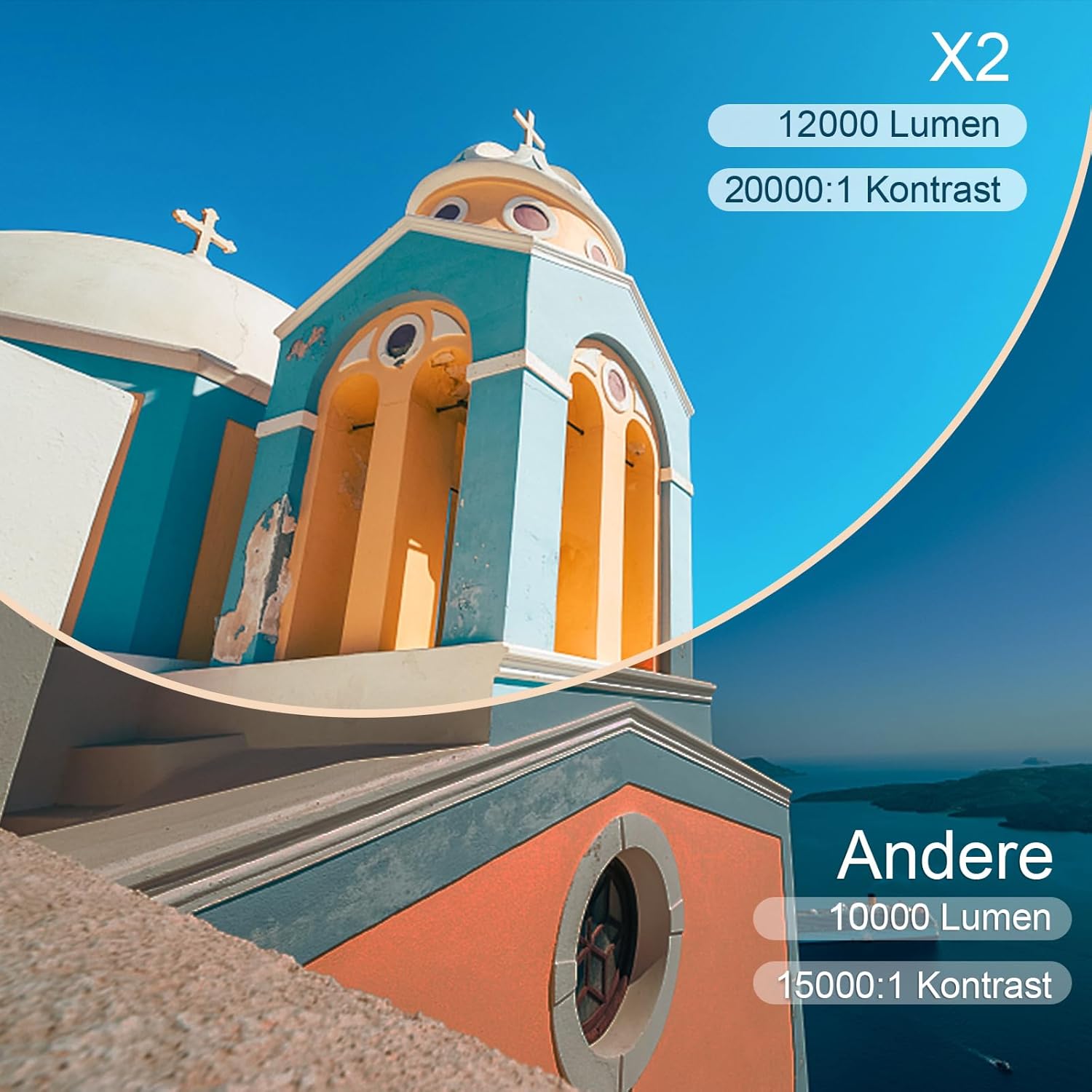
| Osvetljenost | 6800 Lumens (Note: Marketing claims may vary, e.g., 7000 or 12000 lumens) |
| Kontrast Ratio | 8000:1 |
| Veličina projekcije | Do 300 inča |
| Udaljenost projekcije | Recommended 3.5m, Max 7m |
| Ispravka Keystone-a | 4D (±40° Vertical & Horizontal) |
| Funkcija zumiranja | 100% X/Y |
| Lamp Život | 90,000 sati (LED) |
| Zvučnici | Built-in 10W Dual Subwoofer with SRS Sound |
| Povezivanje | HDMI, USB, AV, VGA, WiFi, Bluetooth |
| Boja | Grey |
9. Garancija i podrška
Informacije o garanciji
Please refer to the warranty card included in your package for detailed warranty terms and conditions. The warranty typically covers manufacturing defects for a specified period from the date of purchase.
Korisnička podrška
If you encounter any issues or have questions regarding your TOPTRO X2 Mini Projector, please contact TOPTRO customer support. Contact information can usually be found on the official TOPTRO websajtu ili na garantnom listu.
When contacting support, please have your model number (X2) and purchase details ready.


