1. Uvod
Hvala na kupoviniasing the Monitor Audio Bronze W10 6G Series Subwoofer. This manual provides essential information for the safe and optimal operation of your new subwoofer. Please read these instructions thoroughly before installation and use, and retain them for future reference.
2. Sigurnosne informacije
Uvijek se pridržavajte sljedećih sigurnosnih mjera opreza kako biste spriječili strujni udar, požar ili oštećenje uređaja:
- Ne izlažite jedinicu kiši ili vlazi.
- Ne otvarajte casing. Za sve servisne radove obratite se kvalifikovanom osoblju.
- Osigurajte odgovarajuću ventilaciju. Ne blokirajte ventilacijske otvore.
- Isključite kabel za napajanje iz zidne utičnice ako uređaj nećete koristiti duži period.
- Use only the power cord supplied or specified by the manufacturer.
- Izbjegavajte postavljanje jedinice u blizini izvora topline ili na direktnu sunčevu svjetlost.
3. Sadržaj paketa
Provjerite da li su svi artikli prisutni u pakovanju:
- Monitor Audio Bronze W10 6G Series Subwoofer
- Kabl za napajanje
- Korisnički priručnik (ovaj dokument)
4. Proizvod je gotovview
4.1 Ključne karakteristike
- Long-throw 10" driver featuring 'dished' C-CAM cone for powerful bass.
- 10" flat panel Auxiliary Bass Radiator (ABR) positioned underneath the unit for enhanced low-frequency extension.
- Klasa D amplifier with high current Switch Mode Power Supply (SMPSU) for efficient power delivery.
- Amplifier Output: 220 Watts RMS.
- Power Consumption: Maximum 300 W, Standby <0.5 W (ErP compliance).
4.2 Komponente subwoofera
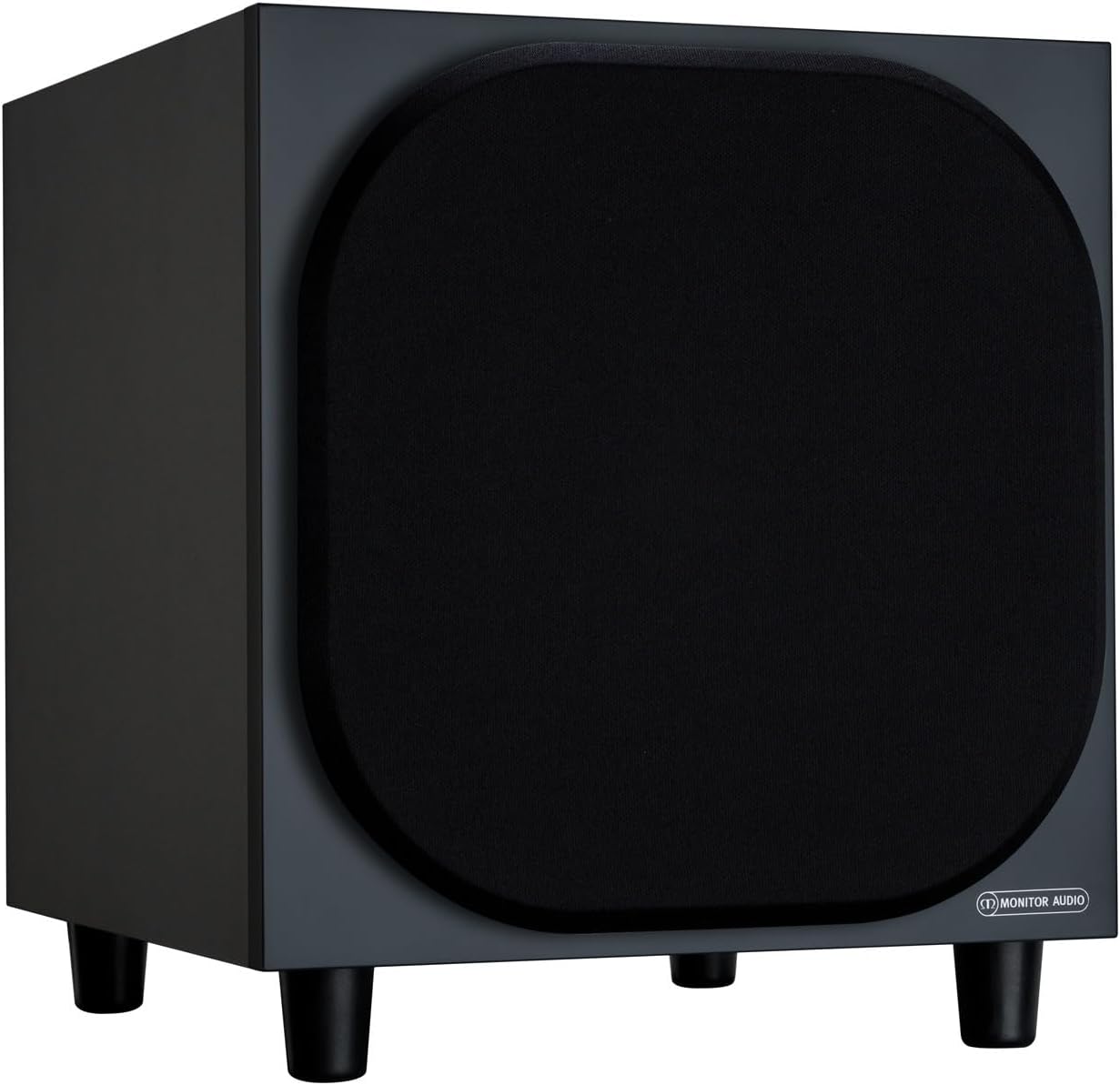
Slika 4.2.1: Prednja strana View of the Monitor Audio Bronze W10 Subwoofer. This image displays the front of the subwoofer with its protective grille, showcasing the compact and elegant design.

Slika 4.2.2: Pod uglom View of the Monitor Audio Bronze W10 Subwoofer. This image provides an angled perspective, highlighting the overall form factor and the four sturdy feet.

Figure 4.2.3: Rear Panel of the Monitor Audio Bronze W10 Subwoofer. This image details the rear panel, showing all input/output connections, control knobs for frequency, volume, and phase, and the power switch.
5. Podešavanje
5.1 Postavljanje
Optimal placement of the subwoofer is crucial for sound quality. Experiment with different positions in your listening room. Generally, placing the subwoofer in a corner can enhance bass output, while placing it along a wall can provide a more balanced response. Avoid placing it directly against a wall if possible, as this can lead to boomy bass.
5.2 Veze
- Audio ulaz: Povežite subwoofer sa vašim AV prijemnikom ili amplifier's LFE (Low-Frequency Effects) or Subwoofer output using an RCA cable. The Bronze W10 features both LFE and stereo RCA inputs.
- Priključak za napajanje: Ensure the subwoofer's power switch is in the 'Off' position. Connect the supplied power cord to the subwoofer's AC inlet and then to a suitable wall outlet. The unit supports AC 110-120V or 220-240V, selectable via a switch on the rear panel.
- 12V Trigger (Optional): If your AV receiver or amplifier has a 12V trigger output, connect it to the subwoofer's 12V Trigger input. This allows the subwoofer to power on/off automatically with your main system.
5.3 Početno napajanje
After making all connections, switch the subwoofer's power to 'On'. The power indicator light should illuminate. If using the 12V trigger, ensure your main system is powered on.
6. Uputstvo za upotrebu
6.1 Kontrole
The rear panel of the Bronze W10 features several controls for fine-tuning its performance:
- Volumen: Adjusts the overall output level of the subwoofer. Start with a low setting and gradually increase until it blends seamlessly with your main speakers.
- Frequency (Crossover): Sets the upper frequency limit for the subwoofer. This should typically be set to match the low-frequency extension of your main speakers. Common settings range from 80Hz to 120Hz.
- faza: Allows you to adjust the phase of the subwoofer's output relative to your main speakers (0° or 180°). This helps ensure that the subwoofer's sound waves are in sync with the main speakers, preventing cancellation or reinforcement at the crossover point. Experiment with both settings to find the one that produces the most coherent bass.
- Način rada: Selects the power mode (On, Auto, 12V Trigger). 'Auto' mode will put the subwoofer into standby when no audio signal is detected and power it on when a signal is present.
- Bas način rada: (Refer to Figure 4.2.3) This switch allows selection between different bass characteristics, such as 'Music' or 'Movie' modes, or a 'Bass Boost' setting, to optimize performance for various content.
6.2 Wireless Connectivity (Bluetooth)
The Bronze W10 features Bluetooth connectivity for wireless control or audio input (check specific model features for audio input capability). Refer to your source device's manual for pairing instructions. The Bluetooth range is approximately 10 meters.
7. Održavanje
7.1 Čišćenje
To clean the subwoofer, use a soft, dry, lint-free cloth. Do not use abrasive cleaners, waxes, or solvents, as these can damage the finish. For stubborn marks, a slightly damp Može se koristiti krpa, a zatim suha krpa.
7.2 Briga
- Avoid exposing the subwoofer to extreme temperatures or humidity.
- Ne stavljajte teške predmete na vrh jedinice.
- Osigurajte dovoljan protok zraka oko uređaja kako biste spriječili pregrijavanje.
8. Otkrivanje problema
| Problem | Mogući uzrok | Rješenje |
|---|---|---|
| Nema zvuka |
|
|
| Distorted Sound |
|
|
| Humming Noise |
|
|
9. Specifikacije
| Feature | Detalj |
|---|---|
| Naziv modela | SB6GW10B |
| Vrsta zvučnika | Subwoofer |
| Prečnik subwoofera | 10 inča |
| Amplifier Output (RMS) | 220 Watts |
| Speaker Maximum Output Power (Peak) | 600 Watts |
| Frequency Response (Lower Limit) | 25 Hz |
| Potrošnja energije (maks.) | 300 W |
| Potrošnja energije (pripravnost) | <0.5 W (ErP compliance) |
| Tehnologija povezivanja | Auxiliary, RCA, Wireless (Bluetooth) |
| Bežična komunikacijska tehnologija | Bluetooth |
| Bluetooth domet | 10 metara |
| Kontrolni metod | Manual Knobs, Remote (if applicable) |
| Dimenzije proizvoda (D x Š x V) | 14.33"D x 12.64"Š x 14.33"H |
| Težina artikla | 34.7 funte (15.74 kg) |
| Vrsta montaže | Tabletop Mount |
| Boja | Crna |
10. Informacije o garanciji
Monitor Audio products are designed and manufactured to the highest quality standards. This product is covered by a Limited Warranty. For specific warranty terms and conditions, please refer to the warranty card included with your product or visit the official Monitor Audio webMolimo sačuvajte dokaz o kupovini za potrebe reklamacije.
11. Podrška
For further assistance, technical support, or service inquiries, please contact your authorized Monitor Audio dealer or visit the official Monitor Audio webstranica:
Webstranica: www.monitoraudio.com
Address: Monitor Audio Ltd, 24 Brook Road, Rayleigh, Essex, SS6 7XJ, United Kingdom


