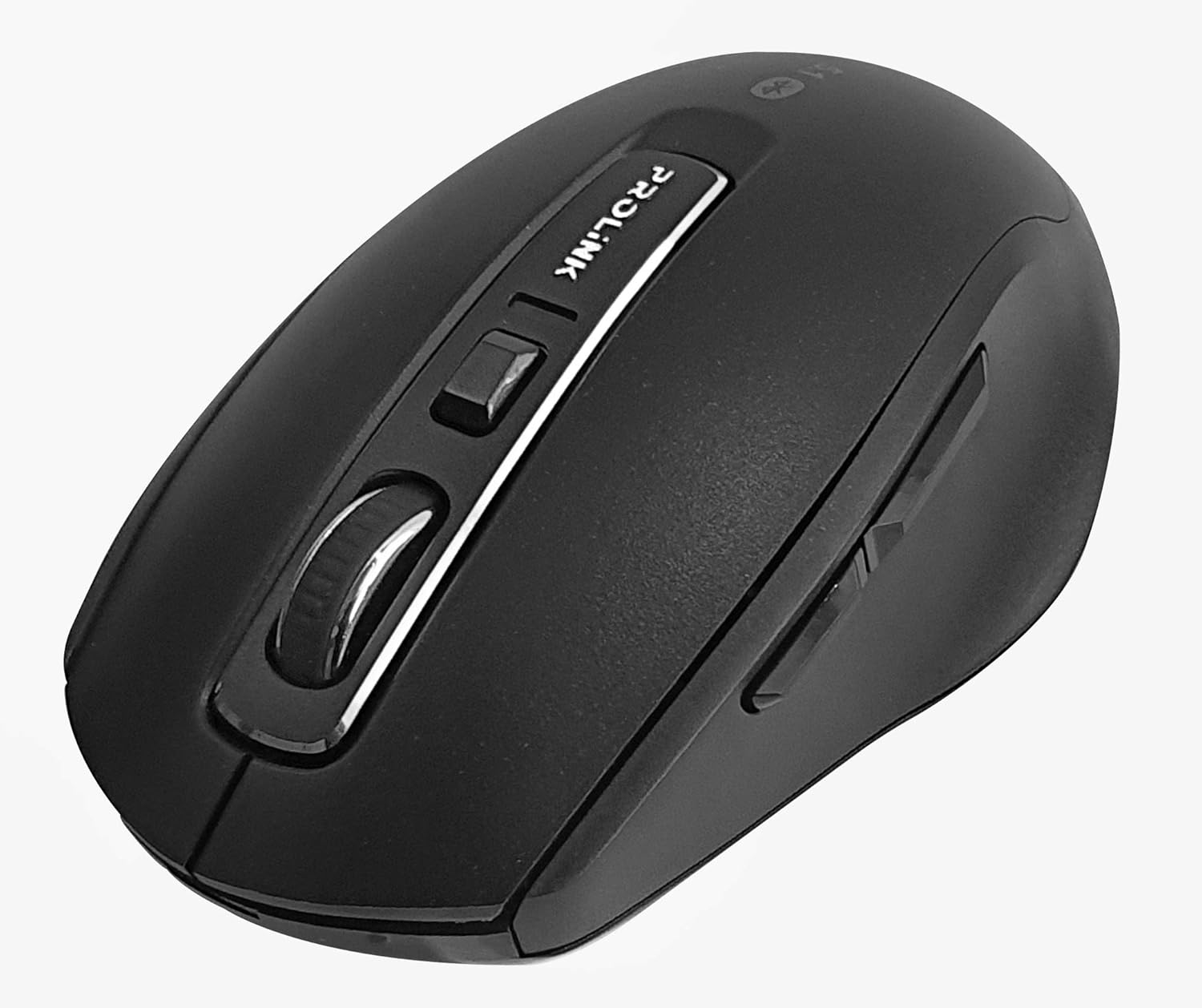
Slika: Od vrha prema dolje view of the Prolink PMB8502 Bluetooth Wireless Optical Mouse.
1. Uvod i krajview
The Prolink PMB8502 Bluetooth Mouse is designed for seamless wireless control of your desktop, laptop, or tablet. It features Bluetooth 5.2 connectivity, an ergonomic design, and adjustable DPI settings for personalized comfort and precision. This manual provides detailed instructions for setup, operation, maintenance, and troubleshooting.
Ključne karakteristike:
- Bluetooth 5.2 connectivity (backward compatible with 5.1/5.0/4.2/4.1/4.0)
- Up to 27 months battery life (based on supplied batteries)
- Podesivi DPI: 800/1200/1600
- 6-button design including back and forward buttons
- Ergonomski dizajn za udobnu upotrebu
- Operating range of up to 10 meters

Image: Prolink PMB8502 mouse highlighting its Bluetooth 5.2, battery life, DPI, and range features.
2. Sadržaj paketa
- Prolink PMB8502 Bluetooth Wireless Optical Mouse
- 1 x AA baterija (unaprijed instalirana ili uključena zasebno)
- Korisnički priručnik (ovaj dokument)
3. Upute za postavljanje
3.1. Instalacija baterije
- Pronađite poklopac pretinca za bateriju na donjoj strani miša.
- Lagano povucite ili podignite poklopac da biste otvorili pretinac.
- Umetnite jednu AA bateriju, pazeći da pozitivni (+) i negativni (-) terminali budu pravilno poravnati s oznakama unutar odjeljka.
- Vratite poklopac pretinca za baterije dok ne klikne sigurno na svoje mjesto.
3.2. Bluetooth uparivanje
Before pairing, ensure your device (computer, laptop, tablet) has Bluetooth enabled.
- Uključite miš pomoću prekidača za uključivanje/isključivanje koji se nalazi na donjoj strani.
- Press and hold the Bluetooth 'Connect' button (usually located near the On/Off switch or within the battery compartment) for 3-5 seconds until the LED indicator on the mouse begins to flash, indicating it is in pairing mode.
- Na svom uređaju idite na Bluetooth postavke.
- Traži new devices. The mouse should appear as "Prolink PMB8502" or similar.
- Select the mouse from the list to complete the pairing process. The LED indicator on the mouse will stop flashing and remain solid for a few seconds, then turn off, indicating a successful connection.

Slika: Front view of the Prolink PMB8502 mouse, showing its ergonomic shape.
4. Uputstvo za upotrebu
4.1. Funkcije gumba
- Lijevi klik na dugme: Standardni odabir i aktivacija.
- Desni klik: Pristupa kontekstualnim menijima.
- Točak za pomicanje: Pomiče dokumente i web stranice vertikalno. Može se pritisnuti i za funkcionalnost klika srednjim tasterom miša.
- Dugme za podešavanje DPI-ja: Located below the scroll wheel. Press to cycle through DPI settings (800/1200/1600).
- Dugme naprijed: Navigira naprijed u web pretraživači ili file istraživači.
- Dugme za povratak: Navigacija unazad web pretraživači ili file istraživači.

Slika: Sa strane view of the Prolink PMB8502 mouse, illustrating the placement of the back and forward navigation buttons.
4.2. DPI podešavanje
The mouse offers three DPI (Dots Per Inch) settings: 800, 1200, and 1600. Press the DPI button located below the scroll wheel to switch between these sensitivities. A higher DPI setting results in faster cursor movement across the screen.
4.3. Upravljanje napajanjem
- Prekidač za uključivanje/isključivanje: To conserve battery life, turn off the mouse using the switch on its underside when not in use for extended periods.
- Automatski način mirovanja: The mouse automatically enters a sleep mode after more than 10 minutes of inactivity. To wake it up, simply move the mouse or click any button.
5. Održavanje
5.1. Čišćenje
Za čišćenje miša koristite meku, suhu krpu koja ne ostavlja dlačice. Za tvrdokornu prljavštinu, lagano je očistite.ampen the cloth with water or a mild cleaning solution. Avoid using harsh chemicals, abrasive cleaners, or spraying liquids directly onto the mouse.
5.2. Zamjena baterije
When the mouse performance degrades or the LED indicator suggests low battery, replace the AA battery following the steps in Section 3.1. Dispose of used batteries responsibly according to local regulations.
6. Otkrivanje problema
- Mouse not connecting or erratic movement:
- Uvjerite se da je miš uključen.
- Provjerite nivo baterije i zamijenite ako je potrebno.
- Provjerite je li Bluetooth omogućen na vašem uređaju.
- Try re-pairing the mouse with your device (refer to Section 3.2).
- Približite miš uređaju kako biste isključili probleme s dometom.
- Provjerite da nema drugih jakih bežičnih signala koji ometaju Bluetooth vezu.
- Cursor not moving smoothly:
- Očistite optički senzor na donjoj strani miša.
- Koristite miš na čistoj, nereflektirajućoj površini.
- Adjust the DPI setting to a level that suits your preference.
- Dugmad ne reaguju:
- Provjerite nivo baterije.
- Ensure the mouse is properly connected via Bluetooth.
- Ponovo pokrenite računar ili uređaj.
7. Specifikacije
| Feature | Detalj |
|---|---|
| Dugmad | 6 |
| Senzor | Optički |
| DPI rezolucija | 800 / 1200 / 1600 DPI |
| Interface | Bluetooth 5.2 (backward compatible with Bluetooth 5.1/5.0/4.2/4.1/4.0) |
| Brzina USB izvještaja | 125Hz |
| FPS | 2400 puta/sek |
| Radna vlažnost | 30%RH - 95%RH |
| Radna temperatura | -20°C - +60°C |
| Operativni sistem | Windows 7 / 10 / 11, Mac OS 10.2 above |
| Dimenzije (D x Š x V) | 108 mm x 66.7 mm x 40.2 mm |
| Težina | 69.2 g (samo proizvod) |
| Vrsta baterije | 1 x AA baterija |

Image: Graphic displaying the technical specifications of the Prolink PMB8502 mouse.
8. Garancija i podrška
The Prolink PMB8502 Bluetooth Wireless Optical Mouse typically comes with a 3 godine garancije from the date of purchase. Please refer to your purchase receipt or the official Prolink webweb-mjesto za specifične uvjete garancije koji vrijede u vašoj regiji.
For technical support, troubleshooting assistance, or warranty claims, please visit the official Prolink website or contact their customer service department. Contact information can usually be found on the product packaging or the Prolink official website.
Online resursi:

Image: Prolink PMB8502 mouse with a "3 Year Warranty" label, indicating product assurance.


